X Composer
Description
XComposer uniquely simplifies turning web content into engaging Twitter threads using a handy bookmarklet, making it perfect for content creators and social media managers who want to share detailed information quickly and effortlessly. Its focus on easy thread composition and editing directly from any webpage sets it apart for Twitter-centric users.
XComposer is a specialized content creation tool designed to transform web content into engaging Twitter threads with ease. Its core purpose is to streamline the process of sharing detailed information from blogs, articles, and other online sources directly onto Twitter, making it an invaluable asset for social media users who want to disseminate knowledge quickly and effectively. By leveraging a simple bookmarklet, XComposer allows users to capture content from any webpage and convert it into a structured thread format, eliminating the need for manual copying and pasting or tedious formatting. This tool is ideal for content creators, marketers, journalists, educators, and anyone who frequently shares insights on Twitter and wants to maintain a professional, readable thread format without investing excessive time or effort. One of the standout features of XComposer is its ability to turn web content into engaging Twitter threads automatically. Users can highlight or select content on any webpage and use the bookmarklet to import it directly into the XComposer interface. From there, they can compose, edit, and arrange multiple tweets within a thread, ensuring the narrative flows logically and remains captivating. The tool supports adding multiple tweets to a single thread, allowing for comprehensive storytelling or detailed explanations that exceed Twitter's character limits per tweet. Additionally, XComposer provides a review and editing stage before posting, giving users full control to refine their messaging, correct errors, or add personal commentary. This combination of automation and manual control makes it a flexible solution for both quick sharing and polished content creation. XComposer is best suited for professionals and enthusiasts who rely heavily on Twitter for content distribution. Social media managers can use it to repurpose blog posts or news articles into digestible threads that engage followers and drive traffic. Journalists and writers can summarize lengthy reports or research findings into concise, shareable tweets. Educators and thought leaders can break down complex topics into step-by-step threads that facilitate learning and discussion. The tool’s simplicity and speed also make it attractive to casual users who want to share interesting articles or insights without the hassle of formatting tweets manually. In terms of pricing, XComposer is currently offered for free, making it accessible to a wide range of users without financial commitment. This free access lowers the barrier to entry and encourages experimentation with the tool’s features. While there are no paid plans or premium tiers mentioned, the free offering includes all core functionalities such as the bookmarklet, thread composition, editing, and posting capabilities. Compared to alternatives, XComposer stands out for its focused approach on Twitter thread creation directly from web content. Many social media tools offer scheduling or multi-platform posting but lack seamless integration for converting webpage content into threads. XComposer’s bookmarklet feature is particularly convenient, enabling quick capture without leaving the browser. However, unlike some comprehensive social media management platforms, it does not appear to support scheduling posts for future times or integration with other social networks beyond Twitter. This specialization can be a strength for users focused solely on Twitter but may limit versatility for those managing multiple channels. Notable limitations include the absence of advanced analytics or performance tracking within the tool, which means users will need to rely on Twitter’s native analytics or third-party services to measure thread engagement. Additionally, because it depends on a bookmarklet, users must install and use this browser feature, which may not be compatible with all browsers or devices. The tool also does not mention support for multimedia content like images or videos within threads, which could restrict the richness of posts. Despite these considerations, XComposer remains a powerful, user-friendly solution for anyone looking to efficiently convert web content into well-structured Twitter threads.

Description
XComposer uniquely simplifies turning web content into engaging Twitter threads using a handy bookmarklet, making it perfect for content creators and social media managers who want to share detailed information quickly and effortlessly. Its focus on easy thread composition and editing directly from any webpage sets it apart for Twitter-centric users.
XComposer is a specialized content creation tool designed to transform web content into engaging Twitter threads with ease. Its core purpose is to streamline the process of sharing detailed information from blogs, articles, and other online sources directly onto Twitter, making it an invaluable asset for social media users who want to disseminate knowledge quickly and effectively. By leveraging a simple bookmarklet, XComposer allows users to capture content from any webpage and convert it into a structured thread format, eliminating the need for manual copying and pasting or tedious formatting. This tool is ideal for content creators, marketers, journalists, educators, and anyone who frequently shares insights on Twitter and wants to maintain a professional, readable thread format without investing excessive time or effort. One of the standout features of XComposer is its ability to turn web content into engaging Twitter threads automatically. Users can highlight or select content on any webpage and use the bookmarklet to import it directly into the XComposer interface. From there, they can compose, edit, and arrange multiple tweets within a thread, ensuring the narrative flows logically and remains captivating. The tool supports adding multiple tweets to a single thread, allowing for comprehensive storytelling or detailed explanations that exceed Twitter's character limits per tweet. Additionally, XComposer provides a review and editing stage before posting, giving users full control to refine their messaging, correct errors, or add personal commentary. This combination of automation and manual control makes it a flexible solution for both quick sharing and polished content creation. XComposer is best suited for professionals and enthusiasts who rely heavily on Twitter for content distribution. Social media managers can use it to repurpose blog posts or news articles into digestible threads that engage followers and drive traffic. Journalists and writers can summarize lengthy reports or research findings into concise, shareable tweets. Educators and thought leaders can break down complex topics into step-by-step threads that facilitate learning and discussion. The tool’s simplicity and speed also make it attractive to casual users who want to share interesting articles or insights without the hassle of formatting tweets manually. In terms of pricing, XComposer is currently offered for free, making it accessible to a wide range of users without financial commitment. This free access lowers the barrier to entry and encourages experimentation with the tool’s features. While there are no paid plans or premium tiers mentioned, the free offering includes all core functionalities such as the bookmarklet, thread composition, editing, and posting capabilities. Compared to alternatives, XComposer stands out for its focused approach on Twitter thread creation directly from web content. Many social media tools offer scheduling or multi-platform posting but lack seamless integration for converting webpage content into threads. XComposer’s bookmarklet feature is particularly convenient, enabling quick capture without leaving the browser. However, unlike some comprehensive social media management platforms, it does not appear to support scheduling posts for future times or integration with other social networks beyond Twitter. This specialization can be a strength for users focused solely on Twitter but may limit versatility for those managing multiple channels. Notable limitations include the absence of advanced analytics or performance tracking within the tool, which means users will need to rely on Twitter’s native analytics or third-party services to measure thread engagement. Additionally, because it depends on a bookmarklet, users must install and use this browser feature, which may not be compatible with all browsers or devices. The tool also does not mention support for multimedia content like images or videos within threads, which could restrict the richness of posts. Despite these considerations, XComposer remains a powerful, user-friendly solution for anyone looking to efficiently convert web content into well-structured Twitter threads.
Tool Features
- Turns web content into engaging Twitter threads
- Uses a simple bookmarklet to capture webpage content
- Allows composing and posting threads on Twitter easily
- Supports adding multiple tweets to a thread
- Enables review and editing before posting
Frequently Asked Questions
What is X Composer?
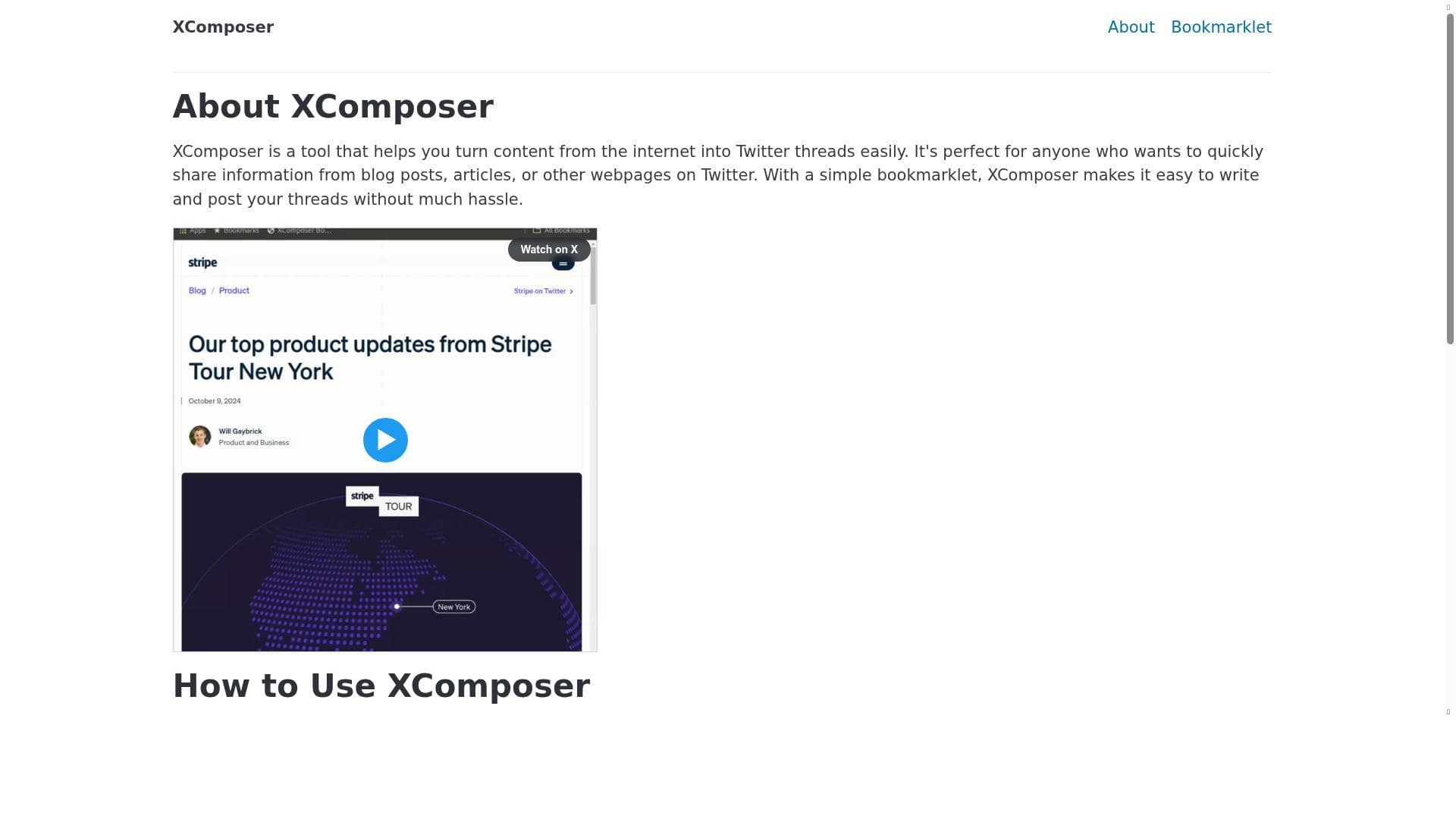
XComposer is a tool that helps users convert content from websites, such as blog posts and articles, into well-structured Twitter threads quickly and easily using a simple bookmarklet.
How much does X Composer cost?
XComposer is currently available for free, providing all its core features without any charges.
Who is X Composer best for?
It is best suited for social media managers, content creators, journalists, educators, and anyone who frequently shares detailed information on Twitter and wants to streamline thread creation.
What are the main features of X Composer?
Key features include turning web content into Twitter threads, a bookmarklet to capture webpage content, composing and posting threads easily, supporting multiple tweets per thread, and allowing review and editing before posting.
Does X Composer offer a free trial?
XComposer is free to use, so there is no need for a trial period.
What integrations does X Composer support?
XComposer primarily integrates with Twitter for posting threads and uses a browser bookmarklet to capture content from webpages; no other integrations are specified.
How does X Composer work?
Users install a bookmarklet in their browser, which they activate while browsing a webpage to capture content. This content is then imported into XComposer’s interface, where users can compose, edit, arrange multiple tweets into a thread, and post directly to Twitter.
Socials
Use ToolSponsored Tools























Reviews
No reviews yet. Be the first to share your experience.