form automation
Description
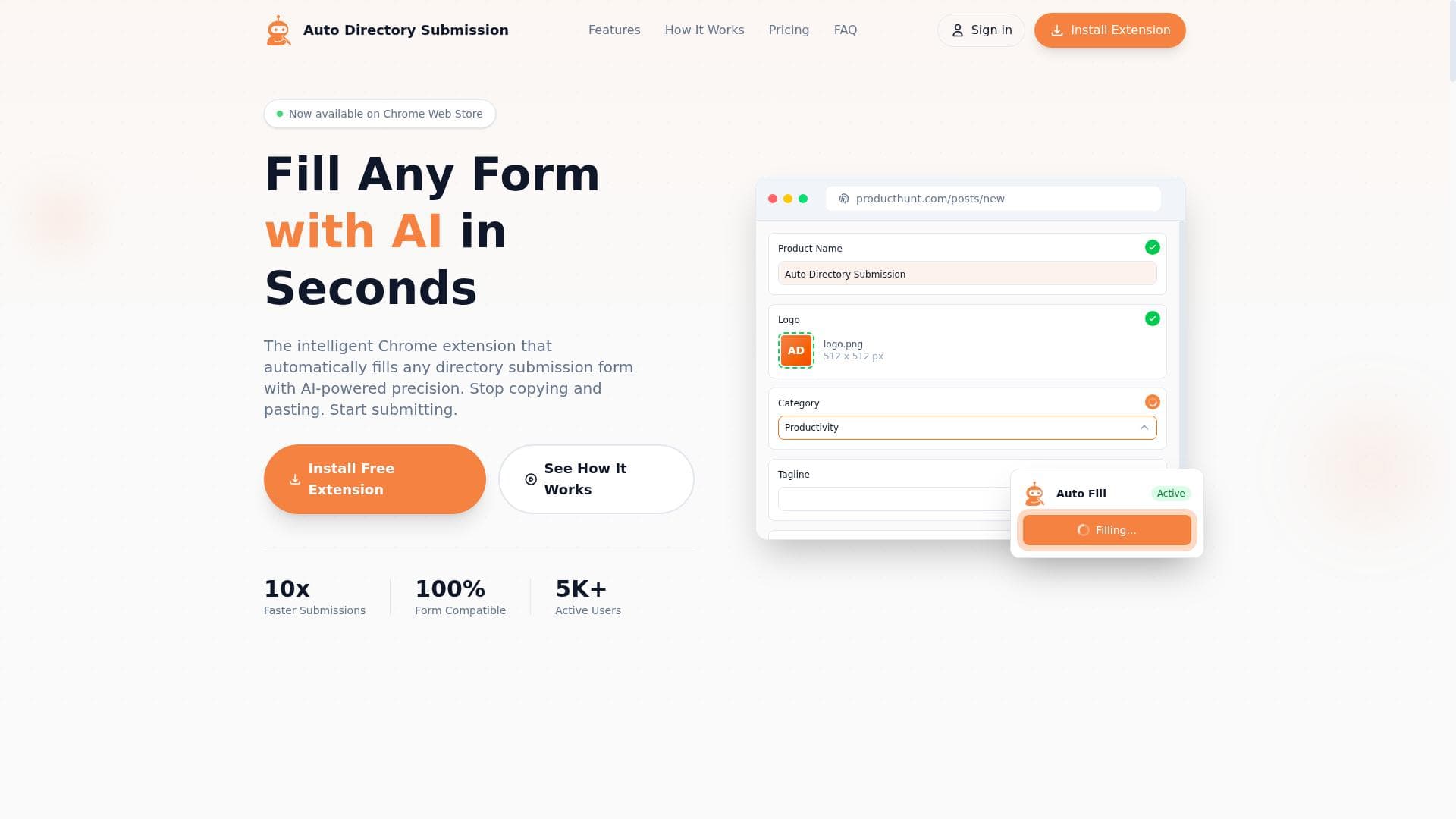
Form Automation is an AI-powered Chrome extension that automatically fills directory submission forms with high precision while keeping all data securely local in your browser. Ideal for marketers and business owners, it streamlines submissions by eliminating manual entry and protecting user privacy.
Form Automation is a cutting-edge AI-powered tool designed to revolutionize the way users handle directory submission forms. Its core purpose is to automate and streamline the tedious process of filling out multiple forms across various online directories, saving users significant time and effort. Unlike traditional form fillers, Form Automation employs advanced AI algorithms to ensure precision and accuracy in populating form fields, reducing errors and enhancing submission success rates. A key differentiator is its privacy-first approach, where all data processing occurs locally within the user's browser, ensuring sensitive information never leaves the device and maintaining user confidentiality. The tool's standout features include the ability to automatically fill any directory submission form, regardless of its complexity or structure. This is powered by AI that intelligently recognizes form fields and inputs the correct data with high precision. The availability of a Chrome extension on the Chrome Web Store makes it easily accessible and convenient to use directly within the browser environment. By eliminating the need for manual copying and pasting, Form Automation significantly accelerates the directory submission workflow, allowing users to focus on other critical tasks. Additionally, the tool streamlines the entire submission process by managing repetitive data entry, minimizing human error, and enhancing overall productivity. Form Automation is ideally suited for digital marketers, SEO specialists, business owners, and agencies who frequently submit business information to multiple directories as part of their local SEO or online presence strategies. It is particularly beneficial for professionals managing large volumes of submissions, where manual entry would be time-consuming and prone to mistakes. Use cases include submitting business details to local directories, niche-specific listings, citation sites, and other platforms requiring consistent and accurate data input. The tool's privacy-centric design also makes it attractive to users concerned about data security and compliance. Regarding pricing, Form Automation offers a freemium model, allowing users to access core functionalities at no cost while providing options to upgrade for enhanced features or higher usage limits. This flexible pricing approach enables users to evaluate the tool's effectiveness before committing financially. The freemium plan typically covers essential form-filling capabilities and access to the Chrome extension, making it accessible to individuals and small businesses alike. When compared to alternative form-filling solutions, Form Automation stands out due to its AI-driven precision and privacy-first architecture. Many competitors rely on cloud-based data processing, which can raise privacy concerns, whereas Form Automation ensures all data remains local. Its specialized focus on directory submissions also differentiates it from generic form fillers, offering tailored functionality that addresses the unique challenges of directory listings. However, unlike some enterprise-grade automation platforms, it may not support extensive integrations beyond the Chrome extension, which could be a consideration for users seeking broader workflow automation. Potential limitations include its dependency on the Chrome browser, which may restrict users on other platforms or browsers. Additionally, while the AI is highly capable, extremely complex or non-standard forms might occasionally require manual adjustments. Users should also be aware that the freemium plan may have usage caps or feature restrictions, necessitating an upgrade for heavy or professional use. Despite these considerations, Form Automation remains a powerful and privacy-conscious solution for anyone looking to optimize their directory submission process efficiently and securely.

Description
Form Automation is an AI-powered Chrome extension that automatically fills directory submission forms with high precision while keeping all data securely local in your browser. Ideal for marketers and business owners, it streamlines submissions by eliminating manual entry and protecting user privacy.
Form Automation is a cutting-edge AI-powered tool designed to revolutionize the way users handle directory submission forms. Its core purpose is to automate and streamline the tedious process of filling out multiple forms across various online directories, saving users significant time and effort. Unlike traditional form fillers, Form Automation employs advanced AI algorithms to ensure precision and accuracy in populating form fields, reducing errors and enhancing submission success rates. A key differentiator is its privacy-first approach, where all data processing occurs locally within the user's browser, ensuring sensitive information never leaves the device and maintaining user confidentiality. The tool's standout features include the ability to automatically fill any directory submission form, regardless of its complexity or structure. This is powered by AI that intelligently recognizes form fields and inputs the correct data with high precision. The availability of a Chrome extension on the Chrome Web Store makes it easily accessible and convenient to use directly within the browser environment. By eliminating the need for manual copying and pasting, Form Automation significantly accelerates the directory submission workflow, allowing users to focus on other critical tasks. Additionally, the tool streamlines the entire submission process by managing repetitive data entry, minimizing human error, and enhancing overall productivity. Form Automation is ideally suited for digital marketers, SEO specialists, business owners, and agencies who frequently submit business information to multiple directories as part of their local SEO or online presence strategies. It is particularly beneficial for professionals managing large volumes of submissions, where manual entry would be time-consuming and prone to mistakes. Use cases include submitting business details to local directories, niche-specific listings, citation sites, and other platforms requiring consistent and accurate data input. The tool's privacy-centric design also makes it attractive to users concerned about data security and compliance. Regarding pricing, Form Automation offers a freemium model, allowing users to access core functionalities at no cost while providing options to upgrade for enhanced features or higher usage limits. This flexible pricing approach enables users to evaluate the tool's effectiveness before committing financially. The freemium plan typically covers essential form-filling capabilities and access to the Chrome extension, making it accessible to individuals and small businesses alike. When compared to alternative form-filling solutions, Form Automation stands out due to its AI-driven precision and privacy-first architecture. Many competitors rely on cloud-based data processing, which can raise privacy concerns, whereas Form Automation ensures all data remains local. Its specialized focus on directory submissions also differentiates it from generic form fillers, offering tailored functionality that addresses the unique challenges of directory listings. However, unlike some enterprise-grade automation platforms, it may not support extensive integrations beyond the Chrome extension, which could be a consideration for users seeking broader workflow automation. Potential limitations include its dependency on the Chrome browser, which may restrict users on other platforms or browsers. Additionally, while the AI is highly capable, extremely complex or non-standard forms might occasionally require manual adjustments. Users should also be aware that the freemium plan may have usage caps or feature restrictions, necessitating an upgrade for heavy or professional use. Despite these considerations, Form Automation remains a powerful and privacy-conscious solution for anyone looking to optimize their directory submission process efficiently and securely.
Tool Features
- Automatically fills any directory submission form
- AI-powered precision for form filling
- Chrome extension available on Chrome Web Store
- Eliminates manual copying and pasting
- Streamlines directory submission process
Frequently Asked Questions
What is form automation?
Form Automation is an AI-driven tool that automatically fills out directory submission forms with accurate data, streamlining the process and saving users time by eliminating manual data entry.
How much does form automation cost?
Form Automation offers a freemium pricing model, providing basic form-filling features for free with options to upgrade for additional capabilities or higher usage limits.
Who is form automation best for?
It is best suited for digital marketers, SEO professionals, business owners, and agencies who regularly submit business information to multiple online directories and want to improve efficiency and accuracy.
What are the main features of form automation?
Key features include AI-powered automatic form filling, a privacy-first approach with all data processed locally in the browser, a Chrome extension for easy access, elimination of manual copying and pasting, and streamlining of the directory submission process.
Does form automation offer a free trial?
Yes, the tool operates on a freemium basis, allowing users to try core features for free without a time-limited trial period.
What integrations does form automation support?
Form Automation primarily integrates as a Chrome extension available on the Chrome Web Store; it does not currently offer extensive third-party integrations.
How does form automation work?
The tool uses AI algorithms to detect form fields on directory submission pages and automatically inputs the correct data stored locally in the browser, ensuring privacy and accuracy without sending data to external servers.
Sponsored Tools























Reviews
No reviews yet. Be the first to share your experience.