SnapToWindow
Description
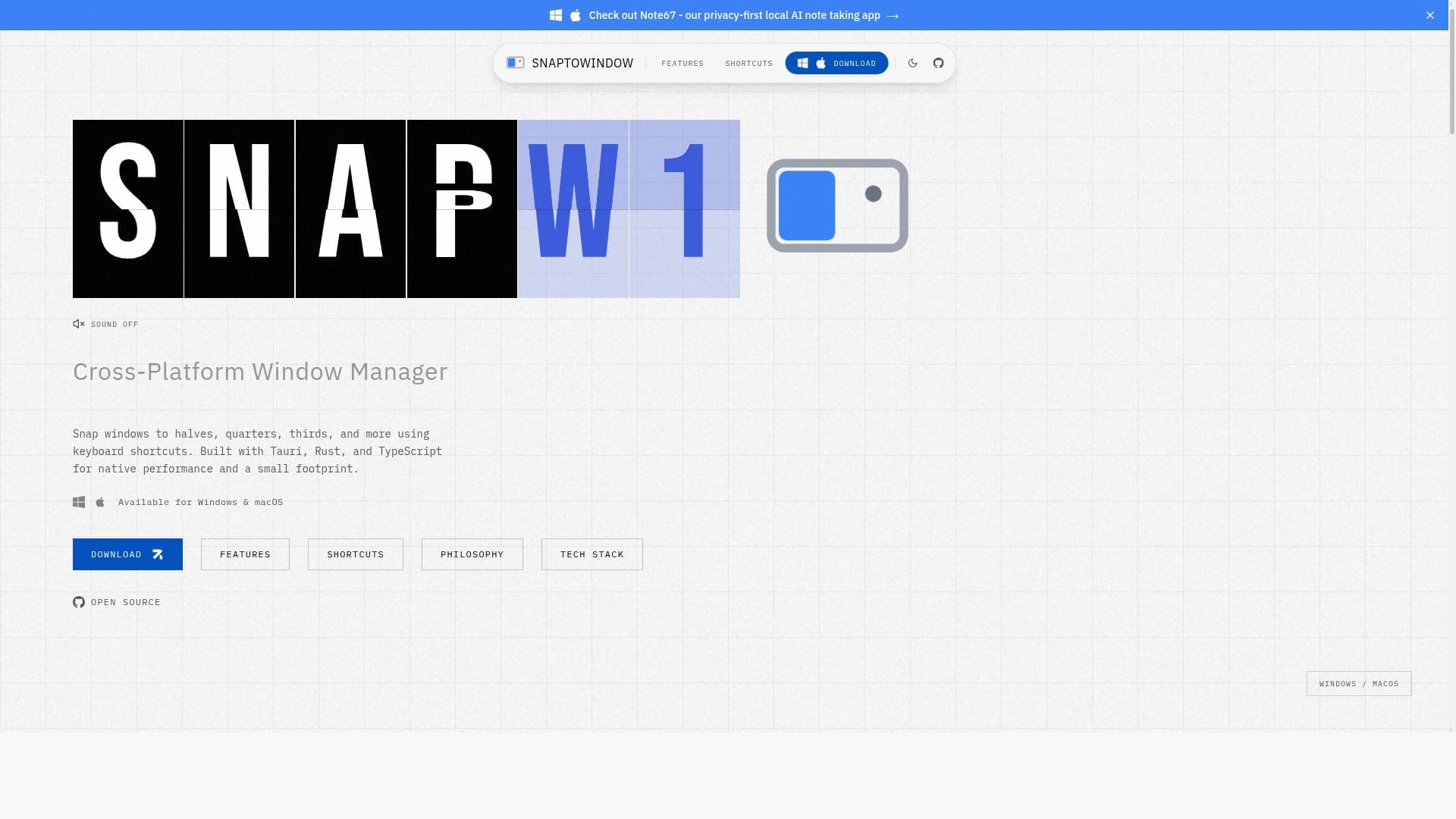
SnapToWindow is a free, cross-platform window management tool that lets users snap and tile windows using customizable keyboard shortcuts on Windows and macOS. Ideal for power users and professionals seeking efficient multitasking, it combines native performance with intuitive keyboard-driven controls to streamline desktop workflows.
SnapToWindow is a powerful, cross-platform window management application designed to enhance productivity by enabling users to efficiently organize and snap application windows into predefined positions on their screens. Inspired by the popular macOS tool Rectangle, SnapToWindow brings similar window snapping capabilities to both Windows and macOS environments, with plans to extend support to Linux in the future. Its core purpose is to streamline desktop workflows by allowing users to quickly reposition and resize windows using customizable keyboard shortcuts, eliminating the need for manual dragging and resizing. This makes multitasking and screen real estate management significantly more intuitive and faster. At its core, SnapToWindow offers a robust set of features centered around window snapping and keyboard-driven window management. Users can snap windows to halves, quarters, thirds, and other predefined layouts, enabling precise control over window placement. This is particularly useful for users who work with multiple applications simultaneously and need to organize their workspace efficiently. The application runs quietly in the background with a system tray icon, ensuring it does not interfere with daily operations while remaining easily accessible. One of the standout aspects of SnapToWindow is its fully customizable keyboard shortcuts, allowing users to tailor hotkeys for all window actions according to their preferences, which enhances speed and ergonomics. Built using modern technologies such as Tauri, Rust, and TypeScript, SnapToWindow delivers native performance and responsiveness across platforms. This technology stack ensures that the app is lightweight and fast, providing a seamless user experience without consuming excessive system resources. Additionally, SnapToWindow supports advanced screen management and window tiling features, making it suitable for users with multi-monitor setups or those who require complex window arrangements. SnapToWindow is ideal for professionals, developers, designers, and power users who rely heavily on multitasking and need to maximize their screen efficiency. For example, software developers can snap code editors, terminals, and browsers into organized layouts, while designers can arrange design tools and preview windows side-by-side. Its keyboard-centric approach also benefits users who prefer to minimize mouse usage, improving accessibility and workflow speed. Furthermore, because it supports both Windows and macOS, it is a versatile tool for users who operate across different operating systems. In terms of pricing, SnapToWindow is completely free to use, making it an attractive option for individuals and teams looking for a cost-effective window management solution. There are no paid tiers or subscriptions, which lowers the barrier to entry and encourages widespread adoption. When compared to alternatives like Rectangle (macOS only), AquaSnap (Windows), or Microsoft PowerToys FancyZones, SnapToWindow stands out by offering a consistent cross-platform experience with a focus on keyboard-driven window snapping and tiling. Unlike some competitors that are limited to a single OS or rely heavily on mouse interactions, SnapToWindow’s customizable hotkeys and lightweight design provide a more streamlined and efficient workflow. However, it currently lacks Linux support, which is planned but not yet available, and some advanced features found in enterprise-grade window managers may be missing. Notable limitations include the absence of Linux compatibility at present and the fact that it may not support some niche window management features like automatic workspace switching or complex scripting. Additionally, while the app is free, it does not offer official customer support or premium features, which might be a consideration for enterprise users. Nonetheless, for most users seeking a straightforward, efficient, and free window snapping tool across Windows and macOS, SnapToWindow is an excellent choice that balances performance, customization, and ease of use.

Description
SnapToWindow is a free, cross-platform window management tool that lets users snap and tile windows using customizable keyboard shortcuts on Windows and macOS. Ideal for power users and professionals seeking efficient multitasking, it combines native performance with intuitive keyboard-driven controls to streamline desktop workflows.
SnapToWindow is a powerful, cross-platform window management application designed to enhance productivity by enabling users to efficiently organize and snap application windows into predefined positions on their screens. Inspired by the popular macOS tool Rectangle, SnapToWindow brings similar window snapping capabilities to both Windows and macOS environments, with plans to extend support to Linux in the future. Its core purpose is to streamline desktop workflows by allowing users to quickly reposition and resize windows using customizable keyboard shortcuts, eliminating the need for manual dragging and resizing. This makes multitasking and screen real estate management significantly more intuitive and faster. At its core, SnapToWindow offers a robust set of features centered around window snapping and keyboard-driven window management. Users can snap windows to halves, quarters, thirds, and other predefined layouts, enabling precise control over window placement. This is particularly useful for users who work with multiple applications simultaneously and need to organize their workspace efficiently. The application runs quietly in the background with a system tray icon, ensuring it does not interfere with daily operations while remaining easily accessible. One of the standout aspects of SnapToWindow is its fully customizable keyboard shortcuts, allowing users to tailor hotkeys for all window actions according to their preferences, which enhances speed and ergonomics. Built using modern technologies such as Tauri, Rust, and TypeScript, SnapToWindow delivers native performance and responsiveness across platforms. This technology stack ensures that the app is lightweight and fast, providing a seamless user experience without consuming excessive system resources. Additionally, SnapToWindow supports advanced screen management and window tiling features, making it suitable for users with multi-monitor setups or those who require complex window arrangements. SnapToWindow is ideal for professionals, developers, designers, and power users who rely heavily on multitasking and need to maximize their screen efficiency. For example, software developers can snap code editors, terminals, and browsers into organized layouts, while designers can arrange design tools and preview windows side-by-side. Its keyboard-centric approach also benefits users who prefer to minimize mouse usage, improving accessibility and workflow speed. Furthermore, because it supports both Windows and macOS, it is a versatile tool for users who operate across different operating systems. In terms of pricing, SnapToWindow is completely free to use, making it an attractive option for individuals and teams looking for a cost-effective window management solution. There are no paid tiers or subscriptions, which lowers the barrier to entry and encourages widespread adoption. When compared to alternatives like Rectangle (macOS only), AquaSnap (Windows), or Microsoft PowerToys FancyZones, SnapToWindow stands out by offering a consistent cross-platform experience with a focus on keyboard-driven window snapping and tiling. Unlike some competitors that are limited to a single OS or rely heavily on mouse interactions, SnapToWindow’s customizable hotkeys and lightweight design provide a more streamlined and efficient workflow. However, it currently lacks Linux support, which is planned but not yet available, and some advanced features found in enterprise-grade window managers may be missing. Notable limitations include the absence of Linux compatibility at present and the fact that it may not support some niche window management features like automatic workspace switching or complex scripting. Additionally, while the app is free, it does not offer official customer support or premium features, which might be a consideration for enterprise users. Nonetheless, for most users seeking a straightforward, efficient, and free window snapping tool across Windows and macOS, SnapToWindow is an excellent choice that balances performance, customization, and ease of use.
Tool Features
- Cross-platform support for Windows and macOS
- Snap windows to predefined positions using keyboard shortcuts
- Supports snapping windows to halves, quarters, thirds, and more
- Built with Tauri, Rust, and TypeScript for native performance
- Keyboard-driven window management
- Screen management and window tiling
Frequently Asked Questions
What is SnapToWindow?
SnapToWindow is a cross-platform window management application that allows users to snap and arrange windows into predefined positions on their screen using customizable keyboard shortcuts. It supports Windows and macOS, with Linux support planned.
How much does SnapToWindow cost?
SnapToWindow is completely free to use with no paid plans or subscriptions.
Who is SnapToWindow best for?
SnapToWindow is best suited for professionals, developers, designers, and power users who need efficient multitasking and screen organization across Windows and macOS platforms.
What are the main features of SnapToWindow?
Key features include cross-platform support, snapping windows to halves, quarters, thirds, and more, customizable keyboard shortcuts for all window actions, system tray operation, and advanced screen management and window tiling.
Does SnapToWindow offer a free trial?
SnapToWindow is free to use and does not require a trial period.
What integrations does SnapToWindow support?
SnapToWindow primarily functions as a standalone window management tool and does not currently offer integrations with other software platforms.
How does SnapToWindow work?
SnapToWindow runs quietly in the background with a system tray icon and lets users snap and tile windows into predefined layouts using customizable keyboard shortcuts, enabling efficient window management without manual dragging.
Sponsored Tools























Reviews
No reviews yet. Be the first to share your experience.