Stitch by Google
Description
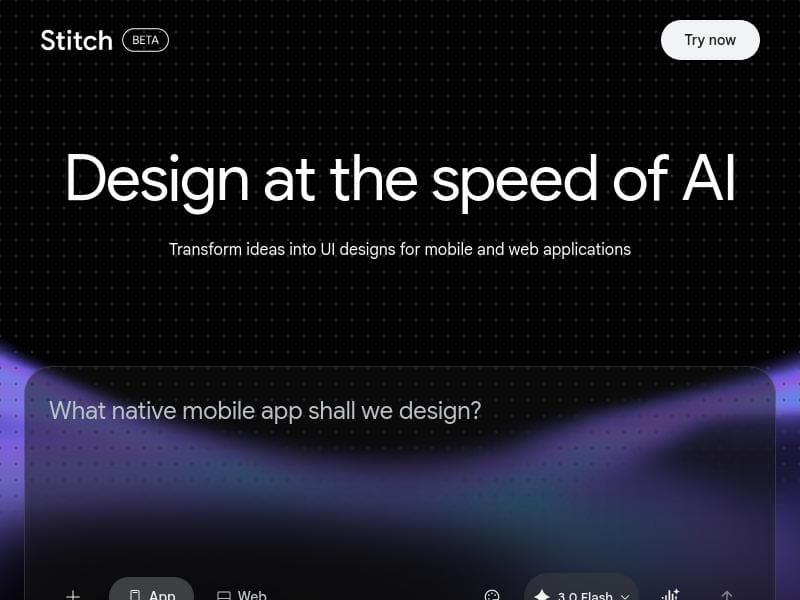
Stitch by Google is a free AI-powered design tool that transforms UI descriptions into editable designs and real code, perfect for founders and product managers needing rapid prototyping without the wait. Featuring the multi-step task agent Hatter and seamless export options, it accelerates design-to-development workflows with built-in security and compliance.
Stitch by Google is an innovative AI-powered design tool specifically crafted for founders, product managers, and UI/UX designers who need to accelerate the prototyping and development process without sacrificing quality. Its core purpose is to transform textual UI descriptions into fully editable designs accompanied by real, production-ready code, effectively bridging the gap between conceptualization and implementation. This tool is particularly valuable for teams and individuals who cannot afford to spend extensive time creating mockups manually, enabling them to iterate quickly and bring products to market faster. Stitch leverages advanced AI capabilities to interpret user input and generate comprehensive design assets, making it a unique solution in the design automation space. One of the standout features of Stitch is the introduction of Hatter, a new AI agent designed to handle complex, multi-step design tasks. Hatter can manage workflows that require sequential actions, such as refining a design based on iterative feedback or generating multiple asset variations for different platforms. Additionally, Stitch supports new App Store asset generation, simplifying the process of creating compliant and visually appealing assets for app submissions. The native MCP (Multi-Component Package) export functionality allows users to export their designs and code in a format that integrates seamlessly with other development environments, enhancing collaboration between designers and developers. Beyond its design capabilities, Stitch incorporates robust security and compliance features. It enforces deletion and sealing of objects to maintain data integrity and prevent unauthorized modifications. Periodic reporting of security status and heartbeat monitoring ensure continuous compliance with organizational policies, while the option to disable reporting offers flexibility for privacy-conscious users. Importantly, Stitch operates entirely within web applications, providing a smooth, accessible experience without the need for complex installations or local software dependencies. Stitch is best suited for startup founders, product managers, and small to medium-sized design teams who require rapid prototyping tools that produce both design and code outputs. It is also ideal for developers who want to reduce the back-and-forth with designers by working directly with editable designs and real code generated from natural language descriptions. Use cases include early-stage product development, quick UI iteration cycles, app store asset preparation, and cross-functional collaboration between design and engineering teams. The tool is offered completely free of charge, making it accessible to a wide range of users regardless of budget constraints. This pricing model encourages experimentation and adoption, especially for startups and independent creators who need powerful design tools without upfront costs. Compared to traditional design tools that require manual mockup creation and separate coding efforts, Stitch stands out by automating the translation from UI description to editable design and code. While other AI design assistants may focus solely on generating static images or code snippets, Stitch’s integration of multi-step task handling via Hatter and its comprehensive export options provide a more end-to-end solution. However, as a relatively new tool, users might encounter limitations in handling highly complex or unconventional UI designs that require nuanced human creativity. Additionally, since it operates within web applications, performance may depend on internet connectivity and browser capabilities. In summary, Stitch by Google offers a compelling, free AI design assistant that streamlines UI prototyping and development. Its unique combination of editable design generation, real code output, multi-step task management, and security features make it a powerful asset for founders and product teams aiming to reduce time-to-market and improve collaboration. While it may not yet replace all aspects of traditional design workflows, it significantly enhances efficiency and bridges critical gaps between design and development.

Description
Stitch by Google is a free AI-powered design tool that transforms UI descriptions into editable designs and real code, perfect for founders and product managers needing rapid prototyping without the wait. Featuring the multi-step task agent Hatter and seamless export options, it accelerates design-to-development workflows with built-in security and compliance.
Stitch by Google is an innovative AI-powered design tool specifically crafted for founders, product managers, and UI/UX designers who need to accelerate the prototyping and development process without sacrificing quality. Its core purpose is to transform textual UI descriptions into fully editable designs accompanied by real, production-ready code, effectively bridging the gap between conceptualization and implementation. This tool is particularly valuable for teams and individuals who cannot afford to spend extensive time creating mockups manually, enabling them to iterate quickly and bring products to market faster. Stitch leverages advanced AI capabilities to interpret user input and generate comprehensive design assets, making it a unique solution in the design automation space. One of the standout features of Stitch is the introduction of Hatter, a new AI agent designed to handle complex, multi-step design tasks. Hatter can manage workflows that require sequential actions, such as refining a design based on iterative feedback or generating multiple asset variations for different platforms. Additionally, Stitch supports new App Store asset generation, simplifying the process of creating compliant and visually appealing assets for app submissions. The native MCP (Multi-Component Package) export functionality allows users to export their designs and code in a format that integrates seamlessly with other development environments, enhancing collaboration between designers and developers. Beyond its design capabilities, Stitch incorporates robust security and compliance features. It enforces deletion and sealing of objects to maintain data integrity and prevent unauthorized modifications. Periodic reporting of security status and heartbeat monitoring ensure continuous compliance with organizational policies, while the option to disable reporting offers flexibility for privacy-conscious users. Importantly, Stitch operates entirely within web applications, providing a smooth, accessible experience without the need for complex installations or local software dependencies. Stitch is best suited for startup founders, product managers, and small to medium-sized design teams who require rapid prototyping tools that produce both design and code outputs. It is also ideal for developers who want to reduce the back-and-forth with designers by working directly with editable designs and real code generated from natural language descriptions. Use cases include early-stage product development, quick UI iteration cycles, app store asset preparation, and cross-functional collaboration between design and engineering teams. The tool is offered completely free of charge, making it accessible to a wide range of users regardless of budget constraints. This pricing model encourages experimentation and adoption, especially for startups and independent creators who need powerful design tools without upfront costs. Compared to traditional design tools that require manual mockup creation and separate coding efforts, Stitch stands out by automating the translation from UI description to editable design and code. While other AI design assistants may focus solely on generating static images or code snippets, Stitch’s integration of multi-step task handling via Hatter and its comprehensive export options provide a more end-to-end solution. However, as a relatively new tool, users might encounter limitations in handling highly complex or unconventional UI designs that require nuanced human creativity. Additionally, since it operates within web applications, performance may depend on internet connectivity and browser capabilities. In summary, Stitch by Google offers a compelling, free AI design assistant that streamlines UI prototyping and development. Its unique combination of editable design generation, real code output, multi-step task management, and security features make it a powerful asset for founders and product teams aiming to reduce time-to-market and improve collaboration. While it may not yet replace all aspects of traditional design workflows, it significantly enhances efficiency and bridges critical gaps between design and development.
Tool Features
- Enforces deletion of objects
- Enforces sealing of objects
- Periodic reporting of security status
- Heartbeat monitoring for compliance
- Disables reporting if configured
- Protects data integrity
- Operates within web applications
Frequently Asked Questions
What is Stitch by Google?
Stitch by Google is an AI-driven design tool that converts textual UI descriptions into editable designs and real code, helping users rapidly prototype and develop user interfaces without spending extensive time on manual mockups.
How much does Stitch by Google cost?
Stitch by Google is completely free to use, making it accessible for founders, product managers, and design teams regardless of budget.
Who is Stitch by Google best for?
It is best suited for startup founders, product managers, UI/UX designers, and developers who need to quickly create and iterate on UI designs with real code output, especially in early-stage product development and app store asset generation.
What are the main features of Stitch by Google?
Key features include the Hatter AI agent for handling multi-step design tasks, generation of editable designs and real code from UI descriptions, App Store asset generation, native MCP export, enforcement of object deletion and sealing, periodic security reporting, heartbeat monitoring for compliance, and operation within web applications.
Does Stitch by Google offer a free trial?
Stitch by Google is offered entirely for free, so no separate trial is necessary.
What integrations does Stitch by Google support?
Stitch supports native MCP export which allows integration with various development environments and workflows, and operates within web applications to ensure broad compatibility, though specific third-party integrations are not detailed.
How does Stitch by Google work?
Users describe their UI in natural language, and Stitch’s AI interprets this input to generate editable design files along with real, production-ready code. The Hatter agent manages complex, multi-step design workflows, while built-in features ensure security and compliance during the design process.
Socials
Use ToolSponsored Tools













































Reviews
No reviews yet. Be the first to share your experience.