Description
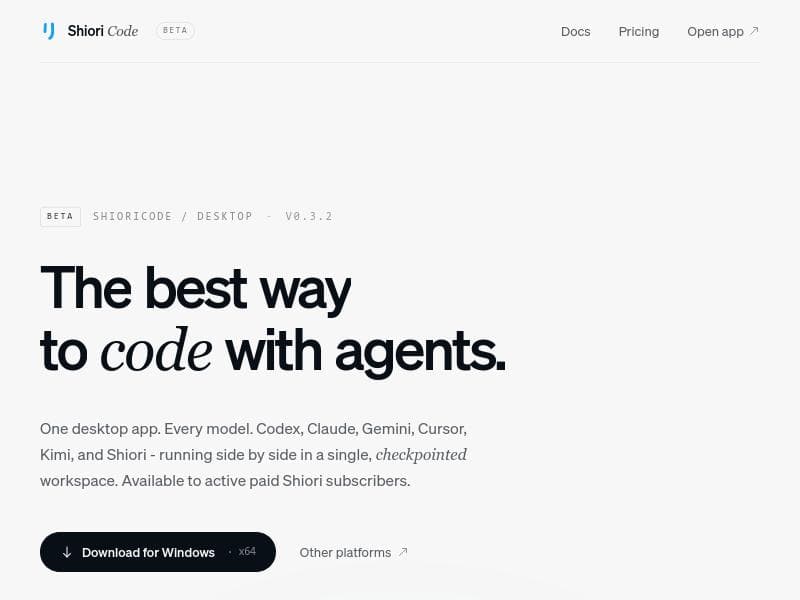
ShioriCode is a unique desktop interface that unifies multiple AI coding agents like Codex, Claude, and Gemini into one powerful workspace. Ideal for developers managing complex projects, it offers project-aware sessions, multi-model integration, and fast, advanced AI reasoning—all for free across macOS, Windows, and Linux.
ShioriCode is a powerful desktop interface designed to streamline and enhance the way developers interact with multiple coding-agent command-line interfaces (CLIs). It integrates popular AI coding models such as Codex, Claude Code, Cursor, Gemini, Kimi, and a hosted Shiori provider into a single, cohesive workspace. The core purpose of ShioriCode is to facilitate long-running coding sessions that are project-aware, allowing users to manage complex development workflows that extend beyond the limitations of single prompt interactions. By providing a rich, checkpointed desktop environment, ShioriCode enables users to run multiple AI models side by side, compare outputs, and maintain context across sessions, which is crucial for advanced software development and debugging tasks. Key features of ShioriCode include its multi-model AI integration, which supports seamless switching and simultaneous use of various AI coding agents within one workspace. This capability is particularly useful for developers who want to leverage the strengths of different models depending on the task at hand. The interface also features a readable timeline that streams agent activity, making it easy to track the evolution of code suggestions and modifications over time. Additionally, ShioriCode allows users to review generated diffs directly within the app, simplifying the process of code review and version control. Its checkpointed workspace ensures that all AI interactions and project states are saved, allowing users to pause and resume work without losing context. The tool is available across major operating systems including macOS, Windows, and Linux, making it accessible to a wide range of developers. ShioriCode is best suited for professional developers, software engineers, and AI researchers who require a robust environment for managing complex coding projects with AI assistance. It is ideal for those who work on large codebases or projects that cannot be efficiently handled through single-prompt AI interactions. Use cases include debugging, code generation, refactoring, and collaborative AI-assisted development. By supporting multiple AI models simultaneously, ShioriCode empowers users to experiment with different AI agents and select the best output for their specific needs, enhancing productivity and code quality. In terms of pricing, ShioriCode is offered completely free of charge, making it an attractive option for developers and teams looking to integrate AI coding assistance without upfront costs. Its source-available nature also appeals to users who value transparency and the ability to customize or extend the tool according to their requirements. Compared to alternative AI coding tools that often focus on a single model or provide limited session management, ShioriCode stands out with its multi-model support and project-aware session handling. While many AI coding assistants operate as web-based services or simple plugins, ShioriCode’s desktop application approach offers greater control, offline capabilities, and a more integrated development experience. However, users should consider that as a source-available tool, it may require some technical familiarity to fully leverage or customize, which might be a limitation for beginners. Overall, ShioriCode is a comprehensive and versatile AI coding interface that addresses the needs of developers working with multiple AI agents and complex projects. Its advanced features, cross-platform availability, and free pricing make it a compelling choice for anyone looking to enhance their coding workflow with AI-powered assistance.

Description
ShioriCode is a unique desktop interface that unifies multiple AI coding agents like Codex, Claude, and Gemini into one powerful workspace. Ideal for developers managing complex projects, it offers project-aware sessions, multi-model integration, and fast, advanced AI reasoning—all for free across macOS, Windows, and Linux.
ShioriCode is a powerful desktop interface designed to streamline and enhance the way developers interact with multiple coding-agent command-line interfaces (CLIs). It integrates popular AI coding models such as Codex, Claude Code, Cursor, Gemini, Kimi, and a hosted Shiori provider into a single, cohesive workspace. The core purpose of ShioriCode is to facilitate long-running coding sessions that are project-aware, allowing users to manage complex development workflows that extend beyond the limitations of single prompt interactions. By providing a rich, checkpointed desktop environment, ShioriCode enables users to run multiple AI models side by side, compare outputs, and maintain context across sessions, which is crucial for advanced software development and debugging tasks. Key features of ShioriCode include its multi-model AI integration, which supports seamless switching and simultaneous use of various AI coding agents within one workspace. This capability is particularly useful for developers who want to leverage the strengths of different models depending on the task at hand. The interface also features a readable timeline that streams agent activity, making it easy to track the evolution of code suggestions and modifications over time. Additionally, ShioriCode allows users to review generated diffs directly within the app, simplifying the process of code review and version control. Its checkpointed workspace ensures that all AI interactions and project states are saved, allowing users to pause and resume work without losing context. The tool is available across major operating systems including macOS, Windows, and Linux, making it accessible to a wide range of developers. ShioriCode is best suited for professional developers, software engineers, and AI researchers who require a robust environment for managing complex coding projects with AI assistance. It is ideal for those who work on large codebases or projects that cannot be efficiently handled through single-prompt AI interactions. Use cases include debugging, code generation, refactoring, and collaborative AI-assisted development. By supporting multiple AI models simultaneously, ShioriCode empowers users to experiment with different AI agents and select the best output for their specific needs, enhancing productivity and code quality. In terms of pricing, ShioriCode is offered completely free of charge, making it an attractive option for developers and teams looking to integrate AI coding assistance without upfront costs. Its source-available nature also appeals to users who value transparency and the ability to customize or extend the tool according to their requirements. Compared to alternative AI coding tools that often focus on a single model or provide limited session management, ShioriCode stands out with its multi-model support and project-aware session handling. While many AI coding assistants operate as web-based services or simple plugins, ShioriCode’s desktop application approach offers greater control, offline capabilities, and a more integrated development experience. However, users should consider that as a source-available tool, it may require some technical familiarity to fully leverage or customize, which might be a limitation for beginners. Overall, ShioriCode is a comprehensive and versatile AI coding interface that addresses the needs of developers working with multiple AI agents and complex projects. Its advanced features, cross-platform availability, and free pricing make it a compelling choice for anyone looking to enhance their coding workflow with AI-powered assistance.
Tool Features
- Run multiple AI models side by side in one workspace
- Supports Codex, Claude, Gemini, Cursor, Kimi, and Shiori models
- Checkpointed desktop workspace for managing AI agents
- Available for macOS, Windows, and Linux
- Advanced AI reasoning capabilities
- Fast AI responses
- Multi-model AI integration
Frequently Asked Questions
What is ShioriCode?
ShioriCode is a desktop interface that integrates multiple AI coding-agent CLIs such as Codex, Claude Code, Cursor, Gemini, Kimi, and a hosted Shiori provider into a single workspace. It allows developers to run long-running, project-aware coding sessions with advanced AI assistance.
How much does ShioriCode cost?
ShioriCode is completely free to use.
Who is ShioriCode best for?
ShioriCode is best suited for professional developers, software engineers, and AI researchers who need to manage complex coding projects and want to leverage multiple AI models simultaneously for coding, debugging, and code review.
What are the main features of ShioriCode?
Key features include multi-model AI integration supporting Codex, Claude, Gemini, Cursor, Kimi, and Shiori; a checkpointed desktop workspace; project-aware long-running sessions; a readable timeline of agent activity; in-app diff review; and availability across macOS, Windows, and Linux.
Does ShioriCode offer a free trial?
ShioriCode is free to use, so no separate free trial is necessary.
What integrations does ShioriCode support?
ShioriCode supports integration with multiple AI coding models including Codex, Claude Code, Cursor, Gemini, Kimi, and a hosted Shiori provider, allowing users to run these AI agents side by side within the same workspace.
How does ShioriCode work?
ShioriCode works by providing a desktop interface that connects to various AI coding-agent CLIs. It manages long-running, project-aware sessions where users can interact with multiple AI models simultaneously, stream agent activity into a timeline, and review code changes directly within the app.
Socials
Use ToolSponsored Tools













































Reviews
No reviews yet. Be the first to share your experience.










