Description
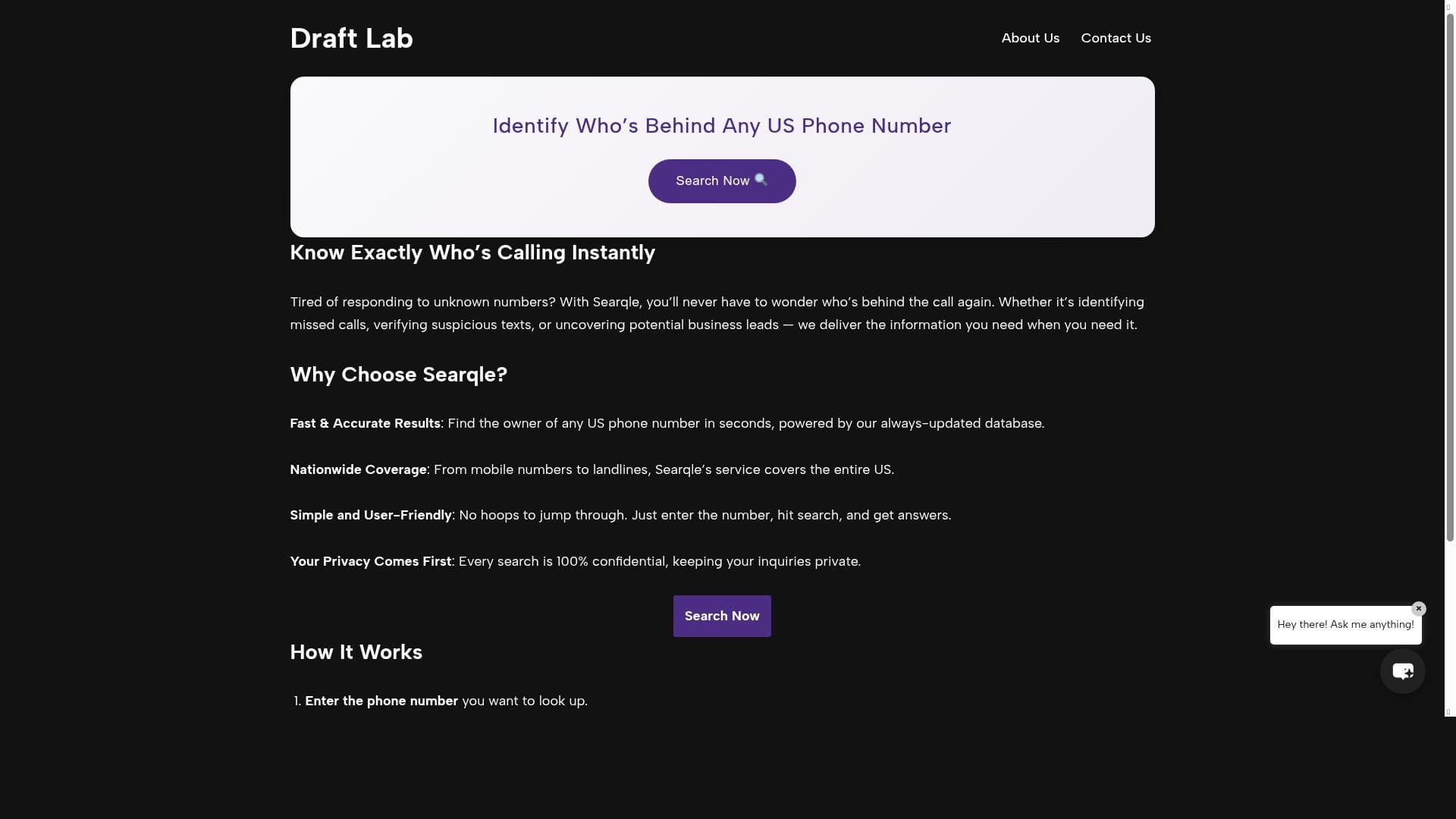
DraftLab is a powerful Gmail copilot that helps users write better emails faster and achieve Inbox Zero up to 10x quicker through its AI-driven email drafting and caller identification features. Ideal for customer support teams, sales professionals, and busy executives, DraftLab uniquely combines email productivity with call management in a seamless Chrome extension.
DraftLab is an innovative AI-powered tool designed to transform the way users manage their email communications within Gmail. Acting as a smart copilot, DraftLab helps users write better emails faster and achieve Inbox Zero up to ten times quicker by streamlining email drafting and management tasks. Its core purpose is to enhance productivity and reduce the time and effort typically spent on composing, organizing, and responding to emails. By integrating directly as a Chrome extension for Gmail, DraftLab seamlessly fits into users’ existing workflows without requiring them to switch platforms or learn complex new software. One of DraftLab's standout features is its ability to identify unknown callers, which adds a layer of context and information to email communications that involve phone interactions. This feature is particularly useful for customer support teams and sales professionals who often receive calls from unfamiliar numbers. By providing caller information, DraftLab enables users to quickly understand who is reaching out, improving response accuracy and personalization. Additionally, the tool helps manage missed calls by tracking and organizing them, ensuring that no important communication slips through the cracks. This integration of call management with email drafting is a unique capability that sets DraftLab apart from typical email assistants. DraftLab’s core functionality revolves around accelerating email composition. It leverages AI to suggest improvements, generate drafts, and optimize email tone and clarity, allowing users to communicate more effectively and professionally. This is especially beneficial for professionals who handle high volumes of email daily, such as customer support agents, sales representatives, and business executives. The tool’s ability to help users reach Inbox Zero faster means less time spent on email backlog and more time focused on critical tasks. Furthermore, the Chrome extension ensures that these features are readily accessible within the Gmail interface, making adoption straightforward and intuitive. The tool operates on a freemium pricing model, making it accessible to a wide range of users. The free tier provides essential features that can significantly improve email productivity, while premium plans likely offer advanced capabilities such as enhanced AI suggestions, deeper caller identification, and priority support. This pricing structure allows individuals and small teams to benefit from DraftLab’s core functionalities without upfront costs, while larger organizations or power users can opt for paid plans to unlock additional value. When compared to alternative email productivity tools, DraftLab stands out due to its unique combination of email drafting assistance and caller identification features. Many email assistants focus solely on improving writing or managing inboxes, but DraftLab’s integration of call management adds a distinctive edge, particularly for users who rely heavily on phone communication alongside email. While other tools may offer AI-powered email suggestions, DraftLab’s seamless integration with Gmail and its focus on reaching Inbox Zero rapidly make it a compelling choice for users looking for a comprehensive productivity boost. However, potential users should consider some limitations. As a Chrome extension, DraftLab’s functionality is limited to Gmail users on the Chrome browser, which may exclude those using other email clients or browsers. Additionally, the caller identification features may depend on the availability and accuracy of external data sources, which can vary by region and phone number type. Users should also evaluate the freemium plan’s feature set to ensure it meets their needs before committing to premium subscriptions. Despite these considerations, DraftLab offers a powerful, user-friendly solution for anyone looking to enhance their email productivity and call management within Gmail.

Description
DraftLab is a powerful Gmail copilot that helps users write better emails faster and achieve Inbox Zero up to 10x quicker through its AI-driven email drafting and caller identification features. Ideal for customer support teams, sales professionals, and busy executives, DraftLab uniquely combines email productivity with call management in a seamless Chrome extension.
DraftLab is an innovative AI-powered tool designed to transform the way users manage their email communications within Gmail. Acting as a smart copilot, DraftLab helps users write better emails faster and achieve Inbox Zero up to ten times quicker by streamlining email drafting and management tasks. Its core purpose is to enhance productivity and reduce the time and effort typically spent on composing, organizing, and responding to emails. By integrating directly as a Chrome extension for Gmail, DraftLab seamlessly fits into users’ existing workflows without requiring them to switch platforms or learn complex new software. One of DraftLab's standout features is its ability to identify unknown callers, which adds a layer of context and information to email communications that involve phone interactions. This feature is particularly useful for customer support teams and sales professionals who often receive calls from unfamiliar numbers. By providing caller information, DraftLab enables users to quickly understand who is reaching out, improving response accuracy and personalization. Additionally, the tool helps manage missed calls by tracking and organizing them, ensuring that no important communication slips through the cracks. This integration of call management with email drafting is a unique capability that sets DraftLab apart from typical email assistants. DraftLab’s core functionality revolves around accelerating email composition. It leverages AI to suggest improvements, generate drafts, and optimize email tone and clarity, allowing users to communicate more effectively and professionally. This is especially beneficial for professionals who handle high volumes of email daily, such as customer support agents, sales representatives, and business executives. The tool’s ability to help users reach Inbox Zero faster means less time spent on email backlog and more time focused on critical tasks. Furthermore, the Chrome extension ensures that these features are readily accessible within the Gmail interface, making adoption straightforward and intuitive. The tool operates on a freemium pricing model, making it accessible to a wide range of users. The free tier provides essential features that can significantly improve email productivity, while premium plans likely offer advanced capabilities such as enhanced AI suggestions, deeper caller identification, and priority support. This pricing structure allows individuals and small teams to benefit from DraftLab’s core functionalities without upfront costs, while larger organizations or power users can opt for paid plans to unlock additional value. When compared to alternative email productivity tools, DraftLab stands out due to its unique combination of email drafting assistance and caller identification features. Many email assistants focus solely on improving writing or managing inboxes, but DraftLab’s integration of call management adds a distinctive edge, particularly for users who rely heavily on phone communication alongside email. While other tools may offer AI-powered email suggestions, DraftLab’s seamless integration with Gmail and its focus on reaching Inbox Zero rapidly make it a compelling choice for users looking for a comprehensive productivity boost. However, potential users should consider some limitations. As a Chrome extension, DraftLab’s functionality is limited to Gmail users on the Chrome browser, which may exclude those using other email clients or browsers. Additionally, the caller identification features may depend on the availability and accuracy of external data sources, which can vary by region and phone number type. Users should also evaluate the freemium plan’s feature set to ensure it meets their needs before committing to premium subscriptions. Despite these considerations, DraftLab offers a powerful, user-friendly solution for anyone looking to enhance their email productivity and call management within Gmail.
Tool Features
- Identifies unknown callers
- Helps manage missed calls
- Provides caller information
Frequently Asked Questions
What is DraftLab?
DraftLab is an AI-powered Chrome extension for Gmail that helps users write better emails faster and manage their inbox more efficiently. It also identifies unknown callers and helps manage missed calls by providing caller information.
How much does DraftLab cost?
DraftLab operates on a freemium pricing model, offering a free tier with essential features and premium plans that provide advanced capabilities and additional support.
Who is DraftLab best for?
DraftLab is ideal for professionals who handle high volumes of email and phone communications, such as customer support agents, sales teams, and business executives looking to improve productivity and reach Inbox Zero faster.
What are the main features of DraftLab?
Key features include AI-assisted email drafting to write better emails faster, identification of unknown callers, management of missed calls, and providing detailed caller information—all integrated within Gmail via a Chrome extension.
Does DraftLab offer a free trial?
Yes, DraftLab offers a freemium plan that allows users to access basic features for free, enabling them to try the tool before deciding to upgrade to a premium plan.
What integrations does DraftLab support?
DraftLab integrates directly with Gmail through a Chrome extension, allowing seamless use within the Gmail interface. There are no additional integrations mentioned.
How does DraftLab work?
DraftLab works by integrating into Gmail as a Chrome extension, where it uses AI to assist in drafting emails, identifies unknown callers, manages missed calls, and provides caller information to enhance communication efficiency.
Socials
Use ToolSponsored Tools













































Reviews
No reviews yet. Be the first to share your experience.