Devin for Terminal
Description
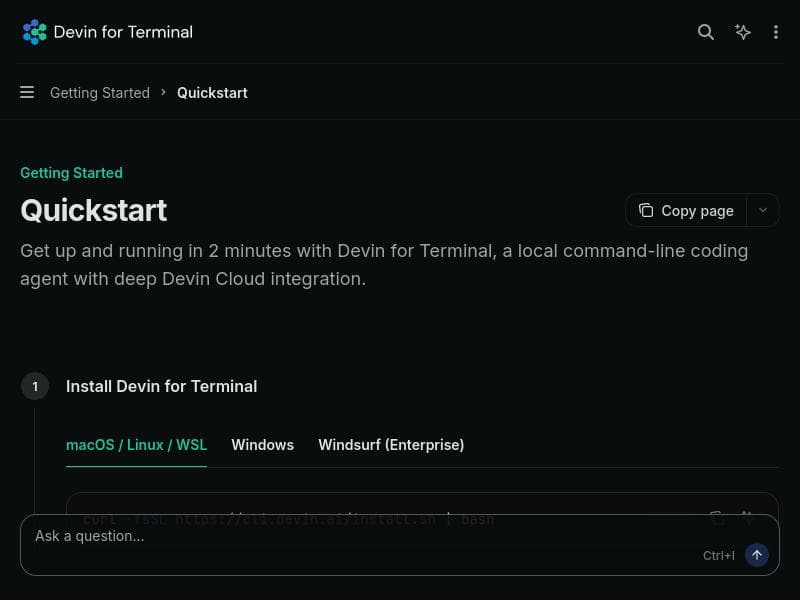
Devin for Terminal is a local command-line AI coding assistant that integrates deeply with Devin Cloud to deliver fast, context-aware code suggestions directly in your terminal. Ideal for developers who prefer terminal workflows, it offers quick setup and powerful AI-driven coding support, boosting productivity without leaving the command line.
Devin for Terminal is a powerful AI-driven coding assistant designed to operate directly within your local command-line interface, offering developers a seamless and efficient way to write, debug, and manage code without leaving the terminal environment. Its core purpose is to enhance productivity by integrating advanced AI capabilities with the familiar command-line workflow, allowing users to interact with an intelligent coding agent that understands context, suggests code snippets, and automates routine tasks. By leveraging deep integration with Devin Cloud, Devin for Terminal ensures that users benefit from cloud-powered AI models while maintaining the speed and responsiveness of a local tool. This unique combination enables developers to get up and running quickly, typically within two minutes, making it an accessible solution for both beginners and experienced programmers seeking to streamline their coding process. Key features of Devin for Terminal include its local command-line coding agent, which allows users to invoke AI assistance directly from the terminal without switching contexts. This feature supports a wide range of programming languages and frameworks, providing code completions, error detection, and even generating code based on natural language prompts. The deep integration with Devin Cloud means that while the tool runs locally, it can access powerful cloud-based AI models to deliver high-quality suggestions and maintain up-to-date knowledge bases. The quick setup process, which takes approximately two minutes, ensures minimal friction in adoption, allowing developers to start benefiting from AI assistance almost immediately. Additional capabilities include context-aware code generation, inline documentation, and the ability to handle complex coding queries, making it a versatile assistant for various development tasks. Devin for Terminal is best suited for software developers, DevOps engineers, and technical professionals who prefer working within the terminal and want to enhance their coding efficiency with AI assistance. It is particularly valuable for those who work on multiple projects or languages and need a consistent, reliable tool that integrates smoothly with their existing workflows. Use cases include rapid prototyping, debugging, learning new programming languages, automating repetitive coding tasks, and improving code quality through AI-driven insights. Its local operation also appeals to users concerned with data privacy and security, as sensitive code does not need to be uploaded to external platforms for analysis. The pricing model for Devin for Terminal follows a freemium approach, allowing users to access core functionalities at no cost while offering premium features and extended capabilities through paid plans. This structure makes it accessible to individual developers and small teams who want to explore AI-assisted coding without upfront investment. Detailed pricing tiers and feature breakdowns are available on the official website, providing transparency and flexibility for users to choose plans that best fit their needs. Compared to alternative AI coding assistants that often require web-based interfaces or integrated development environment (IDE) plugins, Devin for Terminal stands out by focusing on the command-line experience. This makes it uniquely suited for developers who prefer minimalistic setups or work extensively in terminal-based environments such as remote servers or lightweight development setups. Its deep Devin Cloud integration ensures that it remains competitive in terms of AI model sophistication and responsiveness. However, unlike some GUI-based tools, it may have a steeper learning curve for users unfamiliar with command-line operations. Notable limitations of Devin for Terminal include its reliance on internet connectivity for accessing Devin Cloud’s AI models, which could impact usability in offline scenarios. Additionally, while the quick setup is a significant advantage, users new to command-line tools may require some initial familiarization to leverage its full potential. The freemium pricing model means that some advanced features are gated behind paid plans, which might limit functionality for users on the free tier. Lastly, as with any AI coding assistant, it is essential for users to review and validate AI-generated code to ensure correctness and security, as the tool may occasionally produce inaccurate or suboptimal suggestions.

Description
Devin for Terminal is a local command-line AI coding assistant that integrates deeply with Devin Cloud to deliver fast, context-aware code suggestions directly in your terminal. Ideal for developers who prefer terminal workflows, it offers quick setup and powerful AI-driven coding support, boosting productivity without leaving the command line.
Devin for Terminal is a powerful AI-driven coding assistant designed to operate directly within your local command-line interface, offering developers a seamless and efficient way to write, debug, and manage code without leaving the terminal environment. Its core purpose is to enhance productivity by integrating advanced AI capabilities with the familiar command-line workflow, allowing users to interact with an intelligent coding agent that understands context, suggests code snippets, and automates routine tasks. By leveraging deep integration with Devin Cloud, Devin for Terminal ensures that users benefit from cloud-powered AI models while maintaining the speed and responsiveness of a local tool. This unique combination enables developers to get up and running quickly, typically within two minutes, making it an accessible solution for both beginners and experienced programmers seeking to streamline their coding process. Key features of Devin for Terminal include its local command-line coding agent, which allows users to invoke AI assistance directly from the terminal without switching contexts. This feature supports a wide range of programming languages and frameworks, providing code completions, error detection, and even generating code based on natural language prompts. The deep integration with Devin Cloud means that while the tool runs locally, it can access powerful cloud-based AI models to deliver high-quality suggestions and maintain up-to-date knowledge bases. The quick setup process, which takes approximately two minutes, ensures minimal friction in adoption, allowing developers to start benefiting from AI assistance almost immediately. Additional capabilities include context-aware code generation, inline documentation, and the ability to handle complex coding queries, making it a versatile assistant for various development tasks. Devin for Terminal is best suited for software developers, DevOps engineers, and technical professionals who prefer working within the terminal and want to enhance their coding efficiency with AI assistance. It is particularly valuable for those who work on multiple projects or languages and need a consistent, reliable tool that integrates smoothly with their existing workflows. Use cases include rapid prototyping, debugging, learning new programming languages, automating repetitive coding tasks, and improving code quality through AI-driven insights. Its local operation also appeals to users concerned with data privacy and security, as sensitive code does not need to be uploaded to external platforms for analysis. The pricing model for Devin for Terminal follows a freemium approach, allowing users to access core functionalities at no cost while offering premium features and extended capabilities through paid plans. This structure makes it accessible to individual developers and small teams who want to explore AI-assisted coding without upfront investment. Detailed pricing tiers and feature breakdowns are available on the official website, providing transparency and flexibility for users to choose plans that best fit their needs. Compared to alternative AI coding assistants that often require web-based interfaces or integrated development environment (IDE) plugins, Devin for Terminal stands out by focusing on the command-line experience. This makes it uniquely suited for developers who prefer minimalistic setups or work extensively in terminal-based environments such as remote servers or lightweight development setups. Its deep Devin Cloud integration ensures that it remains competitive in terms of AI model sophistication and responsiveness. However, unlike some GUI-based tools, it may have a steeper learning curve for users unfamiliar with command-line operations. Notable limitations of Devin for Terminal include its reliance on internet connectivity for accessing Devin Cloud’s AI models, which could impact usability in offline scenarios. Additionally, while the quick setup is a significant advantage, users new to command-line tools may require some initial familiarization to leverage its full potential. The freemium pricing model means that some advanced features are gated behind paid plans, which might limit functionality for users on the free tier. Lastly, as with any AI coding assistant, it is essential for users to review and validate AI-generated code to ensure correctness and security, as the tool may occasionally produce inaccurate or suboptimal suggestions.
Tool Features
- Local command-line coding agent
- Deep integration with Devin Cloud
- Quick setup in 2 minutes
Frequently Asked Questions
What is Devin for Terminal?
Devin for Terminal is an AI-powered local command-line coding agent that helps developers write, debug, and manage code efficiently within the terminal, leveraging deep integration with Devin Cloud for advanced AI capabilities.
How much does Devin for Terminal cost?
Devin for Terminal follows a freemium pricing model, offering core features for free with optional premium plans that unlock additional capabilities and extended usage.
Who is Devin for Terminal best for?
It is best suited for software developers, DevOps engineers, and technical professionals who prefer working in terminal environments and want to enhance their coding productivity with AI assistance.
What are the main features of Devin for Terminal?
Key features include a local command-line coding agent, deep integration with Devin Cloud for powerful AI-driven code suggestions, quick setup in about two minutes, context-aware code generation, and support for multiple programming languages.
Does Devin for Terminal offer a free trial?
Yes, Devin for Terminal offers a freemium plan that allows users to try core functionalities at no cost, enabling them to evaluate the tool before opting for premium features.
What integrations does Devin for Terminal support?
Devin for Terminal integrates deeply with Devin Cloud to access advanced AI models, and it operates locally within the command-line interface, supporting various programming languages and development workflows.
How does Devin for Terminal work?
Devin for Terminal runs locally in your command-line interface, where it interacts with Devin Cloud’s AI models to provide real-time code suggestions, debugging help, and code generation based on your inputs and context.
Sponsored Tools













































Reviews
No reviews yet. Be the first to share your experience.










