Devin for Terminal
Description
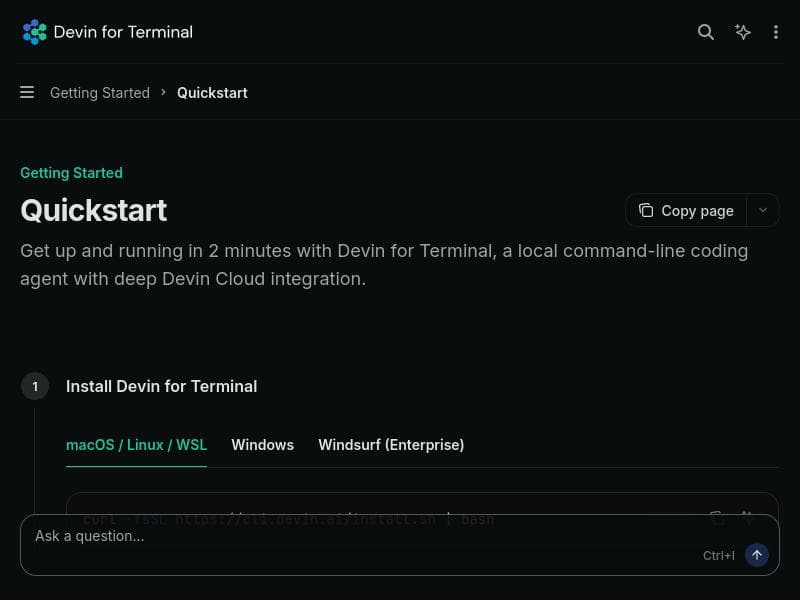
Devin for Terminal is a powerful local AI coding assistant that integrates directly into your terminal, offering seamless access to your codebase and tools. Its unique ability to hand off sessions from your laptop to the cloud ensures continuous, uninterrupted AI support, making it ideal for developers who need scalable, flexible coding assistance without leaving their CLI environment.
Devin for Terminal is an innovative local coding agent designed to seamlessly integrate with your existing development environment, providing full access to your codebase, tools, and system resources. Its core purpose is to empower developers by offering an AI assistant that operates directly within the terminal, enabling a smooth and efficient coding workflow without the need to switch contexts or rely solely on cloud-based solutions. By supporting frontier AI models such as Opus 4.7, GPT-5.5, and its proprietary SWE-1.6, Devin for Terminal offers a powerful and flexible AI experience tailored to diverse coding needs. This tool is particularly valuable for developers who require an AI assistant that can adapt to their local environment while also scaling effortlessly when their projects exceed the capabilities of their local machines. One of the standout features of Devin for Terminal is its ability to start a session directly from the command line interface (CLI), allowing developers to invoke AI assistance without leaving their terminal. This local-first approach ensures that your code and environment remain secure and under your control. When your workload surpasses the limits of your laptop or local machine, Devin facilitates a seamless handoff of your session to the cloud. This means your coding assistant continues working uninterrupted, even if you close your laptop or move away from your local setup. This continuous workflow capability eliminates downtime and enhances productivity, especially for complex or long-running coding tasks. Devin for Terminal supports scaling work beyond the constraints of local hardware by leveraging cloud resources, making it suitable for both individual developers and teams working on large-scale projects. Its flexibility in choosing between multiple advanced AI models allows users to tailor the AI’s behavior and performance to their specific requirements, whether they prioritize speed, accuracy, or specialized coding knowledge. The tool’s integration with your existing terminal environment means it can access your full toolchain and codebase, enabling it to provide context-aware suggestions, code completions, debugging assistance, and more. This tool is best suited for software developers, engineers, and technical professionals who prefer working within a terminal environment and seek an AI assistant that respects their local setup while offering cloud scalability. It is ideal for those who need continuous AI support without interruptions and want to maintain control over their code and environment. Use cases include accelerating code writing, debugging, refactoring, and managing complex projects that require persistent AI assistance beyond local hardware limitations. Devin for Terminal operates on a freemium pricing model, allowing users to start using the tool at no cost with access to essential features. Premium plans likely offer enhanced capabilities such as access to more powerful AI models, increased cloud session time, and priority support, although specific pricing details should be confirmed on the official website. This pricing approach makes Devin accessible to individual developers and teams alike, providing a low barrier to entry and scalable options as needs grow. Compared to alternatives, Devin for Terminal’s unique value lies in its hybrid local-cloud architecture and its deep integration with the terminal environment. While many AI coding assistants operate purely in the cloud or as IDE plugins, Devin offers the flexibility to start locally and seamlessly transition to cloud resources, ensuring uninterrupted workflow and better data privacy. Its support for multiple frontier AI models also provides a broader range of AI capabilities than many competitors. However, users should consider that initial setup and familiarity with terminal commands may present a learning curve for those less experienced with CLI-based tools. Notable limitations include dependency on a stable internet connection for cloud handoff and potential resource constraints on very large codebases when operating solely locally. Additionally, while Devin supports multiple AI models, the choice and performance of these models may vary depending on the specific coding tasks and languages involved. Users should evaluate which model best fits their workflow. Overall, Devin for Terminal is a robust and flexible AI coding assistant designed to enhance developer productivity by bridging local development environments with scalable cloud AI capabilities.

Description
Devin for Terminal is a powerful local AI coding assistant that integrates directly into your terminal, offering seamless access to your codebase and tools. Its unique ability to hand off sessions from your laptop to the cloud ensures continuous, uninterrupted AI support, making it ideal for developers who need scalable, flexible coding assistance without leaving their CLI environment.
Devin for Terminal is an innovative local coding agent designed to seamlessly integrate with your existing development environment, providing full access to your codebase, tools, and system resources. Its core purpose is to empower developers by offering an AI assistant that operates directly within the terminal, enabling a smooth and efficient coding workflow without the need to switch contexts or rely solely on cloud-based solutions. By supporting frontier AI models such as Opus 4.7, GPT-5.5, and its proprietary SWE-1.6, Devin for Terminal offers a powerful and flexible AI experience tailored to diverse coding needs. This tool is particularly valuable for developers who require an AI assistant that can adapt to their local environment while also scaling effortlessly when their projects exceed the capabilities of their local machines. One of the standout features of Devin for Terminal is its ability to start a session directly from the command line interface (CLI), allowing developers to invoke AI assistance without leaving their terminal. This local-first approach ensures that your code and environment remain secure and under your control. When your workload surpasses the limits of your laptop or local machine, Devin facilitates a seamless handoff of your session to the cloud. This means your coding assistant continues working uninterrupted, even if you close your laptop or move away from your local setup. This continuous workflow capability eliminates downtime and enhances productivity, especially for complex or long-running coding tasks. Devin for Terminal supports scaling work beyond the constraints of local hardware by leveraging cloud resources, making it suitable for both individual developers and teams working on large-scale projects. Its flexibility in choosing between multiple advanced AI models allows users to tailor the AI’s behavior and performance to their specific requirements, whether they prioritize speed, accuracy, or specialized coding knowledge. The tool’s integration with your existing terminal environment means it can access your full toolchain and codebase, enabling it to provide context-aware suggestions, code completions, debugging assistance, and more. This tool is best suited for software developers, engineers, and technical professionals who prefer working within a terminal environment and seek an AI assistant that respects their local setup while offering cloud scalability. It is ideal for those who need continuous AI support without interruptions and want to maintain control over their code and environment. Use cases include accelerating code writing, debugging, refactoring, and managing complex projects that require persistent AI assistance beyond local hardware limitations. Devin for Terminal operates on a freemium pricing model, allowing users to start using the tool at no cost with access to essential features. Premium plans likely offer enhanced capabilities such as access to more powerful AI models, increased cloud session time, and priority support, although specific pricing details should be confirmed on the official website. This pricing approach makes Devin accessible to individual developers and teams alike, providing a low barrier to entry and scalable options as needs grow. Compared to alternatives, Devin for Terminal’s unique value lies in its hybrid local-cloud architecture and its deep integration with the terminal environment. While many AI coding assistants operate purely in the cloud or as IDE plugins, Devin offers the flexibility to start locally and seamlessly transition to cloud resources, ensuring uninterrupted workflow and better data privacy. Its support for multiple frontier AI models also provides a broader range of AI capabilities than many competitors. However, users should consider that initial setup and familiarity with terminal commands may present a learning curve for those less experienced with CLI-based tools. Notable limitations include dependency on a stable internet connection for cloud handoff and potential resource constraints on very large codebases when operating solely locally. Additionally, while Devin supports multiple AI models, the choice and performance of these models may vary depending on the specific coding tasks and languages involved. Users should evaluate which model best fits their workflow. Overall, Devin for Terminal is a robust and flexible AI coding assistant designed to enhance developer productivity by bridging local development environments with scalable cloud AI capabilities.
Tool Features
- Start a Devin session in your terminal
- Seamless handoff of sessions from local machine to cloud
- Continuous workflow without interruption
- Supports scaling work beyond local laptop capacity
Frequently Asked Questions
What is Devin for Terminal?
Devin for Terminal is a local AI coding agent that integrates with your terminal, providing full access to your codebase, tools, and environment. It supports multiple advanced AI models and allows seamless handoff of coding sessions from your local machine to the cloud for continuous workflow.
How much does Devin for Terminal cost?
Devin for Terminal offers a freemium pricing model, allowing users to access core features for free. Premium plans with additional capabilities and cloud resources are available, with specific pricing details provided on the official website.
Who is Devin for Terminal best for?
It is best suited for software developers and engineers who prefer working within a terminal environment and need an AI assistant that can scale from local machines to cloud resources, supporting continuous and uninterrupted coding workflows.
What are the main features of Devin for Terminal?
Key features include starting AI coding sessions directly from the terminal, seamless handoff of sessions from local machines to the cloud, continuous workflow without interruption, and support for scaling work beyond local laptop capacity using multiple frontier AI models.
Does Devin for Terminal offer a free trial?
Yes, Devin for Terminal operates on a freemium model, allowing users to try essential features for free. More advanced features and extended cloud usage are available through paid plans.
What integrations does Devin for Terminal support?
Devin for Terminal integrates deeply with your local development environment and tools accessible through the terminal. It supports multiple AI models including Opus 4.7, GPT-5.5, and SWE-1.6, enabling flexible AI-powered coding assistance.
How does Devin for Terminal work?
You start a Devin session from your terminal, where the AI has access to your codebase and tools locally. If your work exceeds your local machine’s capacity, you can hand off the session to the cloud, allowing Devin to continue assisting you even if you close your laptop.
Socials
Use ToolSponsored Tools













































Reviews
No reviews yet. Be the first to share your experience.










