Description
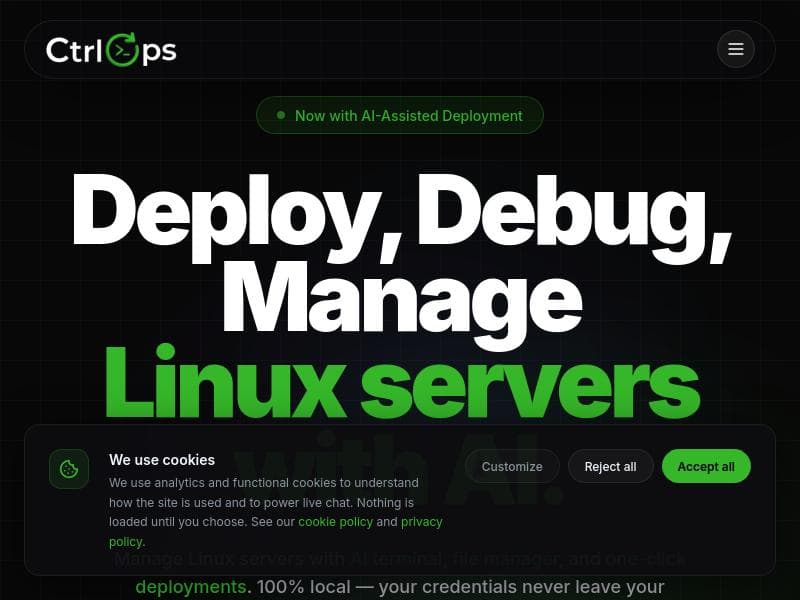
CtrlOps transforms server management by combining AI-powered command generation with a secure, local-first platform that requires no DevOps expertise. Ideal for developers and teams looking to simplify deployments, monitor servers in real-time, and manage infrastructure safely and efficiently.
CtrlOps is an innovative AI-powered server management tool designed to simplify and streamline the way developers and IT professionals manage their server infrastructure. Traditionally, server management involves juggling spreadsheets filled with IP addresses and a collection of commands that are often forgotten or poorly documented. CtrlOps revolutionizes this process by providing an intelligent, local-first platform that requires no prior DevOps expertise. Its core purpose is to empower users to manage servers efficiently and securely, leveraging AI to generate commands that users approve before execution, thus maintaining full control and safety in production environments. At the heart of CtrlOps is its AI-assisted terminal, which acts as a smart assistant capable of diagnosing server issues and suggesting commands tailored to the specific context. This reduces the cognitive load on users and minimizes human error. The tool also features a comprehensive scripts library, enabling users to automate repetitive tasks with ease. One of its standout capabilities is the one-click deployment feature, which allows users to deploy applications directly from any GitHub repository without complex setup or configuration. This dramatically cuts down deployment times from what traditionally might take an hour to just five minutes. CtrlOps integrates multiple functionalities into a single platform: it combines SSH access, a visual file manager, and deployment tools, all accessible through an intuitive interface. Real-time server monitoring provides continuous insights into server health and performance, while encrypted local storage ensures that all sensitive data, including credentials, never leaves the user's machine. This zero-agent approach means there is no need to install additional software on servers, reducing security risks and simplifying maintenance. The platform supports Mac, Windows, and Linux, making it versatile for diverse development environments. This tool is particularly well-suited for developers, system administrators, and small to medium-sized teams who want to manage servers without the overhead of mastering complex DevOps tools or hiring specialized personnel. Use cases include managing multiple servers across different environments, automating deployment pipelines, performing real-time monitoring and troubleshooting, and securely handling backups. Its approval-based execution model makes it ideal for production environments where safety and auditability are paramount. CtrlOps operates on a freemium pricing model, allowing users to get started with core features at no cost, and offering premium capabilities for advanced needs. This approach makes it accessible to individual developers and startups while scaling to meet the demands of larger teams and enterprises. Compared to traditional server management tools and DevOps platforms, CtrlOps stands out by focusing on AI assistance, local-first security, and user-friendly automation without requiring deep DevOps knowledge. Unlike many cloud-based solutions, it ensures that credentials and sensitive data remain on the user's device, addressing privacy and security concerns. However, users should consider that while CtrlOps simplifies many tasks, it may not yet replace highly specialized DevOps tools for very large-scale or complex infrastructure setups. In summary, CtrlOps offers a powerful, AI-driven approach to server management that reduces complexity, enhances security, and accelerates deployment workflows. It is an excellent choice for developers and teams seeking a safer, faster, and more intuitive way to manage servers without the steep learning curve of traditional DevOps tools.

Description
CtrlOps transforms server management by combining AI-powered command generation with a secure, local-first platform that requires no DevOps expertise. Ideal for developers and teams looking to simplify deployments, monitor servers in real-time, and manage infrastructure safely and efficiently.
CtrlOps is an innovative AI-powered server management tool designed to simplify and streamline the way developers and IT professionals manage their server infrastructure. Traditionally, server management involves juggling spreadsheets filled with IP addresses and a collection of commands that are often forgotten or poorly documented. CtrlOps revolutionizes this process by providing an intelligent, local-first platform that requires no prior DevOps expertise. Its core purpose is to empower users to manage servers efficiently and securely, leveraging AI to generate commands that users approve before execution, thus maintaining full control and safety in production environments. At the heart of CtrlOps is its AI-assisted terminal, which acts as a smart assistant capable of diagnosing server issues and suggesting commands tailored to the specific context. This reduces the cognitive load on users and minimizes human error. The tool also features a comprehensive scripts library, enabling users to automate repetitive tasks with ease. One of its standout capabilities is the one-click deployment feature, which allows users to deploy applications directly from any GitHub repository without complex setup or configuration. This dramatically cuts down deployment times from what traditionally might take an hour to just five minutes. CtrlOps integrates multiple functionalities into a single platform: it combines SSH access, a visual file manager, and deployment tools, all accessible through an intuitive interface. Real-time server monitoring provides continuous insights into server health and performance, while encrypted local storage ensures that all sensitive data, including credentials, never leaves the user's machine. This zero-agent approach means there is no need to install additional software on servers, reducing security risks and simplifying maintenance. The platform supports Mac, Windows, and Linux, making it versatile for diverse development environments. This tool is particularly well-suited for developers, system administrators, and small to medium-sized teams who want to manage servers without the overhead of mastering complex DevOps tools or hiring specialized personnel. Use cases include managing multiple servers across different environments, automating deployment pipelines, performing real-time monitoring and troubleshooting, and securely handling backups. Its approval-based execution model makes it ideal for production environments where safety and auditability are paramount. CtrlOps operates on a freemium pricing model, allowing users to get started with core features at no cost, and offering premium capabilities for advanced needs. This approach makes it accessible to individual developers and startups while scaling to meet the demands of larger teams and enterprises. Compared to traditional server management tools and DevOps platforms, CtrlOps stands out by focusing on AI assistance, local-first security, and user-friendly automation without requiring deep DevOps knowledge. Unlike many cloud-based solutions, it ensures that credentials and sensitive data remain on the user's device, addressing privacy and security concerns. However, users should consider that while CtrlOps simplifies many tasks, it may not yet replace highly specialized DevOps tools for very large-scale or complex infrastructure setups. In summary, CtrlOps offers a powerful, AI-driven approach to server management that reduces complexity, enhances security, and accelerates deployment workflows. It is an excellent choice for developers and teams seeking a safer, faster, and more intuitive way to manage servers without the steep learning curve of traditional DevOps tools.
Tool Features
- Local-first server management with encrypted storage
- AI-assisted terminal with diagnosis
- Approval-based execution for production safety
- All-in-one SSH, file manager, and deployments
- Real-time monitoring
- Backups
- One-click deployment
Frequently Asked Questions
What is CtrlOps?
CtrlOps is an AI-powered server management tool that simplifies managing servers by generating commands with user approval, providing a visual file manager, real-time monitoring, and one-click deployments—all without requiring DevOps expertise.
How much does CtrlOps cost?
CtrlOps offers a freemium pricing model, allowing users to access basic features for free, with premium plans available for advanced capabilities and larger team needs.
Who is CtrlOps best for?
CtrlOps is best suited for developers, system administrators, and small to medium-sized teams who want to manage servers efficiently without deep DevOps knowledge, especially those seeking secure, fast deployments and real-time monitoring.
What are the main features of CtrlOps?
Key features include AI-assisted terminal with command generation and diagnosis, approval-based execution for production safety, local-first encrypted storage, an all-in-one SSH client, visual file manager, real-time server monitoring, backups, and one-click deployment from GitHub repositories.
Does CtrlOps offer a free trial?
Yes, CtrlOps operates on a freemium model, allowing users to try core features for free without a time-limited trial.
What integrations does CtrlOps support?
CtrlOps supports one-click deployments from any GitHub repository and integrates SSH access, file management, and deployment tools within its platform, streamlining workflows without requiring additional third-party integrations.
How does CtrlOps work?
CtrlOps works by running locally on your machine, where it securely stores your credentials and uses AI to generate server management commands. Users review and approve these commands before execution, ensuring safety. It connects to servers via SSH without installing agents, providing real-time monitoring, file management, and deployment capabilities all in one interface.
Socials
Use ToolSponsored Tools













































Reviews
No reviews yet. Be the first to share your experience.










