Description
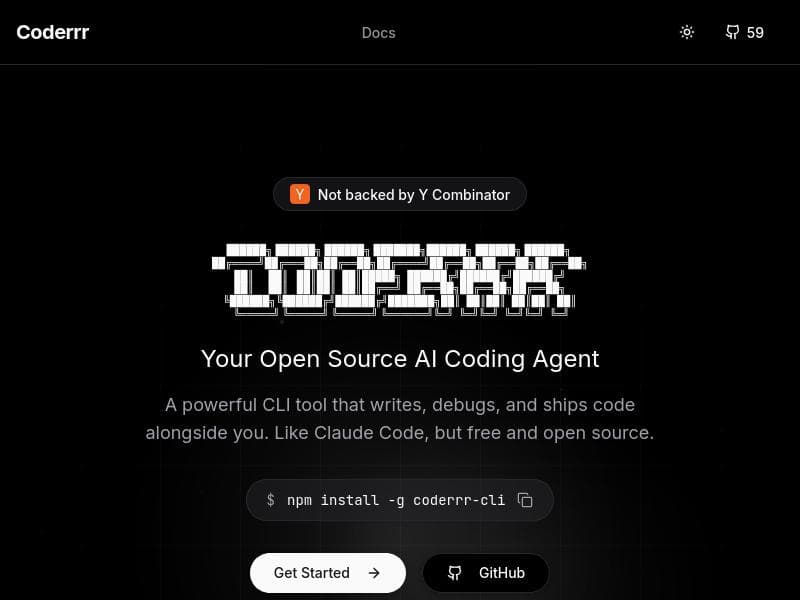
Coderrr is a free, open-source AI-powered CLI tool that writes, debugs, and ships code while autonomously analyzing tasks and executing commands. Perfect for developers who prefer terminal-based workflows, it offers a powerful, privacy-conscious alternative to paid AI coding assistants.
Coderrr is an advanced command-line interface (CLI) tool designed to assist developers by writing, debugging, and shipping code seamlessly alongside them. Its core purpose is to act as an AI-powered coding agent that not only understands the tasks at hand but also breaks them down into actionable plans and executes commands autonomously. Unlike many proprietary coding assistants, Coderrr is free and open source, making it accessible to a broad range of users who seek a powerful yet cost-effective AI companion for software development. By integrating AI directly into the CLI environment, Coderrr streamlines the coding workflow, reducing context switching and enabling developers to focus more on problem-solving and less on routine coding tasks. At the heart of Coderrr are several key features that set it apart. First, it writes code based on the developer’s input or project requirements, generating syntactically correct and contextually relevant code snippets or entire modules. This writing capability is complemented by its debugging functionality, where Coderrr can analyze existing code to identify errors, suggest fixes, and even apply corrections automatically. Beyond writing and debugging, Coderrr also supports shipping code, meaning it can assist in preparing code for deployment, including tasks such as formatting, testing, and packaging. Its ability to analyze tasks allows it to comprehend complex instructions or project goals, which it then translates into a series of actionable steps. The tool’s command execution feature enables it to run shell commands or scripts, automating repetitive or intricate tasks within the development lifecycle. Being open source, Coderrr encourages community contributions, transparency, and customization, allowing developers to tailor the tool to their specific needs. Coderrr is ideally suited for software developers, DevOps engineers, and technical teams who prefer working within a terminal environment and value automation in their coding processes. It is especially beneficial for those who want an AI assistant that integrates directly into their existing CLI workflows without the overhead of graphical interfaces or cloud-based platforms. Use cases include rapid prototyping, debugging legacy codebases, automating deployment scripts, and managing complex coding projects where task breakdown and execution are critical. Its open-source nature also makes it a great choice for educators and learners who want to explore AI-assisted coding without financial barriers. In terms of pricing, Coderrr is completely free to use. There are no subscription fees or premium tiers, which makes it an attractive option for individual developers, startups, and open-source projects. This zero-cost model contrasts with many commercial AI coding assistants that require paid plans for full functionality. Users can download, install, and start using Coderrr immediately, benefiting from continuous community-driven improvements. When compared to alternatives like Claude Code or other AI coding assistants, Coderrr stands out primarily due to its open-source nature and CLI integration. While Claude Code offers similar capabilities, it is typically a paid service and may rely on cloud-based interactions. Coderrr’s local CLI operation enhances privacy and control, allowing developers to work offline or within secure environments. However, unlike some GUI-based AI tools that offer visual debugging or drag-and-drop interfaces, Coderrr requires familiarity with command-line operations, which may present a learning curve for some users. Despite its strengths, there are some considerations to keep in mind. As a CLI tool, Coderrr’s user experience depends heavily on the user’s proficiency with terminal commands and scripting. Its AI capabilities, while robust, may occasionally produce code that requires manual review or adjustment, especially for highly specialized or novel programming tasks. Additionally, since it is community-maintained, the pace of updates and support may vary compared to commercial products backed by dedicated teams. Users should also consider that integration with other development tools or IDEs might require additional configuration. Overall, Coderrr offers a compelling, cost-free AI coding assistant that integrates deeply into the developer’s workflow via the command line. Its comprehensive feature set, open-source accessibility, and task-oriented approach make it a valuable tool for developers seeking to enhance productivity and automate coding tasks without incurring additional costs or relying on cloud services.

Description
Coderrr is a free, open-source AI-powered CLI tool that writes, debugs, and ships code while autonomously analyzing tasks and executing commands. Perfect for developers who prefer terminal-based workflows, it offers a powerful, privacy-conscious alternative to paid AI coding assistants.
Coderrr is an advanced command-line interface (CLI) tool designed to assist developers by writing, debugging, and shipping code seamlessly alongside them. Its core purpose is to act as an AI-powered coding agent that not only understands the tasks at hand but also breaks them down into actionable plans and executes commands autonomously. Unlike many proprietary coding assistants, Coderrr is free and open source, making it accessible to a broad range of users who seek a powerful yet cost-effective AI companion for software development. By integrating AI directly into the CLI environment, Coderrr streamlines the coding workflow, reducing context switching and enabling developers to focus more on problem-solving and less on routine coding tasks. At the heart of Coderrr are several key features that set it apart. First, it writes code based on the developer’s input or project requirements, generating syntactically correct and contextually relevant code snippets or entire modules. This writing capability is complemented by its debugging functionality, where Coderrr can analyze existing code to identify errors, suggest fixes, and even apply corrections automatically. Beyond writing and debugging, Coderrr also supports shipping code, meaning it can assist in preparing code for deployment, including tasks such as formatting, testing, and packaging. Its ability to analyze tasks allows it to comprehend complex instructions or project goals, which it then translates into a series of actionable steps. The tool’s command execution feature enables it to run shell commands or scripts, automating repetitive or intricate tasks within the development lifecycle. Being open source, Coderrr encourages community contributions, transparency, and customization, allowing developers to tailor the tool to their specific needs. Coderrr is ideally suited for software developers, DevOps engineers, and technical teams who prefer working within a terminal environment and value automation in their coding processes. It is especially beneficial for those who want an AI assistant that integrates directly into their existing CLI workflows without the overhead of graphical interfaces or cloud-based platforms. Use cases include rapid prototyping, debugging legacy codebases, automating deployment scripts, and managing complex coding projects where task breakdown and execution are critical. Its open-source nature also makes it a great choice for educators and learners who want to explore AI-assisted coding without financial barriers. In terms of pricing, Coderrr is completely free to use. There are no subscription fees or premium tiers, which makes it an attractive option for individual developers, startups, and open-source projects. This zero-cost model contrasts with many commercial AI coding assistants that require paid plans for full functionality. Users can download, install, and start using Coderrr immediately, benefiting from continuous community-driven improvements. When compared to alternatives like Claude Code or other AI coding assistants, Coderrr stands out primarily due to its open-source nature and CLI integration. While Claude Code offers similar capabilities, it is typically a paid service and may rely on cloud-based interactions. Coderrr’s local CLI operation enhances privacy and control, allowing developers to work offline or within secure environments. However, unlike some GUI-based AI tools that offer visual debugging or drag-and-drop interfaces, Coderrr requires familiarity with command-line operations, which may present a learning curve for some users. Despite its strengths, there are some considerations to keep in mind. As a CLI tool, Coderrr’s user experience depends heavily on the user’s proficiency with terminal commands and scripting. Its AI capabilities, while robust, may occasionally produce code that requires manual review or adjustment, especially for highly specialized or novel programming tasks. Additionally, since it is community-maintained, the pace of updates and support may vary compared to commercial products backed by dedicated teams. Users should also consider that integration with other development tools or IDEs might require additional configuration. Overall, Coderrr offers a compelling, cost-free AI coding assistant that integrates deeply into the developer’s workflow via the command line. Its comprehensive feature set, open-source accessibility, and task-oriented approach make it a valuable tool for developers seeking to enhance productivity and automate coding tasks without incurring additional costs or relying on cloud services.
Tool Features
- Writes code
- Debugs code
- Ships code
- Analyzes tasks
- Creates actionable plans
- Executes commands
- Open source
- CLI tool
Frequently Asked Questions
What is Coderrr?
Coderrr is an AI-powered command-line interface tool that assists developers by writing, debugging, and shipping code. It analyzes tasks, creates actionable plans, and executes commands to streamline the coding workflow.
How much does Coderrr cost?
Coderrr is completely free to use. It is an open-source project with no subscription fees or paid tiers.
Who is Coderrr best for?
Coderrr is best suited for software developers, DevOps engineers, and technical teams who prefer working within a terminal environment and want an AI assistant that integrates directly into their CLI workflows.
What are the main features of Coderrr?
The main features include writing code, debugging code, shipping code, analyzing tasks, creating actionable plans, executing commands, and being open source and CLI-based.
Does Coderrr offer a free trial?
Since Coderrr is free and open source, there is no need for a free trial; users can download and use it immediately at no cost.
What integrations does Coderrr support?
Coderrr primarily operates as a CLI tool and can execute shell commands, making it compatible with various development environments and scripts. Specific integrations depend on user customization and community contributions.
How does Coderrr work?
Coderrr works by analyzing developer tasks, generating code, debugging existing code, and executing commands through the command line. It creates actionable plans to automate and assist with coding workflows in a terminal environment.
Sponsored Tools













































Reviews
No reviews yet. Be the first to share your experience.










