Description
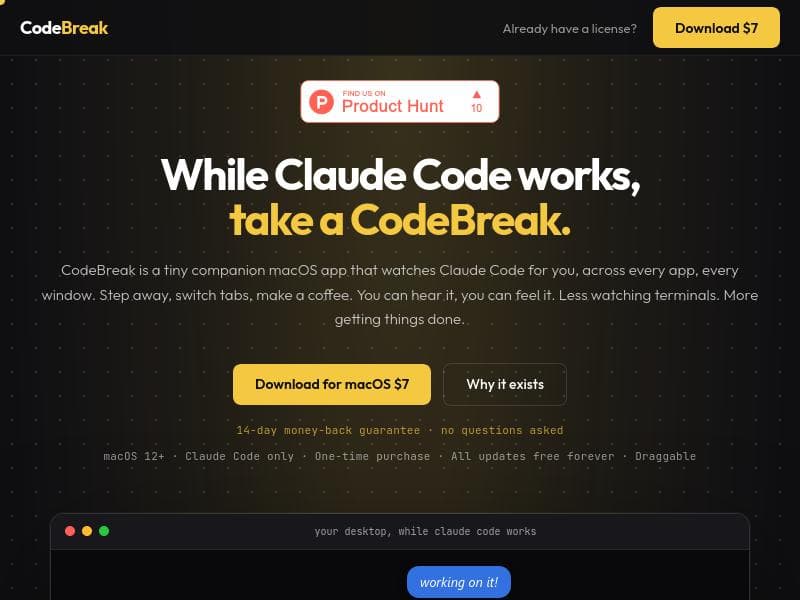
CodeBreak transforms the way developers interact with Claude Code by providing a lively, pixel-art mascot that monitors AI progress in real time, eliminating the need for constant tab switching. Ideal for macOS users who want to boost productivity and stay informed effortlessly, CodeBreak offers a one-time affordable purchase with free lifetime updates.
CodeBreak is a specialized desktop utility designed to enhance the user experience when working with Claude Code, an AI coding assistant. Its core purpose is to alleviate the frustration and inefficiency caused by the need to constantly monitor Claude Code’s progress manually. Users often find themselves switching tabs every 30 seconds or more just to check if Claude Code is still running, only to discover later that it either completed or got stuck minutes ago without any notification. CodeBreak addresses this by providing a visually engaging, real-time monitoring companion that keeps users informed without interrupting their workflow. At the heart of CodeBreak is a charming pixel-art character that walks across the user’s screen while Claude Code is running. This animated mascot serves as a dynamic status indicator: it celebrates when the task is complete, panics when user intervention is required, and sulks if an error occurs. This ambient feedback system reduces the need to watch terminals or switch windows frequently, allowing users to focus on other tasks while staying informed about their AI assistant’s status. The floating widget is draggable, meaning users can position it anywhere on their screen for maximum convenience. CodeBreak offers several key features that make it a valuable tool for developers and AI enthusiasts. It monitors Claude Code activity across every app and window on macOS 12 and later, ensuring seamless integration regardless of the user’s workflow. The tool provides both ambient and desktop notifications, so users receive timely alerts without disruptive pop-ups. Its one-time purchase model at $7 includes all future updates free forever, eliminating the need for subscriptions and ongoing fees. Additionally, CodeBreak comes with a 14-day money-back guarantee, allowing users to try it risk-free. This tool is best suited for developers, programmers, and AI practitioners who rely heavily on Claude Code for coding assistance and want to optimize their productivity. It is especially useful for those who multitask or use multiple applications simultaneously, as it prevents the need for constant tab switching and terminal monitoring. By providing clear, visual cues and notifications, CodeBreak helps users avoid wasted time and frustration caused by unnoticed stalls or errors in Claude Code’s processing. In terms of pricing, CodeBreak is competitively positioned with a simple $7 one-time fee, which is significantly more affordable than many subscription-based productivity tools. This pricing model appeals to users who prefer to avoid recurring costs and want a straightforward, no-hassle purchase. The inclusion of free lifetime updates adds further value, ensuring the tool remains compatible and feature-rich as Claude Code and macOS evolve. Compared to alternatives, CodeBreak stands out by focusing exclusively on enhancing the Claude Code experience with a unique, playful interface and real-time monitoring capabilities. While other tools may offer generic AI monitoring or notification features, CodeBreak’s pixel-art mascot and ambient feedback system provide a more engaging and user-friendly approach. However, it currently supports only Claude Code and macOS 12+, which may limit its applicability for users on other platforms or using different AI assistants. The developer has plans to expand CodeBreak into a universal tool for all AI platforms, which could broaden its appeal in the future. Potential limitations include its current exclusivity to Claude Code and macOS, meaning Windows or Linux users cannot benefit from it yet. Additionally, users who prefer minimal desktop distractions might find the animated mascot intrusive, although its draggable nature allows customization. Overall, CodeBreak offers a thoughtful, cost-effective solution for anyone looking to streamline their interaction with Claude Code and reduce the cognitive load of monitoring AI processes manually.

Description
CodeBreak transforms the way developers interact with Claude Code by providing a lively, pixel-art mascot that monitors AI progress in real time, eliminating the need for constant tab switching. Ideal for macOS users who want to boost productivity and stay informed effortlessly, CodeBreak offers a one-time affordable purchase with free lifetime updates.
CodeBreak is a specialized desktop utility designed to enhance the user experience when working with Claude Code, an AI coding assistant. Its core purpose is to alleviate the frustration and inefficiency caused by the need to constantly monitor Claude Code’s progress manually. Users often find themselves switching tabs every 30 seconds or more just to check if Claude Code is still running, only to discover later that it either completed or got stuck minutes ago without any notification. CodeBreak addresses this by providing a visually engaging, real-time monitoring companion that keeps users informed without interrupting their workflow. At the heart of CodeBreak is a charming pixel-art character that walks across the user’s screen while Claude Code is running. This animated mascot serves as a dynamic status indicator: it celebrates when the task is complete, panics when user intervention is required, and sulks if an error occurs. This ambient feedback system reduces the need to watch terminals or switch windows frequently, allowing users to focus on other tasks while staying informed about their AI assistant’s status. The floating widget is draggable, meaning users can position it anywhere on their screen for maximum convenience. CodeBreak offers several key features that make it a valuable tool for developers and AI enthusiasts. It monitors Claude Code activity across every app and window on macOS 12 and later, ensuring seamless integration regardless of the user’s workflow. The tool provides both ambient and desktop notifications, so users receive timely alerts without disruptive pop-ups. Its one-time purchase model at $7 includes all future updates free forever, eliminating the need for subscriptions and ongoing fees. Additionally, CodeBreak comes with a 14-day money-back guarantee, allowing users to try it risk-free. This tool is best suited for developers, programmers, and AI practitioners who rely heavily on Claude Code for coding assistance and want to optimize their productivity. It is especially useful for those who multitask or use multiple applications simultaneously, as it prevents the need for constant tab switching and terminal monitoring. By providing clear, visual cues and notifications, CodeBreak helps users avoid wasted time and frustration caused by unnoticed stalls or errors in Claude Code’s processing. In terms of pricing, CodeBreak is competitively positioned with a simple $7 one-time fee, which is significantly more affordable than many subscription-based productivity tools. This pricing model appeals to users who prefer to avoid recurring costs and want a straightforward, no-hassle purchase. The inclusion of free lifetime updates adds further value, ensuring the tool remains compatible and feature-rich as Claude Code and macOS evolve. Compared to alternatives, CodeBreak stands out by focusing exclusively on enhancing the Claude Code experience with a unique, playful interface and real-time monitoring capabilities. While other tools may offer generic AI monitoring or notification features, CodeBreak’s pixel-art mascot and ambient feedback system provide a more engaging and user-friendly approach. However, it currently supports only Claude Code and macOS 12+, which may limit its applicability for users on other platforms or using different AI assistants. The developer has plans to expand CodeBreak into a universal tool for all AI platforms, which could broaden its appeal in the future. Potential limitations include its current exclusivity to Claude Code and macOS, meaning Windows or Linux users cannot benefit from it yet. Additionally, users who prefer minimal desktop distractions might find the animated mascot intrusive, although its draggable nature allows customization. Overall, CodeBreak offers a thoughtful, cost-effective solution for anyone looking to streamline their interaction with Claude Code and reduce the cognitive load of monitoring AI processes manually.
Tool Features
- Monitors Claude Code across every app and window
- Provides ambient and desktop notifications
- Helps reduce the need to watch terminals constantly
- Supports macOS 12+
- One-time purchase with all updates free forever
- Draggable floating widget
- Animated mascot
- 14-day money-back guarantee
Frequently Asked Questions
What is CodeBreak?
CodeBreak is a desktop utility that monitors Claude Code’s activity across all apps and windows on macOS, providing visual and desktop notifications through an animated pixel-art mascot to keep users informed about AI progress without constant manual checking.
How much does CodeBreak cost?
CodeBreak is available for a one-time purchase of $7, which includes all future updates free forever. There are no subscription fees.
Who is CodeBreak best for?
CodeBreak is best suited for developers, programmers, and AI users who rely on Claude Code and want to reduce the need to constantly monitor AI progress, especially those who multitask or use multiple applications on macOS.
What are the main features of CodeBreak?
Key features include monitoring Claude Code across every app and window, ambient and desktop notifications, a draggable floating widget with an animated pixel-art mascot that reflects AI status, support for macOS 12+, a one-time purchase model, and a 14-day money-back guarantee.
Does CodeBreak offer a free trial?
CodeBreak does not offer a free trial but provides a 14-day money-back guarantee, allowing users to try the tool risk-free and request a refund if unsatisfied.
What integrations does CodeBreak support?
Currently, CodeBreak is designed specifically to monitor Claude Code across all applications and windows on macOS 12 and later. Future plans include expanding support to other AI tools, but no additional integrations are available at this time.
How does CodeBreak work?
CodeBreak runs as a floating widget on your macOS desktop, continuously monitoring Claude Code’s activity in the background. It uses an animated pixel-art mascot to provide real-time visual feedback—celebrating when tasks complete, panicking when user input is needed, and sulking on errors—along with ambient and desktop notifications to keep you informed without interrupting your workflow.
Socials
Use ToolSponsored Tools













































Reviews
No reviews yet. Be the first to share your experience.










