
Code to Flow
Description
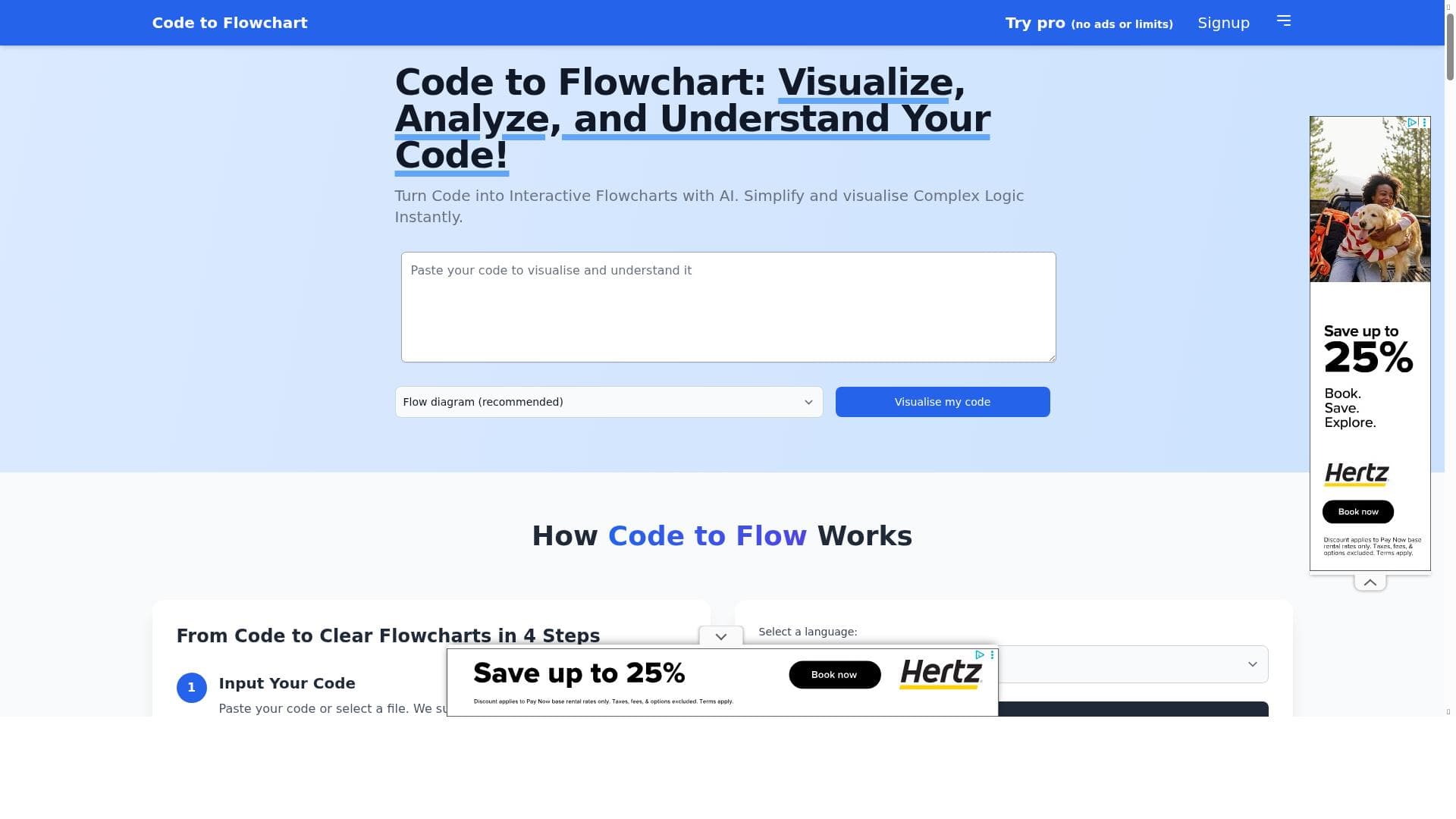
Code to Flow uniquely transforms complex code into interactive flowcharts using AI, making it easier for developers of all levels to understand and debug programs. Ideal for anyone looking to visualize and simplify intricate logic instantly, it supports nearly all major programming languages and enhances collaboration through shareable diagrams.
Code to Flow is an innovative AI-powered tool designed to transform complex source code into interactive flowcharts and sequence diagrams, making it easier for developers to understand, analyze, and communicate program logic. By converting code into visual representations, Code to Flow simplifies the comprehension of intricate logic structures such as nested loops, conditionals, and function calls. This visualization approach helps developers quickly grasp the flow of execution and the relationships between different components of the codebase, which can be especially beneficial when working with unfamiliar or legacy code. The core purpose of Code to Flow is to bridge the gap between raw code and human understanding through clear, interactive diagrams that highlight the underlying logic in a simplified manner. Key features of Code to Flow include its ability to automatically generate flowcharts from source code written in almost all major programming languages, including Python, JavaScript, TypeScript, Java, C, C++, and many popular frameworks. The tool leverages AI to analyze the code structure and logic, instantly visualizing it in an intuitive format that highlights key decision points and process flows. Users can interact with these diagrams to explore different branches and sequences, which enhances debugging and code review processes. Additionally, Code to Flow supports exporting and sharing generated flowcharts, facilitating better collaboration among team members and stakeholders. Its instant insights help developers save time by reducing the need to manually trace through complex code, thereby increasing productivity and reducing errors. Code to Flow is ideal for developers at all skill levels—from beginners trying to learn programming concepts to experienced engineers maintaining or refactoring large codebases. It is particularly useful in scenarios such as onboarding new team members, performing code audits, debugging complicated logic, and documenting software projects. Educators and students can also benefit from the tool by using it to visualize programming exercises and assignments. Furthermore, teams working in collaborative environments can use Code to Flow to communicate design decisions and code structure more effectively, ensuring everyone has a clear understanding of the system. The tool offers a freemium pricing model, allowing users to access basic features for free with the option to upgrade for additional capabilities or higher usage limits. This approach makes it accessible to individual developers and small teams while providing scalability for larger organizations or more intensive use cases. The free tier is sufficient for casual use and small projects, while premium plans may include advanced features such as higher flowchart export quality, priority support, and integration options. Compared to alternative code visualization tools, Code to Flow stands out due to its broad language support, AI-driven simplification of complex logic, and interactive flowchart generation. While some competitors focus solely on static diagrams or support limited languages, Code to Flow’s dynamic and automated approach offers a more comprehensive and user-friendly experience. However, users should be aware that the accuracy of the generated diagrams depends on the complexity and style of the source code; extremely obfuscated or highly dynamic code may not be perfectly visualized. Additionally, while the tool excels at flowchart generation, it may not replace full-featured IDE debugging tools or static analyzers for in-depth code analysis. In summary, Code to Flow is a powerful AI tool that transforms code into clear, interactive flowcharts, making it easier to understand, debug, and communicate programming logic. Its wide language support, instant visualization, and collaborative features make it a valuable asset for developers, educators, and teams aiming to simplify complex code and enhance productivity.

Description
Code to Flow uniquely transforms complex code into interactive flowcharts using AI, making it easier for developers of all levels to understand and debug programs. Ideal for anyone looking to visualize and simplify intricate logic instantly, it supports nearly all major programming languages and enhances collaboration through shareable diagrams.
Code to Flow is an innovative AI-powered tool designed to transform complex source code into interactive flowcharts and sequence diagrams, making it easier for developers to understand, analyze, and communicate program logic. By converting code into visual representations, Code to Flow simplifies the comprehension of intricate logic structures such as nested loops, conditionals, and function calls. This visualization approach helps developers quickly grasp the flow of execution and the relationships between different components of the codebase, which can be especially beneficial when working with unfamiliar or legacy code. The core purpose of Code to Flow is to bridge the gap between raw code and human understanding through clear, interactive diagrams that highlight the underlying logic in a simplified manner. Key features of Code to Flow include its ability to automatically generate flowcharts from source code written in almost all major programming languages, including Python, JavaScript, TypeScript, Java, C, C++, and many popular frameworks. The tool leverages AI to analyze the code structure and logic, instantly visualizing it in an intuitive format that highlights key decision points and process flows. Users can interact with these diagrams to explore different branches and sequences, which enhances debugging and code review processes. Additionally, Code to Flow supports exporting and sharing generated flowcharts, facilitating better collaboration among team members and stakeholders. Its instant insights help developers save time by reducing the need to manually trace through complex code, thereby increasing productivity and reducing errors. Code to Flow is ideal for developers at all skill levels—from beginners trying to learn programming concepts to experienced engineers maintaining or refactoring large codebases. It is particularly useful in scenarios such as onboarding new team members, performing code audits, debugging complicated logic, and documenting software projects. Educators and students can also benefit from the tool by using it to visualize programming exercises and assignments. Furthermore, teams working in collaborative environments can use Code to Flow to communicate design decisions and code structure more effectively, ensuring everyone has a clear understanding of the system. The tool offers a freemium pricing model, allowing users to access basic features for free with the option to upgrade for additional capabilities or higher usage limits. This approach makes it accessible to individual developers and small teams while providing scalability for larger organizations or more intensive use cases. The free tier is sufficient for casual use and small projects, while premium plans may include advanced features such as higher flowchart export quality, priority support, and integration options. Compared to alternative code visualization tools, Code to Flow stands out due to its broad language support, AI-driven simplification of complex logic, and interactive flowchart generation. While some competitors focus solely on static diagrams or support limited languages, Code to Flow’s dynamic and automated approach offers a more comprehensive and user-friendly experience. However, users should be aware that the accuracy of the generated diagrams depends on the complexity and style of the source code; extremely obfuscated or highly dynamic code may not be perfectly visualized. Additionally, while the tool excels at flowchart generation, it may not replace full-featured IDE debugging tools or static analyzers for in-depth code analysis. In summary, Code to Flow is a powerful AI tool that transforms code into clear, interactive flowcharts, making it easier to understand, debug, and communicate programming logic. Its wide language support, instant visualization, and collaborative features make it a valuable asset for developers, educators, and teams aiming to simplify complex code and enhance productivity.
Tool Features
- Simplifies complex logic using AI
- Instantly visualizes code flow
- Helps understand program logic
- Supports multiple programming languages
- Generates flowcharts from code automatically
Frequently Asked Questions
What is Code to Flow?
Code to Flow is an AI-powered tool that converts source code into interactive flowcharts and sequence diagrams, helping developers visualize and understand complex programming logic more easily.
How much does Code to Flow cost?
Code to Flow offers a freemium pricing model, providing free access to basic features with options to upgrade for advanced capabilities and higher usage limits.
Who is Code to Flow best for?
It is best suited for developers of all experience levels, educators, students, and teams who want to simplify code comprehension, improve debugging, and enhance collaboration through visual representations.
What are the main features of Code to Flow?
Key features include AI-driven simplification of complex logic, instant generation of flowcharts from code, support for multiple programming languages, interactive diagrams, and the ability to download and share flowcharts.
Does Code to Flow offer a free trial?
Yes, Code to Flow provides free access to its basic features under its freemium model, allowing users to try the tool without any upfront cost.
What integrations does Code to Flow support?
While Code to Flow primarily focuses on code visualization, it supports exporting flowcharts for sharing and collaboration, but specific third-party integrations are not prominently featured.
How does Code to Flow work?
Code to Flow analyzes your source code using AI to identify logical structures and control flows, then automatically generates interactive flowcharts and sequence diagrams that visually represent the program’s execution paths.
Sponsored Tools













































Reviews
No reviews yet. Be the first to share your experience.










