Description
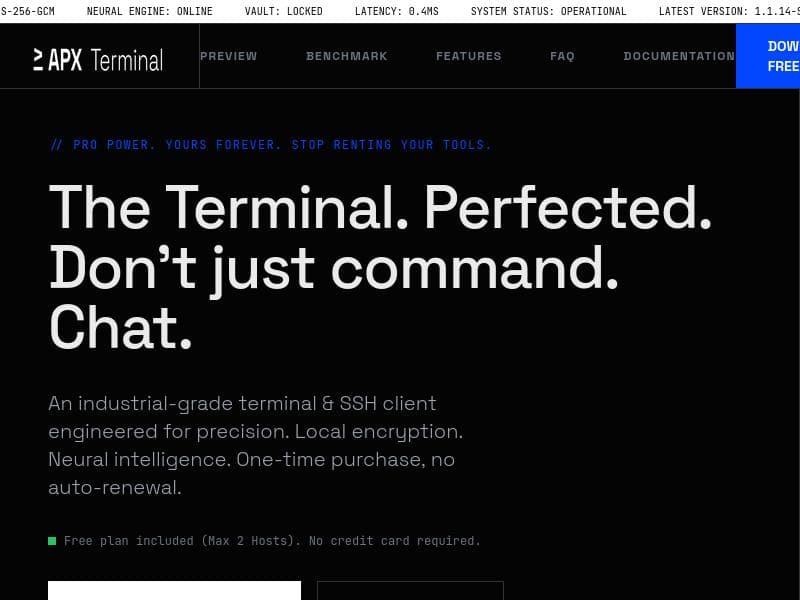
APX Terminal is a GPU-accelerated, AI-powered terminal for macOS, Windows, and Linux that transforms how developers and sysadmins interact with command lines by enabling natural language control and context-aware assistance. Perfect for professionals managing local and SSH servers, it combines native performance, neural intelligence, and robust security in a single, perpetual-license package.
APX Terminal is a cutting-edge, GPU-accelerated terminal application designed for macOS, Windows, and Linux platforms that revolutionizes how developers and system administrators interact with their local and remote servers. Its core purpose is to replace traditional command-line interfaces with an intelligent, context-aware environment that understands natural language commands, significantly reducing the need to search for command syntax or troubleshoot errors manually. By integrating advanced AI capabilities directly into the terminal, APX Terminal enables users to communicate with their systems more intuitively and efficiently, transforming the command line from a purely text-based interface into an interactive assistant that reads logs, interprets errors, and provides actionable insights in real time. One of the standout features of APX Terminal is its native performance, leveraging GPU acceleration to ensure smooth and responsive operation across all supported operating systems. This native speed is complemented by a Neural Agent intelligence that acts as a fully autonomous assistant within the terminal. This AI agent not only understands natural language but also analyzes context by reading logs and error messages, offering relevant suggestions or automating routine tasks. The terminal is model agnostic, allowing users to bring their own AI keys from providers such as OpenAI, Gemini, DeepSeek, and Groq, providing flexibility and control over the AI backend. Security is a paramount concern, addressed through local encryption that ensures sensitive data and credentials remain protected on the user's device. Additionally, APX Terminal supports essential developer and sysadmin tools like SSH client capabilities, SFTP for secure file transfers, and port forwarding, making it a comprehensive solution for managing remote servers. APX Terminal is ideally suited for software developers, DevOps engineers, system administrators, and IT professionals who frequently interact with command-line interfaces and remote servers. Its natural language processing capabilities make it especially valuable for those who want to streamline workflows, reduce context switching between documentation and terminal, and minimize errors caused by incorrect commands. Use cases include debugging complex applications by having the AI analyze logs in real time, managing multiple SSH sessions with ease, securely transferring files via SFTP, and automating repetitive command sequences. The terminal's perpetual license model appeals to professionals and organizations looking for a one-time investment rather than subscription-based pricing. Regarding pricing, APX Terminal is a paid product offered via a one-time payment, granting users perpetual access without recurring fees. This pricing structure is attractive for users who prefer to avoid ongoing subscription costs and want long-term access to a powerful terminal solution. While the exact pricing details are available on their website, the one-time payment model combined with the advanced feature set positions APX Terminal as a premium tool designed for serious users who demand reliability and innovation. Compared to traditional terminals and SSH clients, APX Terminal stands out by embedding AI directly into the user interface, moving beyond static command execution to a dynamic, conversational experience. Unlike many terminal emulators that rely solely on user input without context awareness, APX Terminal’s neural intelligence provides proactive assistance, reducing the learning curve and improving productivity. Its support for multiple AI models and local encryption also offers advantages over cloud-dependent or less secure alternatives. However, users should consider that the advanced AI features require integration with third-party AI services, which may involve managing API keys and potential costs associated with those services. Additionally, while the tool supports major operating systems, users in highly specialized or legacy environments might encounter compatibility considerations. In summary, APX Terminal is a modern, intelligent terminal solution that combines native performance with powerful AI-driven features to enhance command-line productivity and security. Its natural language interface, autonomous neural agent, and comprehensive SSH capabilities make it an indispensable tool for developers and IT professionals seeking to modernize their terminal experience. The one-time payment model and local encryption further underscore its appeal as a secure, long-term investment in developer tooling.

Description
APX Terminal is a GPU-accelerated, AI-powered terminal for macOS, Windows, and Linux that transforms how developers and sysadmins interact with command lines by enabling natural language control and context-aware assistance. Perfect for professionals managing local and SSH servers, it combines native performance, neural intelligence, and robust security in a single, perpetual-license package.
APX Terminal is a cutting-edge, GPU-accelerated terminal application designed for macOS, Windows, and Linux platforms that revolutionizes how developers and system administrators interact with their local and remote servers. Its core purpose is to replace traditional command-line interfaces with an intelligent, context-aware environment that understands natural language commands, significantly reducing the need to search for command syntax or troubleshoot errors manually. By integrating advanced AI capabilities directly into the terminal, APX Terminal enables users to communicate with their systems more intuitively and efficiently, transforming the command line from a purely text-based interface into an interactive assistant that reads logs, interprets errors, and provides actionable insights in real time. One of the standout features of APX Terminal is its native performance, leveraging GPU acceleration to ensure smooth and responsive operation across all supported operating systems. This native speed is complemented by a Neural Agent intelligence that acts as a fully autonomous assistant within the terminal. This AI agent not only understands natural language but also analyzes context by reading logs and error messages, offering relevant suggestions or automating routine tasks. The terminal is model agnostic, allowing users to bring their own AI keys from providers such as OpenAI, Gemini, DeepSeek, and Groq, providing flexibility and control over the AI backend. Security is a paramount concern, addressed through local encryption that ensures sensitive data and credentials remain protected on the user's device. Additionally, APX Terminal supports essential developer and sysadmin tools like SSH client capabilities, SFTP for secure file transfers, and port forwarding, making it a comprehensive solution for managing remote servers. APX Terminal is ideally suited for software developers, DevOps engineers, system administrators, and IT professionals who frequently interact with command-line interfaces and remote servers. Its natural language processing capabilities make it especially valuable for those who want to streamline workflows, reduce context switching between documentation and terminal, and minimize errors caused by incorrect commands. Use cases include debugging complex applications by having the AI analyze logs in real time, managing multiple SSH sessions with ease, securely transferring files via SFTP, and automating repetitive command sequences. The terminal's perpetual license model appeals to professionals and organizations looking for a one-time investment rather than subscription-based pricing. Regarding pricing, APX Terminal is a paid product offered via a one-time payment, granting users perpetual access without recurring fees. This pricing structure is attractive for users who prefer to avoid ongoing subscription costs and want long-term access to a powerful terminal solution. While the exact pricing details are available on their website, the one-time payment model combined with the advanced feature set positions APX Terminal as a premium tool designed for serious users who demand reliability and innovation. Compared to traditional terminals and SSH clients, APX Terminal stands out by embedding AI directly into the user interface, moving beyond static command execution to a dynamic, conversational experience. Unlike many terminal emulators that rely solely on user input without context awareness, APX Terminal’s neural intelligence provides proactive assistance, reducing the learning curve and improving productivity. Its support for multiple AI models and local encryption also offers advantages over cloud-dependent or less secure alternatives. However, users should consider that the advanced AI features require integration with third-party AI services, which may involve managing API keys and potential costs associated with those services. Additionally, while the tool supports major operating systems, users in highly specialized or legacy environments might encounter compatibility considerations. In summary, APX Terminal is a modern, intelligent terminal solution that combines native performance with powerful AI-driven features to enhance command-line productivity and security. Its natural language interface, autonomous neural agent, and comprehensive SSH capabilities make it an indispensable tool for developers and IT professionals seeking to modernize their terminal experience. The one-time payment model and local encryption further underscore its appeal as a secure, long-term investment in developer tooling.
Tool Features
- Native performance
- Neural Agent intelligence
- Local encryption
- Fully autonomous Neural Agent
- One-time payment
- SSH Client
- SFTP
- Port Forwarding
Frequently Asked Questions
What is APX Terminal?
APX Terminal is a modern, GPU-accelerated terminal application that integrates AI to provide natural language command input, context-aware assistance, and advanced SSH client features across macOS, Windows, and Linux.
How much does APX Terminal cost?
APX Terminal is available through a one-time payment that grants perpetual access, eliminating the need for recurring subscription fees. Specific pricing details can be found on their official website.
Who is APX Terminal best for?
It is best suited for software developers, DevOps engineers, system administrators, and IT professionals who regularly use command-line interfaces and remote server management, seeking enhanced productivity through AI assistance.
What are the main features of APX Terminal?
Key features include native GPU-accelerated performance, a fully autonomous neural AI agent that reads logs and errors, local encryption for security, SSH client capabilities, SFTP support, port forwarding, and model-agnostic AI integration allowing users to bring their own AI keys.
Does APX Terminal offer a free trial?
There is no publicly stated free trial available; APX Terminal is a paid product offered via a one-time purchase. Interested users should check the official website for any trial or demo options.
What integrations does APX Terminal support?
APX Terminal supports integration with multiple AI models by allowing users to bring their own API keys from providers such as OpenAI, Gemini, DeepSeek, and Groq, enabling flexible AI backend choices.
How does APX Terminal work?
APX Terminal leverages GPU acceleration for native performance and embeds a neural AI agent that understands natural language commands and analyzes context by reading logs and errors. It connects to local and remote servers via SSH, providing secure encrypted communication and advanced features like SFTP and port forwarding.
Sponsored Tools













































Reviews
No reviews yet. Be the first to share your experience.










