Windframe
Description
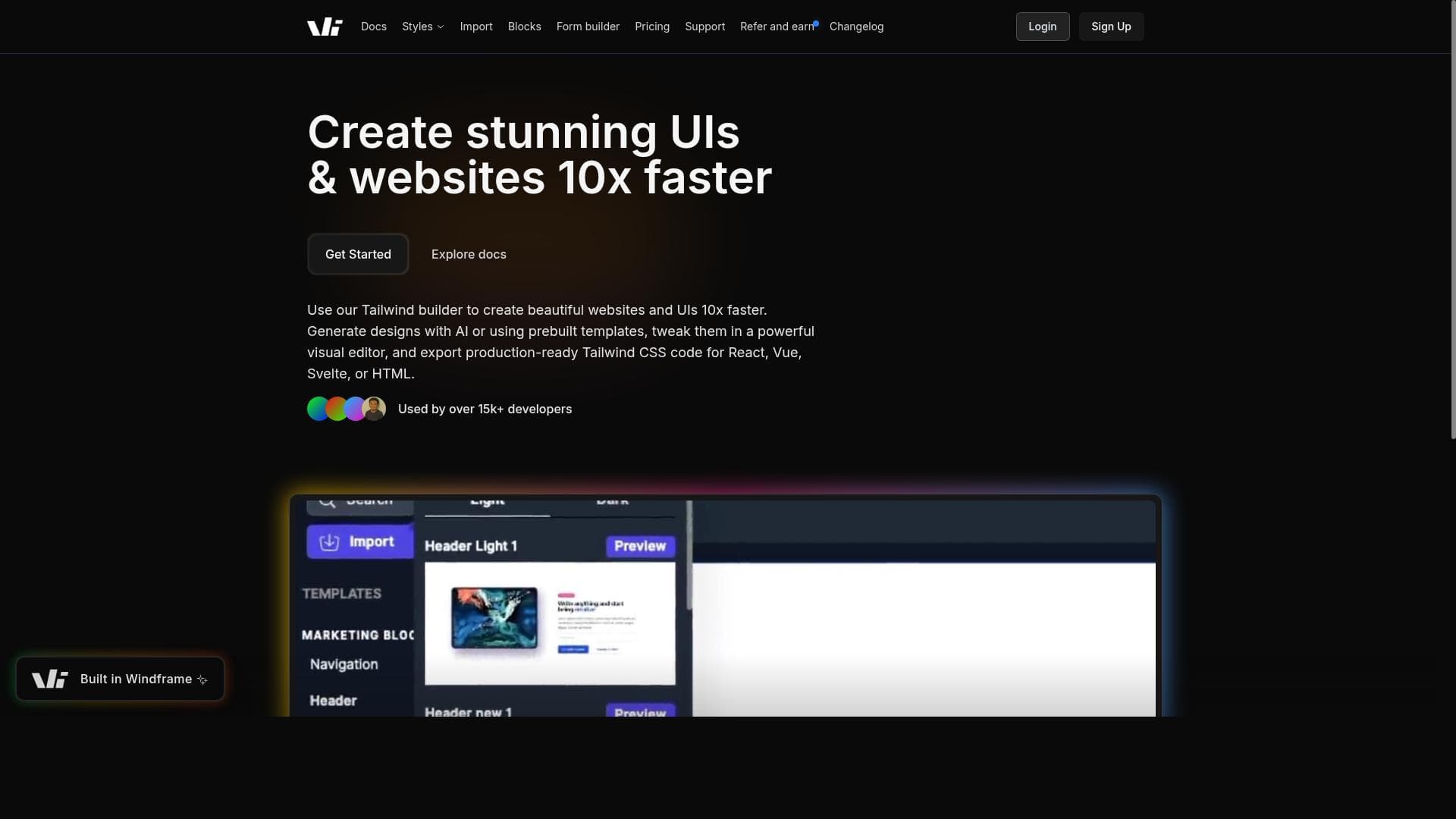
Windframe is an AI-powered visual builder that supercharges Tailwind CSS website development by enabling drag-and-drop editing and instant code exports for multiple frameworks. Ideal for developers and designers seeking to speed up UI creation, it combines AI assistance with a vast template library to help teams ship responsive, production-ready sites in minutes.
Windframe is an AI-powered visual editor and builder designed specifically to accelerate the development of Tailwind CSS websites and user interfaces. Its core purpose is to enable developers, designers, and teams to create, customize, and deploy Tailwind CSS-based projects up to 10 times faster than traditional coding methods. By combining the power of AI with a user-friendly drag-and-drop interface, Windframe drastically reduces the time and effort required to build responsive, modern web designs, allowing users to ship production-ready websites in minutes rather than weeks. One of Windframe's standout features is its AI-powered Tailwind CSS visual builder, which intelligently assists users in generating and editing Tailwind CSS code visually. This eliminates the need for manual coding of utility classes, making the development process more intuitive and accessible. The drag-and-drop editor further enhances usability by allowing users to easily position and customize UI components without writing code. Windframe also offers an extensive library of over 1,000 pre-built templates, covering a wide range of design styles and use cases, which users can leverage as starting points or inspiration for their projects. Windframe supports exporting production-ready code compatible with popular frontend frameworks such as React, Vue, Svelte, Angular, as well as plain HTML. This flexibility ensures that developers can seamlessly integrate their designs into existing projects or workflows regardless of their technology stack. Additionally, Windframe facilitates team collaboration by supporting multiple projects and enabling shared access, making it an excellent tool for development teams working together on complex UI builds. Users can also import their own components and Tailwind libraries, allowing for customization and reuse of existing design assets. The tool is ideal for frontend developers, UI/UX designers, startups, and agencies who want to streamline their Tailwind CSS development process. It is particularly useful for those who need to rapidly prototype, iterate, and deploy responsive web interfaces without sacrificing code quality. Windframe’s visual approach also lowers the barrier for designers who may not be deeply familiar with Tailwind CSS syntax but want to contribute directly to the UI development process. Windframe operates on a freemium pricing model, offering a free tier that provides access to core features and a limited number of templates and projects. Paid plans unlock additional templates, advanced collaboration tools, and the ability to manage multiple projects at scale. This pricing structure makes it accessible for individual developers and small teams to start using the tool without upfront costs, while scaling options accommodate larger teams and enterprise needs. Compared to traditional Tailwind CSS development, which requires manual coding and a steep learning curve, Windframe’s AI-assisted visual builder significantly reduces complexity and development time. While other visual builders exist, Windframe’s deep integration with Tailwind CSS and support for multiple frontend frameworks set it apart. However, users should consider that highly customized or complex UI logic may still require manual coding beyond what the visual editor can generate. Additionally, while the AI assistance is powerful, it may occasionally require user adjustments to fine-tune the generated code for specific project requirements. In summary, Windframe is a powerful, AI-driven solution that empowers developers and designers to build Tailwind CSS websites faster and more collaboratively. Its rich feature set, flexible export options, and extensive template library make it a valuable tool for anyone looking to improve their web development workflow with Tailwind CSS. While it may not replace all manual coding needs, it offers a substantial productivity boost and lowers the barrier to entry for Tailwind CSS development.

Description
Windframe is an AI-powered visual builder that supercharges Tailwind CSS website development by enabling drag-and-drop editing and instant code exports for multiple frameworks. Ideal for developers and designers seeking to speed up UI creation, it combines AI assistance with a vast template library to help teams ship responsive, production-ready sites in minutes.
Windframe is an AI-powered visual editor and builder designed specifically to accelerate the development of Tailwind CSS websites and user interfaces. Its core purpose is to enable developers, designers, and teams to create, customize, and deploy Tailwind CSS-based projects up to 10 times faster than traditional coding methods. By combining the power of AI with a user-friendly drag-and-drop interface, Windframe drastically reduces the time and effort required to build responsive, modern web designs, allowing users to ship production-ready websites in minutes rather than weeks. One of Windframe's standout features is its AI-powered Tailwind CSS visual builder, which intelligently assists users in generating and editing Tailwind CSS code visually. This eliminates the need for manual coding of utility classes, making the development process more intuitive and accessible. The drag-and-drop editor further enhances usability by allowing users to easily position and customize UI components without writing code. Windframe also offers an extensive library of over 1,000 pre-built templates, covering a wide range of design styles and use cases, which users can leverage as starting points or inspiration for their projects. Windframe supports exporting production-ready code compatible with popular frontend frameworks such as React, Vue, Svelte, Angular, as well as plain HTML. This flexibility ensures that developers can seamlessly integrate their designs into existing projects or workflows regardless of their technology stack. Additionally, Windframe facilitates team collaboration by supporting multiple projects and enabling shared access, making it an excellent tool for development teams working together on complex UI builds. Users can also import their own components and Tailwind libraries, allowing for customization and reuse of existing design assets. The tool is ideal for frontend developers, UI/UX designers, startups, and agencies who want to streamline their Tailwind CSS development process. It is particularly useful for those who need to rapidly prototype, iterate, and deploy responsive web interfaces without sacrificing code quality. Windframe’s visual approach also lowers the barrier for designers who may not be deeply familiar with Tailwind CSS syntax but want to contribute directly to the UI development process. Windframe operates on a freemium pricing model, offering a free tier that provides access to core features and a limited number of templates and projects. Paid plans unlock additional templates, advanced collaboration tools, and the ability to manage multiple projects at scale. This pricing structure makes it accessible for individual developers and small teams to start using the tool without upfront costs, while scaling options accommodate larger teams and enterprise needs. Compared to traditional Tailwind CSS development, which requires manual coding and a steep learning curve, Windframe’s AI-assisted visual builder significantly reduces complexity and development time. While other visual builders exist, Windframe’s deep integration with Tailwind CSS and support for multiple frontend frameworks set it apart. However, users should consider that highly customized or complex UI logic may still require manual coding beyond what the visual editor can generate. Additionally, while the AI assistance is powerful, it may occasionally require user adjustments to fine-tune the generated code for specific project requirements. In summary, Windframe is a powerful, AI-driven solution that empowers developers and designers to build Tailwind CSS websites faster and more collaboratively. Its rich feature set, flexible export options, and extensive template library make it a valuable tool for anyone looking to improve their web development workflow with Tailwind CSS. While it may not replace all manual coding needs, it offers a substantial productivity boost and lowers the barrier to entry for Tailwind CSS development.
Tool Features
- AI-powered Tailwind CSS visual builder
- Drag-and-drop editor
- Over 1,000 pre-built templates
- Exports production-ready code for React, Vue, Svelte, Angular, and HTML
- Supports team collaboration and multiple projects
- Import your own components and Tailwind libraries
Frequently Asked Questions
What is Windframe?
Windframe is an AI-powered visual editor and builder designed to help developers and designers create, customize, and build Tailwind CSS websites and user interfaces much faster using a drag-and-drop interface and AI assistance.
How much does Windframe cost?
Windframe offers a freemium pricing model with a free tier that includes core features and limited templates. Paid plans provide access to more templates, advanced collaboration features, and support for multiple projects.
Who is Windframe best for?
Windframe is ideal for frontend developers, UI/UX designers, startups, and agencies who want to accelerate Tailwind CSS development, rapidly prototype responsive websites, and collaborate efficiently on UI projects.
What are the main features of Windframe?
Key features include an AI-powered Tailwind CSS visual builder, drag-and-drop editor, over 1,000 pre-built templates, export of production-ready code for React, Vue, Svelte, Angular, and HTML, team collaboration support, and the ability to import custom components and Tailwind libraries.
Does Windframe offer a free trial?
Yes, Windframe provides a free tier that allows users to try out core features and a selection of templates without any upfront cost.
What integrations does Windframe support?
Windframe supports exporting code compatible with popular frontend frameworks including React, Vue, Svelte, Angular, as well as plain HTML, enabling easy integration into various development environments.
How does Windframe work?
Windframe uses AI to assist users in visually building Tailwind CSS-based UIs through a drag-and-drop editor. Users can customize components, use pre-built templates, import their own assets, and export clean, production-ready code for multiple frameworks.
Sponsored Tools













































Reviews
No reviews yet. Be the first to share your experience.