Description
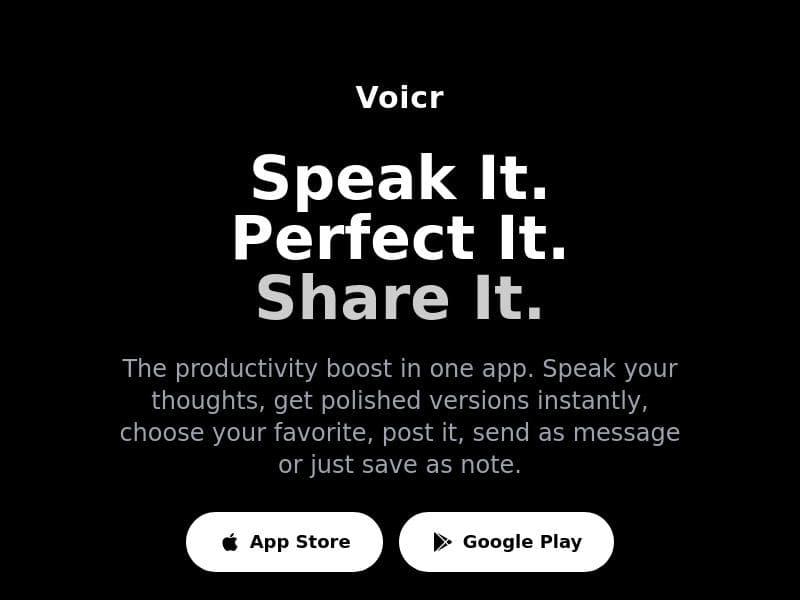
Voicr is a powerful on-device AI voice-to-text app that instantly converts your speech into multiple polished text versions with customizable tones. Perfect for professionals, content creators, and anyone who wants to turn spoken ideas into ready-to-share text without typing or privacy concerns.
Voicr is an innovative AI-powered voice-to-text tool designed to bridge the gap between spoken ideas and polished written content. Its core purpose is to simplify the process of converting natural speech into refined text, eliminating the often time-consuming and challenging task of writing down thoughts manually. By allowing users to speak naturally and instantly receive multiple polished text versions, Voicr streamlines communication and content creation for a wide range of applications. The tool is available on both iOS and Android platforms and operates entirely on-device, ensuring privacy with no need for accounts or tracking. At the heart of Voicr’s functionality is its ability to transform voice recordings into a clean transcript along with three AI-enhanced rewrites, each tailored to different tones: professional, casual, and concise. Users can select from these preset tones or fully customize them by creating their own AI prompts that better match their voice, workflow, or target audience. This flexibility makes Voicr highly adaptable, whether you need to draft a formal email, a friendly social media post, or a succinct note. The app also supports seamless sharing options, allowing users to send polished text to any app, copy it to the clipboard, or save it as notes within an organized library. Every recording is automatically saved to the history for easy review and reuse, enhancing productivity and content management. Voicr is ideal for professionals, content creators, students, and anyone who frequently needs to convert spoken ideas into written form quickly and efficiently. For example, business professionals can use it to draft emails or reports without typing, social media managers can generate engaging posts in different tones, and students can transcribe lectures or personal notes effortlessly. Its on-device processing ensures that sensitive information remains private, making it suitable for users concerned about data security. The pricing model for Voicr is freemium, offering a free trial that allows users to explore its core features before committing to a paid plan. This approach provides an accessible entry point for new users to experience the tool’s capabilities without upfront costs. Details about premium features or subscription tiers are available on the official website, but the free trial itself is a generous way to evaluate the app’s usefulness. Compared to alternative voice-to-text and transcription tools, Voicr stands out due to its combination of instant multi-tone rewrites, full customization of AI prompts, and 100% on-device operation. Many competitors rely on cloud processing, which can raise privacy concerns and require internet connectivity. Voicr’s offline functionality ensures faster processing and enhanced security. Additionally, the ability to generate multiple polished versions from a single voice input is a unique feature that saves time and boosts creativity. However, some limitations to consider include the reliance on mobile platforms only, which may exclude desktop users. Also, while the app offers three default tones, users seeking more diverse or highly specialized styles might need to invest time in customizing prompts. Since it is a relatively new tool, integration with third-party apps may be limited compared to more established platforms. Nonetheless, Voicr’s focus on privacy, customization, and ease of use makes it a compelling choice for anyone looking to convert speech into versatile, polished text quickly and securely.

Description
Voicr is a powerful on-device AI voice-to-text app that instantly converts your speech into multiple polished text versions with customizable tones. Perfect for professionals, content creators, and anyone who wants to turn spoken ideas into ready-to-share text without typing or privacy concerns.
Voicr is an innovative AI-powered voice-to-text tool designed to bridge the gap between spoken ideas and polished written content. Its core purpose is to simplify the process of converting natural speech into refined text, eliminating the often time-consuming and challenging task of writing down thoughts manually. By allowing users to speak naturally and instantly receive multiple polished text versions, Voicr streamlines communication and content creation for a wide range of applications. The tool is available on both iOS and Android platforms and operates entirely on-device, ensuring privacy with no need for accounts or tracking. At the heart of Voicr’s functionality is its ability to transform voice recordings into a clean transcript along with three AI-enhanced rewrites, each tailored to different tones: professional, casual, and concise. Users can select from these preset tones or fully customize them by creating their own AI prompts that better match their voice, workflow, or target audience. This flexibility makes Voicr highly adaptable, whether you need to draft a formal email, a friendly social media post, or a succinct note. The app also supports seamless sharing options, allowing users to send polished text to any app, copy it to the clipboard, or save it as notes within an organized library. Every recording is automatically saved to the history for easy review and reuse, enhancing productivity and content management. Voicr is ideal for professionals, content creators, students, and anyone who frequently needs to convert spoken ideas into written form quickly and efficiently. For example, business professionals can use it to draft emails or reports without typing, social media managers can generate engaging posts in different tones, and students can transcribe lectures or personal notes effortlessly. Its on-device processing ensures that sensitive information remains private, making it suitable for users concerned about data security. The pricing model for Voicr is freemium, offering a free trial that allows users to explore its core features before committing to a paid plan. This approach provides an accessible entry point for new users to experience the tool’s capabilities without upfront costs. Details about premium features or subscription tiers are available on the official website, but the free trial itself is a generous way to evaluate the app’s usefulness. Compared to alternative voice-to-text and transcription tools, Voicr stands out due to its combination of instant multi-tone rewrites, full customization of AI prompts, and 100% on-device operation. Many competitors rely on cloud processing, which can raise privacy concerns and require internet connectivity. Voicr’s offline functionality ensures faster processing and enhanced security. Additionally, the ability to generate multiple polished versions from a single voice input is a unique feature that saves time and boosts creativity. However, some limitations to consider include the reliance on mobile platforms only, which may exclude desktop users. Also, while the app offers three default tones, users seeking more diverse or highly specialized styles might need to invest time in customizing prompts. Since it is a relatively new tool, integration with third-party apps may be limited compared to more established platforms. Nonetheless, Voicr’s focus on privacy, customization, and ease of use makes it a compelling choice for anyone looking to convert speech into versatile, polished text quickly and securely.
Tool Features
- Transforms voice into polished text with AI-powered rewrites
- Provides original transcript plus 3 AI-polished versions instantly
- Allows choosing tone: professional, casual, or concise
- Enables sharing to any app, copying to clipboard, or saving as notes
- Automatically saves every recording to history for review and reuse
- Customizable AI prompts to tailor the tone for work, social media, or personal notes
- Organized notes library for easy access anytime
Frequently Asked Questions
What is Voicr?
Voicr is an AI-powered voice-to-text application that transforms your spoken words into polished, ready-to-share text in multiple customizable tones, operating entirely on your device without requiring accounts or tracking.
How much does Voicr cost?
Voicr offers a freemium pricing model with a free trial available, allowing users to test its core features before opting for any paid plans. Detailed pricing information can be found on their official website.
Who is Voicr best for?
Voicr is ideal for professionals, content creators, students, and anyone who needs to quickly convert spoken ideas into polished written content, especially those who value privacy and customizable tone options.
What are the main features of Voicr?
Key features include transforming voice into polished text with AI-powered rewrites, providing an original transcript plus three tone-based versions (professional, casual, concise), customizable AI prompts, automatic saving of recordings, and easy sharing or note-saving options.
Does Voicr offer a free trial?
Yes, Voicr provides a free trial that lets users explore its main features and experience the app’s capabilities before deciding on a subscription.
What integrations does Voicr support?
Voicr allows sharing polished text to any app on your device, copying to clipboard, or saving as notes within its organized library. However, it does not currently list specific third-party app integrations.
How does Voicr work?
You simply speak naturally into the app, which then transcribes your voice into text and instantly generates three polished versions in different tones. You can customize these tones with your own AI prompts, save recordings automatically, and share or store the text as needed.
Socials
Use ToolSponsored Tools













































Reviews
No reviews yet. Be the first to share your experience.