
Description
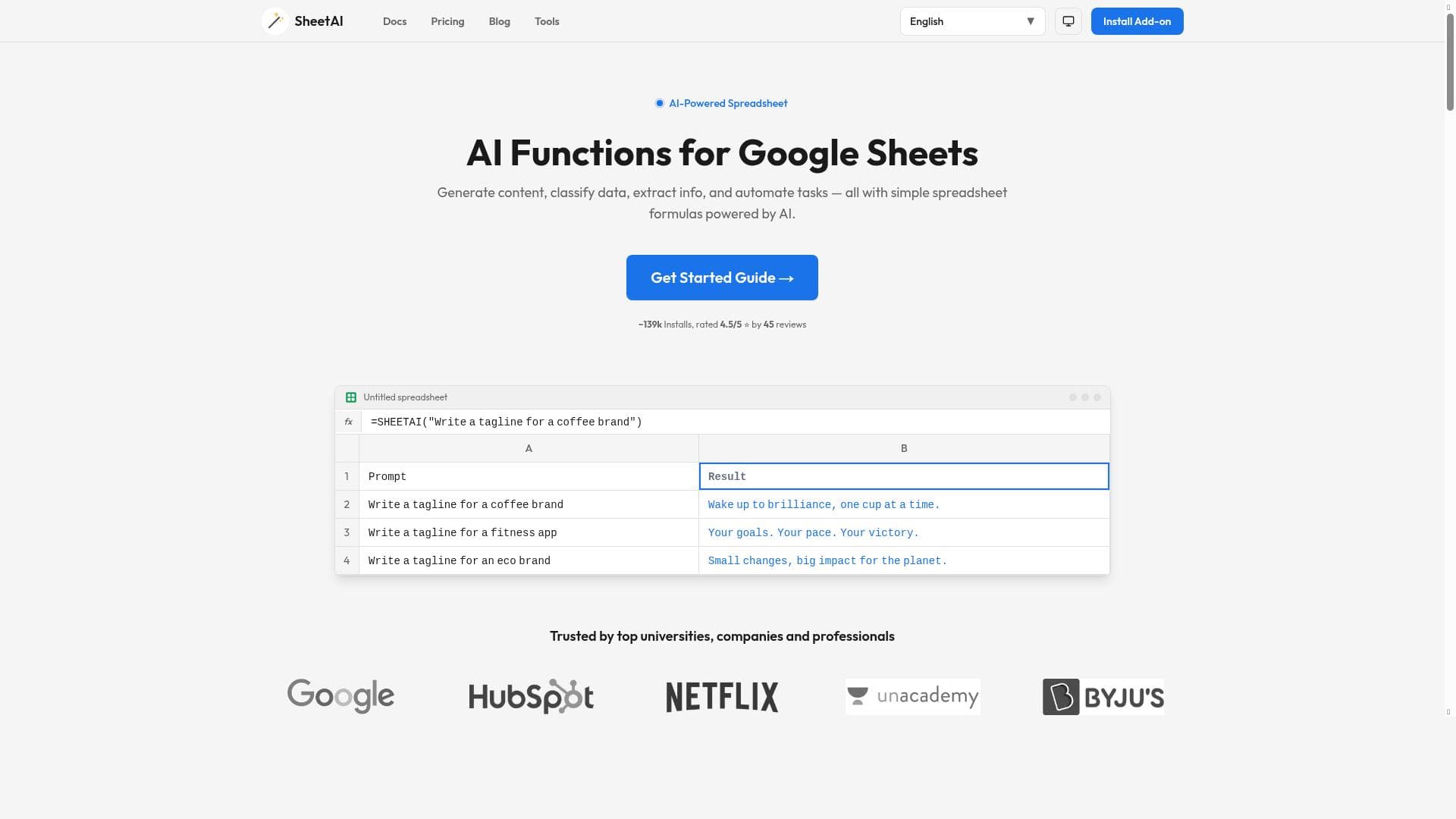
TukoAI (SheetAI) transforms spreadsheet data analysis by automating cleaning, visualization, and insights directly in your browser—all for free. Its natural language query feature and seamless chart generation make it ideal for professionals and teams seeking fast, user-friendly data workflows without complex software.
TukoAI, branded as SheetAI on its platform, is an innovative data analysis tool designed to revolutionize how users interact with spreadsheets. Its core purpose is to simplify the often complex and time-consuming tasks associated with managing and analyzing raw data within spreadsheet environments. By automating data cleaning, transformation, and visualization directly in the browser, TukoAI empowers users to extract meaningful insights quickly and efficiently without requiring advanced technical skills or external software installations. This browser-based approach ensures accessibility and convenience, allowing users to work seamlessly on any device with internet access. At the heart of TukoAI’s functionality are several key features that make it stand out. First, it offers robust data cleaning capabilities that automatically detect and correct inconsistencies, missing values, and formatting issues within datasets. This reduces manual effort and minimizes errors that can compromise analysis quality. Second, it enables users to analyze and visualize tables interactively within the browser, providing instant feedback and dynamic exploration of data patterns. The tool also automatically generates charts and visualizations based on the underlying data, removing the need for manual chart creation and enabling users to communicate insights more effectively. Additionally, TukoAI supports natural language queries, allowing users to ask questions about their data in plain English and receive relevant insights and summaries. This feature democratizes data analysis by making it accessible to non-technical users who may not be familiar with complex formulas or coding. TukoAI is particularly well-suited for professionals and teams who regularly work with spreadsheet data but want to streamline their workflows and enhance productivity. This includes data analysts, business managers, marketers, financial planners, and educators who need to clean, analyze, and visualize data without investing significant time or resources in learning advanced tools. It is also ideal for small businesses and startups that require powerful data analysis capabilities but prefer a free, easy-to-use solution without the overhead of traditional data software. Use cases range from sales data analysis, financial reporting, and customer segmentation to academic research and operational performance tracking. One of the most attractive aspects of TukoAI is its pricing model: the tool is offered completely free of charge. This makes it accessible to a wide audience, from individual users to organizations, without concerns about subscription fees or licensing costs. The free pricing combined with its comprehensive feature set positions TukoAI as a competitive alternative to paid data analysis platforms. When compared to other spreadsheet and data analysis tools, TukoAI’s browser-based automation and natural language query capabilities provide a unique value proposition. Unlike traditional spreadsheet software that requires manual formula entry and chart creation, TukoAI automates these processes and simplifies interaction through conversational queries. While some competitors may offer more advanced analytics or integration options, TukoAI excels in ease of use, speed, and accessibility, especially for users who want to avoid complex setups. However, there are some limitations to consider. Since TukoAI operates entirely in the browser, its performance may depend on internet connectivity and browser capabilities. It may not support extremely large datasets or highly specialized statistical analyses that dedicated desktop software can handle. Additionally, the lack of detailed integration options with other enterprise tools could be a constraint for larger organizations with complex data ecosystems. Users should evaluate their specific needs and data volumes to determine if TukoAI fits their requirements. In summary, TukoAI (SheetAI) is a powerful, free, browser-based data analysis tool that simplifies spreadsheet workflows through automation, visualization, and natural language interaction. It is best suited for users seeking an accessible, efficient way to clean, analyze, and visualize data without the complexity of traditional software, making it a compelling choice for individuals and small to medium-sized teams.

Description
TukoAI (SheetAI) transforms spreadsheet data analysis by automating cleaning, visualization, and insights directly in your browser—all for free. Its natural language query feature and seamless chart generation make it ideal for professionals and teams seeking fast, user-friendly data workflows without complex software.
TukoAI, branded as SheetAI on its platform, is an innovative data analysis tool designed to revolutionize how users interact with spreadsheets. Its core purpose is to simplify the often complex and time-consuming tasks associated with managing and analyzing raw data within spreadsheet environments. By automating data cleaning, transformation, and visualization directly in the browser, TukoAI empowers users to extract meaningful insights quickly and efficiently without requiring advanced technical skills or external software installations. This browser-based approach ensures accessibility and convenience, allowing users to work seamlessly on any device with internet access. At the heart of TukoAI’s functionality are several key features that make it stand out. First, it offers robust data cleaning capabilities that automatically detect and correct inconsistencies, missing values, and formatting issues within datasets. This reduces manual effort and minimizes errors that can compromise analysis quality. Second, it enables users to analyze and visualize tables interactively within the browser, providing instant feedback and dynamic exploration of data patterns. The tool also automatically generates charts and visualizations based on the underlying data, removing the need for manual chart creation and enabling users to communicate insights more effectively. Additionally, TukoAI supports natural language queries, allowing users to ask questions about their data in plain English and receive relevant insights and summaries. This feature democratizes data analysis by making it accessible to non-technical users who may not be familiar with complex formulas or coding. TukoAI is particularly well-suited for professionals and teams who regularly work with spreadsheet data but want to streamline their workflows and enhance productivity. This includes data analysts, business managers, marketers, financial planners, and educators who need to clean, analyze, and visualize data without investing significant time or resources in learning advanced tools. It is also ideal for small businesses and startups that require powerful data analysis capabilities but prefer a free, easy-to-use solution without the overhead of traditional data software. Use cases range from sales data analysis, financial reporting, and customer segmentation to academic research and operational performance tracking. One of the most attractive aspects of TukoAI is its pricing model: the tool is offered completely free of charge. This makes it accessible to a wide audience, from individual users to organizations, without concerns about subscription fees or licensing costs. The free pricing combined with its comprehensive feature set positions TukoAI as a competitive alternative to paid data analysis platforms. When compared to other spreadsheet and data analysis tools, TukoAI’s browser-based automation and natural language query capabilities provide a unique value proposition. Unlike traditional spreadsheet software that requires manual formula entry and chart creation, TukoAI automates these processes and simplifies interaction through conversational queries. While some competitors may offer more advanced analytics or integration options, TukoAI excels in ease of use, speed, and accessibility, especially for users who want to avoid complex setups. However, there are some limitations to consider. Since TukoAI operates entirely in the browser, its performance may depend on internet connectivity and browser capabilities. It may not support extremely large datasets or highly specialized statistical analyses that dedicated desktop software can handle. Additionally, the lack of detailed integration options with other enterprise tools could be a constraint for larger organizations with complex data ecosystems. Users should evaluate their specific needs and data volumes to determine if TukoAI fits their requirements. In summary, TukoAI (SheetAI) is a powerful, free, browser-based data analysis tool that simplifies spreadsheet workflows through automation, visualization, and natural language interaction. It is best suited for users seeking an accessible, efficient way to clean, analyze, and visualize data without the complexity of traditional software, making it a compelling choice for individuals and small to medium-sized teams.
Tool Features
- Analyze and visualize tables in the browser
- Clean data efficiently
- Generate charts automatically
- Get insights using natural language queries
Frequently Asked Questions
What is TukoAI?
TukoAI, also known as SheetAI, is a browser-based data analysis tool that automates spreadsheet data cleaning, transformation, visualization, and insight generation using natural language queries.
How much does TukoAI cost?
TukoAI is completely free to use, offering its full range of features without any subscription or licensing fees.
Who is TukoAI best for?
TukoAI is best suited for professionals, small businesses, educators, and teams who work with spreadsheet data and want to streamline analysis and visualization without complex software or coding.
What are the main features of TukoAI?
Key features include efficient data cleaning, interactive table analysis and visualization in the browser, automatic chart generation, and natural language query support for easy data insights.
Does TukoAI offer a free trial?
TukoAI is offered entirely for free, so there is no need for a separate free trial period.
What integrations does TukoAI support?
Currently, TukoAI operates as a standalone browser-based tool and does not list specific integrations with other software platforms.
How does TukoAI work?
TukoAI works by allowing users to upload or input spreadsheet data directly in the browser, where it automatically cleans the data, generates visualizations, and provides insights through natural language queries without requiring manual formulas or external tools.
Sponsored Tools













































Reviews
No reviews yet. Be the first to share your experience.










