
Description
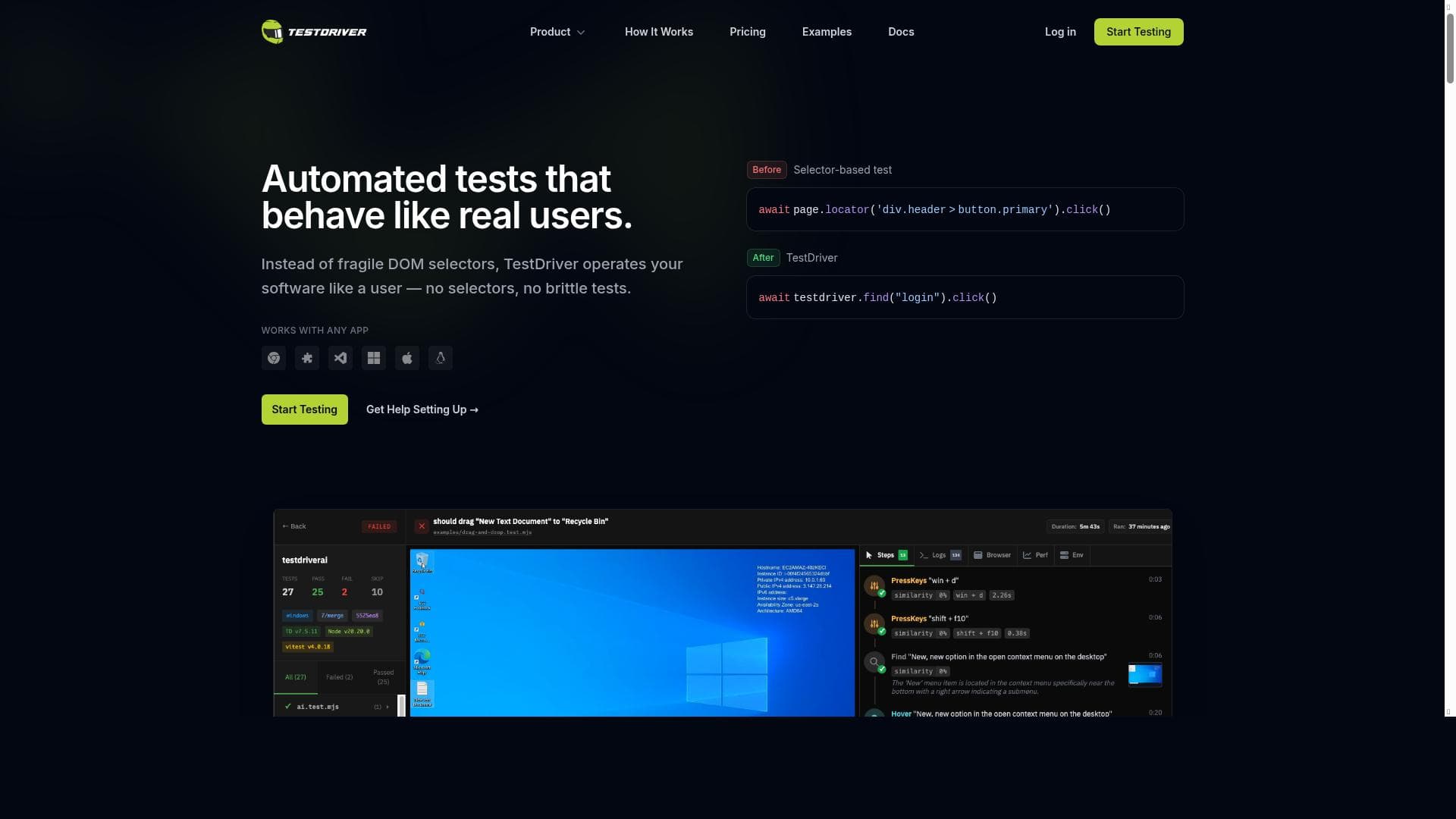
TestDriver revolutionizes software testing by enabling developers to write AI-powered end-to-end tests in natural language without worrying about fragile selectors. Ideal for teams aiming to ship faster with reliable, user-like automated tests, it supports any web app or Chrome extension and offers a free, easy-to-use platform.
TestDriver is an innovative AI-powered testing tool designed to streamline the software development lifecycle by addressing one of the most common bottlenecks: testing delays. Its core purpose is to enable development teams to ship software faster without compromising on quality. By automating end-to-end testing processes, TestDriver empowers engineers to release on schedule, reducing the friction traditionally associated with manual and brittle test scripts. This tool is particularly valuable in modern agile and continuous integration/continuous deployment (CI/CD) environments where rapid iteration and reliable releases are critical. At the heart of TestDriver’s capabilities is its AI-driven approach to end-to-end testing. Unlike conventional testing frameworks that require developers to write complex scripts and manage fragile selectors, TestDriver allows users to write tests in natural language. This means that even those with limited coding expertise can define test scenarios in plain English, making test creation more accessible and less error-prone. Additionally, TestDriver eliminates the need for selectors—those CSS or XPath locators that often break with UI changes—by using AI to interact with the application in a way that mimics real user behavior. This results in more resilient tests that adapt to UI changes without constant maintenance. TestDriver supports a wide range of applications, including web apps and Chrome extensions, making it versatile for various development projects. Its automation simulates real user interactions such as clicks, form inputs, and navigation, ensuring that tests closely reflect actual usage patterns. The tool is designed to be fast, reliable, and easy to use, which helps teams reduce the time and effort spent on testing while increasing confidence in their releases. This tool is ideal for software developers, QA engineers, and product teams who want to accelerate their release cycles while maintaining high-quality standards. It is especially beneficial for teams practicing continuous delivery or operating in fast-paced environments where frequent deployments are the norm. Use cases include regression testing, smoke testing, and user acceptance testing across diverse web applications and browser extensions. By simplifying test creation and maintenance, TestDriver allows teams to focus more on feature development and less on test upkeep. TestDriver is available for free, making it an attractive option for startups, small teams, and individual developers looking to optimize their testing workflows without upfront costs. While the free pricing model lowers the barrier to entry, it is important to consider potential limitations in scalability or advanced features that might be available in paid alternatives. When compared to traditional testing tools like Selenium or Cypress, TestDriver stands out due to its AI-powered natural language test authoring and selector-free automation. This reduces the technical overhead and fragility commonly associated with test scripts. However, teams with highly complex or specialized testing needs might find some limitations in customization or integration depth compared to more mature frameworks. Additionally, while TestDriver excels in ease of use and speed, organizations should evaluate its compatibility with their existing CI/CD pipelines and test management systems. In summary, TestDriver offers a compelling solution for teams seeking to accelerate their testing processes through AI-driven automation that mimics real user behavior. Its natural language interface and selector-free approach significantly lower the barrier to creating and maintaining reliable tests. While it is best suited for web applications and Chrome extensions, its free pricing and ease of use make it an excellent choice for developers and QA professionals aiming to ship faster without sacrificing quality. Prospective users should consider their specific testing requirements and integration needs when evaluating TestDriver against other tools in the market.

Description
TestDriver revolutionizes software testing by enabling developers to write AI-powered end-to-end tests in natural language without worrying about fragile selectors. Ideal for teams aiming to ship faster with reliable, user-like automated tests, it supports any web app or Chrome extension and offers a free, easy-to-use platform.
TestDriver is an innovative AI-powered testing tool designed to streamline the software development lifecycle by addressing one of the most common bottlenecks: testing delays. Its core purpose is to enable development teams to ship software faster without compromising on quality. By automating end-to-end testing processes, TestDriver empowers engineers to release on schedule, reducing the friction traditionally associated with manual and brittle test scripts. This tool is particularly valuable in modern agile and continuous integration/continuous deployment (CI/CD) environments where rapid iteration and reliable releases are critical. At the heart of TestDriver’s capabilities is its AI-driven approach to end-to-end testing. Unlike conventional testing frameworks that require developers to write complex scripts and manage fragile selectors, TestDriver allows users to write tests in natural language. This means that even those with limited coding expertise can define test scenarios in plain English, making test creation more accessible and less error-prone. Additionally, TestDriver eliminates the need for selectors—those CSS or XPath locators that often break with UI changes—by using AI to interact with the application in a way that mimics real user behavior. This results in more resilient tests that adapt to UI changes without constant maintenance. TestDriver supports a wide range of applications, including web apps and Chrome extensions, making it versatile for various development projects. Its automation simulates real user interactions such as clicks, form inputs, and navigation, ensuring that tests closely reflect actual usage patterns. The tool is designed to be fast, reliable, and easy to use, which helps teams reduce the time and effort spent on testing while increasing confidence in their releases. This tool is ideal for software developers, QA engineers, and product teams who want to accelerate their release cycles while maintaining high-quality standards. It is especially beneficial for teams practicing continuous delivery or operating in fast-paced environments where frequent deployments are the norm. Use cases include regression testing, smoke testing, and user acceptance testing across diverse web applications and browser extensions. By simplifying test creation and maintenance, TestDriver allows teams to focus more on feature development and less on test upkeep. TestDriver is available for free, making it an attractive option for startups, small teams, and individual developers looking to optimize their testing workflows without upfront costs. While the free pricing model lowers the barrier to entry, it is important to consider potential limitations in scalability or advanced features that might be available in paid alternatives. When compared to traditional testing tools like Selenium or Cypress, TestDriver stands out due to its AI-powered natural language test authoring and selector-free automation. This reduces the technical overhead and fragility commonly associated with test scripts. However, teams with highly complex or specialized testing needs might find some limitations in customization or integration depth compared to more mature frameworks. Additionally, while TestDriver excels in ease of use and speed, organizations should evaluate its compatibility with their existing CI/CD pipelines and test management systems. In summary, TestDriver offers a compelling solution for teams seeking to accelerate their testing processes through AI-driven automation that mimics real user behavior. Its natural language interface and selector-free approach significantly lower the barrier to creating and maintaining reliable tests. While it is best suited for web applications and Chrome extensions, its free pricing and ease of use make it an excellent choice for developers and QA professionals aiming to ship faster without sacrificing quality. Prospective users should consider their specific testing requirements and integration needs when evaluating TestDriver against other tools in the market.
Tool Features
- AI-powered end-to-end testing
- Write tests in natural language
- No selectors needed
- Automates tests that behave like real users
- Works with any app including web apps and Chrome extensions
- Fast, reliable, and easy testing
Frequently Asked Questions
What is TestDriver?
TestDriver is an AI-powered end-to-end testing tool that helps developers automate testing by writing tests in natural language without the need for selectors, enabling faster and more reliable software releases.
How much does TestDriver cost?
TestDriver is available for free, allowing users to access its core testing features without any upfront cost.
Who is TestDriver best for?
TestDriver is best suited for software developers, QA engineers, and product teams who want to accelerate their release cycles and maintain high-quality standards, especially those working with web applications and Chrome extensions.
What are the main features of TestDriver?
Key features include AI-powered end-to-end testing, natural language test writing, no need for selectors, automation that mimics real user behavior, compatibility with any app including web apps and Chrome extensions, and fast, reliable, and easy testing.
Does TestDriver offer a free trial?
TestDriver is offered for free, so there is no need for a separate trial period to evaluate its features.
What integrations does TestDriver support?
TestDriver works seamlessly with any web application and Chrome extensions. While specific integrations with CI/CD tools or test management systems are not detailed, it is designed to fit into modern development workflows.
How does TestDriver work?
TestDriver uses AI to automate end-to-end tests by interpreting natural language test scripts and interacting with applications like a real user, eliminating the need for fragile selectors and enabling more resilient and maintainable tests.
Socials
Use ToolSponsored Tools













































Reviews
No reviews yet. Be the first to share your experience.










