Description
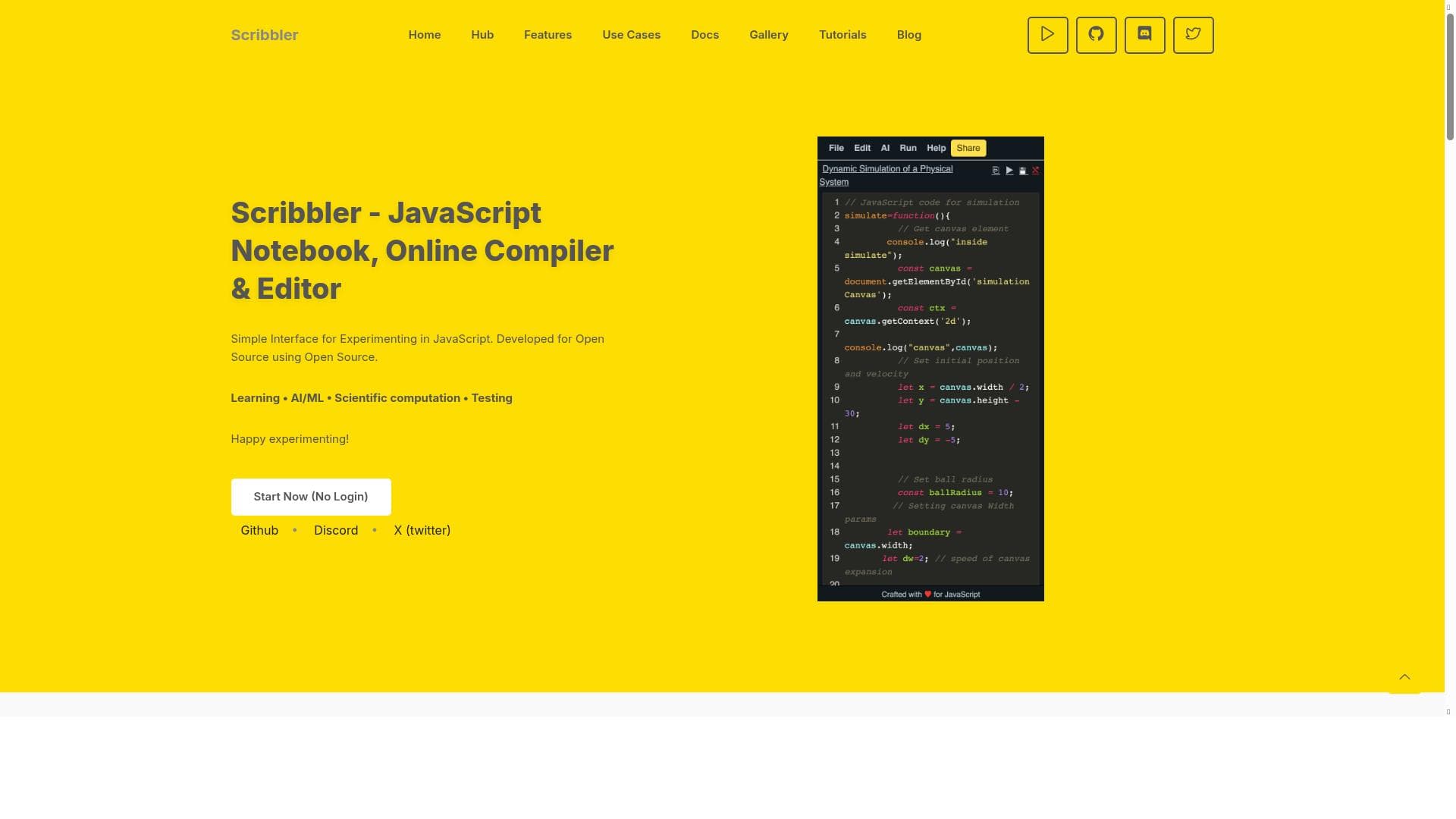
Scribbler is an open-source online JavaScript notebook and compiler that enables instant coding, running, and sharing of JavaScript directly in the browser. Ideal for learners, educators, and developers, it combines interactive coding with AI/ML and scientific computation support in a simple, collaborative environment.
Scribbler is a versatile, open-source online JavaScript notebook and compiler designed to provide developers, learners, and educators with a seamless environment to write, run, and share JavaScript code directly in their web browsers. Its core purpose is to facilitate interactive coding sessions without the need for local setup or complex installations, making it an accessible tool for anyone interested in JavaScript programming. By combining the functionality of a notebook interface with an integrated compiler and editor, Scribbler offers a unique platform that supports a wide range of coding activities from simple scripting to advanced AI and scientific computations. One of the standout features of Scribbler is its JavaScript notebook interface, which allows users to write code in cells that can be executed independently. This interactive approach is particularly beneficial for experimentation, debugging, and iterative development, as users can test snippets of code and see immediate results. The online compiler and editor are tightly integrated, providing syntax highlighting, error detection, and real-time feedback, which enhances the coding experience. Additionally, Scribbler supports applications in AI and machine learning, enabling users to prototype and test algorithms within the same environment. Its capabilities extend to scientific computation, making it suitable for data analysis and visualization tasks. Scribbler also facilitates web development and testing by allowing users to quickly prototype JavaScript code that can interact with web APIs or manipulate DOM elements. The simple and clean interface lowers the barrier to entry for beginners while still offering powerful tools for advanced users. Being open source, Scribbler encourages community contributions and transparency, which means users can customize or extend the platform to suit their specific needs. Collaboration is another key aspect; users can share notebooks easily, enabling peer review, teaching, or joint development projects. Visualization tools integrated within Scribbler help in understanding code output and data structures, which is invaluable for educational purposes and complex problem-solving. This tool is best suited for a variety of users including students learning JavaScript, educators creating interactive coding lessons, developers prototyping or testing code snippets, and researchers working on AI or scientific computations. Its browser-based nature makes it ideal for remote learning and collaborative projects. For web developers, Scribbler offers a quick sandbox environment to test ideas without setting up local environments. AI and machine learning enthusiasts can leverage its support for relevant libraries and computational features to experiment with models and algorithms. Scribbler is completely free to use, with no hidden costs or subscription plans. This pricing model makes it accessible to a broad audience, from individual learners to educational institutions. Compared to other online code editors and notebooks, Scribbler stands out due to its exclusive focus on JavaScript, its open-source nature, and its combination of notebook-style interactivity with a full compiler. While platforms like CodePen or JSFiddle offer online JavaScript editing, Scribbler’s notebook paradigm and support for AI/ML and scientific computation provide a more specialized and powerful environment. However, there are some considerations to keep in mind. As a browser-based tool, Scribbler’s performance can be limited by the client’s hardware and browser capabilities. It may not be suitable for very large-scale or resource-intensive computations. Additionally, while it supports collaboration and sharing, it may lack some advanced project management or version control features found in dedicated IDEs or platforms like GitHub. Users requiring extensive backend integration or multi-language support might find Scribbler’s JavaScript-only focus restrictive. Nonetheless, for its target use cases, Scribbler offers a robust, user-friendly, and cost-effective solution. In summary, Scribbler is a powerful, open-source JavaScript notebook and compiler that excels at providing an interactive, browser-based coding environment. Its rich feature set, ease of use, and free access make it an excellent choice for learners, educators, developers, and researchers looking to write, run, and share JavaScript code effortlessly.

Description
Scribbler is an open-source online JavaScript notebook and compiler that enables instant coding, running, and sharing of JavaScript directly in the browser. Ideal for learners, educators, and developers, it combines interactive coding with AI/ML and scientific computation support in a simple, collaborative environment.
Scribbler is a versatile, open-source online JavaScript notebook and compiler designed to provide developers, learners, and educators with a seamless environment to write, run, and share JavaScript code directly in their web browsers. Its core purpose is to facilitate interactive coding sessions without the need for local setup or complex installations, making it an accessible tool for anyone interested in JavaScript programming. By combining the functionality of a notebook interface with an integrated compiler and editor, Scribbler offers a unique platform that supports a wide range of coding activities from simple scripting to advanced AI and scientific computations. One of the standout features of Scribbler is its JavaScript notebook interface, which allows users to write code in cells that can be executed independently. This interactive approach is particularly beneficial for experimentation, debugging, and iterative development, as users can test snippets of code and see immediate results. The online compiler and editor are tightly integrated, providing syntax highlighting, error detection, and real-time feedback, which enhances the coding experience. Additionally, Scribbler supports applications in AI and machine learning, enabling users to prototype and test algorithms within the same environment. Its capabilities extend to scientific computation, making it suitable for data analysis and visualization tasks. Scribbler also facilitates web development and testing by allowing users to quickly prototype JavaScript code that can interact with web APIs or manipulate DOM elements. The simple and clean interface lowers the barrier to entry for beginners while still offering powerful tools for advanced users. Being open source, Scribbler encourages community contributions and transparency, which means users can customize or extend the platform to suit their specific needs. Collaboration is another key aspect; users can share notebooks easily, enabling peer review, teaching, or joint development projects. Visualization tools integrated within Scribbler help in understanding code output and data structures, which is invaluable for educational purposes and complex problem-solving. This tool is best suited for a variety of users including students learning JavaScript, educators creating interactive coding lessons, developers prototyping or testing code snippets, and researchers working on AI or scientific computations. Its browser-based nature makes it ideal for remote learning and collaborative projects. For web developers, Scribbler offers a quick sandbox environment to test ideas without setting up local environments. AI and machine learning enthusiasts can leverage its support for relevant libraries and computational features to experiment with models and algorithms. Scribbler is completely free to use, with no hidden costs or subscription plans. This pricing model makes it accessible to a broad audience, from individual learners to educational institutions. Compared to other online code editors and notebooks, Scribbler stands out due to its exclusive focus on JavaScript, its open-source nature, and its combination of notebook-style interactivity with a full compiler. While platforms like CodePen or JSFiddle offer online JavaScript editing, Scribbler’s notebook paradigm and support for AI/ML and scientific computation provide a more specialized and powerful environment. However, there are some considerations to keep in mind. As a browser-based tool, Scribbler’s performance can be limited by the client’s hardware and browser capabilities. It may not be suitable for very large-scale or resource-intensive computations. Additionally, while it supports collaboration and sharing, it may lack some advanced project management or version control features found in dedicated IDEs or platforms like GitHub. Users requiring extensive backend integration or multi-language support might find Scribbler’s JavaScript-only focus restrictive. Nonetheless, for its target use cases, Scribbler offers a robust, user-friendly, and cost-effective solution. In summary, Scribbler is a powerful, open-source JavaScript notebook and compiler that excels at providing an interactive, browser-based coding environment. Its rich feature set, ease of use, and free access make it an excellent choice for learners, educators, developers, and researchers looking to write, run, and share JavaScript code effortlessly.
Tool Features
- JavaScript notebook for interactive coding
- Online compiler and editor
- Supports learning, AI/ML, and scientific computation
- Facilitates web development and testing
- Simple interface for experimenting in JavaScript
- Open source development
- Code collaboration and visualization
Frequently Asked Questions
What is Scribbler?
Scribbler is an open-source online JavaScript notebook and compiler that allows users to write, run, and share JavaScript code interactively within their web browsers without any local setup.
How much does Scribbler cost?
Scribbler is completely free to use with no subscription fees or paid plans.
Who is Scribbler best for?
Scribbler is ideal for students learning JavaScript, educators creating interactive lessons, developers prototyping code, and researchers working on AI, machine learning, or scientific computations.
What are the main features of Scribbler?
Key features include a JavaScript notebook interface for interactive coding, an integrated online compiler and editor, support for AI/ML and scientific computation, web development facilitation, code collaboration and sharing, visualization tools, and open-source development.
Does Scribbler offer a free trial?
Since Scribbler is free to use, there is no need for a free trial; all features are accessible without payment.
What integrations does Scribbler support?
Scribbler primarily supports JavaScript coding and can integrate with various JavaScript libraries and frameworks relevant to AI, machine learning, and scientific computation, though specific third-party integrations depend on user implementation.
How does Scribbler work?
Scribbler works by providing a browser-based notebook interface where users write JavaScript code in cells, execute them independently via an integrated compiler, and share or collaborate on code in real time, all without requiring local software installation.
Sponsored Tools













































Reviews
No reviews yet. Be the first to share your experience.










