Description
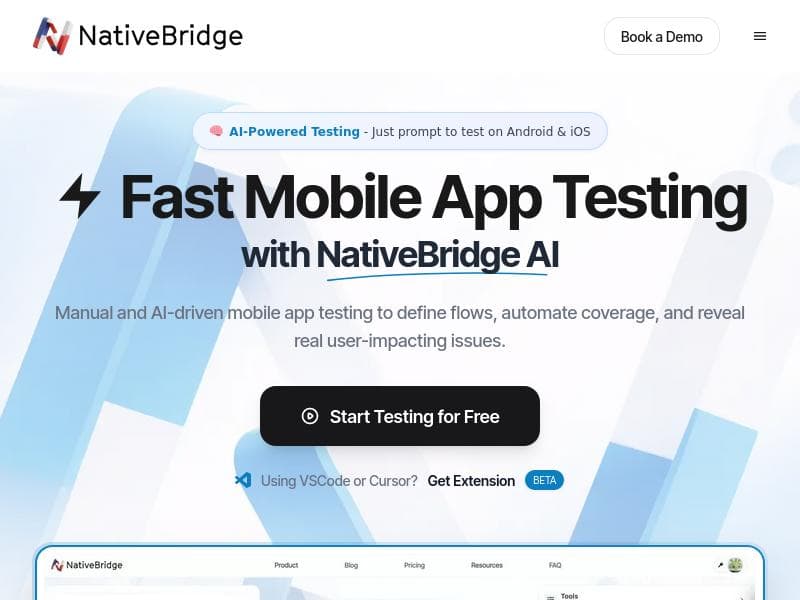
NativeBridge delivers instant, browser-based access to real and emulated iOS and Android devices, empowering developers and testers to run AI-powered mobile app tests effortlessly. Its unique Magic Link system and Maestro integration make mobile testing faster, more collaborative, and highly efficient for teams of all sizes.
NativeBridge is an innovative platform designed to revolutionize mobile app testing by providing instant access to real iOS and Android devices through a simple Magic Link. Its core purpose is to streamline and supercharge the mobile testing process, enabling developers, QA engineers, and product teams to run native mobile applications directly in their browsers without the need for complex setups or device management. By leveraging AI-powered testing with Maestro, NativeBridge not only facilitates seamless app execution but also enhances debugging capabilities by capturing crashes and generating rich, shareable bug reports. This combination transforms mobile testing from a traditionally cumbersome task into a highly efficient and collaborative workflow. At the heart of NativeBridge’s offering is its ability to run native mobile apps instantly within a browser environment. This eliminates the need for physical devices or local emulators, significantly reducing the overhead associated with mobile testing. The platform supports both real and emulated devices across Android and iOS ecosystems, ensuring comprehensive coverage and realistic testing scenarios. Users can launch demos, conduct reviews, collaborate with team members, and perform thorough testing without any prior setup, making it ideal for fast-paced development cycles and remote teams. NativeBridge boasts the fastest Android and iOS experience available in-browser, delivering smooth performance and responsiveness that closely mimics native device behavior. NativeBridge is particularly well-suited for mobile app developers, QA professionals, product managers, and customer support teams who require quick and reliable access to a variety of mobile environments. Its instant sharing capabilities enable stakeholders to review app behavior, reproduce bugs, and validate fixes collaboratively, enhancing communication and speeding up release cycles. Use cases include automated AI-driven testing with Maestro, manual exploratory testing, crash analysis, and bug reporting. The platform’s ease of use and zero-setup approach make it an excellent choice for startups, enterprises, and agencies looking to optimize their mobile testing workflows without investing heavily in device farms or complex infrastructure. Regarding pricing, NativeBridge offers a freemium model that allows users to get started without upfront costs. While the free tier provides essential access to the platform’s core functionalities, including running apps in-browser and basic testing features, premium plans likely unlock advanced capabilities such as extended device access, enhanced AI testing options, and priority support. This flexible pricing structure makes NativeBridge accessible to individual developers and small teams while scaling to meet the needs of larger organizations. Compared to traditional mobile testing solutions, which often require physical devices, local emulators, or complex cloud device farms, NativeBridge stands out by combining real device access with emulation in a browser-based environment. Its AI-powered testing integration with Maestro further differentiates it by automating test execution and crash detection, reducing manual effort and increasing test coverage. While many competitors focus solely on device access or cloud emulation, NativeBridge’s unified approach and instant sharing features provide a more collaborative and efficient experience. However, potential users should consider some limitations. As a browser-based platform, NativeBridge’s performance and responsiveness may depend on internet connectivity and browser capabilities. While it supports both real and emulated devices, the availability of specific device models or OS versions might vary, which could impact testing for niche or legacy devices. Additionally, advanced AI testing features may require familiarity with Maestro or additional configuration to maximize their benefits. Despite these considerations, NativeBridge offers a compelling solution for teams seeking to accelerate mobile testing with minimal setup and maximum collaboration.

Description
NativeBridge delivers instant, browser-based access to real and emulated iOS and Android devices, empowering developers and testers to run AI-powered mobile app tests effortlessly. Its unique Magic Link system and Maestro integration make mobile testing faster, more collaborative, and highly efficient for teams of all sizes.
NativeBridge is an innovative platform designed to revolutionize mobile app testing by providing instant access to real iOS and Android devices through a simple Magic Link. Its core purpose is to streamline and supercharge the mobile testing process, enabling developers, QA engineers, and product teams to run native mobile applications directly in their browsers without the need for complex setups or device management. By leveraging AI-powered testing with Maestro, NativeBridge not only facilitates seamless app execution but also enhances debugging capabilities by capturing crashes and generating rich, shareable bug reports. This combination transforms mobile testing from a traditionally cumbersome task into a highly efficient and collaborative workflow. At the heart of NativeBridge’s offering is its ability to run native mobile apps instantly within a browser environment. This eliminates the need for physical devices or local emulators, significantly reducing the overhead associated with mobile testing. The platform supports both real and emulated devices across Android and iOS ecosystems, ensuring comprehensive coverage and realistic testing scenarios. Users can launch demos, conduct reviews, collaborate with team members, and perform thorough testing without any prior setup, making it ideal for fast-paced development cycles and remote teams. NativeBridge boasts the fastest Android and iOS experience available in-browser, delivering smooth performance and responsiveness that closely mimics native device behavior. NativeBridge is particularly well-suited for mobile app developers, QA professionals, product managers, and customer support teams who require quick and reliable access to a variety of mobile environments. Its instant sharing capabilities enable stakeholders to review app behavior, reproduce bugs, and validate fixes collaboratively, enhancing communication and speeding up release cycles. Use cases include automated AI-driven testing with Maestro, manual exploratory testing, crash analysis, and bug reporting. The platform’s ease of use and zero-setup approach make it an excellent choice for startups, enterprises, and agencies looking to optimize their mobile testing workflows without investing heavily in device farms or complex infrastructure. Regarding pricing, NativeBridge offers a freemium model that allows users to get started without upfront costs. While the free tier provides essential access to the platform’s core functionalities, including running apps in-browser and basic testing features, premium plans likely unlock advanced capabilities such as extended device access, enhanced AI testing options, and priority support. This flexible pricing structure makes NativeBridge accessible to individual developers and small teams while scaling to meet the needs of larger organizations. Compared to traditional mobile testing solutions, which often require physical devices, local emulators, or complex cloud device farms, NativeBridge stands out by combining real device access with emulation in a browser-based environment. Its AI-powered testing integration with Maestro further differentiates it by automating test execution and crash detection, reducing manual effort and increasing test coverage. While many competitors focus solely on device access or cloud emulation, NativeBridge’s unified approach and instant sharing features provide a more collaborative and efficient experience. However, potential users should consider some limitations. As a browser-based platform, NativeBridge’s performance and responsiveness may depend on internet connectivity and browser capabilities. While it supports both real and emulated devices, the availability of specific device models or OS versions might vary, which could impact testing for niche or legacy devices. Additionally, advanced AI testing features may require familiarity with Maestro or additional configuration to maximize their benefits. Despite these considerations, NativeBridge offers a compelling solution for teams seeking to accelerate mobile testing with minimal setup and maximum collaboration.
Tool Features
- Run native mobile apps instantly in browser
- Supports both real and emulated Android and iOS devices
- No setup required for demos, reviews, collaboration, and testing
- Fastest Android & iOS experience in browser
- Facilitates instant sharing and testing of native apps
Frequently Asked Questions
What is NativeBridge?
NativeBridge is a platform that provides instant access to real and emulated iOS and Android devices through a browser, enabling users to run native mobile apps, perform AI-powered tests, capture crashes, and share detailed bug reports without any setup.
How much does NativeBridge cost?
NativeBridge operates on a freemium pricing model, offering free access to core features with options to upgrade for advanced capabilities, extended device access, and premium support.
Who is NativeBridge best for?
NativeBridge is ideal for mobile app developers, QA engineers, product managers, and customer support teams who need fast, reliable, and collaborative mobile testing across iOS and Android devices.
What are the main features of NativeBridge?
Key features include instant in-browser execution of native mobile apps, support for real and emulated Android and iOS devices, zero-setup testing and collaboration, AI-powered testing with Maestro, crash capture, and rich bug report sharing.
Does NativeBridge offer a free trial?
Yes, NativeBridge offers a freemium plan that allows users to try the platform’s core functionalities for free without any time-limited trial constraints.
What integrations does NativeBridge support?
NativeBridge integrates with Maestro for AI-powered testing and supports workflows that facilitate demos, reviews, collaboration, and bug reporting, though specific third-party integrations beyond Maestro are not detailed.
How does NativeBridge work?
NativeBridge works by providing a Magic Link that instantly launches native mobile apps in a browser on real or emulated devices, enabling users to run tests, capture crashes, and share bug reports seamlessly without any device setup.
Socials
Use ToolSponsored Tools













































Reviews
No reviews yet. Be the first to share your experience.










