Description
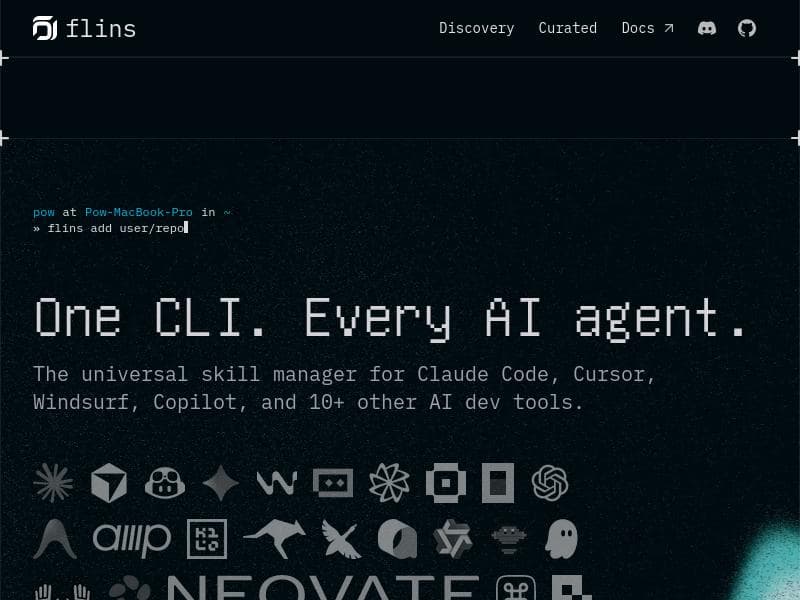
flins is a universal dependency manager for AI agent skills, enabling developers to seamlessly install, update, and manage skills across multiple AI coding agents from a single CLI. Ideal for AI developers working with diverse tools, flins simplifies multi-agent workflows by standardizing skill management and discovery.
flins is a specialized dependency manager designed to streamline the management of AI agent skills across multiple AI coding agents. As the concept of Agent Skills has become an open standard, the challenge remains that each AI agent handles these skills differently, complicating multi-agent workflows. flins addresses this fragmentation by providing a unified command-line interface (CLI) that functions similarly to npm for JavaScript packages, but specifically for AI agent skills. This allows developers to add, update, remove, list, and search for skills consistently, regardless of the underlying AI agent platform. By centralizing skill management, flins simplifies the development process for those working with multiple AI coding agents simultaneously. One of the core strengths of flins lies in its comprehensive feature set. It supports installation and management of AI agent skills from a single CLI, making it highly efficient for developers who juggle several AI coding tools. flins is compatible with a broad range of popular AI development environments, including Claude Code, Cursor, Copilot, Windsurf, Gemini CLI, and over ten other AI dev tools. This extensive support ensures that developers can maintain a consistent skill set across different platforms without needing to learn multiple management systems. Additionally, flins is cross-platform, working seamlessly on macOS, Linux, and Windows, which broadens its accessibility to developers regardless of their operating system preference. Beyond basic skill management, flins also facilitates AI extensions and command palette integration, enhancing the overall developer experience. It enables easy discovery of agent skills, helping users find and incorporate new functionalities into their AI agents quickly. This discovery feature is particularly useful in a rapidly evolving AI ecosystem where new skills and capabilities are frequently introduced. By acting as a universal skill manager, flins reduces the overhead of maintaining compatibility and consistency across diverse AI tools and workflows. flins is best suited for AI developers, software engineers, and teams who leverage multiple AI coding agents in their workflows. It is particularly valuable for those who require a streamlined, consistent approach to managing agent skills without the hassle of dealing with each AI agent's unique skill management system. Use cases include multi-agent AI development projects, AI tool integration, and environments where rapid iteration and skill updates are necessary. By using flins, developers can ensure that their AI agents remain synchronized in terms of capabilities, improving productivity and reducing errors caused by skill mismatches. Regarding pricing, flins is offered as a free tool, making it accessible to individual developers and organizations alike without financial barriers. This free availability encourages widespread adoption and experimentation, fostering a community around standardized AI agent skill management. When compared to alternatives, flins stands out due to its universal approach and broad compatibility. While some AI agents provide their own proprietary skill management tools, these are often siloed and incompatible with others. flins fills this gap by acting as a centralized dependency manager that works across multiple AI platforms, much like how npm revolutionized package management in the JavaScript ecosystem. However, as a relatively new tool, flins may have limitations in terms of the breadth of skill repositories available compared to more mature package managers, and its ecosystem is still growing. Potential limitations of flins include its reliance on the adoption of the Agent Skills open standard by AI agent developers. If certain AI tools do not fully support this standard, integration with flins may be limited or require additional configuration. Additionally, while flins supports many popular AI coding agents, there may be niche or emerging tools not yet compatible. Users should also be aware that managing dependencies across multiple agents can introduce complexity, and flins requires some familiarity with CLI operations. Despite these considerations, flins represents a significant advancement in managing AI agent skills efficiently and consistently across diverse development environments.

Description
flins is a universal dependency manager for AI agent skills, enabling developers to seamlessly install, update, and manage skills across multiple AI coding agents from a single CLI. Ideal for AI developers working with diverse tools, flins simplifies multi-agent workflows by standardizing skill management and discovery.
flins is a specialized dependency manager designed to streamline the management of AI agent skills across multiple AI coding agents. As the concept of Agent Skills has become an open standard, the challenge remains that each AI agent handles these skills differently, complicating multi-agent workflows. flins addresses this fragmentation by providing a unified command-line interface (CLI) that functions similarly to npm for JavaScript packages, but specifically for AI agent skills. This allows developers to add, update, remove, list, and search for skills consistently, regardless of the underlying AI agent platform. By centralizing skill management, flins simplifies the development process for those working with multiple AI coding agents simultaneously. One of the core strengths of flins lies in its comprehensive feature set. It supports installation and management of AI agent skills from a single CLI, making it highly efficient for developers who juggle several AI coding tools. flins is compatible with a broad range of popular AI development environments, including Claude Code, Cursor, Copilot, Windsurf, Gemini CLI, and over ten other AI dev tools. This extensive support ensures that developers can maintain a consistent skill set across different platforms without needing to learn multiple management systems. Additionally, flins is cross-platform, working seamlessly on macOS, Linux, and Windows, which broadens its accessibility to developers regardless of their operating system preference. Beyond basic skill management, flins also facilitates AI extensions and command palette integration, enhancing the overall developer experience. It enables easy discovery of agent skills, helping users find and incorporate new functionalities into their AI agents quickly. This discovery feature is particularly useful in a rapidly evolving AI ecosystem where new skills and capabilities are frequently introduced. By acting as a universal skill manager, flins reduces the overhead of maintaining compatibility and consistency across diverse AI tools and workflows. flins is best suited for AI developers, software engineers, and teams who leverage multiple AI coding agents in their workflows. It is particularly valuable for those who require a streamlined, consistent approach to managing agent skills without the hassle of dealing with each AI agent's unique skill management system. Use cases include multi-agent AI development projects, AI tool integration, and environments where rapid iteration and skill updates are necessary. By using flins, developers can ensure that their AI agents remain synchronized in terms of capabilities, improving productivity and reducing errors caused by skill mismatches. Regarding pricing, flins is offered as a free tool, making it accessible to individual developers and organizations alike without financial barriers. This free availability encourages widespread adoption and experimentation, fostering a community around standardized AI agent skill management. When compared to alternatives, flins stands out due to its universal approach and broad compatibility. While some AI agents provide their own proprietary skill management tools, these are often siloed and incompatible with others. flins fills this gap by acting as a centralized dependency manager that works across multiple AI platforms, much like how npm revolutionized package management in the JavaScript ecosystem. However, as a relatively new tool, flins may have limitations in terms of the breadth of skill repositories available compared to more mature package managers, and its ecosystem is still growing. Potential limitations of flins include its reliance on the adoption of the Agent Skills open standard by AI agent developers. If certain AI tools do not fully support this standard, integration with flins may be limited or require additional configuration. Additionally, while flins supports many popular AI coding agents, there may be niche or emerging tools not yet compatible. Users should also be aware that managing dependencies across multiple agents can introduce complexity, and flins requires some familiarity with CLI operations. Despite these considerations, flins represents a significant advancement in managing AI agent skills efficiently and consistently across diverse development environments.
Tool Features
- Install and manage AI agent skills from one CLI
- Supports Claude Code, Cursor, Copilot, Windsurf, Gemini CLI, and 10+ other AI dev tools
- Universal skill manager for AI coding agents
- Works across macOS, Linux, and Windows
- Facilitates AI extensions and command palette integration
- Enables agent skills discovery
Frequently Asked Questions
What is flins?
flins is a command-line dependency manager designed to install, update, remove, list, and search AI agent skills across multiple AI coding agents, providing a unified way to manage these skills similarly to how npm manages JavaScript packages.
How much does flins cost?
flins is completely free to use, making it accessible to individual developers and organizations without any subscription or licensing fees.
Who is flins best for?
flins is best suited for AI developers, software engineers, and teams who work with multiple AI coding agents and need a consistent, efficient way to manage agent skills across different platforms.
What are the main features of flins?
Key features include installing and managing AI agent skills from a single CLI, support for over a dozen AI dev tools like Claude Code, Cursor, Copilot, Windsurf, and Gemini CLI, cross-platform compatibility (macOS, Linux, Windows), AI extensions and command palette integration, and agent skills discovery.
Does flins offer a free trial?
Since flins is offered for free, there is no need for a trial period; users can immediately access and use all features without restrictions.
What integrations does flins support?
flins supports integrations with multiple AI coding agents including Claude Code, Cursor, Copilot, Windsurf, Gemini CLI, and more than ten other AI development tools, enabling broad compatibility across popular AI platforms.
How does flins work?
flins operates as a CLI-based dependency manager that allows developers to add, update, remove, list, and search for AI agent skills. It standardizes skill management by interfacing with various AI coding agents and managing their skills consistently according to the Agent Skills open standard.
Socials
Use ToolSponsored Tools













































Reviews
No reviews yet. Be the first to share your experience.










