Description
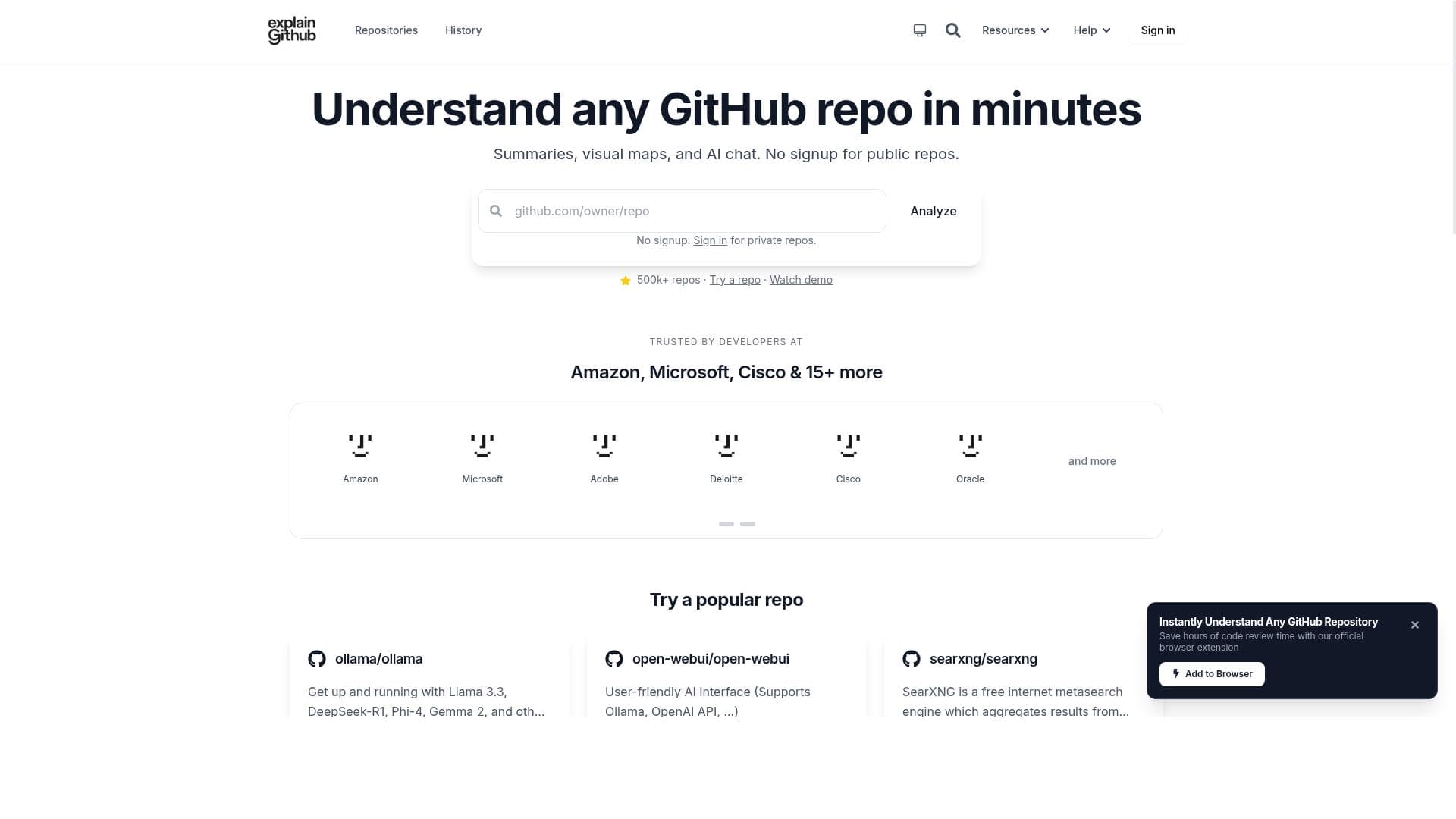
ExplainGitHub harnesses AI to transform how developers understand and navigate code repositories, offering an interactive chat assistant and seamless multi-platform integration. It's ideal for developers tackling unfamiliar codebases who want faster, clearer insights without manual digging.
ExplainGitHub is a cutting-edge AI-powered platform designed to revolutionize how developers explore and understand code repositories, particularly those hosted on GitHub. Its core purpose is to simplify the process of navigating unfamiliar codebases by providing intelligent insights and contextual explanations, thereby reducing the time and effort developers typically spend deciphering complex projects. By leveraging advanced AI analysis, ExplainGitHub transforms raw code into a more accessible and comprehensible format, enabling users to quickly grasp the structure, functionality, and intent behind various components of a repository. One of the standout features of ExplainGitHub is its AI Chat Assistant, which acts as an interactive guide that answers code-related questions in context. This assistant can interpret code snippets, explain functions, and clarify logic, making it invaluable for developers who need immediate, precise information without sifting through extensive documentation or source files. Additionally, the platform offers Repository History and Conversations, allowing users to track changes, understand the evolution of the code, and continue discussions seamlessly. This feature supports collaboration and knowledge retention within teams. ExplainGitHub’s versatility is further enhanced by its multi-platform integration capabilities. It supports not only GitHub but also GitLab, Bitbucket, and Azure Repos, making it a comprehensive tool for developers working across different version control systems. Users can also export documentation generated by the AI in Markdown or PDF formats, facilitating easy sharing and offline reference. To streamline workflow, ExplainGitHub provides browser extensions that enable one-click repository analysis directly from the web interface, eliminating the need to switch contexts or use separate applications. This tool is particularly well-suited for software developers, engineers, and technical leads who frequently engage with large or unfamiliar codebases. It is ideal for onboarding new team members, conducting code reviews, or maintaining legacy systems where documentation may be sparse or outdated. ExplainGitHub’s AI-driven explanations help reduce cognitive load and accelerate understanding, which can significantly boost productivity and code quality. ExplainGitHub operates on a freemium pricing model, offering basic features at no cost with options to upgrade for enhanced capabilities. This approach allows individual developers and small teams to benefit from the platform’s core functionalities without upfront investment, while larger organizations can opt for premium plans that provide advanced integrations, increased usage limits, and priority support. Compared to traditional code exploration tools or manual documentation efforts, ExplainGitHub stands out by integrating AI directly into the developer’s workflow. Unlike static code viewers or simple search tools, it provides dynamic, context-aware assistance that adapts to the user’s queries and the specific repository. While other platforms may offer some AI features, ExplainGitHub’s combination of chat-based interaction, multi-repository support, and exportable documentation creates a uniquely comprehensive experience. However, users should consider that AI-generated explanations may occasionally lack the nuance or accuracy of expert human insight, especially in highly complex or domain-specific codebases. Additionally, while the freemium model is accessible, some advanced features require paid subscriptions, which could be a consideration for budget-conscious teams. Overall, ExplainGitHub represents a powerful, innovative solution for developers seeking to demystify code repositories and enhance their coding efficiency through AI assistance.

Description
ExplainGitHub harnesses AI to transform how developers understand and navigate code repositories, offering an interactive chat assistant and seamless multi-platform integration. It's ideal for developers tackling unfamiliar codebases who want faster, clearer insights without manual digging.
ExplainGitHub is a cutting-edge AI-powered platform designed to revolutionize how developers explore and understand code repositories, particularly those hosted on GitHub. Its core purpose is to simplify the process of navigating unfamiliar codebases by providing intelligent insights and contextual explanations, thereby reducing the time and effort developers typically spend deciphering complex projects. By leveraging advanced AI analysis, ExplainGitHub transforms raw code into a more accessible and comprehensible format, enabling users to quickly grasp the structure, functionality, and intent behind various components of a repository. One of the standout features of ExplainGitHub is its AI Chat Assistant, which acts as an interactive guide that answers code-related questions in context. This assistant can interpret code snippets, explain functions, and clarify logic, making it invaluable for developers who need immediate, precise information without sifting through extensive documentation or source files. Additionally, the platform offers Repository History and Conversations, allowing users to track changes, understand the evolution of the code, and continue discussions seamlessly. This feature supports collaboration and knowledge retention within teams. ExplainGitHub’s versatility is further enhanced by its multi-platform integration capabilities. It supports not only GitHub but also GitLab, Bitbucket, and Azure Repos, making it a comprehensive tool for developers working across different version control systems. Users can also export documentation generated by the AI in Markdown or PDF formats, facilitating easy sharing and offline reference. To streamline workflow, ExplainGitHub provides browser extensions that enable one-click repository analysis directly from the web interface, eliminating the need to switch contexts or use separate applications. This tool is particularly well-suited for software developers, engineers, and technical leads who frequently engage with large or unfamiliar codebases. It is ideal for onboarding new team members, conducting code reviews, or maintaining legacy systems where documentation may be sparse or outdated. ExplainGitHub’s AI-driven explanations help reduce cognitive load and accelerate understanding, which can significantly boost productivity and code quality. ExplainGitHub operates on a freemium pricing model, offering basic features at no cost with options to upgrade for enhanced capabilities. This approach allows individual developers and small teams to benefit from the platform’s core functionalities without upfront investment, while larger organizations can opt for premium plans that provide advanced integrations, increased usage limits, and priority support. Compared to traditional code exploration tools or manual documentation efforts, ExplainGitHub stands out by integrating AI directly into the developer’s workflow. Unlike static code viewers or simple search tools, it provides dynamic, context-aware assistance that adapts to the user’s queries and the specific repository. While other platforms may offer some AI features, ExplainGitHub’s combination of chat-based interaction, multi-repository support, and exportable documentation creates a uniquely comprehensive experience. However, users should consider that AI-generated explanations may occasionally lack the nuance or accuracy of expert human insight, especially in highly complex or domain-specific codebases. Additionally, while the freemium model is accessible, some advanced features require paid subscriptions, which could be a consideration for budget-conscious teams. Overall, ExplainGitHub represents a powerful, innovative solution for developers seeking to demystify code repositories and enhance their coding efficiency through AI assistance.
Tool Features
- AI Chat Assistant to answer code questions in context
- Repository History and Conversations to continue work seamlessly
- Multi-Platform Integration with GitHub, GitLab, Bitbucket, and Azure Repos
- Exportable Documentation in Markdown or PDF formats
- Browser Extensions for one-click repository analysis
Frequently Asked Questions
What is ExplainGithub?
ExplainGitHub is an AI-powered code exploration platform that helps developers understand and navigate GitHub and other code repositories more efficiently by providing contextual explanations and interactive assistance.
How much does ExplainGithub cost?
ExplainGitHub offers a freemium pricing model, providing basic features for free with options to upgrade to paid plans for advanced capabilities and increased usage.
Who is ExplainGithub best for?
ExplainGitHub is best suited for software developers, engineers, and technical leads who need to quickly understand unfamiliar or complex codebases, onboard new team members, or maintain legacy projects.
What are the main features of ExplainGithub?
Key features include an AI Chat Assistant for answering code questions in context, Repository History and Conversations for seamless collaboration, multi-platform integration with GitHub, GitLab, Bitbucket, and Azure Repos, exportable documentation in Markdown or PDF, and browser extensions for one-click repository analysis.
Does ExplainGithub offer a free trial?
ExplainGitHub provides a freemium plan that allows users to access core features for free, effectively serving as a free trial with optional paid upgrades for additional functionality.
What integrations does ExplainGithub support?
ExplainGitHub integrates with multiple version control platforms including GitHub, GitLab, Bitbucket, and Azure Repos, enabling broad compatibility across development environments.
How does ExplainGithub work?
ExplainGitHub uses AI-powered analysis to interpret code repositories and provide contextual explanations. Users can interact with an AI Chat Assistant to ask questions about the code, explore repository history, and generate exportable documentation, all accessible via browser extensions or the platform interface.
Socials
Use ToolSponsored Tools













































Reviews
No reviews yet. Be the first to share your experience.










