ComponentsKit
Description
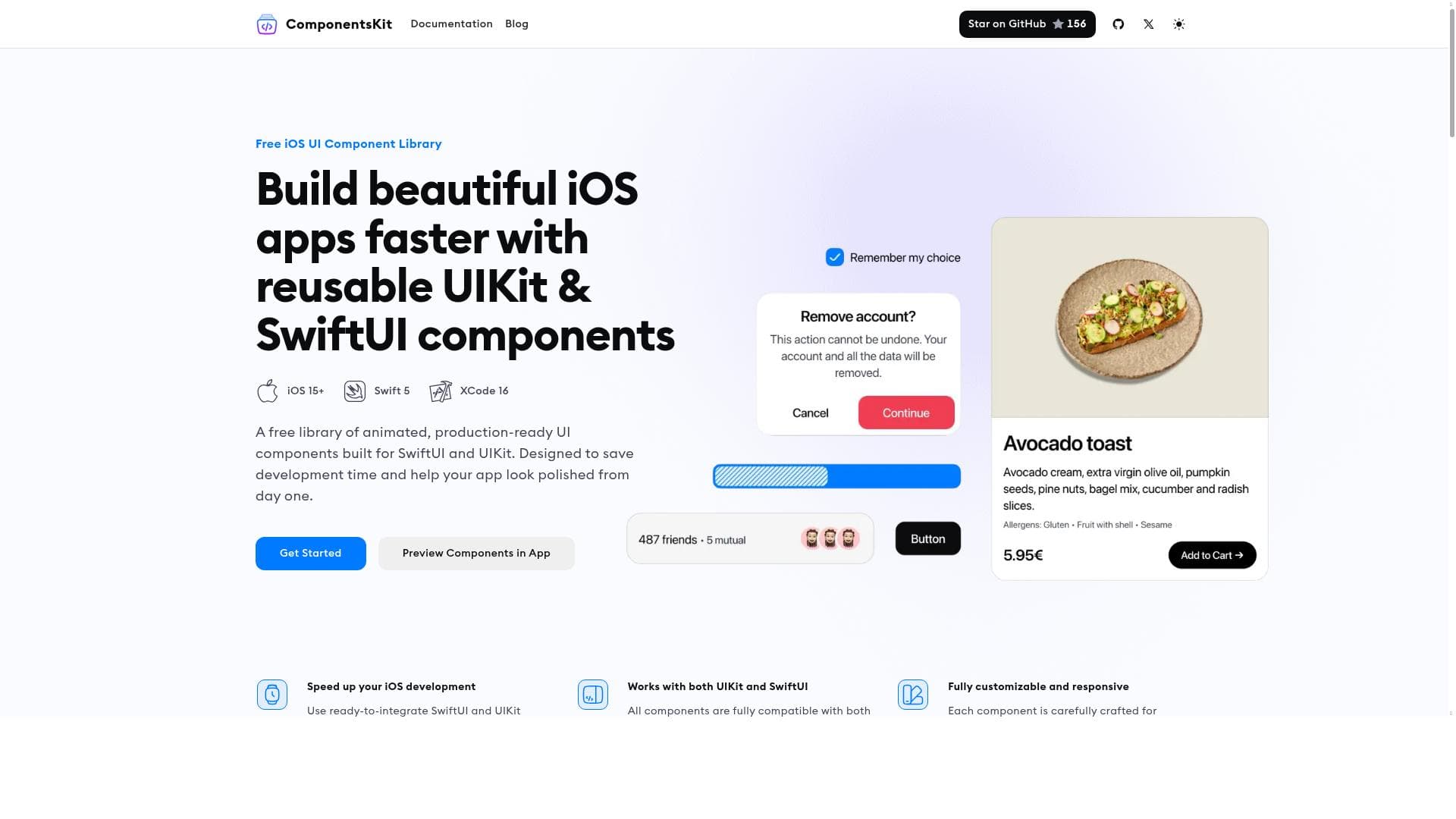
ComponentsKit is a free, versatile library offering stunning, customizable UI components for both SwiftUI and UIKit, designed to dramatically speed up iOS app development. Ideal for developers seeking production-ready, animated, and responsive UI elements, it enables rapid prototyping and polished app interfaces without the hassle of building components from scratch.
ComponentsKit is a comprehensive library of pre-built, visually appealing UI components tailored specifically for iOS app development using SwiftUI and UIKit frameworks. Its core purpose is to accelerate the development process by providing developers with ready-to-use, customizable components that seamlessly integrate into their projects. By leveraging ComponentsKit, developers can avoid the time-consuming task of designing and coding UI elements from scratch, allowing them to focus more on app functionality and user experience. The tool caters to both SwiftUI and UIKit, making it versatile for a wide range of iOS development scenarios, whether building new apps or enhancing existing ones. One of the standout features of ComponentsKit is its extensive collection of customizable components for both SwiftUI and UIKit. These components are designed with responsiveness in mind, ensuring that UI elements adapt smoothly to different screen sizes and orientations. Additionally, ComponentsKit includes animated UI elements that add dynamic visual appeal to applications, enhancing user engagement without requiring developers to implement complex animations manually. All components are production-ready, meaning they are optimized for performance and stability, allowing developers to confidently deploy apps built with these elements to the App Store. The kit's focus on customization means developers can easily tweak styles, colors, layouts, and behaviors to align with their app’s branding and design guidelines. ComponentsKit is ideal for iOS developers ranging from solo indie creators to teams working in startups or established companies. It is particularly beneficial for those who want to speed up their development cycles without compromising on UI quality. For example, a startup aiming to rapidly prototype and launch an app can use ComponentsKit to assemble polished interfaces quickly. Similarly, freelance developers can leverage the tool to deliver professional-grade apps efficiently. The components also serve educational purposes for developers learning SwiftUI or UIKit by providing practical examples of well-structured UI elements. Overall, any iOS developer seeking to improve productivity and UI consistency will find ComponentsKit valuable. In terms of pricing, ComponentsKit is offered completely free of charge, making it accessible to developers at all levels without financial barriers. This free availability encourages experimentation and adoption, especially for those who want to evaluate the tool’s capabilities before integrating it into larger projects. Unlike many UI component libraries that require subscriptions or one-time purchases, ComponentsKit’s free model is a significant advantage for budget-conscious developers and teams. When compared to alternatives, ComponentsKit stands out due to its dual support for both SwiftUI and UIKit, which is not always common among UI component libraries. Many competitors focus exclusively on one framework, limiting their applicability. Furthermore, ComponentsKit emphasizes animated and responsive components that are production-ready, whereas some alternatives may offer only static or basic elements requiring additional customization. However, while ComponentsKit excels in iOS-specific UI components, it does not extend support to other platforms like Android or web, which might be a limitation for cross-platform developers. A few considerations include the fact that ComponentsKit is specialized for iOS development, so developers working outside the Apple ecosystem will need other solutions. Also, since it is a free tool, support options may be limited compared to paid UI kits that offer dedicated customer service or extensive documentation. Users should also verify compatibility with the latest iOS versions and Swift updates to ensure seamless integration. Despite these minor limitations, ComponentsKit remains a powerful and accessible resource for iOS developers aiming to enhance their UI development workflow efficiently.

Description
ComponentsKit is a free, versatile library offering stunning, customizable UI components for both SwiftUI and UIKit, designed to dramatically speed up iOS app development. Ideal for developers seeking production-ready, animated, and responsive UI elements, it enables rapid prototyping and polished app interfaces without the hassle of building components from scratch.
ComponentsKit is a comprehensive library of pre-built, visually appealing UI components tailored specifically for iOS app development using SwiftUI and UIKit frameworks. Its core purpose is to accelerate the development process by providing developers with ready-to-use, customizable components that seamlessly integrate into their projects. By leveraging ComponentsKit, developers can avoid the time-consuming task of designing and coding UI elements from scratch, allowing them to focus more on app functionality and user experience. The tool caters to both SwiftUI and UIKit, making it versatile for a wide range of iOS development scenarios, whether building new apps or enhancing existing ones. One of the standout features of ComponentsKit is its extensive collection of customizable components for both SwiftUI and UIKit. These components are designed with responsiveness in mind, ensuring that UI elements adapt smoothly to different screen sizes and orientations. Additionally, ComponentsKit includes animated UI elements that add dynamic visual appeal to applications, enhancing user engagement without requiring developers to implement complex animations manually. All components are production-ready, meaning they are optimized for performance and stability, allowing developers to confidently deploy apps built with these elements to the App Store. The kit's focus on customization means developers can easily tweak styles, colors, layouts, and behaviors to align with their app’s branding and design guidelines. ComponentsKit is ideal for iOS developers ranging from solo indie creators to teams working in startups or established companies. It is particularly beneficial for those who want to speed up their development cycles without compromising on UI quality. For example, a startup aiming to rapidly prototype and launch an app can use ComponentsKit to assemble polished interfaces quickly. Similarly, freelance developers can leverage the tool to deliver professional-grade apps efficiently. The components also serve educational purposes for developers learning SwiftUI or UIKit by providing practical examples of well-structured UI elements. Overall, any iOS developer seeking to improve productivity and UI consistency will find ComponentsKit valuable. In terms of pricing, ComponentsKit is offered completely free of charge, making it accessible to developers at all levels without financial barriers. This free availability encourages experimentation and adoption, especially for those who want to evaluate the tool’s capabilities before integrating it into larger projects. Unlike many UI component libraries that require subscriptions or one-time purchases, ComponentsKit’s free model is a significant advantage for budget-conscious developers and teams. When compared to alternatives, ComponentsKit stands out due to its dual support for both SwiftUI and UIKit, which is not always common among UI component libraries. Many competitors focus exclusively on one framework, limiting their applicability. Furthermore, ComponentsKit emphasizes animated and responsive components that are production-ready, whereas some alternatives may offer only static or basic elements requiring additional customization. However, while ComponentsKit excels in iOS-specific UI components, it does not extend support to other platforms like Android or web, which might be a limitation for cross-platform developers. A few considerations include the fact that ComponentsKit is specialized for iOS development, so developers working outside the Apple ecosystem will need other solutions. Also, since it is a free tool, support options may be limited compared to paid UI kits that offer dedicated customer service or extensive documentation. Users should also verify compatibility with the latest iOS versions and Swift updates to ensure seamless integration. Despite these minor limitations, ComponentsKit remains a powerful and accessible resource for iOS developers aiming to enhance their UI development workflow efficiently.
Tool Features
- Customizable SwiftUI components
- Customizable UIKit components
- Animated UI elements
- Responsive design
- Production-ready components
- Speeds up iOS app development
Frequently Asked Questions
What is ComponentsKit?
ComponentsKit is a library of ready-to-use, customizable UI components for iOS app development, supporting both SwiftUI and UIKit frameworks. It provides developers with animated, responsive, and production-ready UI elements to accelerate the creation of polished iOS applications.
How much does ComponentsKit cost?
ComponentsKit is completely free to use, allowing developers to access and integrate its UI components into their projects without any cost.
Who is ComponentsKit best for?
ComponentsKit is ideal for iOS developers of all levels, including solo developers, startups, and development teams, who want to speed up app development while maintaining high-quality, customizable UI designs.
What are the main features of ComponentsKit?
The main features include customizable SwiftUI and UIKit components, animated UI elements, responsive design for different screen sizes, production-ready quality, and the ability to significantly speed up iOS app development.
Does ComponentsKit offer a free trial?
Since ComponentsKit is offered for free, there is no need for a trial period; developers can use all available components without restrictions.
What integrations does ComponentsKit support?
ComponentsKit integrates directly with iOS development environments that use SwiftUI and UIKit, making it compatible with standard iOS app projects built in Xcode.
How does ComponentsKit work?
Developers incorporate ComponentsKit’s pre-built UI components into their SwiftUI or UIKit projects, customizing them as needed. The components come with built-in animations and responsive layouts, enabling faster UI assembly and polished app interfaces.
Sponsored Tools













































Reviews
No reviews yet. Be the first to share your experience.










