Claude Code Remote Control
Description
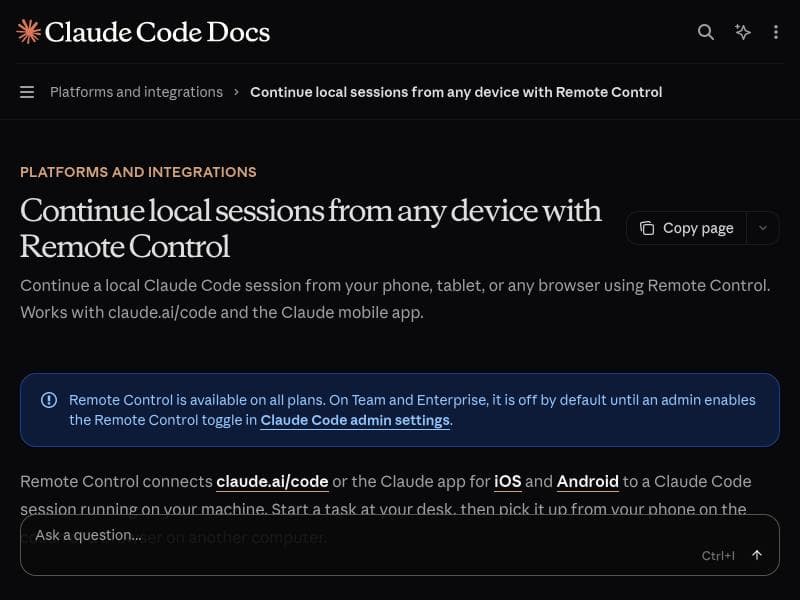
Claude Code Remote Control uniquely enables developers to continue their local Claude Code sessions from any device—phone, tablet, or browser—ensuring seamless workflow continuity. Ideal for mobile programmers and remote workers, it integrates tightly with claude.ai/code and the Claude mobile app, offering a free, versatile solution for coding on the go.
Claude Code Remote Control is an innovative tool designed to extend the accessibility and flexibility of Claude Code sessions by allowing users to continue their local coding workflows seamlessly from any device. Whether you are working on a desktop, or need to switch to a phone, tablet, or any web browser, Claude Code Remote Control ensures that your coding session remains uninterrupted and fully accessible. This capability is particularly valuable for developers and programmers who require mobility without sacrificing the continuity of their work. By integrating directly with claude.ai/code and the Claude mobile app, the tool bridges the gap between stationary and mobile coding environments, providing a unified experience across platforms. At its core, Claude Code Remote Control offers several key features that enhance productivity and convenience. The primary feature is the ability to continue local Claude Code sessions remotely, which means you can start coding on your desktop and pick up exactly where you left off on your phone or tablet without any loss of context or progress. This is made possible through seamless synchronization with claude.ai/code, ensuring that the session state is preserved and accessible. Additionally, the tool is fully compatible with the Claude mobile app, allowing users to leverage the app’s interface and functionalities while maintaining connection to their local sessions. The tool supports access through various devices including phones, tablets, and browsers, making it highly versatile for different user preferences and scenarios. Claude Code Remote Control is best suited for developers, programmers, and AI enthusiasts who utilize Claude Code for coding assistance and want to maintain workflow continuity across multiple devices. It is particularly useful for professionals who are frequently on the move or who work in multiple environments, such as switching between office desktops and mobile devices during commutes or remote work. Use cases include debugging code remotely, reviewing and editing code snippets on the go, or collaborating with others by sharing access to ongoing sessions from different devices. The tool’s ability to maintain session integrity across platforms makes it an invaluable asset for anyone relying on Claude Code for AI-assisted coding tasks. In terms of pricing, Claude Code Remote Control is offered free of charge, making it an accessible option for individual developers and teams alike. This free access lowers the barrier to entry and encourages widespread adoption, especially for users already engaged with the Claude ecosystem. There are no paid plans or subscription fees associated with the tool, which simplifies budgeting and allows users to focus on leveraging its capabilities without financial concerns. When compared to alternative solutions, Claude Code Remote Control stands out due to its tight integration with the Claude Code environment and the Claude mobile app. While other remote coding tools may require complex setups, third-party software, or lack seamless session continuity, Claude Code Remote Control provides a native and streamlined experience. Its support for multiple device types and browsers also offers greater flexibility than many competitors that may be limited to specific platforms or require dedicated hardware. However, users should consider some limitations and considerations. Since the tool relies on local Claude Code sessions, it requires the initial session to be active on a local machine before remote continuation is possible. This means that it is not a standalone cloud coding environment but rather a remote extension of a local setup. Additionally, the effectiveness of the remote control experience may depend on network stability and device compatibility, which can affect responsiveness and usability. Users should also be aware that while the tool is free, it is designed to work within the Claude ecosystem, so those not using Claude Code or the Claude mobile app may not benefit from its features. Overall, Claude Code Remote Control is a powerful and user-friendly solution for developers seeking to enhance their coding workflow flexibility. By enabling seamless session continuation across devices, it empowers users to code anytime and anywhere without losing momentum, making it a valuable addition to the AI-assisted coding landscape.

Description
Claude Code Remote Control uniquely enables developers to continue their local Claude Code sessions from any device—phone, tablet, or browser—ensuring seamless workflow continuity. Ideal for mobile programmers and remote workers, it integrates tightly with claude.ai/code and the Claude mobile app, offering a free, versatile solution for coding on the go.
Claude Code Remote Control is an innovative tool designed to extend the accessibility and flexibility of Claude Code sessions by allowing users to continue their local coding workflows seamlessly from any device. Whether you are working on a desktop, or need to switch to a phone, tablet, or any web browser, Claude Code Remote Control ensures that your coding session remains uninterrupted and fully accessible. This capability is particularly valuable for developers and programmers who require mobility without sacrificing the continuity of their work. By integrating directly with claude.ai/code and the Claude mobile app, the tool bridges the gap between stationary and mobile coding environments, providing a unified experience across platforms. At its core, Claude Code Remote Control offers several key features that enhance productivity and convenience. The primary feature is the ability to continue local Claude Code sessions remotely, which means you can start coding on your desktop and pick up exactly where you left off on your phone or tablet without any loss of context or progress. This is made possible through seamless synchronization with claude.ai/code, ensuring that the session state is preserved and accessible. Additionally, the tool is fully compatible with the Claude mobile app, allowing users to leverage the app’s interface and functionalities while maintaining connection to their local sessions. The tool supports access through various devices including phones, tablets, and browsers, making it highly versatile for different user preferences and scenarios. Claude Code Remote Control is best suited for developers, programmers, and AI enthusiasts who utilize Claude Code for coding assistance and want to maintain workflow continuity across multiple devices. It is particularly useful for professionals who are frequently on the move or who work in multiple environments, such as switching between office desktops and mobile devices during commutes or remote work. Use cases include debugging code remotely, reviewing and editing code snippets on the go, or collaborating with others by sharing access to ongoing sessions from different devices. The tool’s ability to maintain session integrity across platforms makes it an invaluable asset for anyone relying on Claude Code for AI-assisted coding tasks. In terms of pricing, Claude Code Remote Control is offered free of charge, making it an accessible option for individual developers and teams alike. This free access lowers the barrier to entry and encourages widespread adoption, especially for users already engaged with the Claude ecosystem. There are no paid plans or subscription fees associated with the tool, which simplifies budgeting and allows users to focus on leveraging its capabilities without financial concerns. When compared to alternative solutions, Claude Code Remote Control stands out due to its tight integration with the Claude Code environment and the Claude mobile app. While other remote coding tools may require complex setups, third-party software, or lack seamless session continuity, Claude Code Remote Control provides a native and streamlined experience. Its support for multiple device types and browsers also offers greater flexibility than many competitors that may be limited to specific platforms or require dedicated hardware. However, users should consider some limitations and considerations. Since the tool relies on local Claude Code sessions, it requires the initial session to be active on a local machine before remote continuation is possible. This means that it is not a standalone cloud coding environment but rather a remote extension of a local setup. Additionally, the effectiveness of the remote control experience may depend on network stability and device compatibility, which can affect responsiveness and usability. Users should also be aware that while the tool is free, it is designed to work within the Claude ecosystem, so those not using Claude Code or the Claude mobile app may not benefit from its features. Overall, Claude Code Remote Control is a powerful and user-friendly solution for developers seeking to enhance their coding workflow flexibility. By enabling seamless session continuation across devices, it empowers users to code anytime and anywhere without losing momentum, making it a valuable addition to the AI-assisted coding landscape.
Tool Features
- Continue local Claude Code sessions from any device
- Works with claude.ai/code
- Compatible with the Claude mobile app
- Supports phone, tablet, and browser access
Frequently Asked Questions
What is Claude Code Remote Control?
Claude Code Remote Control is a tool that allows users to continue their local Claude Code sessions remotely from any device such as phones, tablets, or browsers. It extends the accessibility of Claude Code by enabling seamless session continuation across multiple platforms.
How much does Claude Code Remote Control cost?
Claude Code Remote Control is completely free to use with no subscription fees or paid plans.
Who is Claude Code Remote Control best for?
It is best suited for developers, programmers, and AI enthusiasts who want to maintain uninterrupted coding workflows across different devices, especially those who work remotely or need mobility.
What are the main features of Claude Code Remote Control?
Key features include continuing local Claude Code sessions from any device, compatibility with claude.ai/code and the Claude mobile app, and support for access via phones, tablets, and browsers.
Does Claude Code Remote Control offer a free trial?
Yes, the tool is free to use, so there is no need for a trial period or subscription to access its features.
What integrations does Claude Code Remote Control support?
It integrates directly with claude.ai/code and the Claude mobile app, enabling seamless session synchronization and remote access.
How does Claude Code Remote Control work?
It works by connecting to an active local Claude Code session and allowing users to remotely access and continue that session from any supported device, preserving the session state and context.
Socials
Use ToolSponsored Tools













































Reviews
No reviews yet. Be the first to share your experience.










