Description
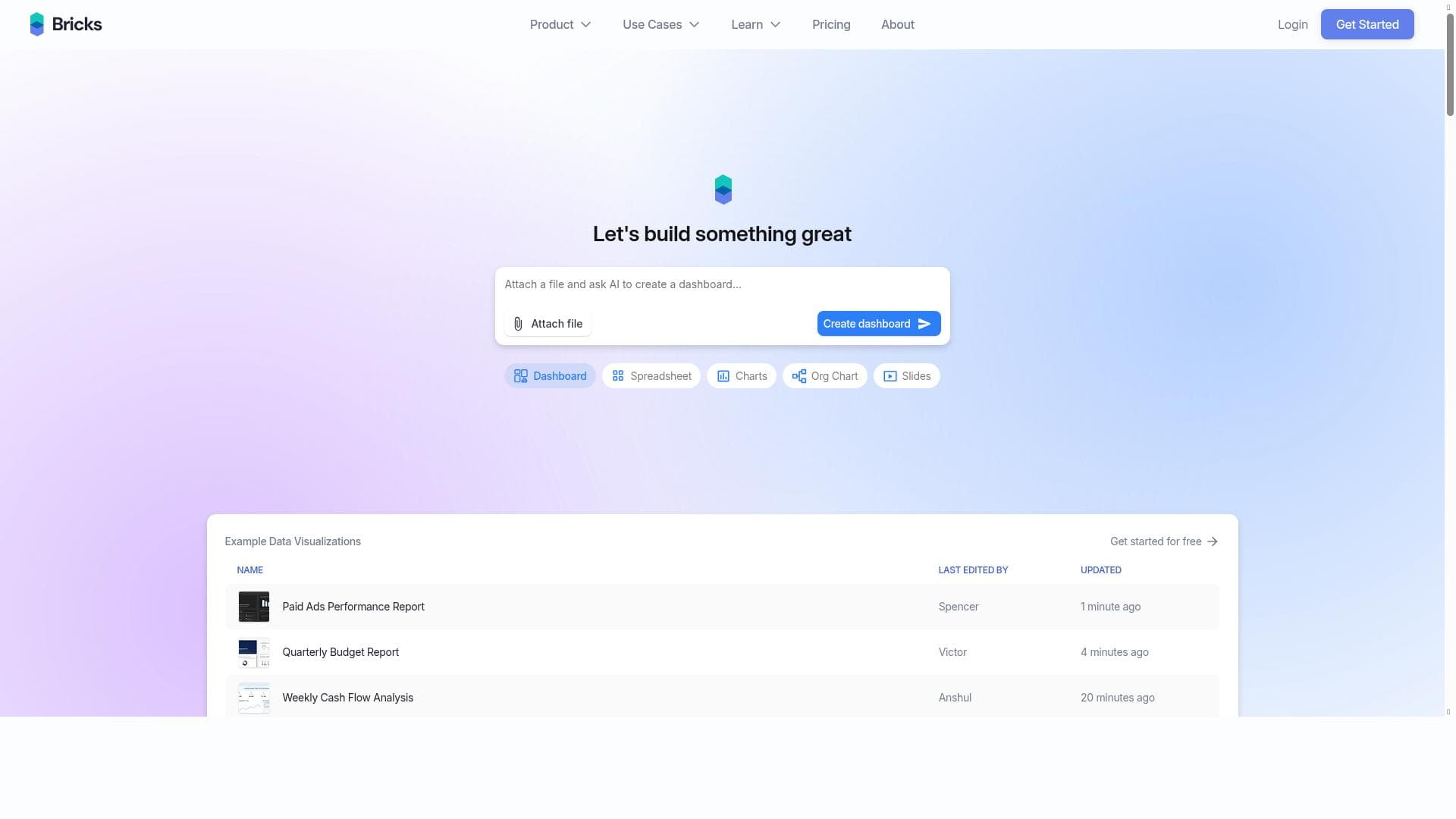
Bricks is an AI-powered spreadsheet tool that transforms raw CSV and Excel files into beautiful, editable dashboards without any setup or formulas. Perfect for users who want to save time on data cleanup and focus on insights, Bricks offers a free, user-friendly platform that makes spreadsheet management effortless.
Bricks is an innovative AI-powered spreadsheet tool designed to revolutionize the way users interact with and manage their data. Unlike traditional spreadsheet software that requires extensive manual input, formula writing, and data cleanup, Bricks automates these processes to deliver actionable insights quickly and effortlessly. Its core purpose is to eliminate the tedious and time-consuming aspects of spreadsheet management, allowing users to focus on decision-making and productivity rather than data wrangling. By leveraging artificial intelligence, Bricks transforms raw CSV and Excel files into dynamic, visually appealing, and editable dashboards without any setup or technical expertise required. At the heart of Bricks' functionality is its ability to seamlessly convert CSV and Excel files into comprehensive dashboards. This feature is particularly valuable for users who regularly handle large datasets but lack the time or skills to create meaningful visualizations manually. The dashboards generated by Bricks are not only beautiful but also fully editable, giving users the flexibility to customize views according to their specific needs. This eliminates the need for complex formulas or pivot tables, which are often barriers for non-technical users. Additionally, Bricks requires no setup, meaning users can start working with their data immediately after upload, making it highly accessible and user-friendly. Bricks is ideal for a wide range of users, including business analysts, project managers, small business owners, and anyone who relies on spreadsheets to track, analyze, or report data. For example, a marketing team can quickly transform campaign data into insightful dashboards to monitor performance metrics without waiting for a data analyst. Similarly, financial professionals can use Bricks to streamline budget tracking and forecasting without manually updating formulas. Its ease of use and automation make it especially beneficial for teams and individuals who want to reduce the overhead associated with spreadsheet maintenance and focus on deriving value from their data. In terms of pricing, Bricks operates on a freemium model, offering a robust free tier that allows users to access its core features without cost. This makes it an attractive option for individuals and small teams who want to experiment with AI-driven spreadsheet management without financial commitment. For users requiring advanced capabilities or higher usage limits, premium plans are likely available, although specific details would need to be confirmed on their website. The freemium approach lowers the barrier to entry and encourages widespread adoption. When compared to traditional spreadsheet software like Microsoft Excel or Google Sheets, Bricks stands out by automating data cleanup and visualization tasks that typically require manual effort and expertise. Unlike these legacy tools, which rely heavily on user-generated formulas and manual dashboard creation, Bricks uses AI to deliver instant insights, reducing errors and saving time. While other AI spreadsheet tools exist, Bricks distinguishes itself through its no-setup, user-friendly interface and focus on transforming raw data files into ready-to-use dashboards. This positions it as a practical solution for users who want powerful data analysis without the steep learning curve. However, there are some considerations to keep in mind. Since Bricks automates much of the data processing, users who require highly customized formulas or complex data modeling might find it less flexible than traditional spreadsheet software. Additionally, as with any AI-driven tool, the accuracy and relevance of the insights depend on the quality of the input data. Users should ensure their CSV or Excel files are well-structured to maximize the effectiveness of Bricks. Lastly, while the free tier is generous, organizations with large-scale or specialized needs may need to explore premium options or complementary tools for advanced functionality. Overall, Bricks offers a compelling solution for anyone looking to simplify spreadsheet management and accelerate data-driven decision-making. Its AI-powered automation, ease of use, and visually appealing dashboards make it a valuable tool for both novices and experienced users aiming to get more done with less effort.

Description
Bricks is an AI-powered spreadsheet tool that transforms raw CSV and Excel files into beautiful, editable dashboards without any setup or formulas. Perfect for users who want to save time on data cleanup and focus on insights, Bricks offers a free, user-friendly platform that makes spreadsheet management effortless.
Bricks is an innovative AI-powered spreadsheet tool designed to revolutionize the way users interact with and manage their data. Unlike traditional spreadsheet software that requires extensive manual input, formula writing, and data cleanup, Bricks automates these processes to deliver actionable insights quickly and effortlessly. Its core purpose is to eliminate the tedious and time-consuming aspects of spreadsheet management, allowing users to focus on decision-making and productivity rather than data wrangling. By leveraging artificial intelligence, Bricks transforms raw CSV and Excel files into dynamic, visually appealing, and editable dashboards without any setup or technical expertise required. At the heart of Bricks' functionality is its ability to seamlessly convert CSV and Excel files into comprehensive dashboards. This feature is particularly valuable for users who regularly handle large datasets but lack the time or skills to create meaningful visualizations manually. The dashboards generated by Bricks are not only beautiful but also fully editable, giving users the flexibility to customize views according to their specific needs. This eliminates the need for complex formulas or pivot tables, which are often barriers for non-technical users. Additionally, Bricks requires no setup, meaning users can start working with their data immediately after upload, making it highly accessible and user-friendly. Bricks is ideal for a wide range of users, including business analysts, project managers, small business owners, and anyone who relies on spreadsheets to track, analyze, or report data. For example, a marketing team can quickly transform campaign data into insightful dashboards to monitor performance metrics without waiting for a data analyst. Similarly, financial professionals can use Bricks to streamline budget tracking and forecasting without manually updating formulas. Its ease of use and automation make it especially beneficial for teams and individuals who want to reduce the overhead associated with spreadsheet maintenance and focus on deriving value from their data. In terms of pricing, Bricks operates on a freemium model, offering a robust free tier that allows users to access its core features without cost. This makes it an attractive option for individuals and small teams who want to experiment with AI-driven spreadsheet management without financial commitment. For users requiring advanced capabilities or higher usage limits, premium plans are likely available, although specific details would need to be confirmed on their website. The freemium approach lowers the barrier to entry and encourages widespread adoption. When compared to traditional spreadsheet software like Microsoft Excel or Google Sheets, Bricks stands out by automating data cleanup and visualization tasks that typically require manual effort and expertise. Unlike these legacy tools, which rely heavily on user-generated formulas and manual dashboard creation, Bricks uses AI to deliver instant insights, reducing errors and saving time. While other AI spreadsheet tools exist, Bricks distinguishes itself through its no-setup, user-friendly interface and focus on transforming raw data files into ready-to-use dashboards. This positions it as a practical solution for users who want powerful data analysis without the steep learning curve. However, there are some considerations to keep in mind. Since Bricks automates much of the data processing, users who require highly customized formulas or complex data modeling might find it less flexible than traditional spreadsheet software. Additionally, as with any AI-driven tool, the accuracy and relevance of the insights depend on the quality of the input data. Users should ensure their CSV or Excel files are well-structured to maximize the effectiveness of Bricks. Lastly, while the free tier is generous, organizations with large-scale or specialized needs may need to explore premium options or complementary tools for advanced functionality. Overall, Bricks offers a compelling solution for anyone looking to simplify spreadsheet management and accelerate data-driven decision-making. Its AI-powered automation, ease of use, and visually appealing dashboards make it a valuable tool for both novices and experienced users aiming to get more done with less effort.
Tool Features
- Turn CSV and Excel files into dashboards
- Create beautiful and editable dashboards
- No setup required
- Easy for anyone to use
Frequently Asked Questions
What is Bricks?
Bricks is an AI-driven spreadsheet tool that automates data cleanup and visualization by turning CSV and Excel files into editable dashboards without requiring formulas or setup.
How much does Bricks cost?
Bricks offers a freemium pricing model, allowing users to access core features for free, with premium plans likely available for advanced needs.
Who is Bricks best for?
Bricks is ideal for business analysts, project managers, small business owners, and anyone who wants to save time managing spreadsheets and focus on data insights.
What are the main features of Bricks?
Key features include converting CSV and Excel files into dashboards, creating beautiful and editable dashboards, requiring no setup, and being easy for anyone to use.
Does Bricks offer a free trial?
Bricks provides a free tier that lets users access its main features without any trial period, making it free to use from the start.
What integrations does Bricks support?
Bricks primarily supports importing data through CSV and Excel files; additional integrations are not specified and may be limited to file uploads.
How does Bricks work?
Users upload CSV or Excel files to Bricks, which then uses AI to clean, analyze, and automatically generate editable dashboards, eliminating the need for manual formulas or setup.
Socials
Use ToolSponsored Tools













































Reviews
No reviews yet. Be the first to share your experience.










