Description
Zight AI is a powerful AI-driven video editing and screen recording tool designed to simplify and accelerate video content creation. Ideal for marketers, educators, and remote workers, it automates tedious tasks so users can focus on their message and boost productivity with just a press of a button.
Zight AI is an innovative software tool designed to revolutionize how individuals and teams create and edit video content. At its core, Zight AI streamlines communication by leveraging artificial intelligence to automate video editing, screen recording, and GIF creation. This tool is specifically crafted to help marketers, educators, remote workers, and content creators produce professional-quality videos quickly and efficiently without the need for extensive technical skills or time-consuming manual editing. By simply pressing record, users can capture their screen or video content, and Zight AI takes over to enhance and polish the output, allowing users to focus on delivering their message rather than wrestling with complex editing software. One of the standout features of Zight AI is its faster video recording capability. This allows users to capture high-quality video content with minimal setup and latency, making it ideal for live presentations, tutorials, or quick updates. The automatic video editing feature is powered by advanced AI algorithms that analyze the recorded footage and intelligently trim, enhance, and organize clips to produce a polished final product. This automation significantly reduces the time and effort required to create engaging videos. Additionally, Zight AI offers a time-saving workflow that integrates recording, editing, and exporting into a seamless process, eliminating the need to switch between multiple applications. The AI-powered video creation tools also enable users to generate GIFs and other video formats that are optimized for social media sharing, marketing campaigns, and educational content. Zight AI is best suited for professionals who rely heavily on video communication and content creation. Marketers can use it to quickly produce promotional videos, product demos, and social media content that capture audience attention. Educators benefit from its ability to create instructional videos and interactive lessons without technical barriers. Remote workers and teams can leverage Zight AI for creating clear and concise video messages, training materials, and presentations that enhance collaboration and reduce misunderstandings. Its intuitive interface and automation features make it accessible to users with varying levels of video editing experience. Regarding pricing, Zight AI offers a freemium model that allows users to access basic features at no cost, making it easy to try the tool before committing financially. The free plan typically includes essential recording and editing capabilities with some limitations on video length or export options. Paid plans unlock advanced features such as higher resolution exports, longer recording times, priority support, and additional AI enhancements. This tiered pricing structure ensures that both casual users and professional teams can find a plan that fits their needs and budget. When compared to alternative video editing and screen recording tools, Zight AI stands out due to its deep integration of AI-driven automation and its focus on productivity. While many traditional video editors require manual input for trimming, transitions, and effects, Zight AI automates these processes, saving users significant time. Its combination of screen recording, video editing, and GIF creation in a single platform also reduces the need for multiple software subscriptions. However, some competitors may offer more advanced manual editing features or specialized integrations that Zight AI currently lacks. Potential limitations of Zight AI include the reliance on AI automation, which, while efficient, may not always align perfectly with user preferences for creative control. Users seeking highly customized edits or complex video effects might find the tool less flexible than professional-grade editors. Additionally, the freemium plan may have restrictions that limit its usefulness for heavy users or those requiring high-resolution outputs. Integration options might be limited compared to larger platforms, which could affect workflows that depend on specific third-party tools. Despite these considerations, Zight AI remains a powerful and accessible solution for anyone looking to enhance their video communication with minimal effort and maximum impact.

Description
Zight AI is a powerful AI-driven video editing and screen recording tool designed to simplify and accelerate video content creation. Ideal for marketers, educators, and remote workers, it automates tedious tasks so users can focus on their message and boost productivity with just a press of a button.
Zight AI is an innovative software tool designed to revolutionize how individuals and teams create and edit video content. At its core, Zight AI streamlines communication by leveraging artificial intelligence to automate video editing, screen recording, and GIF creation. This tool is specifically crafted to help marketers, educators, remote workers, and content creators produce professional-quality videos quickly and efficiently without the need for extensive technical skills or time-consuming manual editing. By simply pressing record, users can capture their screen or video content, and Zight AI takes over to enhance and polish the output, allowing users to focus on delivering their message rather than wrestling with complex editing software. One of the standout features of Zight AI is its faster video recording capability. This allows users to capture high-quality video content with minimal setup and latency, making it ideal for live presentations, tutorials, or quick updates. The automatic video editing feature is powered by advanced AI algorithms that analyze the recorded footage and intelligently trim, enhance, and organize clips to produce a polished final product. This automation significantly reduces the time and effort required to create engaging videos. Additionally, Zight AI offers a time-saving workflow that integrates recording, editing, and exporting into a seamless process, eliminating the need to switch between multiple applications. The AI-powered video creation tools also enable users to generate GIFs and other video formats that are optimized for social media sharing, marketing campaigns, and educational content. Zight AI is best suited for professionals who rely heavily on video communication and content creation. Marketers can use it to quickly produce promotional videos, product demos, and social media content that capture audience attention. Educators benefit from its ability to create instructional videos and interactive lessons without technical barriers. Remote workers and teams can leverage Zight AI for creating clear and concise video messages, training materials, and presentations that enhance collaboration and reduce misunderstandings. Its intuitive interface and automation features make it accessible to users with varying levels of video editing experience. Regarding pricing, Zight AI offers a freemium model that allows users to access basic features at no cost, making it easy to try the tool before committing financially. The free plan typically includes essential recording and editing capabilities with some limitations on video length or export options. Paid plans unlock advanced features such as higher resolution exports, longer recording times, priority support, and additional AI enhancements. This tiered pricing structure ensures that both casual users and professional teams can find a plan that fits their needs and budget. When compared to alternative video editing and screen recording tools, Zight AI stands out due to its deep integration of AI-driven automation and its focus on productivity. While many traditional video editors require manual input for trimming, transitions, and effects, Zight AI automates these processes, saving users significant time. Its combination of screen recording, video editing, and GIF creation in a single platform also reduces the need for multiple software subscriptions. However, some competitors may offer more advanced manual editing features or specialized integrations that Zight AI currently lacks. Potential limitations of Zight AI include the reliance on AI automation, which, while efficient, may not always align perfectly with user preferences for creative control. Users seeking highly customized edits or complex video effects might find the tool less flexible than professional-grade editors. Additionally, the freemium plan may have restrictions that limit its usefulness for heavy users or those requiring high-resolution outputs. Integration options might be limited compared to larger platforms, which could affect workflows that depend on specific third-party tools. Despite these considerations, Zight AI remains a powerful and accessible solution for anyone looking to enhance their video communication with minimal effort and maximum impact.
Tool Features
- Faster video recording
- Automatic video editing
- Time-saving workflow
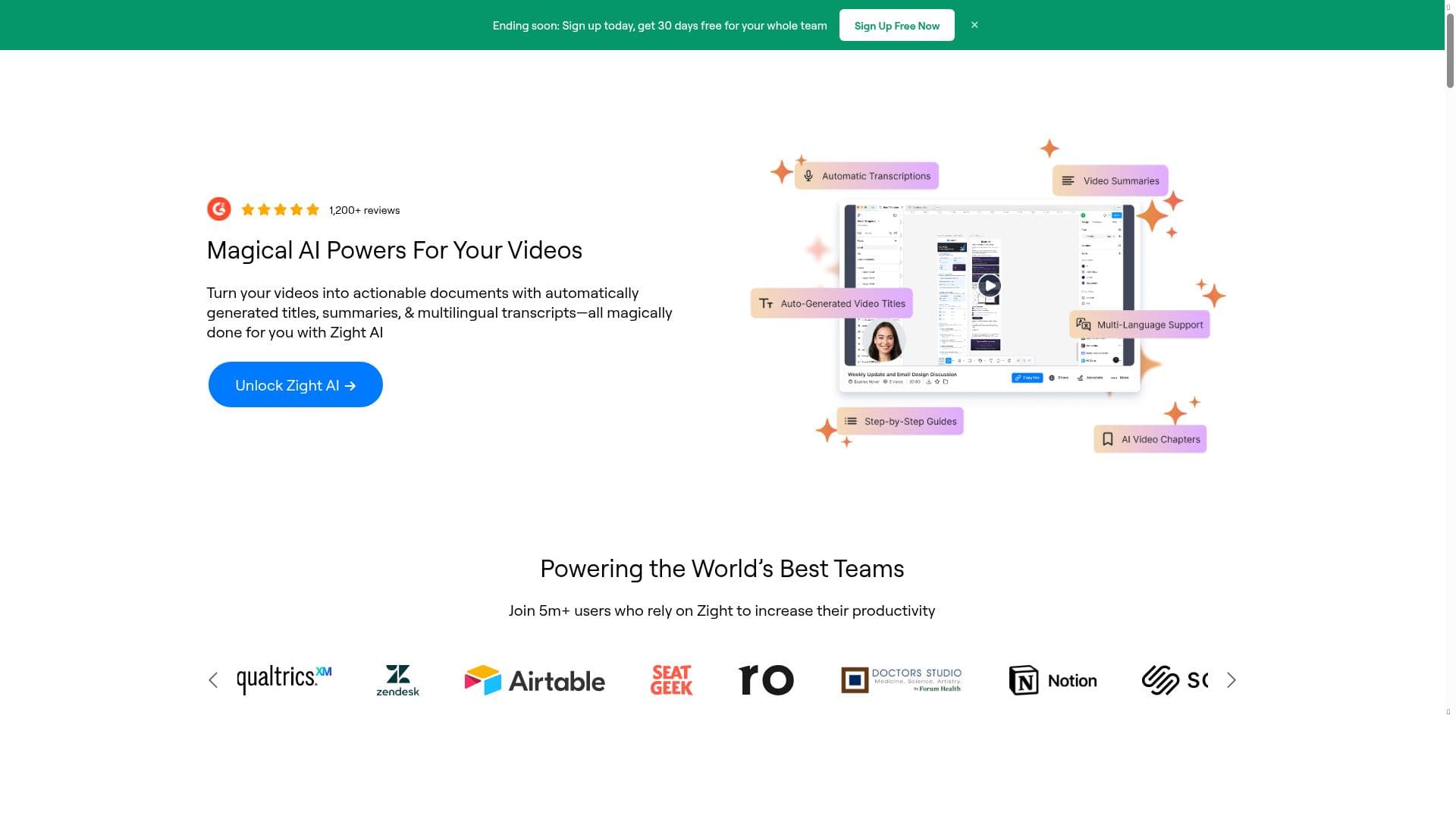
- AI-powered video creation
Frequently Asked Questions
What is Zight AI?
Zight AI is an AI-powered video editing and screen recording tool that automates the creation of professional-quality videos and GIFs, helping users communicate more effectively and efficiently.
How much does Zight AI cost?
Zight AI offers a freemium pricing model with a free plan that includes basic features and paid plans that unlock advanced capabilities such as higher resolution exports, longer recording times, and priority support.
Who is Zight AI best for?
Zight AI is ideal for marketers, educators, remote workers, and content creators who need to produce polished video content quickly without extensive editing experience.
What are the main features of Zight AI?
The main features include faster video recording, automatic AI-driven video editing, a time-saving integrated workflow, and AI-powered video and GIF creation tools.
Does Zight AI offer a free trial?
Yes, Zight AI provides a free plan that allows users to try out essential features without cost, enabling them to evaluate the tool before upgrading to paid plans.
What integrations does Zight AI support?
While specific integrations are not extensively detailed, Zight AI focuses on providing an all-in-one platform for recording and editing; users should check the website for updates on supported third-party integrations.
How does Zight AI work?
Users simply press record to capture video or screen content, and Zight AI’s artificial intelligence automatically edits and enhances the footage, streamlining the creation of professional videos and GIFs.
Socials
Use ToolSponsored Tools













































Reviews
No reviews yet. Be the first to share your experience.















