Description
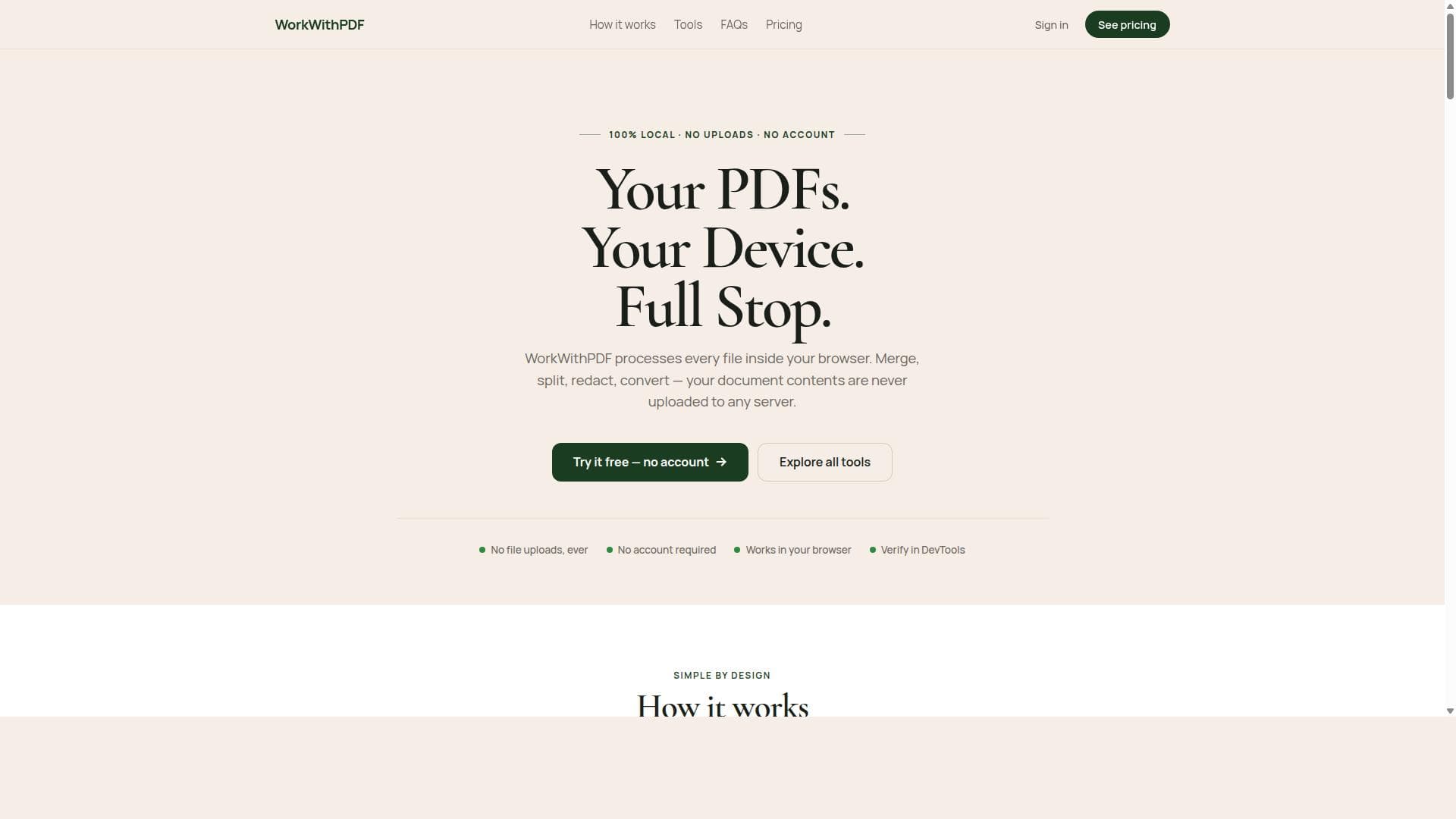
WorkWithPDF is a privacy-focused, browser-based PDF toolkit that processes all files locally without uploads or accounts, making it ideal for secure and instant PDF management. Its extensive suite of over 20 tools enables users to merge, split, reorder, and inspect PDFs effortlessly, perfect for professionals and individuals handling sensitive documents.
WorkWithPDF is a comprehensive suite of local-first PDF tools designed to empower users with full control over their PDF documents directly within their web browser. Unlike many online PDF services that require uploading files to remote servers, WorkWithPDF processes every file locally, ensuring complete privacy and security. This approach eliminates concerns about data breaches or unauthorized access, making it ideal for handling sensitive documents. The core purpose of WorkWithPDF is to provide a fast, secure, and user-friendly platform for managing PDFs without the need for account creation or internet uploads, streamlining document workflows for individuals and businesses alike. The platform offers over 20 distinct PDF tools that cover a wide range of document management tasks. Users can merge multiple PDFs into a single file, specifying the order of documents to create a clean, consolidated export. Splitting PDFs is equally flexible, allowing users to extract specific page ranges or separate pages into individual files. The tool also supports rotating pages—whether a single page, selected pages, or an entire document—to correct orientation issues. Unwanted pages can be removed to reduce file size, and users can create new PDFs containing only the pages they wish to retain. A standout feature is the visual page reordering interface, which provides a performance-aware workspace for intuitive drag-and-drop organization of pages. Beyond editing, WorkWithPDF includes robust viewing capabilities such as zooming, thumbnail previews, quick page jumps, and text search functionality, enabling users to inspect and navigate documents efficiently. All these features run entirely in the browser, delivering instant processing and download without any lag or dependency on server-side operations. WorkWithPDF is best suited for professionals, students, legal practitioners, and anyone who frequently works with PDF documents and values privacy and speed. It is particularly beneficial for users who handle confidential information and require assurance that their files are never transmitted over the internet. Use cases include preparing legal briefs, compiling academic research, managing business reports, or simply organizing personal documents. Its no-account, no-upload model also makes it an excellent choice for quick, one-off PDF tasks without the hassle of sign-ups or subscriptions. Regarding pricing, WorkWithPDF offers a free-to-use model accessible directly via its website, with all core tools available without registration or payment. This accessibility lowers barriers for casual users and those seeking immediate PDF solutions. While detailed premium plans or enterprise features are not explicitly mentioned, the tool’s local-first architecture inherently provides a high level of security and privacy at no cost. When compared to alternative PDF editors and converters, WorkWithPDF stands out due to its local processing model, which contrasts with many cloud-based services that require file uploads. This not only enhances privacy but also improves speed and responsiveness. Unlike heavyweight desktop applications, it requires no installation and works across platforms with modern browsers. However, it may lack some advanced features found in professional desktop software, such as OCR (Optical Character Recognition) or deep PDF form editing. Notable limitations include the reliance on browser capabilities, which might affect performance with extremely large or complex PDF files. Additionally, since it operates entirely client-side, features that depend on server-side processing or cloud storage integrations are not available. Users should also ensure their browser is up to date to fully leverage the tool’s functionalities. Despite these considerations, WorkWithPDF offers a powerful, secure, and convenient solution for everyday PDF management needs without compromising user privacy.
Description
WorkWithPDF is a privacy-focused, browser-based PDF toolkit that processes all files locally without uploads or accounts, making it ideal for secure and instant PDF management. Its extensive suite of over 20 tools enables users to merge, split, reorder, and inspect PDFs effortlessly, perfect for professionals and individuals handling sensitive documents.
WorkWithPDF is a comprehensive suite of local-first PDF tools designed to empower users with full control over their PDF documents directly within their web browser. Unlike many online PDF services that require uploading files to remote servers, WorkWithPDF processes every file locally, ensuring complete privacy and security. This approach eliminates concerns about data breaches or unauthorized access, making it ideal for handling sensitive documents. The core purpose of WorkWithPDF is to provide a fast, secure, and user-friendly platform for managing PDFs without the need for account creation or internet uploads, streamlining document workflows for individuals and businesses alike. The platform offers over 20 distinct PDF tools that cover a wide range of document management tasks. Users can merge multiple PDFs into a single file, specifying the order of documents to create a clean, consolidated export. Splitting PDFs is equally flexible, allowing users to extract specific page ranges or separate pages into individual files. The tool also supports rotating pages—whether a single page, selected pages, or an entire document—to correct orientation issues. Unwanted pages can be removed to reduce file size, and users can create new PDFs containing only the pages they wish to retain. A standout feature is the visual page reordering interface, which provides a performance-aware workspace for intuitive drag-and-drop organization of pages. Beyond editing, WorkWithPDF includes robust viewing capabilities such as zooming, thumbnail previews, quick page jumps, and text search functionality, enabling users to inspect and navigate documents efficiently. All these features run entirely in the browser, delivering instant processing and download without any lag or dependency on server-side operations. WorkWithPDF is best suited for professionals, students, legal practitioners, and anyone who frequently works with PDF documents and values privacy and speed. It is particularly beneficial for users who handle confidential information and require assurance that their files are never transmitted over the internet. Use cases include preparing legal briefs, compiling academic research, managing business reports, or simply organizing personal documents. Its no-account, no-upload model also makes it an excellent choice for quick, one-off PDF tasks without the hassle of sign-ups or subscriptions. Regarding pricing, WorkWithPDF offers a free-to-use model accessible directly via its website, with all core tools available without registration or payment. This accessibility lowers barriers for casual users and those seeking immediate PDF solutions. While detailed premium plans or enterprise features are not explicitly mentioned, the tool’s local-first architecture inherently provides a high level of security and privacy at no cost. When compared to alternative PDF editors and converters, WorkWithPDF stands out due to its local processing model, which contrasts with many cloud-based services that require file uploads. This not only enhances privacy but also improves speed and responsiveness. Unlike heavyweight desktop applications, it requires no installation and works across platforms with modern browsers. However, it may lack some advanced features found in professional desktop software, such as OCR (Optical Character Recognition) or deep PDF form editing. Notable limitations include the reliance on browser capabilities, which might affect performance with extremely large or complex PDF files. Additionally, since it operates entirely client-side, features that depend on server-side processing or cloud storage integrations are not available. Users should also ensure their browser is up to date to fully leverage the tool’s functionalities. Despite these considerations, WorkWithPDF offers a powerful, secure, and convenient solution for everyday PDF management needs without compromising user privacy.
Tool Features
- Processes every file inside your browser with no uploads
- Merge multiple PDFs in a chosen order into one clean export
- Split one PDF into selected ranges or individual outputs
- Rotate one page, selected pages, or the full document
- Remove unwanted pages and export a slimmer PDF
- Create a new PDF containing only the pages you want to keep
- Visually reorder pages with a performance-aware workspace
- Read and inspect PDFs with zoom, thumbnails, page jump, and text search
Frequently Asked Questions
What is WorkWithPDF?
WorkWithPDF is a browser-based PDF toolset that processes PDF files locally on your device, allowing you to merge, split, rotate, reorder, and manage PDFs securely without uploading your documents to any server or creating an account.
How much does WorkWithPDF cost?
WorkWithPDF is free to use directly through its website, offering all core PDF tools without any payment or subscription requirements.
Who is WorkWithPDF best for?
It is best suited for professionals, students, legal practitioners, and anyone who needs quick, secure, and private PDF editing and management without relying on cloud uploads or account sign-ups.
What are the main features of WorkWithPDF?
Key features include local in-browser processing, merging multiple PDFs in a chosen order, splitting PDFs by page ranges, rotating pages, removing unwanted pages, creating new PDFs from selected pages, visual page reordering, and PDF inspection tools like zoom, thumbnails, page jump, and text search.
Does WorkWithPDF offer a free trial?
Yes, WorkWithPDF is entirely free to use with no trial needed since all tools are accessible without registration or payment.
What integrations does WorkWithPDF support?
WorkWithPDF operates entirely in the browser and does not currently offer integrations with third-party services or cloud storage platforms.
How does WorkWithPDF work?
WorkWithPDF processes all PDF files locally within your web browser using client-side technology, ensuring that your documents never leave your device. This approach provides instant processing, enhanced privacy, and no need for uploads or accounts.
Sponsored Tools













































Reviews
No reviews yet. Be the first to share your experience.
















