
Video to GIF Converter
Description
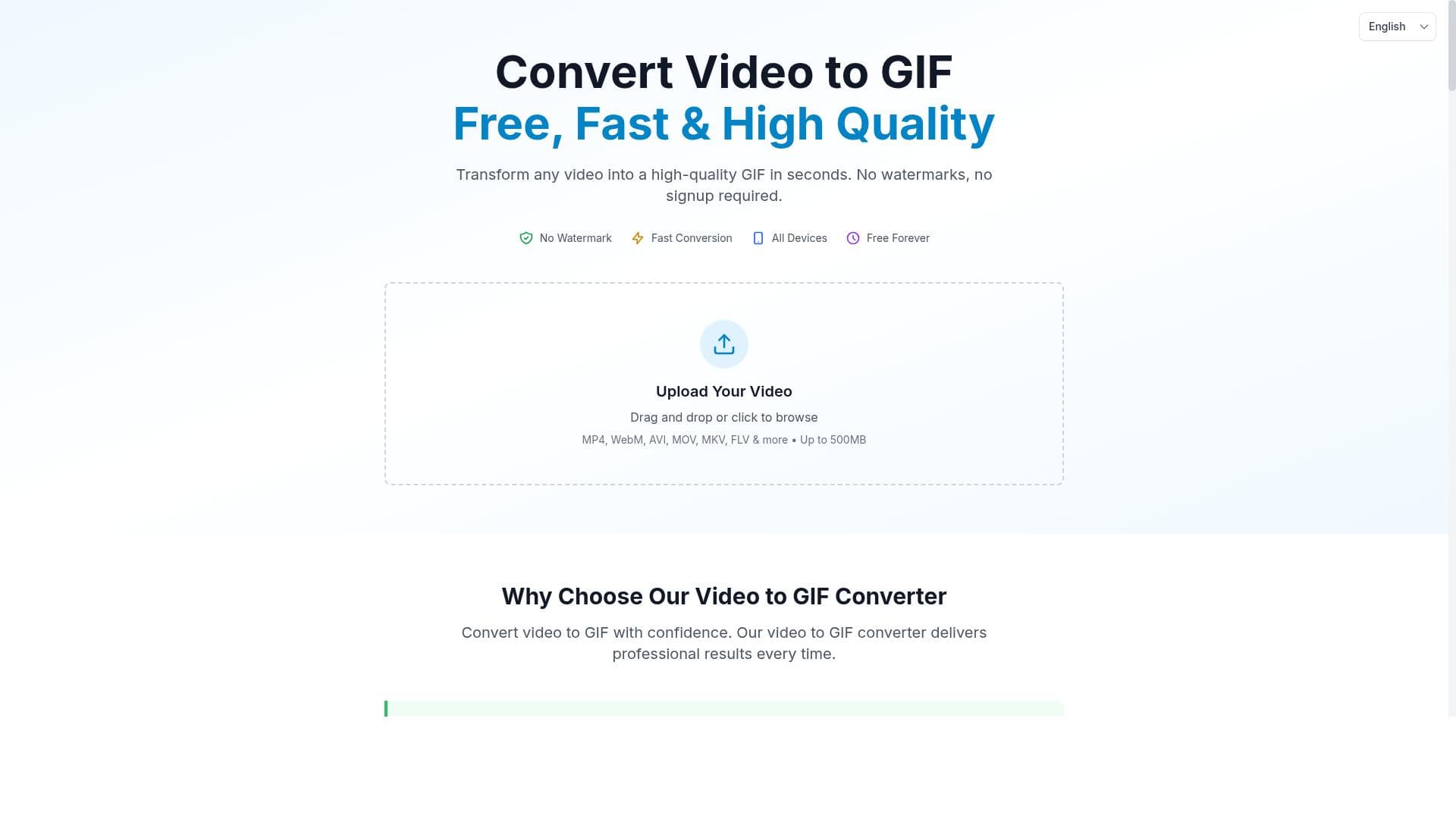
Video to GIF Converter is a free, no-signup online tool that converts videos into high-quality GIFs without watermarks, supporting multiple formats and large files up to 500MB. Its advanced compression, quality presets, and privacy mosaic brush make it perfect for content creators and social media users seeking fast, crystal-clear GIFs on any device.
Video to GIF Converter is a versatile online tool designed to transform video files into high-quality GIF animations quickly and effortlessly. Its core purpose is to provide users with a seamless experience for converting various video formats into GIFs without the common drawbacks such as watermarks or complicated sign-up processes. This tool caters to a wide range of users, from casual content creators and social media enthusiasts to professionals needing GIFs for marketing, presentations, or instructional content. By supporting multiple video formats including MP4, MOV, and AVI, it ensures broad compatibility with videos from different sources and devices. One of the standout features of Video to GIF Converter is its ability to process large video files up to 500MB through server-side processing, which means users are not limited by their device's processing power or storage. This capability is particularly useful for converting longer or higher-resolution videos into GIFs without compromising performance. The tool offers four distinct quality presets, ranging from the smallest file size to the best quality, allowing users to balance between file size and visual fidelity based on their needs. Additionally, it incorporates advanced palette generation and smart compression algorithms to maintain crystal-clear image quality while optimizing the GIF size. Privacy and customization are also prioritized with the inclusion of a real-time mosaic brush feature. This allows users to blur or mosaic sensitive parts of the video during the conversion process, ensuring privacy protection in the resulting GIFs. The converter is fully web-based and compatible with all devices, including iPhones, Android smartphones, tablets, and desktop computers, making it accessible anytime and anywhere without the need for downloads or installations. Importantly, the service requires no signup, making it instantly usable and completely free, which is a significant advantage for users seeking quick and hassle-free conversions. Video to GIF Converter is ideal for social media managers who need to create engaging GIF content for platforms like Twitter, Instagram, or Facebook, educators preparing visual aids, marketers crafting promotional materials, and casual users wanting to share fun moments in GIF format. Its ease of use and no-cost accessibility make it especially appealing to those who want professional-quality GIFs without investing in expensive software or dealing with complex interfaces. In terms of pricing, Video to GIF Converter is entirely free with no hidden fees or premium tiers. This contrasts with many other GIF conversion tools that often impose watermarks, require subscriptions, or limit file sizes unless users pay. The lack of signup requirements further lowers the barrier to entry, making it a convenient choice for one-off or frequent use. Compared to alternatives, Video to GIF Converter stands out due to its combination of high-quality output, support for multiple video formats, large file handling, and privacy features—all without charging users or requiring account creation. While some desktop applications might offer more advanced editing options, they often come with a steeper learning curve and cost. Online competitors may limit file size or add watermarks, which this tool avoids. However, users should consider that since processing is server-side, uploading very large files may depend on internet speed, and there might be occasional delays during peak usage times. Additionally, while the tool excels at conversion and basic privacy masking, it does not provide extensive GIF editing features such as frame-by-frame editing or text overlays. For users needing those advanced capabilities, supplementary software might be necessary. Overall, Video to GIF Converter is a powerful, user-friendly, and free solution for anyone looking to convert videos into high-quality GIFs quickly and without hassle, making it a valuable addition to the toolkit of content creators and casual users alike.
Description
Video to GIF Converter is a free, no-signup online tool that converts videos into high-quality GIFs without watermarks, supporting multiple formats and large files up to 500MB. Its advanced compression, quality presets, and privacy mosaic brush make it perfect for content creators and social media users seeking fast, crystal-clear GIFs on any device.
Video to GIF Converter is a versatile online tool designed to transform video files into high-quality GIF animations quickly and effortlessly. Its core purpose is to provide users with a seamless experience for converting various video formats into GIFs without the common drawbacks such as watermarks or complicated sign-up processes. This tool caters to a wide range of users, from casual content creators and social media enthusiasts to professionals needing GIFs for marketing, presentations, or instructional content. By supporting multiple video formats including MP4, MOV, and AVI, it ensures broad compatibility with videos from different sources and devices. One of the standout features of Video to GIF Converter is its ability to process large video files up to 500MB through server-side processing, which means users are not limited by their device's processing power or storage. This capability is particularly useful for converting longer or higher-resolution videos into GIFs without compromising performance. The tool offers four distinct quality presets, ranging from the smallest file size to the best quality, allowing users to balance between file size and visual fidelity based on their needs. Additionally, it incorporates advanced palette generation and smart compression algorithms to maintain crystal-clear image quality while optimizing the GIF size. Privacy and customization are also prioritized with the inclusion of a real-time mosaic brush feature. This allows users to blur or mosaic sensitive parts of the video during the conversion process, ensuring privacy protection in the resulting GIFs. The converter is fully web-based and compatible with all devices, including iPhones, Android smartphones, tablets, and desktop computers, making it accessible anytime and anywhere without the need for downloads or installations. Importantly, the service requires no signup, making it instantly usable and completely free, which is a significant advantage for users seeking quick and hassle-free conversions. Video to GIF Converter is ideal for social media managers who need to create engaging GIF content for platforms like Twitter, Instagram, or Facebook, educators preparing visual aids, marketers crafting promotional materials, and casual users wanting to share fun moments in GIF format. Its ease of use and no-cost accessibility make it especially appealing to those who want professional-quality GIFs without investing in expensive software or dealing with complex interfaces. In terms of pricing, Video to GIF Converter is entirely free with no hidden fees or premium tiers. This contrasts with many other GIF conversion tools that often impose watermarks, require subscriptions, or limit file sizes unless users pay. The lack of signup requirements further lowers the barrier to entry, making it a convenient choice for one-off or frequent use. Compared to alternatives, Video to GIF Converter stands out due to its combination of high-quality output, support for multiple video formats, large file handling, and privacy features—all without charging users or requiring account creation. While some desktop applications might offer more advanced editing options, they often come with a steeper learning curve and cost. Online competitors may limit file size or add watermarks, which this tool avoids. However, users should consider that since processing is server-side, uploading very large files may depend on internet speed, and there might be occasional delays during peak usage times. Additionally, while the tool excels at conversion and basic privacy masking, it does not provide extensive GIF editing features such as frame-by-frame editing or text overlays. For users needing those advanced capabilities, supplementary software might be necessary. Overall, Video to GIF Converter is a powerful, user-friendly, and free solution for anyone looking to convert videos into high-quality GIFs quickly and without hassle, making it a valuable addition to the toolkit of content creators and casual users alike.
Tool Features
- Video to GIF conversion without watermarks
- Convert MP4 to GIF, MOV to GIF, AVI to GIF
- Server-side processing for large files up to 500MB
- 4 quality presets: smallest file to best quality
- Real-time mosaic brush for privacy protection
- Works on iPhone, Android, and all devices
- No signup required, completely free
Frequently Asked Questions
What is Video to GIF Converter?
Video to GIF Converter is an online tool that allows users to convert video files into high-quality GIF animations quickly and without watermarks. It supports multiple video formats and works on all devices without requiring signup.
How much does Video to GIF Converter cost?
Video to GIF Converter is completely free to use with no hidden fees or subscription plans.
Who is Video to GIF Converter best for?
This tool is ideal for social media managers, content creators, educators, marketers, and casual users who want to create high-quality GIFs from videos quickly and easily without dealing with watermarks or complicated software.
What are the main features of Video to GIF Converter?
Key features include watermark-free video to GIF conversion, support for MP4, MOV, and AVI formats, server-side processing for files up to 500MB, four quality presets from smallest file size to best quality, a real-time mosaic brush for privacy protection, and compatibility with all devices without requiring signup.
Does Video to GIF Converter offer a free trial?
The tool is completely free to use and does not require any trial as all features are available without payment or signup.
What integrations does Video to GIF Converter support?
Video to GIF Converter is a standalone web-based tool and does not currently offer integrations with other software or platforms.
How does Video to GIF Converter work?
Users upload their video file through the website, select desired quality presets, optionally apply the mosaic brush for privacy, and the tool processes the video server-side to generate a high-quality GIF that can be downloaded instantly without watermarks.
Socials
Use ToolSponsored Tools













































Reviews
No reviews yet. Be the first to share your experience.















