
Use GPT Image 2
Description
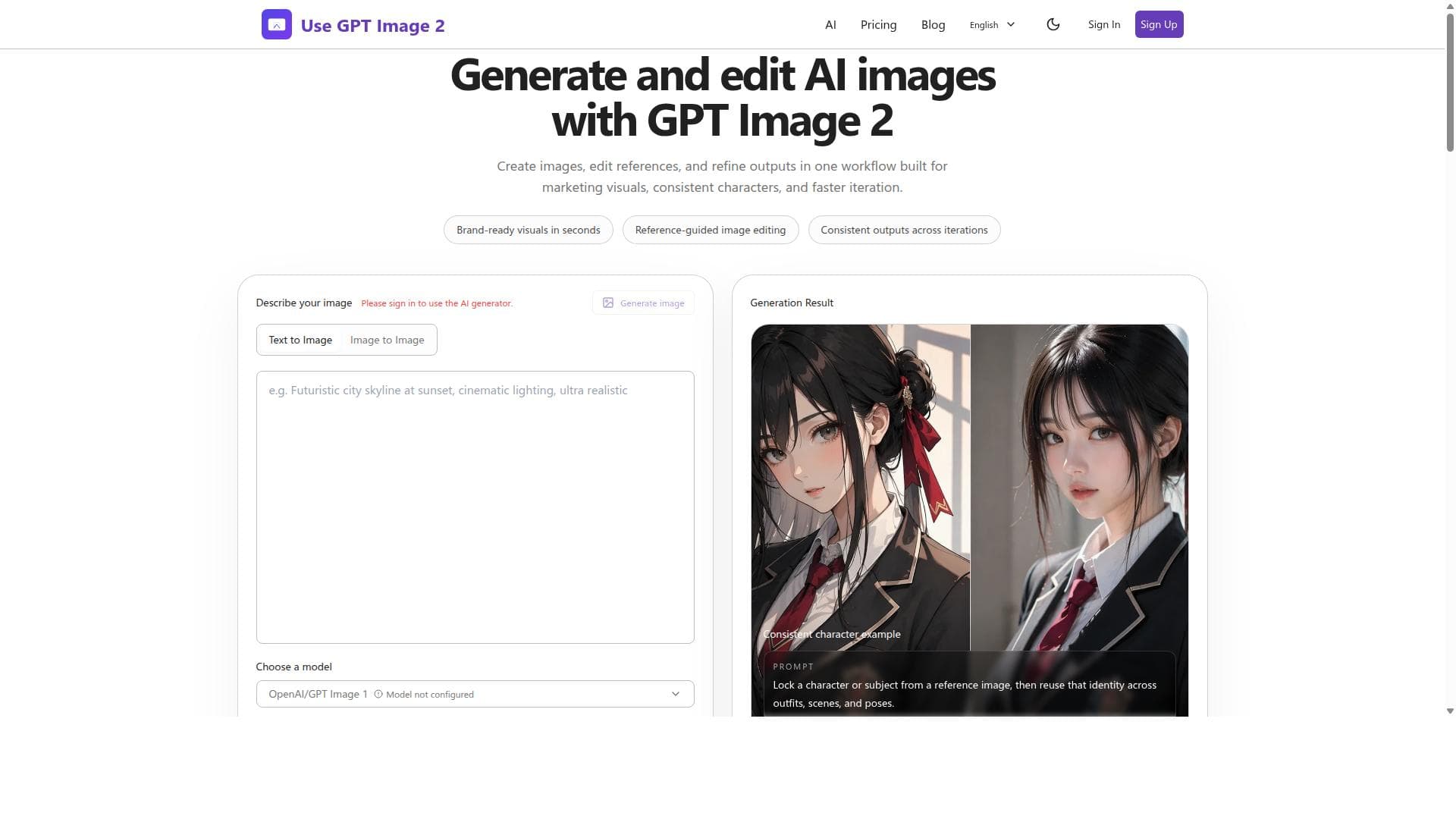
Use GPT Image 2 is a fast, realistic AI image generator that combines text-to-image creation with seamless editing in one platform. Perfect for marketers and designers seeking consistent, brand-ready visuals quickly, it streamlines workflows with reference-guided refinement and rapid iteration.
Use GPT Image 2 is a cutting-edge AI image generation platform designed to create highly realistic and brand-ready visuals with ease and speed. Its core purpose is to empower users to generate and edit high-quality Chat GPT images through an integrated, streamlined workflow that supports both text-to-image generation and image prompt editing. This tool is ideal for professionals and creatives who require consistent, fast, and customizable AI-generated images for marketing, branding, character design, and other visual content needs. At the heart of Use GPT Image 2 is its advanced text-to-image generation capability, which allows users to input descriptive text prompts to produce detailed and realistic images. Beyond simple generation, the platform supports image prompts and reference-guided editing, enabling users to refine and adjust outputs within the same workflow. This means users can maintain visual consistency across multiple iterations, a crucial feature for projects requiring uniformity such as brand campaigns or character series. The platform’s fast generation speeds ensure that users can quickly produce visuals without long wait times, accelerating creative workflows and reducing time-to-market. Key features include the ability to create images from text prompts, edit and refine images based on references, and generate brand-ready visuals in seconds. The reference-guided editing feature is particularly notable, as it allows users to guide the AI with specific visual cues to achieve precise results. This integrated approach to generation and editing eliminates the need to switch between multiple tools, streamlining the creative process. Additionally, Use GPT Image 2 supports consistent output across iterations, which is essential for maintaining a cohesive visual identity in marketing and storytelling. Use GPT Image 2 is best suited for marketers, graphic designers, content creators, and businesses that rely heavily on visual content. Marketing teams can leverage the tool to rapidly generate campaign visuals that align with brand guidelines, while designers can create consistent character designs or product images with minimal manual adjustments. The platform’s speed and ease of use also make it valuable for startups and small businesses that need professional-quality images without the cost or time investment of traditional design methods. Regarding pricing, while specific plans are not detailed here, Use GPT Image 2 typically offers tiered subscriptions based on usage volume and feature access, catering to both individual users and enterprise clients. Potential users should visit the official website to explore current pricing options and any available free trials or demos. Compared to alternatives, Use GPT Image 2 stands out for its seamless integration of image generation and editing in one platform, its focus on consistent output across iterations, and its speed in delivering brand-ready visuals. Many AI image generators offer either generation or editing separately, but Use GPT Image 2 combines these capabilities, reducing workflow friction. However, users should consider that like all AI image tools, results depend on prompt quality and may require some trial and error to perfect. Additionally, while the tool excels in generating Chat GPT-related images, users seeking highly specialized or niche visual styles might need supplementary tools. In summary, Use GPT Image 2 is a powerful and efficient AI image generator designed to meet the needs of professionals requiring fast, consistent, and editable AI visuals. Its integrated workflow, reference-guided editing, and rapid generation make it a valuable asset for marketing, branding, and creative projects. Prospective users should evaluate their specific needs and explore the platform’s offerings to maximize its potential benefits.

Description
Use GPT Image 2 is a fast, realistic AI image generator that combines text-to-image creation with seamless editing in one platform. Perfect for marketers and designers seeking consistent, brand-ready visuals quickly, it streamlines workflows with reference-guided refinement and rapid iteration.
Use GPT Image 2 is a cutting-edge AI image generation platform designed to create highly realistic and brand-ready visuals with ease and speed. Its core purpose is to empower users to generate and edit high-quality Chat GPT images through an integrated, streamlined workflow that supports both text-to-image generation and image prompt editing. This tool is ideal for professionals and creatives who require consistent, fast, and customizable AI-generated images for marketing, branding, character design, and other visual content needs. At the heart of Use GPT Image 2 is its advanced text-to-image generation capability, which allows users to input descriptive text prompts to produce detailed and realistic images. Beyond simple generation, the platform supports image prompts and reference-guided editing, enabling users to refine and adjust outputs within the same workflow. This means users can maintain visual consistency across multiple iterations, a crucial feature for projects requiring uniformity such as brand campaigns or character series. The platform’s fast generation speeds ensure that users can quickly produce visuals without long wait times, accelerating creative workflows and reducing time-to-market. Key features include the ability to create images from text prompts, edit and refine images based on references, and generate brand-ready visuals in seconds. The reference-guided editing feature is particularly notable, as it allows users to guide the AI with specific visual cues to achieve precise results. This integrated approach to generation and editing eliminates the need to switch between multiple tools, streamlining the creative process. Additionally, Use GPT Image 2 supports consistent output across iterations, which is essential for maintaining a cohesive visual identity in marketing and storytelling. Use GPT Image 2 is best suited for marketers, graphic designers, content creators, and businesses that rely heavily on visual content. Marketing teams can leverage the tool to rapidly generate campaign visuals that align with brand guidelines, while designers can create consistent character designs or product images with minimal manual adjustments. The platform’s speed and ease of use also make it valuable for startups and small businesses that need professional-quality images without the cost or time investment of traditional design methods. Regarding pricing, while specific plans are not detailed here, Use GPT Image 2 typically offers tiered subscriptions based on usage volume and feature access, catering to both individual users and enterprise clients. Potential users should visit the official website to explore current pricing options and any available free trials or demos. Compared to alternatives, Use GPT Image 2 stands out for its seamless integration of image generation and editing in one platform, its focus on consistent output across iterations, and its speed in delivering brand-ready visuals. Many AI image generators offer either generation or editing separately, but Use GPT Image 2 combines these capabilities, reducing workflow friction. However, users should consider that like all AI image tools, results depend on prompt quality and may require some trial and error to perfect. Additionally, while the tool excels in generating Chat GPT-related images, users seeking highly specialized or niche visual styles might need supplementary tools. In summary, Use GPT Image 2 is a powerful and efficient AI image generator designed to meet the needs of professionals requiring fast, consistent, and editable AI visuals. Its integrated workflow, reference-guided editing, and rapid generation make it a valuable asset for marketing, branding, and creative projects. Prospective users should evaluate their specific needs and explore the platform’s offerings to maximize its potential benefits.
Tool Features
- Create images with text-to-image generation
- Edit references and refine outputs in one workflow
- Supports consistent outputs across iterations
- Brand-ready visuals generated in seconds
- Reference-guided image editing
- Fast image generation
Frequently Asked Questions
What is Use GPT Image 2?
Use GPT Image 2 is an AI-powered image generation and editing platform that enables users to create high-quality, realistic Chat GPT images through text prompts and reference-guided editing within a single integrated workflow.
How much does Use GPT Image 2 cost?
Pricing details for Use GPT Image 2 are available on their official website and typically include tiered subscription plans based on usage and feature access. Users are encouraged to visit https://www.usegptimage2.com for the most current pricing information.
Who is Use GPT Image 2 best for?
Use GPT Image 2 is ideal for marketers, graphic designers, content creators, and businesses that need fast, consistent, and editable AI-generated visuals for branding, marketing campaigns, character design, and other creative projects.
What are the main features of Use GPT Image 2?
The main features include text-to-image generation, reference-guided image editing, the ability to create and refine images in one workflow, consistent output across iterations, brand-ready visuals generated in seconds, and fast image generation speeds.
Does Use GPT Image 2 offer a free trial?
Information about free trials is not explicitly provided here, but prospective users should check the official website for any available free trial options or demos to test the platform before committing.
What integrations does Use GPT Image 2 support?
Specific integrations are not detailed, but as an AI image generation platform, Use GPT Image 2 is designed to function as a standalone tool with an integrated workflow. Users should consult the website for any updates on supported integrations or API access.
How does Use GPT Image 2 work?
Use GPT Image 2 works by allowing users to input text prompts to generate images, then refine and edit those images using reference-guided tools within the same platform. This integrated process ensures consistent, high-quality visuals are produced quickly and efficiently.
Socials
Use ToolSponsored Tools













































Reviews
No reviews yet. Be the first to share your experience.















