Typeless for Android
Description
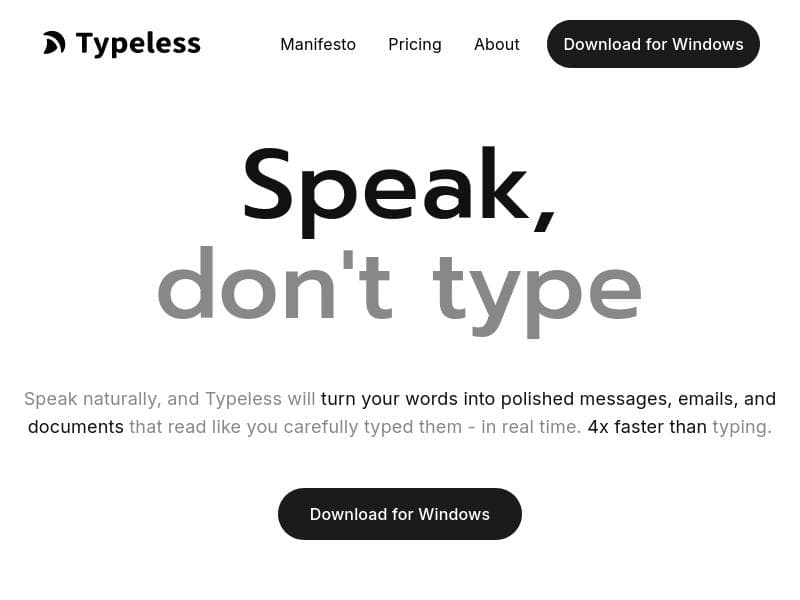
Typeless for Android is the first truly intelligent voice keyboard that transforms natural speech into polished text, enabling users to communicate up to 10x faster than typing. Ideal for busy professionals and business users, it combines voice typing with task management and workflow automation to boost productivity on the go.
Typeless for Android is an innovative voice keyboard application designed to revolutionize the way users interact with their Android devices. Its core purpose is to eliminate the need for manual typing by converting natural speech into polished, professional-quality text for messages, emails, and documents. By leveraging advanced voice recognition and natural language processing technologies, Typeless enables users to communicate up to ten times faster than traditional typing methods, significantly enhancing productivity and convenience on mobile devices. At the heart of Typeless are several powerful features that extend beyond simple voice-to-text conversion. The tool integrates task management capabilities, allowing users to create, organize, and track tasks through voice commands seamlessly. This feature is particularly useful for busy professionals who need to manage their to-do lists on the go without interrupting their workflow. Additionally, Typeless offers workflow automation functionalities that help streamline repetitive processes by automating routine actions based on voice inputs. This can include sending templated emails, scheduling appointments, or triggering other business-related workflows, effectively reducing manual effort and minimizing errors. Another standout capability of Typeless is its focus on business organization. The app supports structured communication and document creation, ensuring that dictated content is not only fast but also well-formatted and suitable for professional contexts. This makes it an ideal tool for entrepreneurs, managers, and remote workers who rely heavily on mobile devices for communication and documentation. The intelligent voice keyboard adapts to user preferences and context, improving accuracy and relevance over time, which enhances the overall user experience. Typeless is best suited for professionals, business users, and anyone who frequently types on their Android devices but seeks a faster, hands-free alternative. It is particularly beneficial for those who need to multitask, such as managers dictating emails while commuting or team members updating project statuses without stopping their work. The app also appeals to individuals with accessibility needs, providing an efficient way to interact with their devices without relying on physical typing. Regarding pricing, Typeless operates on a freemium model. Users can access basic voice typing and task management features for free, which is sufficient for casual users or those wanting to test the app’s capabilities. For advanced features like workflow automation, enhanced business organization tools, and priority support, users can upgrade to premium plans. These paid tiers offer greater customization, integration options, and higher usage limits, catering to power users and enterprise clients. When compared to alternative voice-to-text solutions, Typeless stands out due to its comprehensive approach that combines intelligent voice recognition with business-centric features like task management and workflow automation. Unlike generic voice keyboards that focus solely on dictation, Typeless integrates productivity tools directly into the voice interface, making it a more holistic solution for professional use. However, some competitors may offer broader platform support beyond Android or deeper integrations with specific enterprise software, which could be a consideration for some users. One notable limitation of Typeless is that it is currently exclusive to Android devices, which may restrict adoption among users who operate across multiple platforms. Additionally, while the app excels in business contexts, casual users looking for simple voice typing without additional features might find the interface more complex than necessary. Users should also consider ambient noise conditions, as with any voice recognition tool, since accuracy can be affected in noisy environments. Overall, Typeless for Android offers a unique blend of speed, intelligence, and productivity enhancements that make it a valuable tool for anyone looking to reduce typing time and streamline communication on mobile devices.

Description
Typeless for Android is the first truly intelligent voice keyboard that transforms natural speech into polished text, enabling users to communicate up to 10x faster than typing. Ideal for busy professionals and business users, it combines voice typing with task management and workflow automation to boost productivity on the go.
Typeless for Android is an innovative voice keyboard application designed to revolutionize the way users interact with their Android devices. Its core purpose is to eliminate the need for manual typing by converting natural speech into polished, professional-quality text for messages, emails, and documents. By leveraging advanced voice recognition and natural language processing technologies, Typeless enables users to communicate up to ten times faster than traditional typing methods, significantly enhancing productivity and convenience on mobile devices. At the heart of Typeless are several powerful features that extend beyond simple voice-to-text conversion. The tool integrates task management capabilities, allowing users to create, organize, and track tasks through voice commands seamlessly. This feature is particularly useful for busy professionals who need to manage their to-do lists on the go without interrupting their workflow. Additionally, Typeless offers workflow automation functionalities that help streamline repetitive processes by automating routine actions based on voice inputs. This can include sending templated emails, scheduling appointments, or triggering other business-related workflows, effectively reducing manual effort and minimizing errors. Another standout capability of Typeless is its focus on business organization. The app supports structured communication and document creation, ensuring that dictated content is not only fast but also well-formatted and suitable for professional contexts. This makes it an ideal tool for entrepreneurs, managers, and remote workers who rely heavily on mobile devices for communication and documentation. The intelligent voice keyboard adapts to user preferences and context, improving accuracy and relevance over time, which enhances the overall user experience. Typeless is best suited for professionals, business users, and anyone who frequently types on their Android devices but seeks a faster, hands-free alternative. It is particularly beneficial for those who need to multitask, such as managers dictating emails while commuting or team members updating project statuses without stopping their work. The app also appeals to individuals with accessibility needs, providing an efficient way to interact with their devices without relying on physical typing. Regarding pricing, Typeless operates on a freemium model. Users can access basic voice typing and task management features for free, which is sufficient for casual users or those wanting to test the app’s capabilities. For advanced features like workflow automation, enhanced business organization tools, and priority support, users can upgrade to premium plans. These paid tiers offer greater customization, integration options, and higher usage limits, catering to power users and enterprise clients. When compared to alternative voice-to-text solutions, Typeless stands out due to its comprehensive approach that combines intelligent voice recognition with business-centric features like task management and workflow automation. Unlike generic voice keyboards that focus solely on dictation, Typeless integrates productivity tools directly into the voice interface, making it a more holistic solution for professional use. However, some competitors may offer broader platform support beyond Android or deeper integrations with specific enterprise software, which could be a consideration for some users. One notable limitation of Typeless is that it is currently exclusive to Android devices, which may restrict adoption among users who operate across multiple platforms. Additionally, while the app excels in business contexts, casual users looking for simple voice typing without additional features might find the interface more complex than necessary. Users should also consider ambient noise conditions, as with any voice recognition tool, since accuracy can be affected in noisy environments. Overall, Typeless for Android offers a unique blend of speed, intelligence, and productivity enhancements that make it a valuable tool for anyone looking to reduce typing time and streamline communication on mobile devices.
Tool Features
- Task management
- Workflow automation
- Business organization
Frequently Asked Questions
What is Typeless for Android?
Typeless for Android is an intelligent voice keyboard app that converts your natural speech into polished messages, emails, and documents, allowing you to communicate much faster than traditional typing on your Android device.
How much does Typeless for Android cost?
Typeless offers a freemium pricing model where basic features are free to use, and premium plans with advanced capabilities like workflow automation and enhanced business tools are available through subscription.
Who is Typeless for Android best for?
Typeless is best suited for professionals, business users, entrepreneurs, and anyone who frequently types on Android devices but wants a faster, hands-free way to create polished text and manage tasks.
What are the main features of Typeless for Android?
The main features include intelligent voice-to-text conversion, task management, workflow automation, and business organization tools that help streamline communication and productivity on Android devices.
Does Typeless for Android offer a free trial?
Yes, Typeless provides free access to basic features so users can try the app before deciding to upgrade to premium plans for additional functionalities.
What integrations does Typeless for Android support?
While specific integrations are not detailed, Typeless supports workflow automation that can connect with common business tools and apps to streamline tasks and communications.
How does Typeless for Android work?
Typeless uses advanced voice recognition and natural language processing to convert spoken words into well-formatted text, while also enabling users to manage tasks and automate workflows through voice commands.
Socials
Use ToolSponsored Tools













































Reviews
No reviews yet. Be the first to share your experience.
















