Description
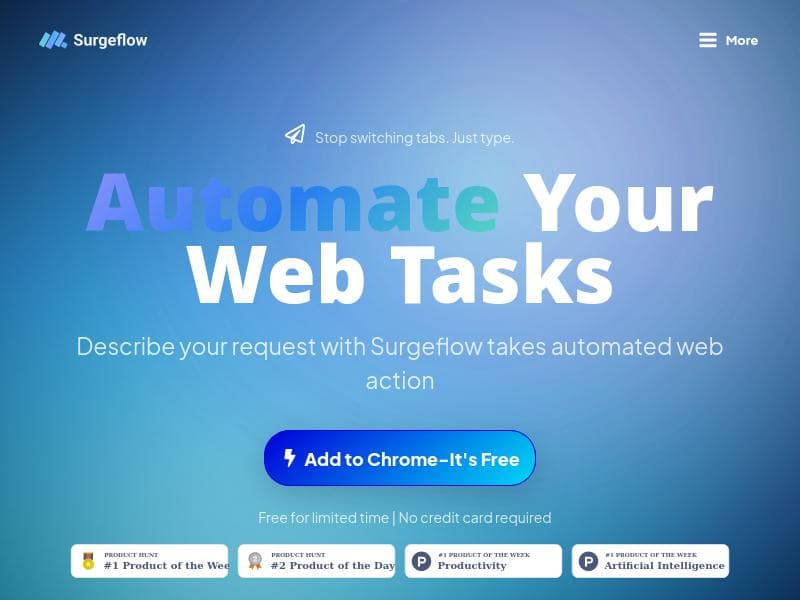
SurgeFlow is a powerful AI-driven Chrome extension that automates complex web tasks across multiple tabs using simple natural language commands. Ideal for professionals, researchers, and online shoppers, it transforms browser chaos into streamlined, transparent automation without requiring downloads or coding skills.
SurgeFlow is an innovative AI-powered browser extension designed to transform the way users interact with multiple web tabs by automating complex workflows directly within the Chrome browser. Its core purpose is to eliminate the chaos and inefficiency often experienced when juggling numerous browser tabs for tasks such as research, online shopping, or job applications. Instead of manually switching between tabs and performing repetitive actions, SurgeFlow enables users to describe their desired web tasks in natural language and watch as the tool plans, seeks approval, and executes these actions seamlessly across multiple tabs. This approach not only saves time but also enhances productivity by streamlining web-based workflows without requiring users to download or install a new browser or software beyond the extension itself. At the heart of SurgeFlow’s capabilities is its AI-powered automation engine that interprets user requests and translates them into actionable sequences within the browser environment. Key features include the ability to automate a wide range of web tasks simply by describing them, whether it’s gathering information from various sources, comparing products across e-commerce sites, or submitting applications on multiple job portals. The extension operates transparently, showing users the planned steps before execution, allowing for manual approval to ensure accuracy and control. SurgeFlow is designed exclusively for Chrome, leveraging the browser’s extension ecosystem to integrate smoothly without disrupting existing workflows. Additionally, the tool is currently free to use for a limited time and requires no credit card to get started, making it accessible for users to try without commitment. SurgeFlow is particularly well-suited for professionals, students, researchers, and online shoppers who frequently manage multiple browser tabs and complex web tasks. For example, researchers can automate the collection and synthesis of data from various academic sources, saving hours of manual copying and pasting. Job seekers can streamline the application process by automating form filling and submission across different company websites. Online shoppers can compare prices and product details across multiple stores with a single command, enhancing decision-making efficiency. The tool’s natural language interface lowers the barrier for users who may not be technically inclined, enabling anyone to harness the power of browser automation without scripting knowledge. Regarding pricing, SurgeFlow currently operates on a freemium model. Users can access the core automation features free of charge during the limited-time offer period without providing payment details upfront. This approach encourages widespread adoption and allows users to evaluate the tool’s benefits before any potential introduction of premium tiers or subscription plans. Details on future pricing or premium features have not been explicitly outlined, but the current free access provides significant value for early adopters. When compared to alternative browser automation tools, SurgeFlow stands out due to its AI-driven natural language processing and multi-tab orchestration capabilities. Unlike traditional automation tools that require users to create complex scripts or macros, SurgeFlow simplifies the process by allowing users to describe tasks conversationally. Additionally, it operates entirely within the browser environment without requiring separate software installations or specialized technical skills. However, its current limitation to Chrome users may restrict accessibility for those using other browsers. Also, as a relatively new tool, it may not yet support integrations with external productivity platforms or advanced customization options found in more mature automation suites. Users should also consider that while SurgeFlow automates many web tasks effectively, the reliance on AI interpretation means that complex or ambiguous requests may require refinement or manual intervention. Transparency in showing the planned automation steps helps mitigate this risk, but users should review actions carefully to avoid unintended outcomes. Furthermore, as the tool is free for a limited time, users interested in long-term use should monitor announcements regarding pricing changes or feature updates. Overall, SurgeFlow offers a compelling solution for anyone looking to reduce browser tab chaos and boost productivity through intelligent automation within Chrome.

Description
SurgeFlow is a powerful AI-driven Chrome extension that automates complex web tasks across multiple tabs using simple natural language commands. Ideal for professionals, researchers, and online shoppers, it transforms browser chaos into streamlined, transparent automation without requiring downloads or coding skills.
SurgeFlow is an innovative AI-powered browser extension designed to transform the way users interact with multiple web tabs by automating complex workflows directly within the Chrome browser. Its core purpose is to eliminate the chaos and inefficiency often experienced when juggling numerous browser tabs for tasks such as research, online shopping, or job applications. Instead of manually switching between tabs and performing repetitive actions, SurgeFlow enables users to describe their desired web tasks in natural language and watch as the tool plans, seeks approval, and executes these actions seamlessly across multiple tabs. This approach not only saves time but also enhances productivity by streamlining web-based workflows without requiring users to download or install a new browser or software beyond the extension itself. At the heart of SurgeFlow’s capabilities is its AI-powered automation engine that interprets user requests and translates them into actionable sequences within the browser environment. Key features include the ability to automate a wide range of web tasks simply by describing them, whether it’s gathering information from various sources, comparing products across e-commerce sites, or submitting applications on multiple job portals. The extension operates transparently, showing users the planned steps before execution, allowing for manual approval to ensure accuracy and control. SurgeFlow is designed exclusively for Chrome, leveraging the browser’s extension ecosystem to integrate smoothly without disrupting existing workflows. Additionally, the tool is currently free to use for a limited time and requires no credit card to get started, making it accessible for users to try without commitment. SurgeFlow is particularly well-suited for professionals, students, researchers, and online shoppers who frequently manage multiple browser tabs and complex web tasks. For example, researchers can automate the collection and synthesis of data from various academic sources, saving hours of manual copying and pasting. Job seekers can streamline the application process by automating form filling and submission across different company websites. Online shoppers can compare prices and product details across multiple stores with a single command, enhancing decision-making efficiency. The tool’s natural language interface lowers the barrier for users who may not be technically inclined, enabling anyone to harness the power of browser automation without scripting knowledge. Regarding pricing, SurgeFlow currently operates on a freemium model. Users can access the core automation features free of charge during the limited-time offer period without providing payment details upfront. This approach encourages widespread adoption and allows users to evaluate the tool’s benefits before any potential introduction of premium tiers or subscription plans. Details on future pricing or premium features have not been explicitly outlined, but the current free access provides significant value for early adopters. When compared to alternative browser automation tools, SurgeFlow stands out due to its AI-driven natural language processing and multi-tab orchestration capabilities. Unlike traditional automation tools that require users to create complex scripts or macros, SurgeFlow simplifies the process by allowing users to describe tasks conversationally. Additionally, it operates entirely within the browser environment without requiring separate software installations or specialized technical skills. However, its current limitation to Chrome users may restrict accessibility for those using other browsers. Also, as a relatively new tool, it may not yet support integrations with external productivity platforms or advanced customization options found in more mature automation suites. Users should also consider that while SurgeFlow automates many web tasks effectively, the reliance on AI interpretation means that complex or ambiguous requests may require refinement or manual intervention. Transparency in showing the planned automation steps helps mitigate this risk, but users should review actions carefully to avoid unintended outcomes. Furthermore, as the tool is free for a limited time, users interested in long-term use should monitor announcements regarding pricing changes or feature updates. Overall, SurgeFlow offers a compelling solution for anyone looking to reduce browser tab chaos and boost productivity through intelligent automation within Chrome.
Tool Features
- Automate web tasks by describing your request
- AI-powered browser extension for Chrome
- Free to use for a limited time
- No credit card required to start
- Streamlines workflow with automated web actions
Frequently Asked Questions
What is Surgeflow?
SurgeFlow is an AI-powered browser extension for Chrome that automates web tasks across multiple tabs by interpreting natural language requests and executing them seamlessly, helping users streamline workflows such as research, shopping, and job applications.
How much does Surgeflow cost?
SurgeFlow is currently free to use for a limited time under a freemium model, with no credit card required to start. Details on future pricing or premium plans have not been announced.
Who is Surgeflow best for?
SurgeFlow is ideal for professionals, students, researchers, job seekers, and online shoppers who manage multiple browser tabs and want to automate repetitive web tasks without technical expertise.
What are the main features of Surgeflow?
Key features include AI-powered automation of web tasks via natural language descriptions, multi-tab orchestration, transparent planning with user approval before execution, and seamless integration as a Chrome browser extension.
Does Surgeflow offer a free trial?
Yes, SurgeFlow is free to use for a limited time and does not require a credit card to start, effectively serving as a free trial period for users to explore its capabilities.
What integrations does Surgeflow support?
Currently, SurgeFlow operates within the Chrome browser as an extension and does not list specific integrations with external platforms; its focus is on browser-based automation across multiple tabs.
How does Surgeflow work?
Users describe the web tasks they want to automate in natural language, SurgeFlow’s AI interprets the request and generates a plan, which the user approves before the extension executes the automated actions across multiple browser tabs.
Socials
Use ToolSponsored Tools













































Reviews
No reviews yet. Be the first to share your experience.
















