
Description
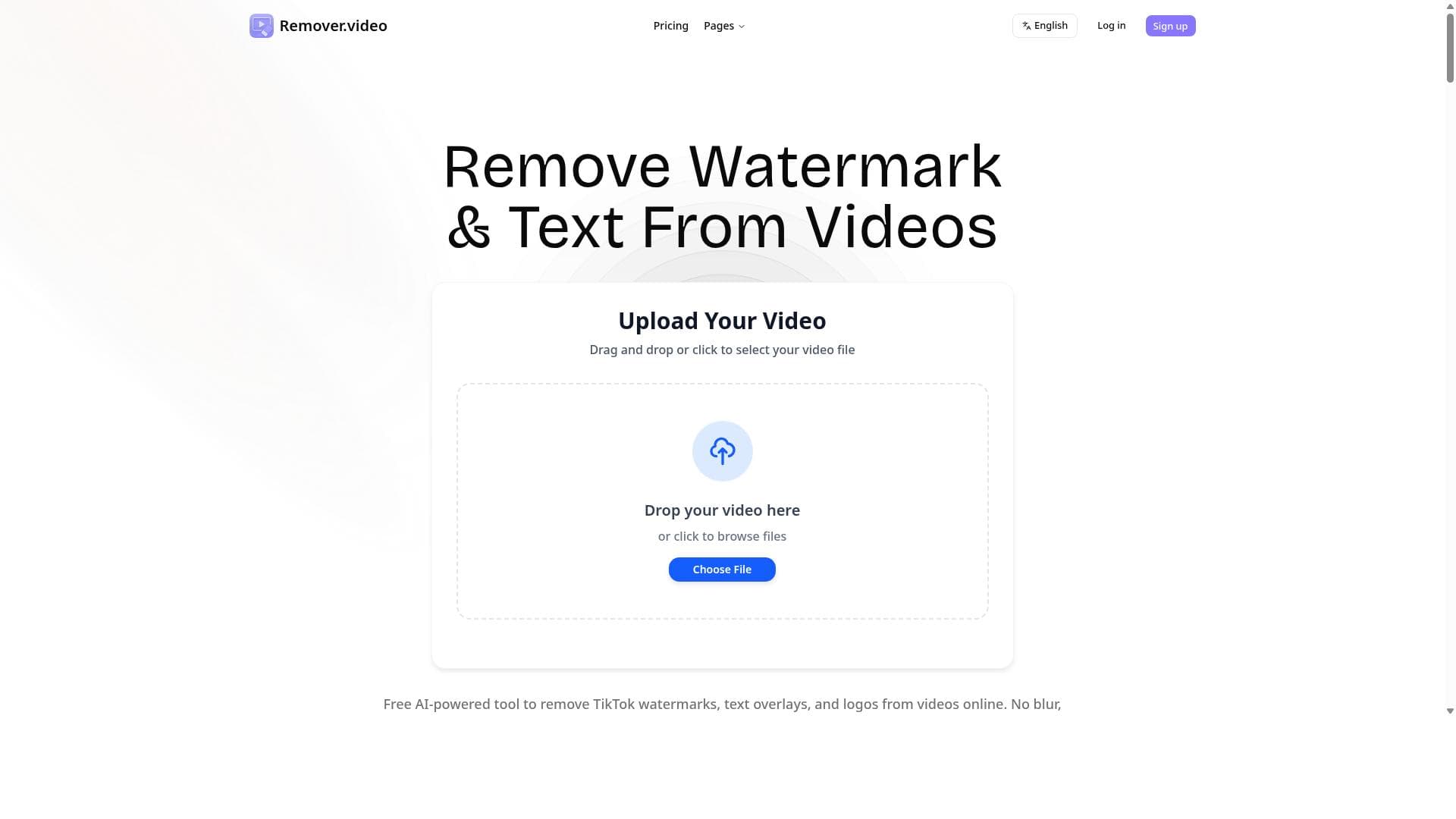
Remover.video leverages advanced AI to effortlessly remove backgrounds from videos, enabling users to create professional-quality content without complex editing. Ideal for content creators, marketers, and video editors, it offers fast processing, transparent or custom backgrounds, and unique features like text and watermark removal.
Remover.video is an advanced AI-powered tool specifically designed to simplify the process of removing backgrounds from videos. Its core purpose is to enable users to isolate subjects within video footage and eliminate unwanted backgrounds quickly and efficiently, without requiring any complex editing skills or green screen setups. By leveraging cutting-edge computer vision and deep learning algorithms, Remover.video automates what traditionally has been a time-consuming and technically challenging task, allowing users to produce professional-quality videos with transparent or custom backgrounds in a matter of minutes. The tool offers a robust set of features that make it stand out in the video editing space. At its core, Remover.video provides AI-powered background removal that works seamlessly across various video formats and resolutions. Users can replace the original background with transparency, enabling easy integration into different projects, or substitute it with custom backgrounds tailored to their creative needs. The processing speed is optimized to deliver fast results without compromising quality, making it suitable for both quick edits and more detailed projects. The interface is designed to be user-friendly and intuitive, ensuring that even those without prior video editing experience can navigate the tool effortlessly. Additionally, Remover.video includes specialized features such as the ability to remove text overlays and watermarks from videos, further enhancing its utility for content creators and marketers who often need to repurpose or clean up existing footage. Remover.video is ideal for a wide range of users including content creators, social media influencers, marketers, video editors, and small businesses. Content creators can use it to produce engaging videos with dynamic backgrounds that capture viewer attention, while marketers can create polished promotional materials without outsourcing video editing tasks. Video editors benefit from the tool’s ability to speed up workflows by automating background removal, allowing them to focus on other creative aspects. Specific use cases include creating transparent background videos for product showcases, replacing backgrounds for virtual presentations, removing distracting elements from footage, and preparing videos for social media platforms where visual appeal is crucial. Regarding pricing, Remover.video typically offers tiered plans to accommodate different user needs, ranging from free trials or limited free usage to subscription-based models for more extensive use. While exact pricing details may vary, paid plans often provide higher resolution processing, faster turnaround times, and access to premium features such as watermark removal and batch processing. This flexible pricing structure ensures that both casual users and professional video editors can find a plan that fits their budget and requirements. When compared to alternatives, Remover.video distinguishes itself through its combination of speed, ease of use, and advanced AI capabilities. Unlike traditional video editing software that requires manual masking and green screen setups, Remover.video automates the entire background removal process. Compared to other AI background removal tools, it offers additional functionality like text and watermark removal, which are not commonly found in similar products. However, some competitors may provide more extensive editing suites or integration options, so users should consider their specific workflow needs when choosing a tool. Despite its strengths, Remover.video has some limitations to consider. The quality of background removal can vary depending on video complexity, lighting conditions, and subject movement, which may require some manual touch-ups in post-processing. The tool’s performance may also be constrained by video length or file size limits depending on the subscription plan. Additionally, while it supports custom backgrounds, it may not offer advanced compositing features available in professional video editing software. Users should evaluate these factors based on their project requirements to ensure Remover.video meets their expectations. In summary, Remover.video is a powerful, AI-driven solution for anyone looking to streamline video background removal without the hassle of traditional editing techniques. Its fast processing, ease of use, and additional features like text and watermark removal make it a valuable asset for content creators, marketers, and video professionals aiming to enhance their video content efficiently.

Description
Remover.video leverages advanced AI to effortlessly remove backgrounds from videos, enabling users to create professional-quality content without complex editing. Ideal for content creators, marketers, and video editors, it offers fast processing, transparent or custom backgrounds, and unique features like text and watermark removal.
Remover.video is an advanced AI-powered tool specifically designed to simplify the process of removing backgrounds from videos. Its core purpose is to enable users to isolate subjects within video footage and eliminate unwanted backgrounds quickly and efficiently, without requiring any complex editing skills or green screen setups. By leveraging cutting-edge computer vision and deep learning algorithms, Remover.video automates what traditionally has been a time-consuming and technically challenging task, allowing users to produce professional-quality videos with transparent or custom backgrounds in a matter of minutes. The tool offers a robust set of features that make it stand out in the video editing space. At its core, Remover.video provides AI-powered background removal that works seamlessly across various video formats and resolutions. Users can replace the original background with transparency, enabling easy integration into different projects, or substitute it with custom backgrounds tailored to their creative needs. The processing speed is optimized to deliver fast results without compromising quality, making it suitable for both quick edits and more detailed projects. The interface is designed to be user-friendly and intuitive, ensuring that even those without prior video editing experience can navigate the tool effortlessly. Additionally, Remover.video includes specialized features such as the ability to remove text overlays and watermarks from videos, further enhancing its utility for content creators and marketers who often need to repurpose or clean up existing footage. Remover.video is ideal for a wide range of users including content creators, social media influencers, marketers, video editors, and small businesses. Content creators can use it to produce engaging videos with dynamic backgrounds that capture viewer attention, while marketers can create polished promotional materials without outsourcing video editing tasks. Video editors benefit from the tool’s ability to speed up workflows by automating background removal, allowing them to focus on other creative aspects. Specific use cases include creating transparent background videos for product showcases, replacing backgrounds for virtual presentations, removing distracting elements from footage, and preparing videos for social media platforms where visual appeal is crucial. Regarding pricing, Remover.video typically offers tiered plans to accommodate different user needs, ranging from free trials or limited free usage to subscription-based models for more extensive use. While exact pricing details may vary, paid plans often provide higher resolution processing, faster turnaround times, and access to premium features such as watermark removal and batch processing. This flexible pricing structure ensures that both casual users and professional video editors can find a plan that fits their budget and requirements. When compared to alternatives, Remover.video distinguishes itself through its combination of speed, ease of use, and advanced AI capabilities. Unlike traditional video editing software that requires manual masking and green screen setups, Remover.video automates the entire background removal process. Compared to other AI background removal tools, it offers additional functionality like text and watermark removal, which are not commonly found in similar products. However, some competitors may provide more extensive editing suites or integration options, so users should consider their specific workflow needs when choosing a tool. Despite its strengths, Remover.video has some limitations to consider. The quality of background removal can vary depending on video complexity, lighting conditions, and subject movement, which may require some manual touch-ups in post-processing. The tool’s performance may also be constrained by video length or file size limits depending on the subscription plan. Additionally, while it supports custom backgrounds, it may not offer advanced compositing features available in professional video editing software. Users should evaluate these factors based on their project requirements to ensure Remover.video meets their expectations. In summary, Remover.video is a powerful, AI-driven solution for anyone looking to streamline video background removal without the hassle of traditional editing techniques. Its fast processing, ease of use, and additional features like text and watermark removal make it a valuable asset for content creators, marketers, and video professionals aiming to enhance their video content efficiently.
Tool Features
- AI-powered background removal for videos
- Supports transparent and custom backgrounds
- Fast and efficient processing
- User-friendly interface
- No need for green screen or complex editing
- Suitable for content creators and marketers
- Remove text from video
- Remove watermark from video
Frequently Asked Questions
What is Remover.video?
Remover.video is an AI-powered tool designed to quickly and efficiently remove backgrounds from videos, allowing users to isolate subjects and replace or make backgrounds transparent without needing complex editing software or green screens.
How much does Remover.video cost?
Remover.video offers various pricing plans, including free trials or limited free usage, with paid subscriptions providing higher resolution processing, faster speeds, and premium features like watermark removal. Exact pricing details can be found on their website.
Who is Remover.video best for?
It is best suited for content creators, marketers, video editors, social media influencers, and small businesses who want to enhance videos by removing backgrounds quickly and easily without advanced editing skills.
What are the main features of Remover.video?
Key features include AI-powered video background removal, support for transparent and custom backgrounds, fast processing, user-friendly interface, no need for green screens, and the ability to remove text and watermarks from videos.
Does Remover.video offer a free trial?
Yes, Remover.video typically offers a free trial or limited free usage so users can test the tool’s capabilities before committing to a paid plan.
What integrations does Remover.video support?
Currently, Remover.video focuses on standalone video background removal and does not prominently advertise integrations with other platforms, but users can download processed videos for use in any video editing or content creation software.
How does Remover.video work?
Remover.video uses advanced computer vision and AI algorithms to analyze video frames, detect and isolate the subject, and remove the background automatically, allowing users to replace it with transparency or custom backgrounds quickly and efficiently.
Socials
Use ToolSponsored Tools













































Reviews
No reviews yet. Be the first to share your experience.