Description
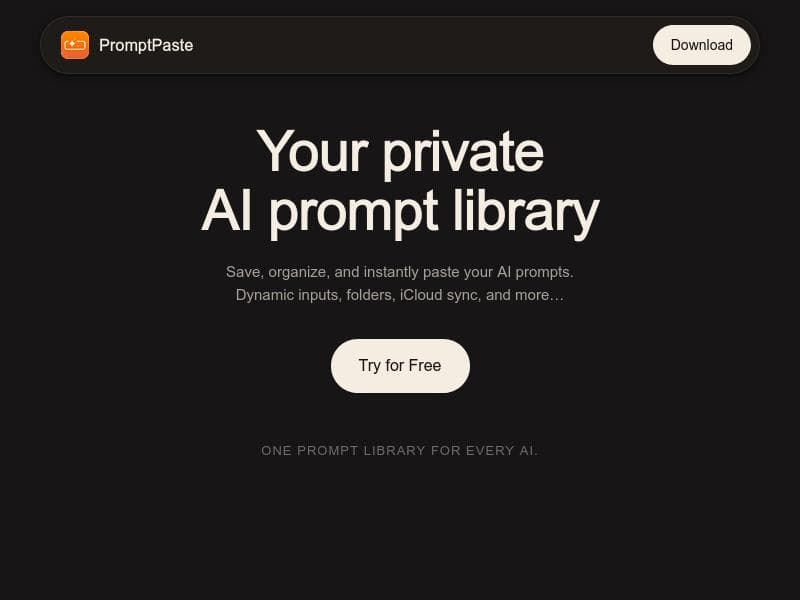
PromptPaste is a native Apple app that empowers users to save, organize, and instantly access AI prompts across Mac, iPhone, and iPad with dynamic templates and on-device AI assistance. Its privacy-first design, iCloud sync, and menu bar hotkey make it ideal for Apple users seeking a fast, secure, and flexible prompt management tool.
PromptPaste is a native Apple application designed to streamline the management and usage of AI prompts across Mac, iPhone, and iPad devices. Its core purpose is to provide users with a seamless, efficient way to save, organize, and instantly access AI prompts without the need for cloud-based accounts or external storage. By leveraging native Apple technologies and iCloud synchronization, PromptPaste ensures that your prompt library is always at your fingertips, whether you're working on your Mac or mobile device. The app is particularly useful for AI enthusiasts, developers, writers, and productivity-focused professionals who frequently interact with AI tools and require quick access to customized prompts. One of the standout features of PromptPaste is its support for dynamic prompt templates that include fill-in variables. This allows users to create flexible prompts where certain elements can be customized on the fly, enhancing productivity and reducing repetitive typing. For example, you can build a template with placeholders like {{topic}} or {{style}}, which you fill in when using the prompt. Organizing prompts is made simple with folders, pinning options, and a fast search function, enabling users to quickly locate the exact prompt they need even within large collections. Additionally, PromptPaste offers AI-assisted prompt generation directly on the device, helping users craft new prompts or improve existing ones without relying on external servers, which enhances privacy and responsiveness. PromptPaste’s integration with iCloud ensures that your prompts are synced securely across all your Apple devices, maintaining consistency and accessibility wherever you work. Importantly, the app emphasizes privacy by storing all prompts locally on your device, eliminating the need for accounts and ensuring that your data never leaves your personal hardware. On macOS, the app provides convenient menu bar access with a customizable hotkey (default ⌘⇧P), allowing users to copy any prompt instantly without interrupting their workflow. Sharing is also straightforward: users can share entire collections of prompts via private links, making collaboration or distribution easy without compromising privacy. This tool is best suited for Apple users who regularly engage with AI-driven writing, coding, or creative tasks. Writers, marketers, developers, and AI hobbyists will find PromptPaste invaluable for managing their prompt libraries efficiently. Its dynamic templates and AI-assisted generation make it ideal for those who want to experiment with prompt engineering or need to tailor prompts for different contexts quickly. The app’s privacy-first approach also appeals to users concerned about data security and those who prefer to keep their creative assets offline. PromptPaste is a paid app, reflecting its specialized functionality and native Apple integration. While specific pricing details should be checked on the official website, the investment is justified by the app’s robust feature set and seamless cross-device experience. Compared to alternatives that rely on web-based platforms or require account sign-ups, PromptPaste stands out with its local storage and offline capabilities, reducing privacy risks and dependency on internet connectivity. However, unlike some cloud-based prompt managers, it does not support non-Apple platforms, which may limit its appeal for users who operate across diverse operating systems. One notable consideration is that PromptPaste’s AI-assisted prompt generation runs on-device, which may have limitations in complexity compared to cloud-powered AI models. Additionally, since it is exclusive to the Apple ecosystem, users on Windows or Android devices cannot benefit from its features. While the app excels in privacy and integration, users seeking extensive third-party integrations or multi-platform support might find these aspects restrictive. Nonetheless, for Apple users prioritizing privacy, speed, and dynamic prompt management, PromptPaste offers a compelling, polished solution that enhances productivity and creativity in AI interactions.

Description
PromptPaste is a native Apple app that empowers users to save, organize, and instantly access AI prompts across Mac, iPhone, and iPad with dynamic templates and on-device AI assistance. Its privacy-first design, iCloud sync, and menu bar hotkey make it ideal for Apple users seeking a fast, secure, and flexible prompt management tool.
PromptPaste is a native Apple application designed to streamline the management and usage of AI prompts across Mac, iPhone, and iPad devices. Its core purpose is to provide users with a seamless, efficient way to save, organize, and instantly access AI prompts without the need for cloud-based accounts or external storage. By leveraging native Apple technologies and iCloud synchronization, PromptPaste ensures that your prompt library is always at your fingertips, whether you're working on your Mac or mobile device. The app is particularly useful for AI enthusiasts, developers, writers, and productivity-focused professionals who frequently interact with AI tools and require quick access to customized prompts. One of the standout features of PromptPaste is its support for dynamic prompt templates that include fill-in variables. This allows users to create flexible prompts where certain elements can be customized on the fly, enhancing productivity and reducing repetitive typing. For example, you can build a template with placeholders like {{topic}} or {{style}}, which you fill in when using the prompt. Organizing prompts is made simple with folders, pinning options, and a fast search function, enabling users to quickly locate the exact prompt they need even within large collections. Additionally, PromptPaste offers AI-assisted prompt generation directly on the device, helping users craft new prompts or improve existing ones without relying on external servers, which enhances privacy and responsiveness. PromptPaste’s integration with iCloud ensures that your prompts are synced securely across all your Apple devices, maintaining consistency and accessibility wherever you work. Importantly, the app emphasizes privacy by storing all prompts locally on your device, eliminating the need for accounts and ensuring that your data never leaves your personal hardware. On macOS, the app provides convenient menu bar access with a customizable hotkey (default ⌘⇧P), allowing users to copy any prompt instantly without interrupting their workflow. Sharing is also straightforward: users can share entire collections of prompts via private links, making collaboration or distribution easy without compromising privacy. This tool is best suited for Apple users who regularly engage with AI-driven writing, coding, or creative tasks. Writers, marketers, developers, and AI hobbyists will find PromptPaste invaluable for managing their prompt libraries efficiently. Its dynamic templates and AI-assisted generation make it ideal for those who want to experiment with prompt engineering or need to tailor prompts for different contexts quickly. The app’s privacy-first approach also appeals to users concerned about data security and those who prefer to keep their creative assets offline. PromptPaste is a paid app, reflecting its specialized functionality and native Apple integration. While specific pricing details should be checked on the official website, the investment is justified by the app’s robust feature set and seamless cross-device experience. Compared to alternatives that rely on web-based platforms or require account sign-ups, PromptPaste stands out with its local storage and offline capabilities, reducing privacy risks and dependency on internet connectivity. However, unlike some cloud-based prompt managers, it does not support non-Apple platforms, which may limit its appeal for users who operate across diverse operating systems. One notable consideration is that PromptPaste’s AI-assisted prompt generation runs on-device, which may have limitations in complexity compared to cloud-powered AI models. Additionally, since it is exclusive to the Apple ecosystem, users on Windows or Android devices cannot benefit from its features. While the app excels in privacy and integration, users seeking extensive third-party integrations or multi-platform support might find these aspects restrictive. Nonetheless, for Apple users prioritizing privacy, speed, and dynamic prompt management, PromptPaste offers a compelling, polished solution that enhances productivity and creativity in AI interactions.
Tool Features
- Dynamic prompt templates with fill-in variables
- Folders, pinning, and fast search
- AI-assisted prompt generation (on-device)
- iCloud sync across Mac, iPhone, and iPad
- Private on-device storage - no accounts, prompts never leave your device
- Menu bar access on macOS with ⌘⇧P hotkey
- Share collections via private link
Frequently Asked Questions
What is PromptPaste?
PromptPaste is a native Apple application that helps users save, organize, and instantly access AI prompts across Mac, iPhone, and iPad. It features dynamic templates with fill-in variables, on-device AI-assisted prompt generation, and private local storage without requiring user accounts.
How much does PromptPaste cost?
PromptPaste is a paid app. For the most accurate and up-to-date pricing details, users should visit the official website at https://getpromptpaste.com/?ref=poweredbyai.
Who is PromptPaste best for?
PromptPaste is ideal for Apple users such as writers, developers, marketers, and AI enthusiasts who frequently use AI prompts and want a fast, private, and organized way to manage them across their Mac, iPhone, and iPad.
What are the main features of PromptPaste?
Key features include dynamic prompt templates with fill-in variables, folders and pinning for organization, fast search, AI-assisted prompt generation running on-device, iCloud synchronization across Apple devices, private on-device storage with no accounts required, menu bar access on macOS with a hotkey, and the ability to share prompt collections via private links.
Does PromptPaste offer a free trial?
There is no explicit mention of a free trial on the official site or documentation. Interested users should check the website or contact support for the latest information regarding trial availability.
What integrations does PromptPaste support?
PromptPaste primarily integrates with Apple’s ecosystem through iCloud for syncing prompts across Mac, iPhone, and iPad. It does not currently support third-party app integrations or platforms outside of Apple devices.
How does PromptPaste work?
PromptPaste works by allowing users to create and save AI prompt templates with customizable variables, organize them in folders, and quickly access or copy prompts via a macOS menu bar hotkey or on iPhone/iPad. It syncs data securely using iCloud and keeps all prompts stored locally on devices to ensure privacy.
Sponsored Tools













































Reviews
No reviews yet. Be the first to share your experience.
















