Description
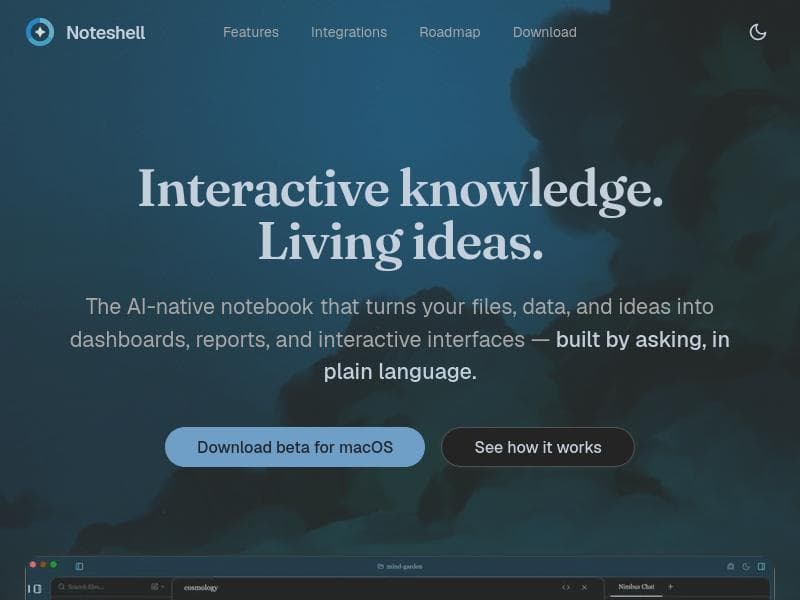
Noteshell redefines note-taking by turning static notes into interactive, AI-powered interfaces that generate dashboards, analyses, and custom workflows. Ideal for professionals seeking to combine data, logic, and views within a single platform, it offers a user-friendly experience enhanced by natural language commands and cross-device sync.
Noteshell is an innovative AI-native note-taking platform designed to revolutionize how users capture, organize, and interact with information. Unlike traditional note-taking apps that focus on static text, Noteshell transforms notes into dynamic, executable interfaces. It enables users to create structured notes composed of data, logic, and views extracted from various sources. This approach allows both users and AI to generate interactive outputs such as dashboards, detailed analyses, and custom interfaces tailored specifically to individual workflows. Essentially, Noteshell combines the familiarity of a note-taking environment with the power of interactive data manipulation and AI-driven insights, making it a unique hybrid tool in the productivity space. At its core, Noteshell offers AI-native note-taking enhanced by agentic intelligence, which means the AI actively assists in organizing and transforming raw inputs into meaningful, actionable outputs. Users can import files, data sets, and ideas, then effortlessly convert them into visual dashboards and comprehensive reports. The platform supports building interactive interfaces simply by asking questions or giving commands in plain language, removing the need for complex coding or technical expertise. This makes it accessible to a broad range of users, from knowledge workers and researchers to data analysts and creative professionals. Additionally, Noteshell supports cross-device synchronization, ensuring seamless access and updates across multiple platforms. Currently, it offers a beta version for macOS users, signaling ongoing development and expansion plans. Noteshell is particularly well-suited for professionals who require more than just note storage. Researchers can use it to structure and analyze data within their notes, turning raw research material into interactive insights. Business users can create custom dashboards to track projects, KPIs, or market data without switching between multiple apps. Educators and students benefit from the ability to combine notes with logic and views, facilitating interactive learning materials and study aids. Its natural language interface lowers the barrier for non-technical users to harness AI capabilities, making it a versatile tool across industries and roles. The platform follows a freemium pricing model, allowing users to start with a free tier that includes basic note-taking and AI features. This approach encourages exploration and adoption before committing to paid plans that likely offer enhanced capabilities, increased data limits, or priority support. While specific premium pricing details are not provided, the freemium model aligns with common SaaS practices, balancing accessibility with scalability. When compared to alternatives like Obsidian, Notion, or Roam Research, Noteshell stands out by embedding AI at the core of its functionality rather than as an add-on. Its ability to convert notes into interactive, executable interfaces is a significant differentiator, enabling workflows that go beyond static knowledge management. While Obsidian offers powerful linking and markdown editing, it lacks native AI-driven interactivity. Notion provides flexible databases and templates but does not inherently transform notes into dynamic dashboards through AI. Noteshell’s natural language interface and agentic intelligence offer a more intuitive and powerful experience for users seeking to integrate data analysis and interactive outputs directly within their notes. However, Noteshell is still in beta for macOS, which may limit availability for users on other operating systems. The platform’s advanced features might also have a learning curve for those unfamiliar with structured note-taking or AI-assisted workflows. Integration options beyond native data import and synchronization are not detailed, which could be a consideration for users needing extensive third-party app connectivity. Despite these considerations, Noteshell’s innovative approach to note-taking and AI integration positions it as a compelling choice for users looking to elevate their productivity and data interaction capabilities.

Description
Noteshell redefines note-taking by turning static notes into interactive, AI-powered interfaces that generate dashboards, analyses, and custom workflows. Ideal for professionals seeking to combine data, logic, and views within a single platform, it offers a user-friendly experience enhanced by natural language commands and cross-device sync.
Noteshell is an innovative AI-native note-taking platform designed to revolutionize how users capture, organize, and interact with information. Unlike traditional note-taking apps that focus on static text, Noteshell transforms notes into dynamic, executable interfaces. It enables users to create structured notes composed of data, logic, and views extracted from various sources. This approach allows both users and AI to generate interactive outputs such as dashboards, detailed analyses, and custom interfaces tailored specifically to individual workflows. Essentially, Noteshell combines the familiarity of a note-taking environment with the power of interactive data manipulation and AI-driven insights, making it a unique hybrid tool in the productivity space. At its core, Noteshell offers AI-native note-taking enhanced by agentic intelligence, which means the AI actively assists in organizing and transforming raw inputs into meaningful, actionable outputs. Users can import files, data sets, and ideas, then effortlessly convert them into visual dashboards and comprehensive reports. The platform supports building interactive interfaces simply by asking questions or giving commands in plain language, removing the need for complex coding or technical expertise. This makes it accessible to a broad range of users, from knowledge workers and researchers to data analysts and creative professionals. Additionally, Noteshell supports cross-device synchronization, ensuring seamless access and updates across multiple platforms. Currently, it offers a beta version for macOS users, signaling ongoing development and expansion plans. Noteshell is particularly well-suited for professionals who require more than just note storage. Researchers can use it to structure and analyze data within their notes, turning raw research material into interactive insights. Business users can create custom dashboards to track projects, KPIs, or market data without switching between multiple apps. Educators and students benefit from the ability to combine notes with logic and views, facilitating interactive learning materials and study aids. Its natural language interface lowers the barrier for non-technical users to harness AI capabilities, making it a versatile tool across industries and roles. The platform follows a freemium pricing model, allowing users to start with a free tier that includes basic note-taking and AI features. This approach encourages exploration and adoption before committing to paid plans that likely offer enhanced capabilities, increased data limits, or priority support. While specific premium pricing details are not provided, the freemium model aligns with common SaaS practices, balancing accessibility with scalability. When compared to alternatives like Obsidian, Notion, or Roam Research, Noteshell stands out by embedding AI at the core of its functionality rather than as an add-on. Its ability to convert notes into interactive, executable interfaces is a significant differentiator, enabling workflows that go beyond static knowledge management. While Obsidian offers powerful linking and markdown editing, it lacks native AI-driven interactivity. Notion provides flexible databases and templates but does not inherently transform notes into dynamic dashboards through AI. Noteshell’s natural language interface and agentic intelligence offer a more intuitive and powerful experience for users seeking to integrate data analysis and interactive outputs directly within their notes. However, Noteshell is still in beta for macOS, which may limit availability for users on other operating systems. The platform’s advanced features might also have a learning curve for those unfamiliar with structured note-taking or AI-assisted workflows. Integration options beyond native data import and synchronization are not detailed, which could be a consideration for users needing extensive third-party app connectivity. Despite these considerations, Noteshell’s innovative approach to note-taking and AI integration positions it as a compelling choice for users looking to elevate their productivity and data interaction capabilities.
Tool Features
- AI-native note-taking with agentic intelligence
- Transforms files, data, and ideas into dashboards and reports
- Interactive interfaces built by asking in plain language
- Cross-device synchronization
- Beta available for macOS
Frequently Asked Questions
What is Noteshell?
Noteshell is an AI-native note-taking platform that transforms traditional notes into interactive, executable interfaces. It allows users to create structured notes composed of data, logic, and views, enabling the generation of dynamic dashboards, reports, and custom workflows.
How much does Noteshell cost?
Noteshell operates on a freemium pricing model, offering a free tier with basic features and AI capabilities. Details on premium plans and pricing have not been fully disclosed but are expected to provide enhanced features and increased usage limits.
Who is Noteshell best for?
Noteshell is ideal for knowledge workers, researchers, business professionals, educators, and anyone who needs to organize complex information interactively. It suits users who want to combine note-taking with data analysis and AI-powered insights without requiring technical expertise.
What are the main features of Noteshell?
Key features include AI-native note-taking with agentic intelligence, the ability to transform files and data into interactive dashboards and reports, building interfaces through plain language commands, cross-device synchronization, and a macOS beta version.
Does Noteshell offer a free trial?
Yes, Noteshell offers a freemium model which allows users to access basic features for free, effectively serving as a free trial to explore the platform before opting for any paid plans.
What integrations does Noteshell support?
Noteshell supports importing data and files from various sources to create structured notes, though specific third-party integrations have not been detailed. It also offers cross-device synchronization to keep notes updated across platforms.
How does Noteshell work?
Users create structured notes by combining data, logic, and views extracted from multiple sources. The AI assists by interpreting plain language commands to generate interactive outputs like dashboards and reports, turning static notes into dynamic, executable interfaces.
Sponsored Tools













































Reviews
No reviews yet. Be the first to share your experience.
















