Description
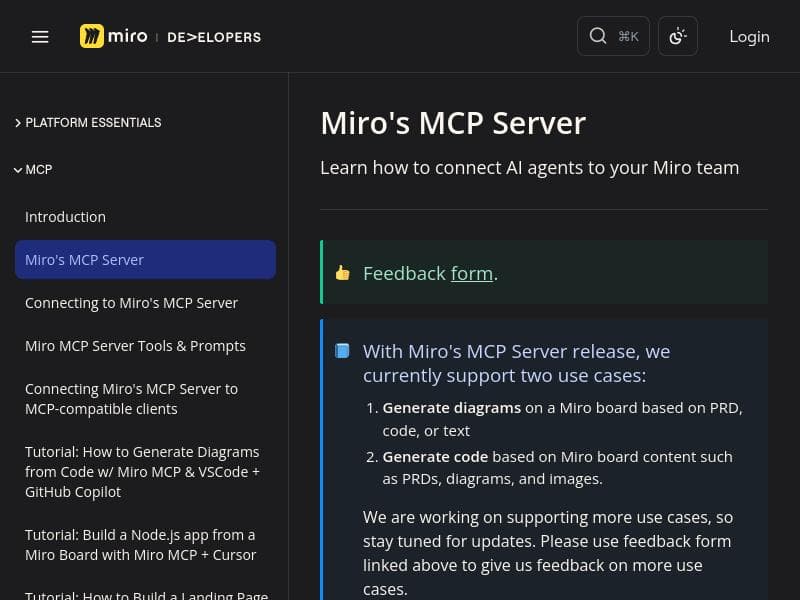
Miro MCP uniquely connects AI coding assistants with Miro’s visual collaboration boards, enabling seamless conversion between code and detailed visual documentation. Ideal for development teams and product managers, it accelerates project workflows by generating architecture diagrams and code directly from collaborative planning materials, all with a quick 2-minute setup and free access during its public beta.
Miro MCP is an innovative AI-powered coding assistant designed to seamlessly integrate with Miro boards, transforming how developers and teams document, visualize, and generate code based on collaborative planning materials. At its core, Miro MCP bridges the gap between visual documentation and code development by enabling AI tools to read and interpret the rich context embedded within Miro boards. This allows users to convert code into detailed visual documents such as architecture diagrams, flowcharts, and data models, as well as generate code directly from product requirement documents (PRDs), specifications, diagrams, flows, prototypes, and design decisions captured on Miro. The tool supports a wide range of popular AI coding environments including Cursor, Claude Code, Windsurf, Visual Studio Code with GitHub Copilot, and Replit, making it highly versatile and easy to incorporate into existing developer workflows. Key features of Miro MCP include the ability to connect AI agents directly to Miro teams, facilitating enhanced collaboration and automation within development projects. By leveraging OAuth for authentication, the setup process is streamlined and can be completed in under two minutes, enabling quick onboarding and immediate productivity gains. The tool’s bidirectional capabilities allow users to ask their AI assistant to "Document this on Miro" from within their code repository, resulting in automatically generated visual documentation that reflects the current state of the codebase. Conversely, the AI can consume detailed board context to produce code that aligns precisely with the project’s design and planning artifacts, reducing miscommunication and accelerating development cycles. Miro MCP is best suited for software development teams, product managers, and technical leads who rely heavily on visual collaboration tools like Miro for planning and documentation. It is particularly valuable for teams practicing agile methodologies where rapid iteration and clear communication between design and development are critical. Use cases include generating up-to-date system architecture diagrams from code, creating flowcharts and data models to aid onboarding and knowledge sharing, and automating the translation of detailed product specs and prototypes into working code. Additionally, the tool’s compatibility with multiple AI coding assistants ensures flexibility for teams using different development environments. The pricing model for Miro MCP is straightforward and accessible, with the tool currently available as a free public beta. This allows users to explore its capabilities without financial commitment while providing feedback to help improve the platform. The free access encourages widespread adoption and experimentation, particularly for smaller teams and startups looking to enhance productivity without upfront costs. Compared to alternative AI coding assistants, Miro MCP stands out due to its unique integration with Miro’s visual collaboration platform, enabling a richer context-aware experience that combines visual documentation with code generation. While many AI coding tools focus solely on code completion or documentation generation in isolation, Miro MCP’s bidirectional approach and support for multiple AI environments provide a more holistic solution. However, as a public beta, users should be mindful that some features may still be evolving, and integration depth may vary depending on the AI assistant used. Notable limitations include the reliance on the quality and completeness of Miro board content; if boards are not well-maintained or detailed, the AI’s output may be less accurate or useful. Additionally, while setup is quick, users need to be familiar with OAuth and have appropriate permissions within their Miro teams. As the tool is still in public beta, users may encounter occasional bugs or limited support. Despite these considerations, Miro MCP offers a powerful and forward-thinking approach to bridging visual collaboration and AI-assisted coding, making it a compelling choice for teams looking to enhance their development workflows.

Description
Miro MCP uniquely connects AI coding assistants with Miro’s visual collaboration boards, enabling seamless conversion between code and detailed visual documentation. Ideal for development teams and product managers, it accelerates project workflows by generating architecture diagrams and code directly from collaborative planning materials, all with a quick 2-minute setup and free access during its public beta.
Miro MCP is an innovative AI-powered coding assistant designed to seamlessly integrate with Miro boards, transforming how developers and teams document, visualize, and generate code based on collaborative planning materials. At its core, Miro MCP bridges the gap between visual documentation and code development by enabling AI tools to read and interpret the rich context embedded within Miro boards. This allows users to convert code into detailed visual documents such as architecture diagrams, flowcharts, and data models, as well as generate code directly from product requirement documents (PRDs), specifications, diagrams, flows, prototypes, and design decisions captured on Miro. The tool supports a wide range of popular AI coding environments including Cursor, Claude Code, Windsurf, Visual Studio Code with GitHub Copilot, and Replit, making it highly versatile and easy to incorporate into existing developer workflows. Key features of Miro MCP include the ability to connect AI agents directly to Miro teams, facilitating enhanced collaboration and automation within development projects. By leveraging OAuth for authentication, the setup process is streamlined and can be completed in under two minutes, enabling quick onboarding and immediate productivity gains. The tool’s bidirectional capabilities allow users to ask their AI assistant to "Document this on Miro" from within their code repository, resulting in automatically generated visual documentation that reflects the current state of the codebase. Conversely, the AI can consume detailed board context to produce code that aligns precisely with the project’s design and planning artifacts, reducing miscommunication and accelerating development cycles. Miro MCP is best suited for software development teams, product managers, and technical leads who rely heavily on visual collaboration tools like Miro for planning and documentation. It is particularly valuable for teams practicing agile methodologies where rapid iteration and clear communication between design and development are critical. Use cases include generating up-to-date system architecture diagrams from code, creating flowcharts and data models to aid onboarding and knowledge sharing, and automating the translation of detailed product specs and prototypes into working code. Additionally, the tool’s compatibility with multiple AI coding assistants ensures flexibility for teams using different development environments. The pricing model for Miro MCP is straightforward and accessible, with the tool currently available as a free public beta. This allows users to explore its capabilities without financial commitment while providing feedback to help improve the platform. The free access encourages widespread adoption and experimentation, particularly for smaller teams and startups looking to enhance productivity without upfront costs. Compared to alternative AI coding assistants, Miro MCP stands out due to its unique integration with Miro’s visual collaboration platform, enabling a richer context-aware experience that combines visual documentation with code generation. While many AI coding tools focus solely on code completion or documentation generation in isolation, Miro MCP’s bidirectional approach and support for multiple AI environments provide a more holistic solution. However, as a public beta, users should be mindful that some features may still be evolving, and integration depth may vary depending on the AI assistant used. Notable limitations include the reliance on the quality and completeness of Miro board content; if boards are not well-maintained or detailed, the AI’s output may be less accurate or useful. Additionally, while setup is quick, users need to be familiar with OAuth and have appropriate permissions within their Miro teams. As the tool is still in public beta, users may encounter occasional bugs or limited support. Despite these considerations, Miro MCP offers a powerful and forward-thinking approach to bridging visual collaboration and AI-assisted coding, making it a compelling choice for teams looking to enhance their development workflows.
Tool Features
- Connect AI agents to Miro teams
- Facilitates collaboration and automation
- Supports integration of AI capabilities into workflows
Frequently Asked Questions
What is Miro MCP?
Miro MCP is an AI-powered coding assistant that integrates with Miro boards to enable bidirectional conversion between code and visual documentation. It allows AI tools to read Miro boards and generate architecture diagrams, flowcharts, data models, and code based on product specs, prototypes, and design decisions.
How much does Miro MCP cost?
Miro MCP is currently available as a free public beta, allowing users to access its features without any cost.
Who is Miro MCP best for?
Miro MCP is best suited for software development teams, product managers, and technical leads who use Miro for visual collaboration and want to streamline the transition between planning and coding.
What are the main features of Miro MCP?
Key features include connecting AI agents to Miro teams, facilitating collaboration and automation, generating visual documentation from code, producing code from Miro board context, and supporting integrations with popular AI coding tools like Cursor, Claude Code, Windsurf, VSCode + Copilot, and Replit.
Does Miro MCP offer a free trial?
Yes, Miro MCP is currently in public beta and available for free, effectively serving as a free trial for all users.
What integrations does Miro MCP support?
Miro MCP supports integration with multiple AI coding environments including Cursor, Claude Code, Windsurf, Visual Studio Code with GitHub Copilot, and Replit.
How does Miro MCP work?
Miro MCP works by connecting AI coding assistants to Miro boards via OAuth authentication. It enables users to generate visual documentation from code by instructing their AI tool to 'Document this on Miro,' and conversely, it reads detailed Miro board content such as PRDs, diagrams, and prototypes to generate matching code.
Sponsored Tools













































Reviews
No reviews yet. Be the first to share your experience.
















