
Make image square
Description
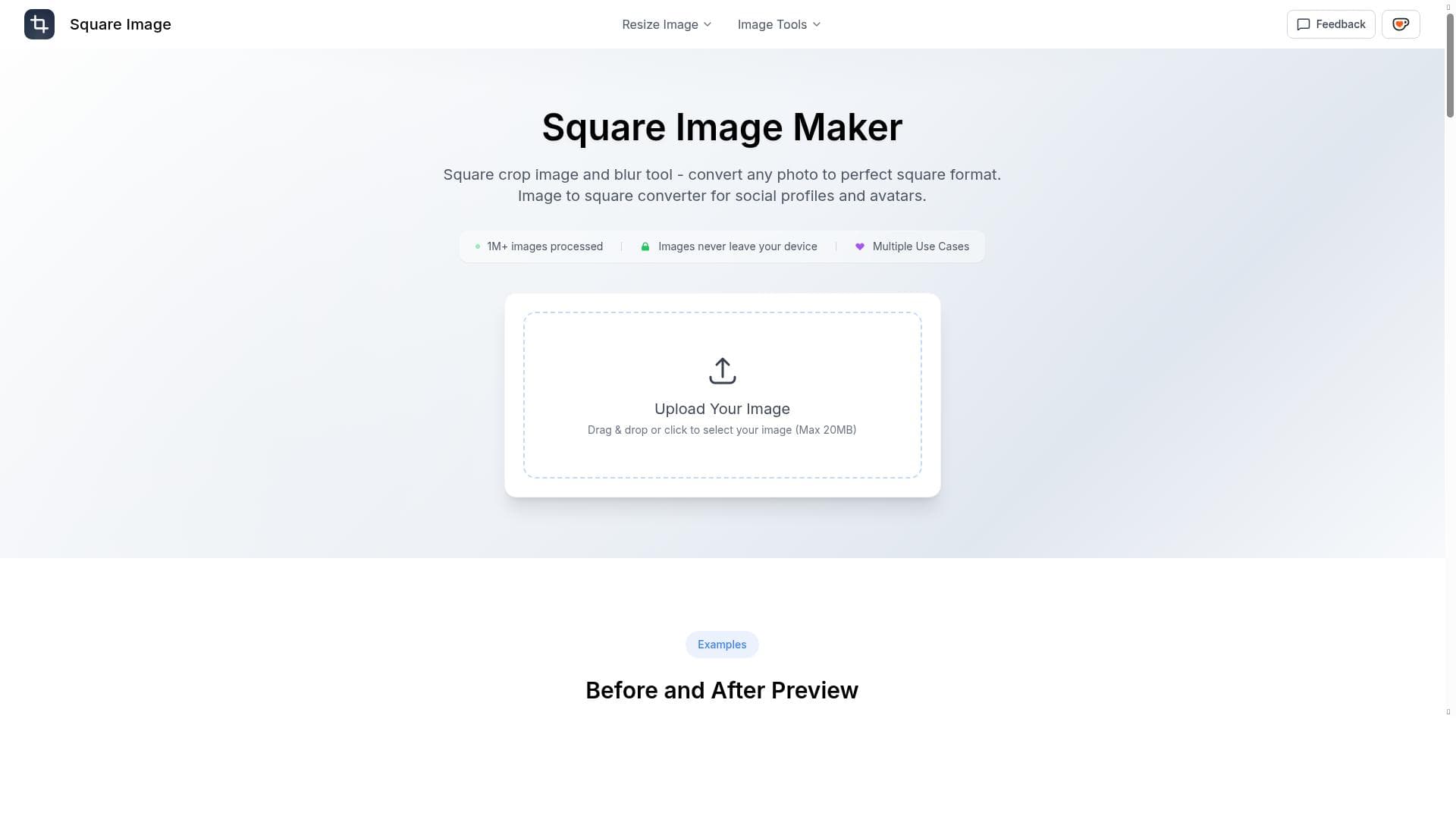
Make image square is a free, user-friendly online tool that effortlessly converts any photo into a perfect square format with adjustable zoom and blur effects. Ideal for social media users, marketers, and designers, it ensures high-quality square images for profiles, avatars, and more without complex editing software.
Make image square is a specialized online tool designed to convert any photo into a perfect square format, making it ideal for social media profiles, avatars, and other applications where square images are preferred or required. Its core purpose is to simplify the process of cropping and adjusting images to a square aspect ratio without compromising on quality or requiring advanced photo editing skills. By providing an intuitive interface and powerful features, Make image square caters to users who need quick, high-quality image adjustments for personal or professional use. At the heart of Make image square is its square crop and blur functionality. Users can upload images in popular formats including JPG, PNG, GIF, and WEBP, ensuring broad compatibility. Once uploaded, the tool allows users to adjust the zoom level to focus on the desired portion of the image, ensuring the most important elements remain visible within the square frame. Additionally, it offers adjustable blur intensity, which can be applied to the background areas outside the main subject, creating a visually appealing effect that enhances the image's overall aesthetics. The output images maintain high quality with a minimum size of 128 pixels, suitable for various digital platforms. The drag & drop feature or simple click-to-upload interface makes the process seamless and user-friendly. After processing, users can easily download their squared images for immediate use. Make image square is particularly beneficial for social media users, digital marketers, graphic designers, and anyone who frequently needs to prepare images for online profiles or branding purposes. Social media platforms like Instagram, Facebook, LinkedIn, and Twitter often require or display profile pictures and posts in square formats, and this tool ensures images fit perfectly without awkward cropping or distortion. It is also useful for creating consistent avatars across different platforms, maintaining a professional and uniform online presence. Beyond social profiles, the tool can be used for e-commerce product images, blog post thumbnails, and any scenario where square images improve visual harmony. The tool is completely free to use, making it accessible to a wide audience without any financial commitment. There are no paid plans or subscriptions, which is a significant advantage for users seeking a straightforward, no-cost solution for image cropping and editing. This free access encourages experimentation and frequent use without concerns about hidden fees or usage limits. Compared to alternatives, Make image square stands out due to its simplicity combined with effective features like adjustable blur and zoom, which are not always available in basic cropping tools. While many photo editors offer cropping, few provide the blur background option that enhances the visual appeal of the final image. Additionally, its support for multiple image formats and easy drag & drop upload make it more versatile and user-friendly than some desktop software or more complex online editors. However, unlike some advanced photo editing suites, it does not offer extensive editing capabilities such as color correction, filters, or layering, focusing instead on its niche function. One consideration when using Make image square is that it is designed primarily for square cropping and background blur, so users needing comprehensive photo editing or non-square aspect ratios will need to look elsewhere. Also, the minimum output size of 128 pixels, while sufficient for many online uses, may not meet high-resolution print requirements. Since it is a web-based tool, a stable internet connection is necessary, and users should be mindful of privacy when uploading sensitive images. Overall, Make image square is a powerful, free, and easy-to-use tool for anyone needing quick and high-quality square images, especially for social media and digital branding.

Description
Make image square is a free, user-friendly online tool that effortlessly converts any photo into a perfect square format with adjustable zoom and blur effects. Ideal for social media users, marketers, and designers, it ensures high-quality square images for profiles, avatars, and more without complex editing software.
Make image square is a specialized online tool designed to convert any photo into a perfect square format, making it ideal for social media profiles, avatars, and other applications where square images are preferred or required. Its core purpose is to simplify the process of cropping and adjusting images to a square aspect ratio without compromising on quality or requiring advanced photo editing skills. By providing an intuitive interface and powerful features, Make image square caters to users who need quick, high-quality image adjustments for personal or professional use. At the heart of Make image square is its square crop and blur functionality. Users can upload images in popular formats including JPG, PNG, GIF, and WEBP, ensuring broad compatibility. Once uploaded, the tool allows users to adjust the zoom level to focus on the desired portion of the image, ensuring the most important elements remain visible within the square frame. Additionally, it offers adjustable blur intensity, which can be applied to the background areas outside the main subject, creating a visually appealing effect that enhances the image's overall aesthetics. The output images maintain high quality with a minimum size of 128 pixels, suitable for various digital platforms. The drag & drop feature or simple click-to-upload interface makes the process seamless and user-friendly. After processing, users can easily download their squared images for immediate use. Make image square is particularly beneficial for social media users, digital marketers, graphic designers, and anyone who frequently needs to prepare images for online profiles or branding purposes. Social media platforms like Instagram, Facebook, LinkedIn, and Twitter often require or display profile pictures and posts in square formats, and this tool ensures images fit perfectly without awkward cropping or distortion. It is also useful for creating consistent avatars across different platforms, maintaining a professional and uniform online presence. Beyond social profiles, the tool can be used for e-commerce product images, blog post thumbnails, and any scenario where square images improve visual harmony. The tool is completely free to use, making it accessible to a wide audience without any financial commitment. There are no paid plans or subscriptions, which is a significant advantage for users seeking a straightforward, no-cost solution for image cropping and editing. This free access encourages experimentation and frequent use without concerns about hidden fees or usage limits. Compared to alternatives, Make image square stands out due to its simplicity combined with effective features like adjustable blur and zoom, which are not always available in basic cropping tools. While many photo editors offer cropping, few provide the blur background option that enhances the visual appeal of the final image. Additionally, its support for multiple image formats and easy drag & drop upload make it more versatile and user-friendly than some desktop software or more complex online editors. However, unlike some advanced photo editing suites, it does not offer extensive editing capabilities such as color correction, filters, or layering, focusing instead on its niche function. One consideration when using Make image square is that it is designed primarily for square cropping and background blur, so users needing comprehensive photo editing or non-square aspect ratios will need to look elsewhere. Also, the minimum output size of 128 pixels, while sufficient for many online uses, may not meet high-resolution print requirements. Since it is a web-based tool, a stable internet connection is necessary, and users should be mindful of privacy when uploading sensitive images. Overall, Make image square is a powerful, free, and easy-to-use tool for anyone needing quick and high-quality square images, especially for social media and digital branding.
Tool Features
- Square crop image and blur tool
- Convert any photo to perfect square format
- Supports JPG, PNG, GIF, WEBP formats
- Adjustable zoom level and blur intensity
- High output quality with minimum size 128px
- Drag & drop or click to upload images
- Download processed images easily
- Multiple use cases including social profiles and avatars
Frequently Asked Questions
What is Make image square?
Make image square is an online tool that converts any photo into a perfect square format by allowing users to crop and apply blur effects, primarily for use in social media profiles, avatars, and other digital applications.
How much does Make image square cost?
Make image square is completely free to use with no subscription or payment required.
Who is Make image square best for?
It is best suited for social media users, digital marketers, graphic designers, and anyone needing quick, high-quality square images for profiles, avatars, e-commerce, or online branding.
What are the main features of Make image square?
Key features include square cropping with adjustable zoom, background blur with adjustable intensity, support for JPG, PNG, GIF, and WEBP formats, drag & drop or click-to-upload interface, high-quality output with a minimum size of 128 pixels, and easy image downloading.
Does Make image square offer a free trial?
Since Make image square is entirely free, there is no need for a free trial.
What integrations does Make image square support?
Make image square is a standalone web-based tool and does not currently offer integrations with other platforms or software.
How does Make image square work?
Users upload an image via drag & drop or file selection, then adjust the zoom and blur settings to crop the image into a square format with a blurred background if desired, and finally download the processed image for use.
Sponsored Tools













































Reviews
No reviews yet. Be the first to share your experience.















