Jotform AI Chatbot for Canva
Description
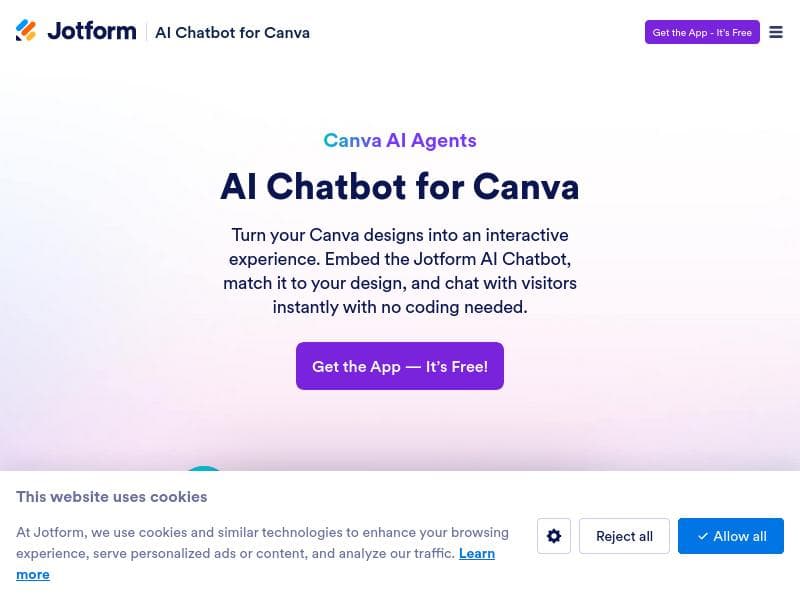
Jotform AI Chatbot for Canva uniquely embeds AI-powered chatbots directly into Canva designs, turning static visuals into interactive experiences. Ideal for marketers, designers, and small businesses, it automates customer support and boosts sales by enabling real-time visitor engagement without leaving the page.
Jotform AI Chatbot for Canva is an innovative tool designed to seamlessly integrate AI-powered conversational agents directly into Canva designs. Its core purpose is to transform static visual content into dynamic, interactive experiences by embedding a chatbot that can engage visitors in real time. This integration allows users to add an intelligent assistant to any Canva design, enabling visitors to ask questions, receive instant AI-generated answers, and perform actions without navigating away from the page. By doing so, it enhances user engagement, streamlines communication, and creates a more immersive digital experience. The tool’s key features center around its AI-driven capabilities. It provides AI-powered replies that understand and respond to user queries with contextually relevant information, making interactions feel natural and efficient. This chatbot can automate customer support by handling common inquiries, troubleshooting, and guiding users through processes, reducing the need for human intervention and improving response times. Additionally, it helps boost sales by engaging potential customers directly within the design, answering product questions, and facilitating calls to action that can lead to conversions. Operating 24/7, the chatbot ensures continuous business availability, catering to visitors across different time zones and outside regular business hours. Jotform AI Chatbot for Canva is particularly well-suited for marketers, designers, small business owners, and customer support teams who use Canva for creating promotional materials, landing pages, or interactive presentations. For example, e-commerce businesses can embed the chatbot in product catalogs or promotional flyers to assist shoppers instantly. Event organizers can use it within event invitations or schedules to answer attendee questions. Educational content creators can provide learners with on-demand assistance embedded in course materials. The tool’s versatility makes it valuable for anyone looking to enhance Canva designs with interactive AI-driven communication. In terms of pricing, Jotform AI Chatbot for Canva follows a freemium model, allowing users to access basic features at no cost while offering premium plans with advanced functionalities and higher usage limits. This approach makes it accessible for individuals and small teams to try and benefit from the tool without upfront investment, while larger organizations can scale up as needed. Specific pricing tiers and feature allocations are available on Jotform’s official website. Compared to alternative chatbot solutions, Jotform AI Chatbot for Canva stands out due to its direct integration with Canva, a widely used design platform. Many chatbot tools require separate deployment or coding skills, whereas this tool simplifies the process by embedding the chatbot directly into the design workspace. This lowers the barrier to entry for non-technical users and speeds up deployment. However, while it excels in design integration, it may not offer the same depth of customization or advanced AI training capabilities as standalone chatbot platforms tailored for complex enterprise needs. Notable considerations include the reliance on Canva as the design environment, which means users must be familiar with Canva to maximize the chatbot’s potential. Additionally, as a relatively new integration, some users might encounter limitations in chatbot customization or integration with external CRM and analytics tools compared to more mature chatbot ecosystems. Ensuring data privacy and compliance when handling customer interactions through the chatbot is also essential, so users should review Jotform’s policies and capabilities in this area. Overall, Jotform AI Chatbot for Canva offers a unique and powerful way to enhance Canva designs with AI-driven interactivity, making it an excellent choice for businesses and creators seeking to engage audiences more effectively and automate support within their visual content.

Description
Jotform AI Chatbot for Canva uniquely embeds AI-powered chatbots directly into Canva designs, turning static visuals into interactive experiences. Ideal for marketers, designers, and small businesses, it automates customer support and boosts sales by enabling real-time visitor engagement without leaving the page.
Jotform AI Chatbot for Canva is an innovative tool designed to seamlessly integrate AI-powered conversational agents directly into Canva designs. Its core purpose is to transform static visual content into dynamic, interactive experiences by embedding a chatbot that can engage visitors in real time. This integration allows users to add an intelligent assistant to any Canva design, enabling visitors to ask questions, receive instant AI-generated answers, and perform actions without navigating away from the page. By doing so, it enhances user engagement, streamlines communication, and creates a more immersive digital experience. The tool’s key features center around its AI-driven capabilities. It provides AI-powered replies that understand and respond to user queries with contextually relevant information, making interactions feel natural and efficient. This chatbot can automate customer support by handling common inquiries, troubleshooting, and guiding users through processes, reducing the need for human intervention and improving response times. Additionally, it helps boost sales by engaging potential customers directly within the design, answering product questions, and facilitating calls to action that can lead to conversions. Operating 24/7, the chatbot ensures continuous business availability, catering to visitors across different time zones and outside regular business hours. Jotform AI Chatbot for Canva is particularly well-suited for marketers, designers, small business owners, and customer support teams who use Canva for creating promotional materials, landing pages, or interactive presentations. For example, e-commerce businesses can embed the chatbot in product catalogs or promotional flyers to assist shoppers instantly. Event organizers can use it within event invitations or schedules to answer attendee questions. Educational content creators can provide learners with on-demand assistance embedded in course materials. The tool’s versatility makes it valuable for anyone looking to enhance Canva designs with interactive AI-driven communication. In terms of pricing, Jotform AI Chatbot for Canva follows a freemium model, allowing users to access basic features at no cost while offering premium plans with advanced functionalities and higher usage limits. This approach makes it accessible for individuals and small teams to try and benefit from the tool without upfront investment, while larger organizations can scale up as needed. Specific pricing tiers and feature allocations are available on Jotform’s official website. Compared to alternative chatbot solutions, Jotform AI Chatbot for Canva stands out due to its direct integration with Canva, a widely used design platform. Many chatbot tools require separate deployment or coding skills, whereas this tool simplifies the process by embedding the chatbot directly into the design workspace. This lowers the barrier to entry for non-technical users and speeds up deployment. However, while it excels in design integration, it may not offer the same depth of customization or advanced AI training capabilities as standalone chatbot platforms tailored for complex enterprise needs. Notable considerations include the reliance on Canva as the design environment, which means users must be familiar with Canva to maximize the chatbot’s potential. Additionally, as a relatively new integration, some users might encounter limitations in chatbot customization or integration with external CRM and analytics tools compared to more mature chatbot ecosystems. Ensuring data privacy and compliance when handling customer interactions through the chatbot is also essential, so users should review Jotform’s policies and capabilities in this area. Overall, Jotform AI Chatbot for Canva offers a unique and powerful way to enhance Canva designs with AI-driven interactivity, making it an excellent choice for businesses and creators seeking to engage audiences more effectively and automate support within their visual content.
Tool Features
- AI-powered replies
- Automate customer support
- Boost sales
- 24/7 business operation
Frequently Asked Questions
What is Jotform AI Chatbot for Canva?
Jotform AI Chatbot for Canva is a tool that allows users to embed an AI-powered chatbot directly into Canva designs, enabling interactive conversations with visitors who can ask questions and receive instant answers without leaving the design.
How much does Jotform AI Chatbot for Canva cost?
Jotform AI Chatbot for Canva offers a freemium pricing model, providing basic features for free with options to upgrade to premium plans that include advanced capabilities and higher usage limits.
Who is Jotform AI Chatbot for Canva best for?
It is best suited for marketers, designers, small business owners, customer support teams, and anyone using Canva to create visual content who wants to add interactive AI-driven communication to engage visitors and automate support.
What are the main features of Jotform AI Chatbot for Canva?
The main features include AI-powered replies that provide instant, context-aware answers; automation of customer support; boosting sales through direct engagement; and 24/7 operation to support visitors anytime.
Does Jotform AI Chatbot for Canva offer a free trial?
Yes, the tool offers a freemium plan that allows users to try basic features for free without a time-limited trial, enabling ongoing use with optional upgrades.
What integrations does Jotform AI Chatbot for Canva support?
Jotform AI Chatbot for Canva primarily integrates directly within Canva designs. While it focuses on seamless Canva embedding, users should check Jotform’s platform for additional integrations with CRM or analytics tools.
How does Jotform AI Chatbot for Canva work?
Users add the AI chatbot agent directly into their Canva design, where the chatbot interacts with visitors by answering questions and facilitating actions in real time, powered by AI to provide relevant and instant responses without leaving the page.
Socials
Use ToolSponsored Tools













































Reviews
No reviews yet. Be the first to share your experience.