
Description
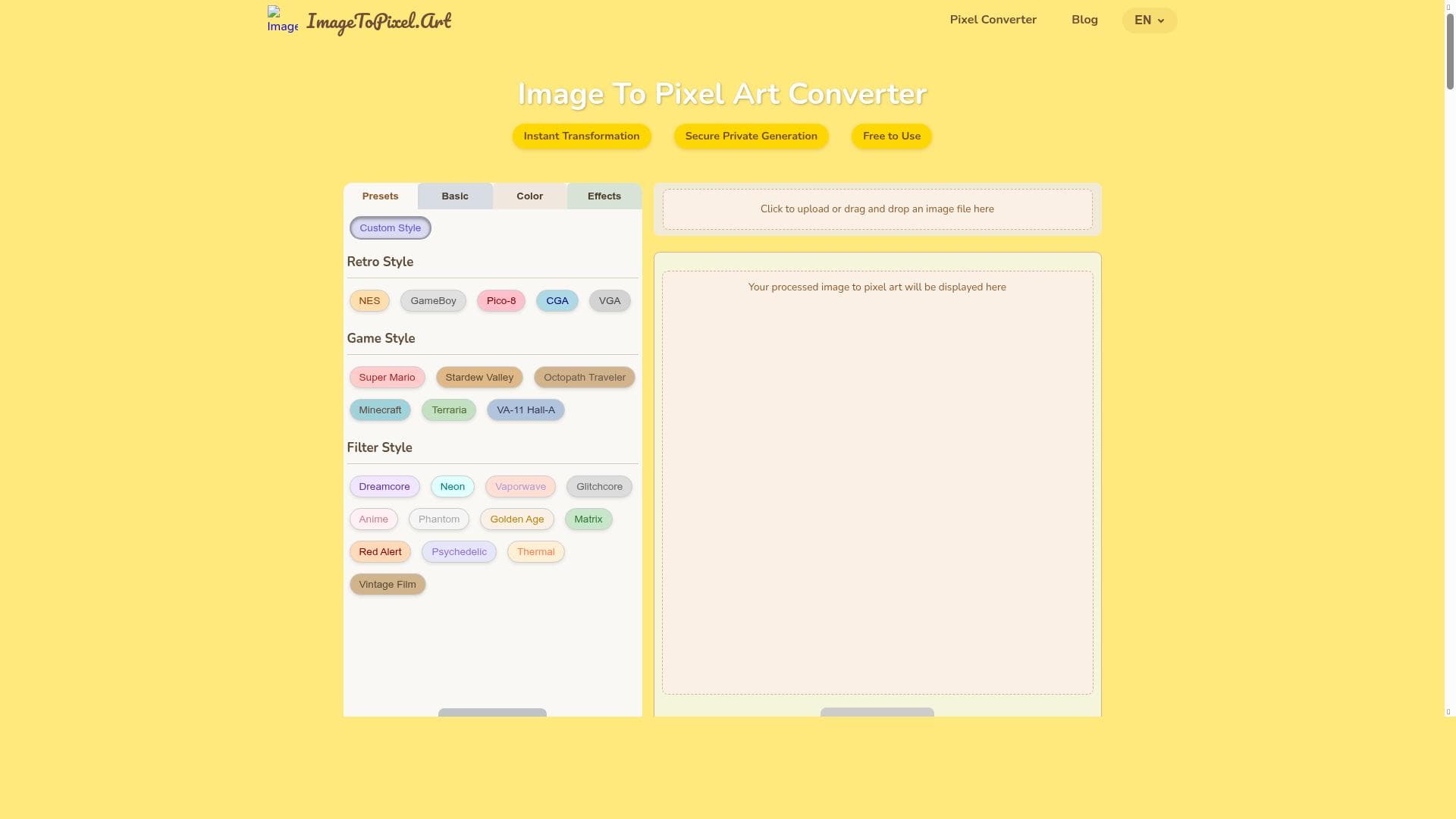
Imagetopixel is a free, AI-powered online tool that transforms your photos into authentic pixel art with customizable presets, console palettes, and retro CRT effects. Perfect for artists, game developers, and pixel art fans seeking instant, production-ready pixel art without any hassle or cost.
Imagetopixel is a specialized AI-powered online tool designed to effortlessly convert ordinary images into pixel art masterpieces. Its core purpose is to transform photos and pictures into charming pixel art representations, making it an ideal solution for artists, designers, game developers, and pixel art enthusiasts who want to create retro-style visuals quickly and easily. By leveraging advanced AI algorithms, Imagetopixel allows users to generate pixel art with authentic console palettes and adaptive dithering, providing a nostalgic yet modern pixel art experience. The tool is accessible through a web interface, requiring no downloads or installations, making it convenient for users to convert images on the fly. One of the standout features of Imagetopixel is its variety of presets that enable users to convert images into pixel art with different styles and effects. It recreates classic console palettes, which are color schemes reminiscent of vintage gaming consoles, and applies adaptive dithering techniques to enhance the visual texture and depth of the pixel art. Additionally, the tool offers CRT finishing passes, which simulate the look of old cathode-ray tube monitors, adding an authentic retro aesthetic to the final output. Users can upload images in popular formats such as PNG and JPG, and customize the pixel size and aspect ratio using intuitive sliders, allowing for precise control over the pixelation effect. The transformation process is instant, and the resulting pixel art can be downloaded in production-ready quality, ensuring it is suitable for professional use. Imagetopixel is best suited for a diverse range of users including digital artists looking to explore pixel art styles, indie game developers who need quick pixel art assets, social media content creators aiming for unique visuals, and hobbyists interested in retro aesthetics. Its ease of use and customization options make it perfect for both beginners and experienced users. For example, game developers can convert character sprites or backgrounds into pixel art without needing extensive manual editing, while artists can experiment with different pixel sizes and palettes to create unique artwork. The tool’s secure private generation ensures that user images remain confidential, which is important for professionals working on proprietary projects. In terms of pricing, Imagetopixel is completely free to use, making it accessible to anyone interested in pixel art conversion without any financial commitment. This free access distinguishes it from many other pixel art tools that require subscriptions or one-time payments. Users can enjoy unlimited conversions and customization options without worrying about hidden fees or usage limits. Compared to alternative pixel art converters, Imagetopixel stands out due to its AI-driven approach that combines authentic console palette recreation, adaptive dithering, and CRT finishing effects, which many competitors lack. While some tools offer pixelation filters, they often do not provide the depth of customization or the nostalgic visual effects that Imagetopixel delivers. Its instant transformation and secure private generation also enhance user experience by providing fast results and privacy assurance. However, unlike some advanced graphic design software, Imagetopixel focuses solely on pixel art conversion and does not include broader image editing capabilities. Notable limitations include the fact that it is a web-based tool, which means users need an internet connection to access it. Additionally, while it supports PNG and JPG uploads, it may not accept other image formats, which could require users to convert files beforehand. The tool is optimized for pixel art conversion rather than full-scale image editing, so users seeking comprehensive graphic design features might need to complement it with other software. Despite these considerations, Imagetopixel offers a powerful, user-friendly, and free solution for anyone looking to create pixel art from images quickly and effectively.

Description
Imagetopixel is a free, AI-powered online tool that transforms your photos into authentic pixel art with customizable presets, console palettes, and retro CRT effects. Perfect for artists, game developers, and pixel art fans seeking instant, production-ready pixel art without any hassle or cost.
Imagetopixel is a specialized AI-powered online tool designed to effortlessly convert ordinary images into pixel art masterpieces. Its core purpose is to transform photos and pictures into charming pixel art representations, making it an ideal solution for artists, designers, game developers, and pixel art enthusiasts who want to create retro-style visuals quickly and easily. By leveraging advanced AI algorithms, Imagetopixel allows users to generate pixel art with authentic console palettes and adaptive dithering, providing a nostalgic yet modern pixel art experience. The tool is accessible through a web interface, requiring no downloads or installations, making it convenient for users to convert images on the fly. One of the standout features of Imagetopixel is its variety of presets that enable users to convert images into pixel art with different styles and effects. It recreates classic console palettes, which are color schemes reminiscent of vintage gaming consoles, and applies adaptive dithering techniques to enhance the visual texture and depth of the pixel art. Additionally, the tool offers CRT finishing passes, which simulate the look of old cathode-ray tube monitors, adding an authentic retro aesthetic to the final output. Users can upload images in popular formats such as PNG and JPG, and customize the pixel size and aspect ratio using intuitive sliders, allowing for precise control over the pixelation effect. The transformation process is instant, and the resulting pixel art can be downloaded in production-ready quality, ensuring it is suitable for professional use. Imagetopixel is best suited for a diverse range of users including digital artists looking to explore pixel art styles, indie game developers who need quick pixel art assets, social media content creators aiming for unique visuals, and hobbyists interested in retro aesthetics. Its ease of use and customization options make it perfect for both beginners and experienced users. For example, game developers can convert character sprites or backgrounds into pixel art without needing extensive manual editing, while artists can experiment with different pixel sizes and palettes to create unique artwork. The tool’s secure private generation ensures that user images remain confidential, which is important for professionals working on proprietary projects. In terms of pricing, Imagetopixel is completely free to use, making it accessible to anyone interested in pixel art conversion without any financial commitment. This free access distinguishes it from many other pixel art tools that require subscriptions or one-time payments. Users can enjoy unlimited conversions and customization options without worrying about hidden fees or usage limits. Compared to alternative pixel art converters, Imagetopixel stands out due to its AI-driven approach that combines authentic console palette recreation, adaptive dithering, and CRT finishing effects, which many competitors lack. While some tools offer pixelation filters, they often do not provide the depth of customization or the nostalgic visual effects that Imagetopixel delivers. Its instant transformation and secure private generation also enhance user experience by providing fast results and privacy assurance. However, unlike some advanced graphic design software, Imagetopixel focuses solely on pixel art conversion and does not include broader image editing capabilities. Notable limitations include the fact that it is a web-based tool, which means users need an internet connection to access it. Additionally, while it supports PNG and JPG uploads, it may not accept other image formats, which could require users to convert files beforehand. The tool is optimized for pixel art conversion rather than full-scale image editing, so users seeking comprehensive graphic design features might need to complement it with other software. Despite these considerations, Imagetopixel offers a powerful, user-friendly, and free solution for anyone looking to create pixel art from images quickly and effectively.
Tool Features
- Convert images to pixel art with various presets
- Recreates console palettes and adaptive dithering
- Offers CRT finishing passes for authentic look
- Supports PNG and JPG file uploads
- Customizable sliders for pixel size and aspect ratio
- Download production-ready pixel art
- Instant transformation
- Secure private generation
Frequently Asked Questions
What is Imagetopixel?
Imagetopixel is a free online AI-powered tool that converts regular images into pixel art, allowing users to create retro-style pixelated versions of their photos with customizable styles and effects.
How much does Imagetopixel cost?
Imagetopixel is completely free to use, with no subscription or payment required for any of its features.
Who is Imagetopixel best for?
It is ideal for digital artists, indie game developers, social media creators, and pixel art enthusiasts who want to quickly and easily convert images into pixel art with authentic retro aesthetics.
What are the main features of Imagetopixel?
Key features include various pixel art presets, console palette recreation, adaptive dithering, CRT finishing passes for a vintage look, support for PNG and JPG uploads, customizable pixel size and aspect ratio sliders, instant transformation, and secure private generation.
Does Imagetopixel offer a free trial?
Yes, the entire tool is free to use with no trial restrictions or limitations.
What integrations does Imagetopixel support?
Imagetopixel primarily operates as a standalone web application and does not currently offer integrations with other software or platforms.
How does Imagetopixel work?
Users upload an image in PNG or JPG format, select desired pixel art presets and customize pixel size and aspect ratio using sliders. The AI then instantly converts the image into pixel art, applying console palettes, dithering, and optional CRT effects, after which the pixel art can be downloaded.
Sponsored Tools













































Reviews
No reviews yet. Be the first to share your experience.















