Description
ImageColorizer harnesses AI to effortlessly restore, colorize, and enhance old photos, turning faded memories into vivid, high-quality images. Ideal for photographers, historians, and anyone wanting to revive vintage photos, it combines powerful features with an easy-to-use cloud platform.
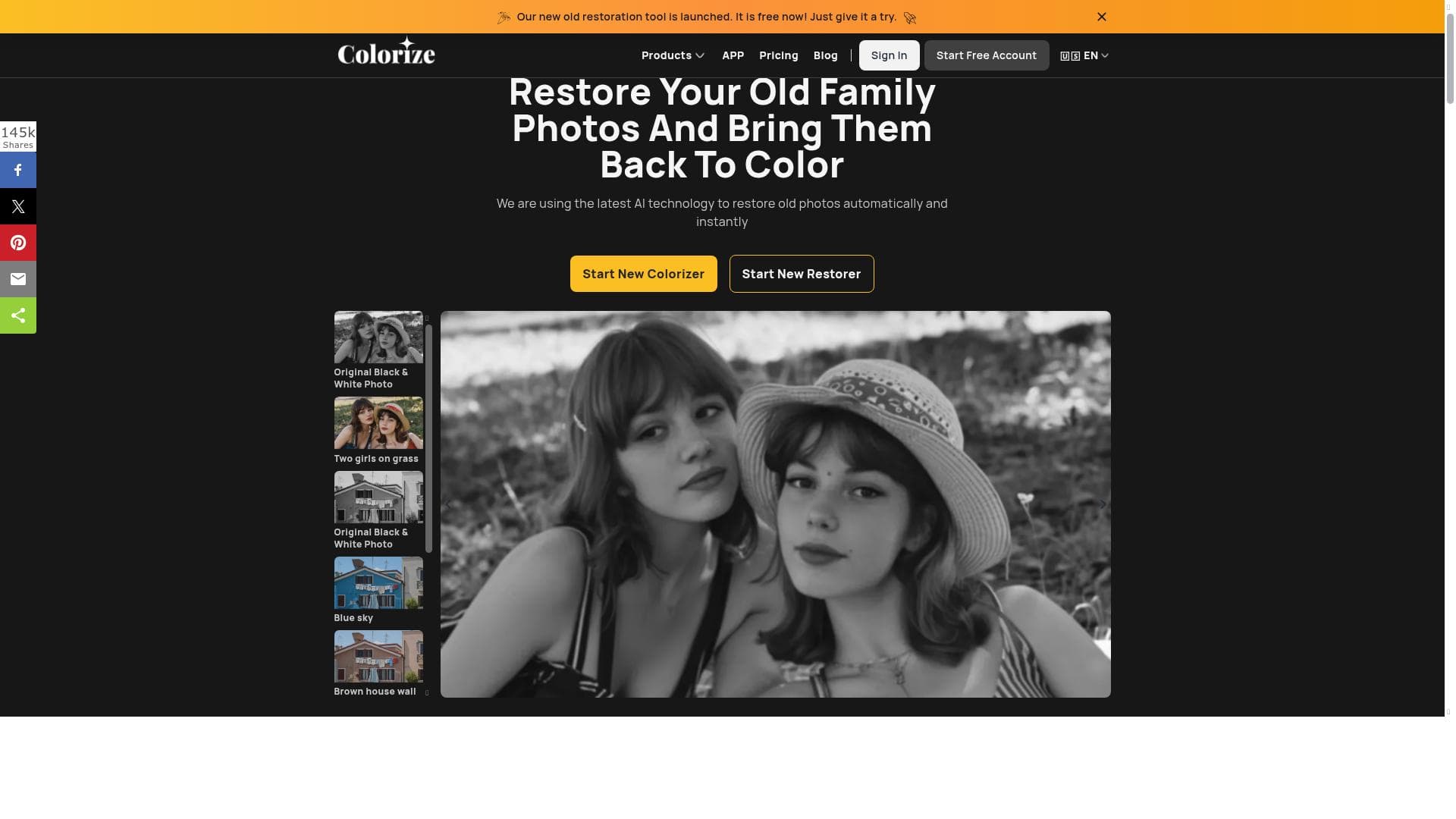
ImageColorizer is an advanced cloud-based photo editing and graphic design tool that leverages cutting-edge AI technology to restore, enhance, and colorize old and damaged photographs. Its core purpose is to breathe new life into black and white or deteriorated images by automatically applying colorization, repairing damage, and improving overall photo quality. This tool is designed to make photo restoration accessible and efficient for both casual users and professionals without requiring deep technical skills or expensive software. By utilizing AI-driven algorithms, ImageColorizer can analyze the content of photos and intelligently predict the appropriate colors and corrections needed to transform faded or monochrome images into vibrant, high-quality visuals. One of the standout features of ImageColorizer is its ability to colorize black and white photos with remarkable accuracy and naturalness. Unlike traditional manual colorization methods that are time-consuming and require artistic expertise, ImageColorizer automates the process, delivering realistic color tones that respect the original context of the image. Additionally, the tool excels at restoring old photos by removing scratches, stains, and other forms of damage that accumulate over time. This repair functionality helps preserve precious memories by digitally reconstructing missing or corrupted parts of the image. Beyond restoration and colorization, ImageColorizer also enhances photo quality by improving sharpness, contrast, and brightness. This enhancement is particularly useful for images that have lost clarity due to age or poor scanning quality. The retouching capabilities allow users to refine facial features and remove imperfections, making it ideal for portrait photos. The combination of these features ensures that users can achieve professional-grade results with minimal effort. ImageColorizer is best suited for individuals looking to restore family photos, historians and archivists digitizing historical images, photographers seeking to enhance their portfolios, and graphic designers who require quick and effective photo restoration tools. It is also valuable for social media enthusiasts and content creators who want to add a nostalgic or artistic touch to their visuals. The tool’s intuitive interface and cloud-based nature mean users can access it from any device without installing software, making it convenient for on-the-go editing. Regarding pricing, ImageColorizer operates on a freemium model. Users can access basic features for free, which is sufficient for casual use or testing the tool’s capabilities. For more advanced features, higher resolution outputs, and batch processing, premium plans are available at competitive rates. This pricing structure allows users to scale their usage according to their needs and budget. When compared to alternatives, ImageColorizer stands out due to its specialized focus on photo restoration and colorization powered by AI, offering a balance between ease of use and powerful results. While other tools may provide general photo editing or colorization, ImageColorizer’s dedicated algorithms for repairing and enhancing old photos provide superior accuracy and quality. However, some limitations include occasional inaccuracies in color prediction for highly complex images and dependency on internet connectivity due to its cloud-based nature. Additionally, while the freemium plan is generous, heavy users may find the premium subscription necessary to unlock full potential. In summary, ImageColorizer is a robust AI-driven tool that transforms old, black and white, or damaged photos into vibrant, restored images with minimal user input. Its combination of colorization, restoration, enhancement, and retouching features makes it a versatile choice for anyone looking to preserve and revitalize photographic memories. The freemium pricing model and cloud accessibility further enhance its appeal, making it a practical solution for a wide range of users from hobbyists to professionals.

Description
ImageColorizer harnesses AI to effortlessly restore, colorize, and enhance old photos, turning faded memories into vivid, high-quality images. Ideal for photographers, historians, and anyone wanting to revive vintage photos, it combines powerful features with an easy-to-use cloud platform.
ImageColorizer is an advanced cloud-based photo editing and graphic design tool that leverages cutting-edge AI technology to restore, enhance, and colorize old and damaged photographs. Its core purpose is to breathe new life into black and white or deteriorated images by automatically applying colorization, repairing damage, and improving overall photo quality. This tool is designed to make photo restoration accessible and efficient for both casual users and professionals without requiring deep technical skills or expensive software. By utilizing AI-driven algorithms, ImageColorizer can analyze the content of photos and intelligently predict the appropriate colors and corrections needed to transform faded or monochrome images into vibrant, high-quality visuals. One of the standout features of ImageColorizer is its ability to colorize black and white photos with remarkable accuracy and naturalness. Unlike traditional manual colorization methods that are time-consuming and require artistic expertise, ImageColorizer automates the process, delivering realistic color tones that respect the original context of the image. Additionally, the tool excels at restoring old photos by removing scratches, stains, and other forms of damage that accumulate over time. This repair functionality helps preserve precious memories by digitally reconstructing missing or corrupted parts of the image. Beyond restoration and colorization, ImageColorizer also enhances photo quality by improving sharpness, contrast, and brightness. This enhancement is particularly useful for images that have lost clarity due to age or poor scanning quality. The retouching capabilities allow users to refine facial features and remove imperfections, making it ideal for portrait photos. The combination of these features ensures that users can achieve professional-grade results with minimal effort. ImageColorizer is best suited for individuals looking to restore family photos, historians and archivists digitizing historical images, photographers seeking to enhance their portfolios, and graphic designers who require quick and effective photo restoration tools. It is also valuable for social media enthusiasts and content creators who want to add a nostalgic or artistic touch to their visuals. The tool’s intuitive interface and cloud-based nature mean users can access it from any device without installing software, making it convenient for on-the-go editing. Regarding pricing, ImageColorizer operates on a freemium model. Users can access basic features for free, which is sufficient for casual use or testing the tool’s capabilities. For more advanced features, higher resolution outputs, and batch processing, premium plans are available at competitive rates. This pricing structure allows users to scale their usage according to their needs and budget. When compared to alternatives, ImageColorizer stands out due to its specialized focus on photo restoration and colorization powered by AI, offering a balance between ease of use and powerful results. While other tools may provide general photo editing or colorization, ImageColorizer’s dedicated algorithms for repairing and enhancing old photos provide superior accuracy and quality. However, some limitations include occasional inaccuracies in color prediction for highly complex images and dependency on internet connectivity due to its cloud-based nature. Additionally, while the freemium plan is generous, heavy users may find the premium subscription necessary to unlock full potential. In summary, ImageColorizer is a robust AI-driven tool that transforms old, black and white, or damaged photos into vibrant, restored images with minimal user input. Its combination of colorization, restoration, enhancement, and retouching features makes it a versatile choice for anyone looking to preserve and revitalize photographic memories. The freemium pricing model and cloud accessibility further enhance its appeal, making it a practical solution for a wide range of users from hobbyists to professionals.
Tool Features
- Colorize black and white photos
- Restore old photos
- Enhance photo quality
- Repair damaged photos
- Retouch photos
Frequently Asked Questions
What is Imagecolorizer?
ImageColorizer is a cloud-based AI-powered photo editing tool designed to restore, colorize, and enhance old or damaged photographs quickly and easily.
How much does Imagecolorizer cost?
ImageColorizer offers a freemium pricing model with free access to basic features and paid premium plans that provide higher resolution outputs, batch processing, and advanced functionalities.
Who is Imagecolorizer best for?
It is best suited for individuals restoring family photos, historians digitizing archives, photographers enhancing portfolios, graphic designers, and social media content creators seeking to revitalize old images.
What are the main features of Imagecolorizer?
Key features include AI-driven colorization of black and white photos, restoration of old and damaged images, photo quality enhancement, damage repair, and retouching capabilities.
Does Imagecolorizer offer a free trial?
Yes, ImageColorizer provides free access to basic features, allowing users to try the tool before opting for premium plans.
What integrations does Imagecolorizer support?
ImageColorizer primarily operates as a standalone cloud-based platform accessible via web browsers and does not currently offer direct integrations with other software.
How does Imagecolorizer work?
ImageColorizer uses AI algorithms to analyze photos, automatically applying colorization, repairing damage, enhancing quality, and retouching images to restore and improve them with minimal user input.
Sponsored Tools













































Reviews
No reviews yet. Be the first to share your experience.