Description
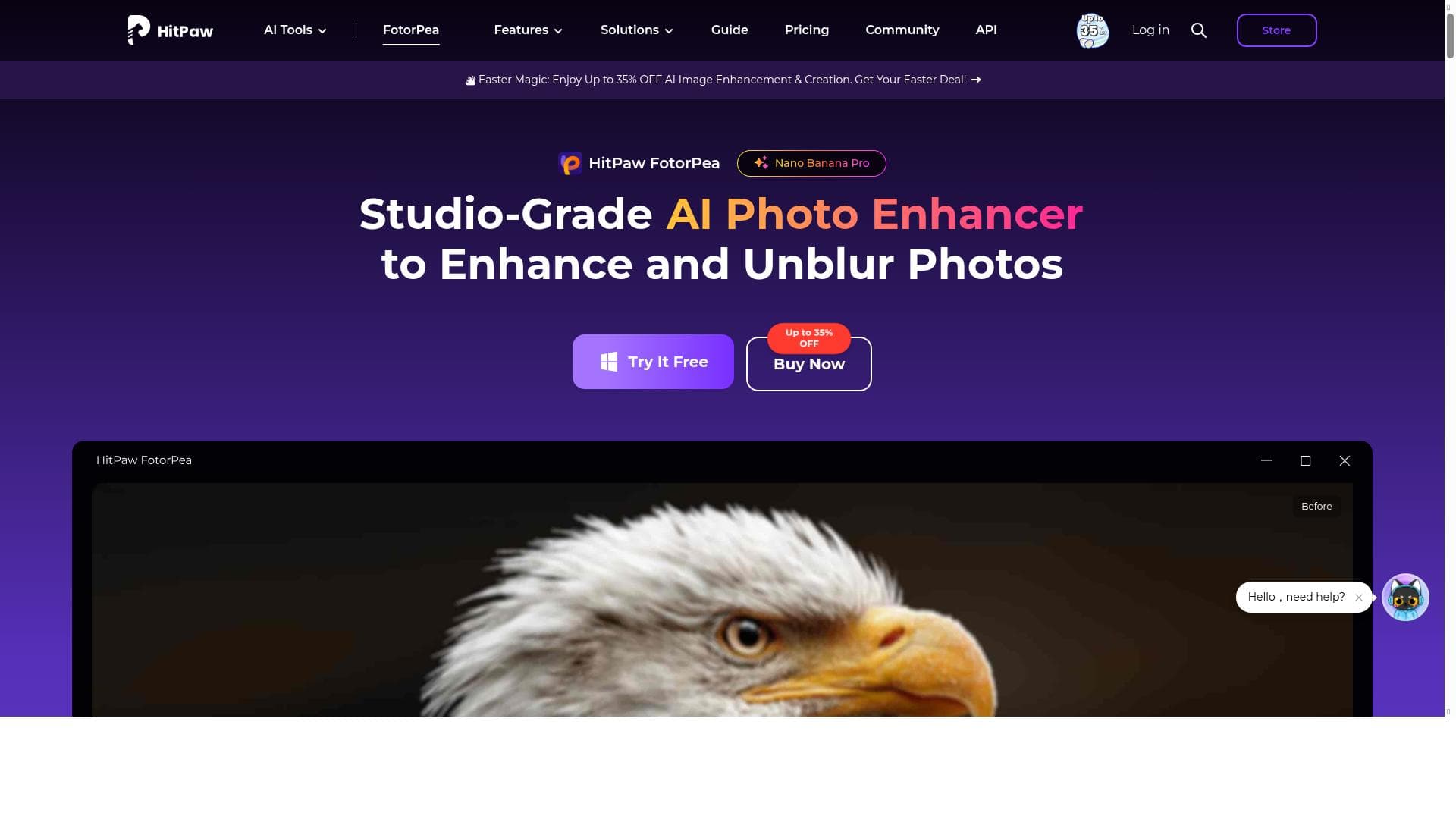
HitPaw FotorPea is a versatile AI photo editor that enhances image quality, upscales photos to 8K, restores old pictures, and generates AI art—all in one easy-to-use platform. Ideal for photographers, designers, and casual users alike, it simplifies complex editing tasks with one-click automation and powerful AI tools.
HitPaw FotorPea is a comprehensive AI-powered photo editing software designed to elevate your images with minimal effort. Its core purpose is to provide users with an all-in-one solution that enhances photo quality, generates AI-driven artwork, and performs complex editing tasks such as object removal and background changes quickly and intuitively. By leveraging advanced artificial intelligence algorithms, HitPaw FotorPea transforms ordinary photos into visually stunning creations, making professional-grade photo editing accessible to users of all skill levels. One of the standout features of HitPaw FotorPea is its AI photo enhancement capability. This feature intelligently analyzes images and automatically improves clarity, color balance, and overall quality with just one click. The software supports upscaling photos up to an impressive 8K resolution, allowing users to enlarge images without losing detail or sharpness. This is particularly useful for printing large-format photos or enhancing low-resolution images. Additionally, HitPaw FotorPea offers powerful restoration tools that can revive old, damaged, or blurry photos, bringing new life to cherished memories. The one-click image quality improvement function simplifies the editing process, enabling users to achieve professional results quickly without needing extensive technical knowledge. Beyond enhancement, HitPaw FotorPea includes creative features such as AI art generation from text prompts or existing images. This allows users to create unique digital artwork effortlessly, expanding the tool’s utility beyond traditional photo editing. The software also excels in object removal, enabling users to erase unwanted elements from their pictures seamlessly. Background removal and replacement can be done in seconds, making it ideal for product photography, social media content creation, or any scenario where a clean, customized background is desired. HitPaw FotorPea is best suited for photographers, graphic designers, social media influencers, and casual users who want to improve their photos without investing time in complex editing software. It is also valuable for businesses needing quick and high-quality image enhancements for marketing materials. The intuitive interface and automated AI features make it accessible for beginners, while its advanced capabilities satisfy more experienced users seeking efficient workflows. Regarding pricing, HitPaw FotorPea is a paid software, with pricing details available on its official website. While it does not offer a permanently free version, potential users can explore trial options or limited-time offers to evaluate the software before committing. The investment is justified by the breadth of features and the quality of AI-driven enhancements provided. When compared to alternatives, HitPaw FotorPea stands out due to its combination of AI photo enhancement, ultra-high resolution upscaling, and creative AI art generation within a single platform. Many competitors focus on either photo editing or AI art generation separately, but HitPaw FotorPea integrates these functionalities seamlessly. However, users should consider that as a desktop application, it requires installation and may not offer the cloud-based collaboration features found in some web-based editors. Notable limitations include the lack of extensive manual editing tools that professional photo editors might expect, as the software prioritizes AI automation and simplicity. Additionally, the paid model may be a barrier for casual users seeking free editing solutions. Users should also ensure their hardware meets the software’s system requirements to fully benefit from 8K upscaling and AI processing capabilities. Overall, HitPaw FotorPea is a powerful, user-friendly tool that delivers high-quality photo enhancements and creative AI features, making it a valuable asset for anyone looking to improve and transform their images quickly and effectively.

Description
HitPaw FotorPea is a versatile AI photo editor that enhances image quality, upscales photos to 8K, restores old pictures, and generates AI art—all in one easy-to-use platform. Ideal for photographers, designers, and casual users alike, it simplifies complex editing tasks with one-click automation and powerful AI tools.
HitPaw FotorPea is a comprehensive AI-powered photo editing software designed to elevate your images with minimal effort. Its core purpose is to provide users with an all-in-one solution that enhances photo quality, generates AI-driven artwork, and performs complex editing tasks such as object removal and background changes quickly and intuitively. By leveraging advanced artificial intelligence algorithms, HitPaw FotorPea transforms ordinary photos into visually stunning creations, making professional-grade photo editing accessible to users of all skill levels. One of the standout features of HitPaw FotorPea is its AI photo enhancement capability. This feature intelligently analyzes images and automatically improves clarity, color balance, and overall quality with just one click. The software supports upscaling photos up to an impressive 8K resolution, allowing users to enlarge images without losing detail or sharpness. This is particularly useful for printing large-format photos or enhancing low-resolution images. Additionally, HitPaw FotorPea offers powerful restoration tools that can revive old, damaged, or blurry photos, bringing new life to cherished memories. The one-click image quality improvement function simplifies the editing process, enabling users to achieve professional results quickly without needing extensive technical knowledge. Beyond enhancement, HitPaw FotorPea includes creative features such as AI art generation from text prompts or existing images. This allows users to create unique digital artwork effortlessly, expanding the tool’s utility beyond traditional photo editing. The software also excels in object removal, enabling users to erase unwanted elements from their pictures seamlessly. Background removal and replacement can be done in seconds, making it ideal for product photography, social media content creation, or any scenario where a clean, customized background is desired. HitPaw FotorPea is best suited for photographers, graphic designers, social media influencers, and casual users who want to improve their photos without investing time in complex editing software. It is also valuable for businesses needing quick and high-quality image enhancements for marketing materials. The intuitive interface and automated AI features make it accessible for beginners, while its advanced capabilities satisfy more experienced users seeking efficient workflows. Regarding pricing, HitPaw FotorPea is a paid software, with pricing details available on its official website. While it does not offer a permanently free version, potential users can explore trial options or limited-time offers to evaluate the software before committing. The investment is justified by the breadth of features and the quality of AI-driven enhancements provided. When compared to alternatives, HitPaw FotorPea stands out due to its combination of AI photo enhancement, ultra-high resolution upscaling, and creative AI art generation within a single platform. Many competitors focus on either photo editing or AI art generation separately, but HitPaw FotorPea integrates these functionalities seamlessly. However, users should consider that as a desktop application, it requires installation and may not offer the cloud-based collaboration features found in some web-based editors. Notable limitations include the lack of extensive manual editing tools that professional photo editors might expect, as the software prioritizes AI automation and simplicity. Additionally, the paid model may be a barrier for casual users seeking free editing solutions. Users should also ensure their hardware meets the software’s system requirements to fully benefit from 8K upscaling and AI processing capabilities. Overall, HitPaw FotorPea is a powerful, user-friendly tool that delivers high-quality photo enhancements and creative AI features, making it a valuable asset for anyone looking to improve and transform their images quickly and effectively.
Tool Features
- AI photo enhancement
- Upscale photos up to 8K resolution
- Restore old or blurry images
- One-click image quality improvement
Frequently Asked Questions
What is HitPaw FotorPea?
HitPaw FotorPea is an all-in-one AI-powered photo editing software that enhances photo quality, upscales images up to 8K resolution, restores old or blurry photos, removes unwanted objects, changes backgrounds, and generates AI art from text or images.
How much does HitPaw FotorPea cost?
HitPaw FotorPea is a paid software. Pricing details are available on the official website, and users may find various subscription plans or one-time purchase options depending on their needs.
Who is HitPaw FotorPea best for?
It is best suited for photographers, graphic designers, social media content creators, and casual users who want to enhance and transform their photos quickly and easily without requiring advanced editing skills.
What are the main features of HitPaw FotorPea?
Key features include AI photo enhancement, upscaling photos up to 8K resolution, restoring old or blurry images, one-click image quality improvement, AI art generation from text and images, object removal, and fast background removal and replacement.
Does HitPaw FotorPea offer a free trial?
While HitPaw FotorPea is a paid tool, it may offer trial versions or limited-time free access for users to test its features before purchasing. Details can be found on their official website.
What integrations does HitPaw FotorPea support?
HitPaw FotorPea primarily functions as standalone desktop software and does not currently offer integrations with other platforms or software.
How does HitPaw FotorPea work?
Users download and install the software, then upload their photos to the platform. The AI algorithms analyze the images and apply enhancements, upscaling, restoration, or creative effects automatically or with minimal user input, enabling quick and professional-quality results.
Socials
Use ToolSponsored Tools













































Reviews
No reviews yet. Be the first to share your experience.