Description
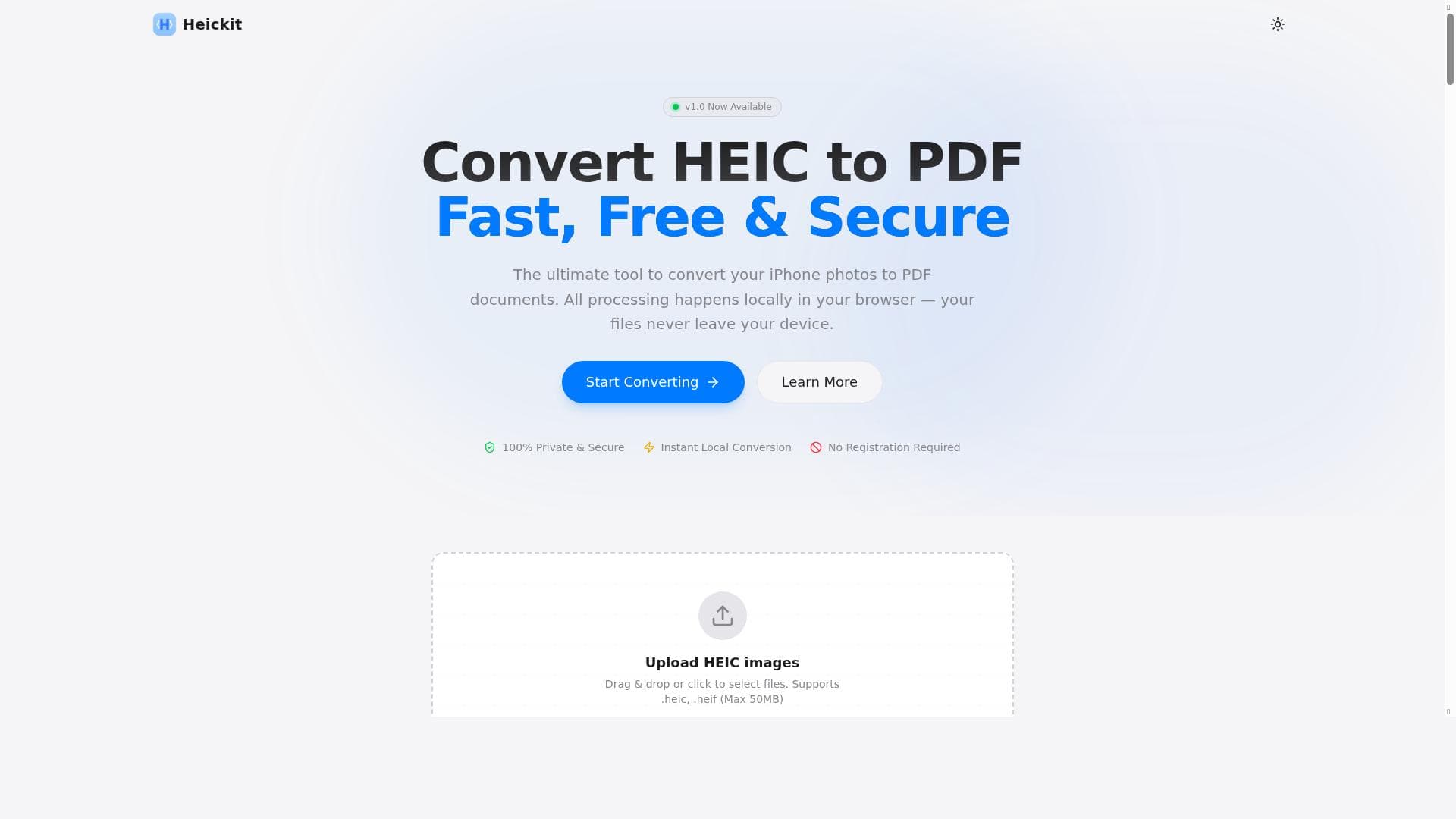
Heickit is a free, browser-based tool that converts iPhone HEIC photos into PDF documents entirely on your device, ensuring complete privacy and security. Ideal for iPhone users and professionals needing quick, local conversion without uploads, it supports combining multiple images into one PDF across iPhone, Mac, and Windows platforms.
Heickit is a specialized online tool designed to convert HEIC (High Efficiency Image Coding) photos, predominantly taken on iPhones, into PDF documents. Its core purpose is to provide a seamless, secure, and private way for users to transform their HEIC images into a widely accessible and shareable format without the need for software installation or complicated workflows. By operating entirely within the user's browser, Heickit ensures that all image processing happens locally on the device, meaning that your photos never leave your computer or phone, greatly enhancing privacy and security. This makes it an ideal solution for users concerned about data confidentiality or those who prefer not to upload sensitive images to cloud servers. One of the standout features of Heickit is its ability to convert HEIC files to PDF format for free, directly online. Unlike many other converters that require uploading files to external servers, Heickit performs instant local conversion, which not only speeds up the process but also guarantees that your files remain private. Additionally, Heickit supports combining multiple HEIC images into a single PDF document, a feature particularly useful for users who want to compile photo albums, receipts, or documents scanned as images into one cohesive file. The tool is compatible across multiple platforms, including iPhone, Mac, and Windows, ensuring broad accessibility regardless of the device you use. Heickit is best suited for iPhone users who frequently deal with HEIC photos and need a quick, reliable way to convert and share these images in PDF format. Photographers, business professionals, students, and anyone who manages digital documents on their devices can benefit from Heickit’s straightforward interface and privacy-first approach. For example, business users can convert multiple HEIC images of contracts or invoices into a single PDF for easier sharing and archiving, while students can compile lecture notes or project images into one document without worrying about file compatibility. The service is completely free to use, with no hidden fees or premium tiers. There is no need to create an account or download any software, which lowers the barrier to entry and makes it accessible to anyone with an internet connection and a compatible browser. This no-registration, no-download model also eliminates concerns about spam or unwanted marketing communications. Compared to alternative HEIC to PDF converters, Heickit stands out due to its local processing model and privacy guarantees. Many other tools require uploading files to cloud servers, which can be slower and raise privacy issues. Desktop software solutions may require installation and can be platform-specific, whereas Heickit works directly in the browser on multiple operating systems. However, unlike some paid software, Heickit does not offer advanced editing or batch processing beyond combining images into PDFs, which might be a limitation for power users. Notable considerations include the reliance on browser capabilities, meaning that very large HEIC files or extremely high volumes of images might be limited by device memory or browser performance. Since it is a web-based tool, an internet connection is necessary to access the service, although the actual conversion does not require uploading files. Users should also be aware that while Heickit focuses on privacy and security, it does not provide cloud storage or backup features, so users must manage their converted PDFs locally. Overall, Heickit is an excellent, privacy-conscious solution for quick and easy HEIC to PDF conversion without the hassle of downloads or registrations.
Description
Heickit is a free, browser-based tool that converts iPhone HEIC photos into PDF documents entirely on your device, ensuring complete privacy and security. Ideal for iPhone users and professionals needing quick, local conversion without uploads, it supports combining multiple images into one PDF across iPhone, Mac, and Windows platforms.
Heickit is a specialized online tool designed to convert HEIC (High Efficiency Image Coding) photos, predominantly taken on iPhones, into PDF documents. Its core purpose is to provide a seamless, secure, and private way for users to transform their HEIC images into a widely accessible and shareable format without the need for software installation or complicated workflows. By operating entirely within the user's browser, Heickit ensures that all image processing happens locally on the device, meaning that your photos never leave your computer or phone, greatly enhancing privacy and security. This makes it an ideal solution for users concerned about data confidentiality or those who prefer not to upload sensitive images to cloud servers. One of the standout features of Heickit is its ability to convert HEIC files to PDF format for free, directly online. Unlike many other converters that require uploading files to external servers, Heickit performs instant local conversion, which not only speeds up the process but also guarantees that your files remain private. Additionally, Heickit supports combining multiple HEIC images into a single PDF document, a feature particularly useful for users who want to compile photo albums, receipts, or documents scanned as images into one cohesive file. The tool is compatible across multiple platforms, including iPhone, Mac, and Windows, ensuring broad accessibility regardless of the device you use. Heickit is best suited for iPhone users who frequently deal with HEIC photos and need a quick, reliable way to convert and share these images in PDF format. Photographers, business professionals, students, and anyone who manages digital documents on their devices can benefit from Heickit’s straightforward interface and privacy-first approach. For example, business users can convert multiple HEIC images of contracts or invoices into a single PDF for easier sharing and archiving, while students can compile lecture notes or project images into one document without worrying about file compatibility. The service is completely free to use, with no hidden fees or premium tiers. There is no need to create an account or download any software, which lowers the barrier to entry and makes it accessible to anyone with an internet connection and a compatible browser. This no-registration, no-download model also eliminates concerns about spam or unwanted marketing communications. Compared to alternative HEIC to PDF converters, Heickit stands out due to its local processing model and privacy guarantees. Many other tools require uploading files to cloud servers, which can be slower and raise privacy issues. Desktop software solutions may require installation and can be platform-specific, whereas Heickit works directly in the browser on multiple operating systems. However, unlike some paid software, Heickit does not offer advanced editing or batch processing beyond combining images into PDFs, which might be a limitation for power users. Notable considerations include the reliance on browser capabilities, meaning that very large HEIC files or extremely high volumes of images might be limited by device memory or browser performance. Since it is a web-based tool, an internet connection is necessary to access the service, although the actual conversion does not require uploading files. Users should also be aware that while Heickit focuses on privacy and security, it does not provide cloud storage or backup features, so users must manage their converted PDFs locally. Overall, Heickit is an excellent, privacy-conscious solution for quick and easy HEIC to PDF conversion without the hassle of downloads or registrations.
Tool Features
- Convert HEIC to PDF online for free
- All processing happens locally in your browser
- Files never leave your device
- Combine multiple HEIC images into one PDF
- Works on iPhone, Mac, and Windows
- 100% Private & Secure
- Instant Local Conversion
- No Registration Required
Frequently Asked Questions
What is Heickit?
Heickit is an online tool that converts HEIC photos from iPhones into PDF documents locally within your browser, ensuring your files never leave your device.
How much does Heickit cost?
Heickit is completely free to use with no charges, subscriptions, or premium plans.
Who is Heickit best for?
Heickit is best for iPhone users, professionals, students, and anyone needing a quick, private way to convert HEIC images to PDF without installing software.
What are the main features of Heickit?
Key features include free HEIC to PDF conversion, local browser processing, combining multiple HEIC images into one PDF, cross-platform compatibility, and no registration or downloads required.
Does Heickit offer a free trial?
Heickit is entirely free to use and does not require a trial or subscription.
What integrations does Heickit support?
Heickit operates as a standalone web tool and does not currently offer integrations with other software or services.
How does Heickit work?
Heickit processes your HEIC images locally in your browser, converting them into PDF documents without uploading any files to external servers, ensuring privacy and instant conversion.
Socials
Use ToolSponsored Tools













































Reviews
No reviews yet. Be the first to share your experience.
















