Description
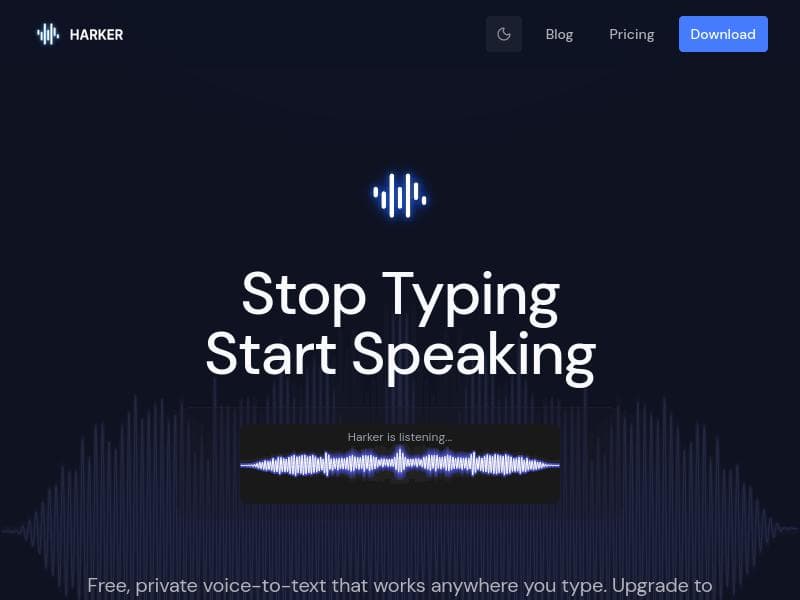
Harker 2.0 is a privacy-focused voice-to-text transcription tool that runs entirely on your Mac, ensuring your voice data never leaves your device. Perfect for professionals and creatives who want fast, unlimited local dictation combined with AI-powered rewriting, summarizing, and translation features in its Premium tier.
Harker 2.0 is a cutting-edge voice-to-text transcription tool designed specifically for Mac users who prioritize privacy and efficiency. Unlike many transcription services that rely on cloud processing, Harker 2.0 operates entirely locally on your Mac, ensuring that none of your voice data is sent to external servers. This unique approach safeguards user privacy while delivering fast, accurate transcription without the need for an internet connection. The core functionality of Harker 2.0 is free, allowing users unlimited local transcription, making it an excellent choice for those who want reliable dictation without recurring costs or privacy compromises. At its core, Harker 2.0 converts spoken words into text seamlessly across a variety of applications. It supports dictation in emails, documents, Slack messages, and even coding environments, making it a versatile tool for professionals, students, and developers alike. The tool features a global keyboard shortcut that enables users to start dictation instantly from anywhere on their Mac, streamlining the workflow and minimizing interruptions. Beyond simple transcription, Harker offers a Premium upgrade that unlocks advanced AI-powered writing features such as rewriting, summarizing, and translating dictated text. This makes Harker not only a transcription tool but also a powerful AI writing assistant that can enhance productivity and communication. Harker 2.0 is ideally suited for individuals who require fast, private, and reliable voice-to-text conversion on macOS. Writers, content creators, programmers, and business professionals who frequently compose emails, documents, or messages can benefit greatly from Harker’s seamless integration and local processing. Its ability to transcribe code snippets is particularly useful for developers who want to dictate code or comments without switching contexts. Additionally, users concerned about data privacy will appreciate that Harker's transcription never leaves their device, providing peace of mind that sensitive information remains secure. The pricing model for Harker 2.0 is freemium. The free version includes unlimited local transcription with no restrictions on usage, which is a significant advantage over many competitors that limit free transcription minutes or require constant internet connectivity. Users who want to leverage AI-powered enhancements such as rewriting, summarizing, or translating their dictated text can opt for the Premium plan. This upgrade adds substantial value for those looking to refine their content or communicate across languages efficiently. Pricing details for the Premium plan are available on the official website, allowing users to choose based on their needs. Compared to other voice-to-text tools, Harker 2.0 stands out with its privacy-first design and offline functionality. Many popular transcription services depend heavily on cloud infrastructure, which can introduce latency, require internet access, and raise privacy concerns. Harker’s local processing model eliminates these issues, offering faster response times and enhanced security. Additionally, the inclusion of AI writing features in the Premium tier provides a more comprehensive solution than basic dictation apps. However, unlike some cloud-based tools, Harker’s offline model may limit certain advanced AI capabilities that require extensive server-side computation. While Harker 2.0 offers many advantages, there are some considerations to keep in mind. Its exclusive compatibility with macOS means that users on Windows or Linux cannot utilize the tool. Also, although the free version provides unlimited transcription, the AI-powered rewriting and translation features require a Premium subscription, which may be a barrier for some users. Furthermore, as an offline tool, Harker’s AI enhancements might not be as expansive or frequently updated as cloud-based AI services. Nonetheless, for Mac users seeking a secure, efficient, and versatile voice-to-text solution, Harker 2.0 presents a compelling option that balances privacy, functionality, and affordability.

Description
Harker 2.0 is a privacy-focused voice-to-text transcription tool that runs entirely on your Mac, ensuring your voice data never leaves your device. Perfect for professionals and creatives who want fast, unlimited local dictation combined with AI-powered rewriting, summarizing, and translation features in its Premium tier.
Harker 2.0 is a cutting-edge voice-to-text transcription tool designed specifically for Mac users who prioritize privacy and efficiency. Unlike many transcription services that rely on cloud processing, Harker 2.0 operates entirely locally on your Mac, ensuring that none of your voice data is sent to external servers. This unique approach safeguards user privacy while delivering fast, accurate transcription without the need for an internet connection. The core functionality of Harker 2.0 is free, allowing users unlimited local transcription, making it an excellent choice for those who want reliable dictation without recurring costs or privacy compromises. At its core, Harker 2.0 converts spoken words into text seamlessly across a variety of applications. It supports dictation in emails, documents, Slack messages, and even coding environments, making it a versatile tool for professionals, students, and developers alike. The tool features a global keyboard shortcut that enables users to start dictation instantly from anywhere on their Mac, streamlining the workflow and minimizing interruptions. Beyond simple transcription, Harker offers a Premium upgrade that unlocks advanced AI-powered writing features such as rewriting, summarizing, and translating dictated text. This makes Harker not only a transcription tool but also a powerful AI writing assistant that can enhance productivity and communication. Harker 2.0 is ideally suited for individuals who require fast, private, and reliable voice-to-text conversion on macOS. Writers, content creators, programmers, and business professionals who frequently compose emails, documents, or messages can benefit greatly from Harker’s seamless integration and local processing. Its ability to transcribe code snippets is particularly useful for developers who want to dictate code or comments without switching contexts. Additionally, users concerned about data privacy will appreciate that Harker's transcription never leaves their device, providing peace of mind that sensitive information remains secure. The pricing model for Harker 2.0 is freemium. The free version includes unlimited local transcription with no restrictions on usage, which is a significant advantage over many competitors that limit free transcription minutes or require constant internet connectivity. Users who want to leverage AI-powered enhancements such as rewriting, summarizing, or translating their dictated text can opt for the Premium plan. This upgrade adds substantial value for those looking to refine their content or communicate across languages efficiently. Pricing details for the Premium plan are available on the official website, allowing users to choose based on their needs. Compared to other voice-to-text tools, Harker 2.0 stands out with its privacy-first design and offline functionality. Many popular transcription services depend heavily on cloud infrastructure, which can introduce latency, require internet access, and raise privacy concerns. Harker’s local processing model eliminates these issues, offering faster response times and enhanced security. Additionally, the inclusion of AI writing features in the Premium tier provides a more comprehensive solution than basic dictation apps. However, unlike some cloud-based tools, Harker’s offline model may limit certain advanced AI capabilities that require extensive server-side computation. While Harker 2.0 offers many advantages, there are some considerations to keep in mind. Its exclusive compatibility with macOS means that users on Windows or Linux cannot utilize the tool. Also, although the free version provides unlimited transcription, the AI-powered rewriting and translation features require a Premium subscription, which may be a barrier for some users. Furthermore, as an offline tool, Harker’s AI enhancements might not be as expansive or frequently updated as cloud-based AI services. Nonetheless, for Mac users seeking a secure, efficient, and versatile voice-to-text solution, Harker 2.0 presents a compelling option that balances privacy, functionality, and affordability.
Tool Features
- Free unlimited local transcription
- Global keyboard shortcut for dictation
- Supports dictation in emails, documents, Slack, and code
- Premium AI writing features available
- MacOS compatible
- Version 1.1.3
Frequently Asked Questions
What is Harker 2.0?
Harker 2.0 is a voice-to-text transcription tool for Mac that converts your spoken words into text locally on your device without sending any data to the cloud, ensuring privacy and fast performance.
How much does Harker 2.0 cost?
Harker 2.0 offers a freemium pricing model with unlimited free local transcription. Premium features like AI rewriting, summarizing, and translation require a paid subscription.
Who is Harker 2.0 best for?
It is best suited for Mac users who need private, reliable voice-to-text transcription, including writers, professionals, developers, and anyone who frequently dictates emails, documents, or code.
What are the main features of Harker 2.0?
Key features include free unlimited local transcription, a global keyboard shortcut for instant dictation, support for dictation in emails, documents, Slack, and code, plus Premium AI writing tools for rewriting, summarizing, and translating text.
Does Harker 2.0 offer a free trial?
Yes, the core transcription functionality is free to use with unlimited local dictation, allowing users to try the tool without any time restrictions.
What integrations does Harker 2.0 support?
Harker supports dictation across various applications on macOS including email clients, document editors, Slack, and coding environments, enabling versatile use across workflows.
How does Harker 2.0 work?
Harker 2.0 processes your voice input entirely on your Mac, converting speech to text locally without uploading data to the cloud, and offers optional AI-powered text rewriting, summarizing, and translation through its Premium features.
Socials
Use ToolSponsored Tools













































Reviews
No reviews yet. Be the first to share your experience.
















