Description
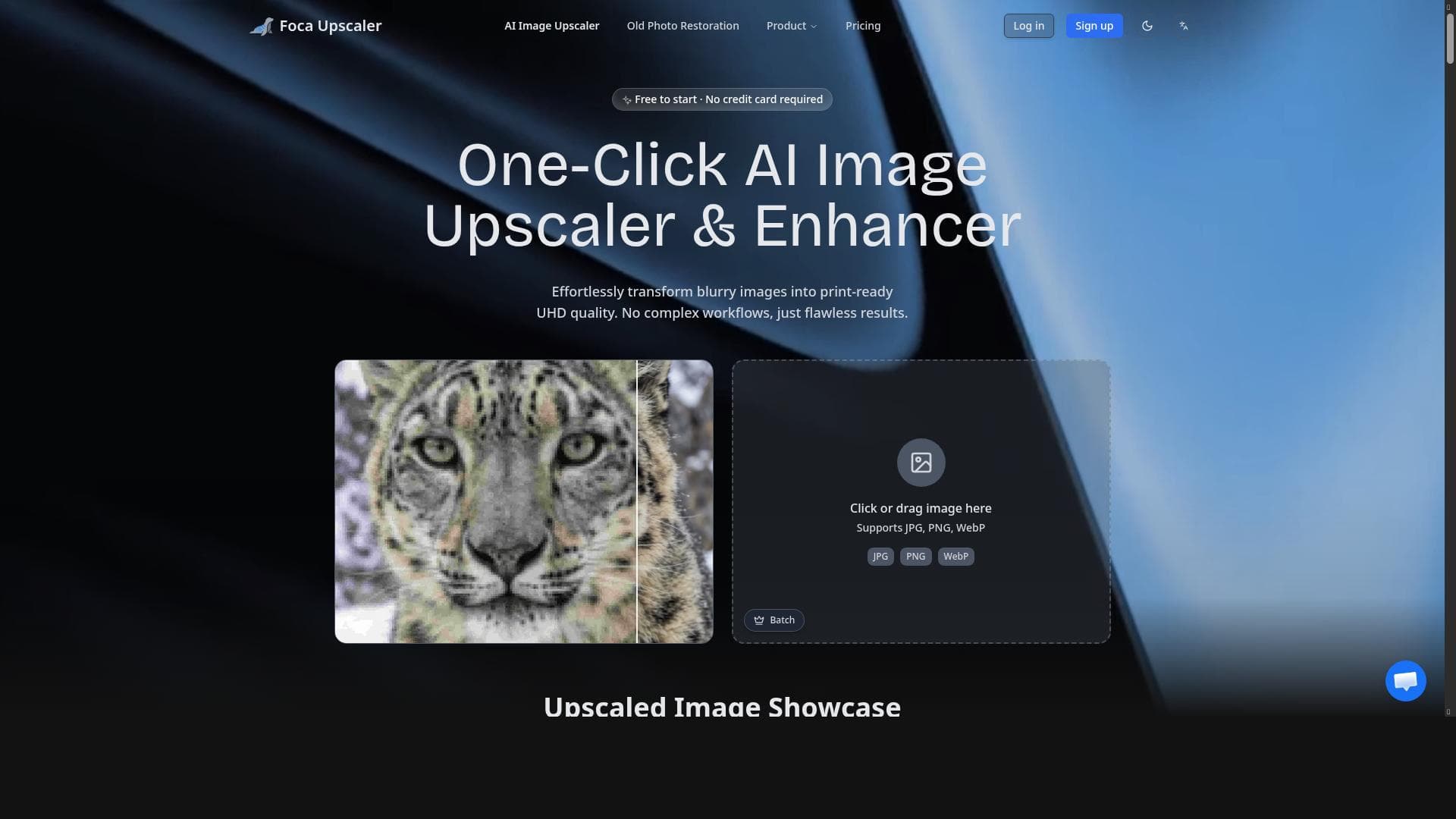
Focaupscaler leverages cutting-edge AI technology to upscale images with remarkable clarity, preserving natural textures and reducing noise. Ideal for photographers, designers, and content creators, it transforms low-resolution images into high-quality visuals with ease and precision.
Focaupscaler is a sophisticated AI-driven image upscaling tool designed to significantly enhance the resolution and overall quality of images. Its core purpose is to transform low-resolution or compressed images into high-definition visuals without compromising the natural textures and colors. By leveraging advanced artificial intelligence algorithms, Focaupscaler intelligently analyzes image details and reconstructs finer elements, resulting in sharper, clearer, and more vibrant images. This makes it an invaluable asset for photographers, graphic designers, content creators, and anyone who requires high-quality images for professional or personal use. At the heart of Focaupscaler's capabilities is its AI-powered upscaling technology, which goes beyond simple resizing. Unlike traditional upscaling methods that often produce blurry or pixelated results, Focaupscaler preserves intricate image details and reduces noise effectively. It enhances clarity and sharpness by reconstructing edges and textures, ensuring that the upscaled images look natural and visually appealing. The tool supports a wide range of image formats, making it versatile for different workflows and compatible with various devices and software. Its user-friendly interface further simplifies the process, allowing users to upscale images quickly without requiring technical expertise. Focaupscaler is particularly well-suited for photographers who want to enlarge photos for prints or portfolios while maintaining image integrity. Designers can use it to improve graphics for websites, marketing materials, or product visuals, ensuring that every detail is crisp and professional. Content creators, including social media managers and video producers, benefit from enhanced visuals that attract and engage audiences. Additionally, it serves well for restoring old or low-quality images, making it a useful tool for archivists and hobbyists interested in photo restoration. The pricing model for Focaupscaler is freemium, offering users access to basic features at no cost, which is ideal for casual users or those wanting to test the tool's capabilities. For more advanced features, higher resolution outputs, or bulk processing, premium plans are available. These paid tiers provide enhanced performance and additional options, catering to professional users who need more robust functionality and faster processing times. This flexible pricing approach allows users to choose a plan that best fits their needs and budget. When compared to alternative image upscaling tools, Focaupscaler stands out due to its balance of quality, ease of use, and affordability. Many competing tools either focus solely on upscaling without noise reduction or require complex setups and technical knowledge. Focaupscaler's AI technology ensures superior detail preservation and noise reduction, while its intuitive interface makes it accessible to users of all skill levels. However, some specialized tools may offer more extensive editing features or integration options, which could be a consideration for users with very specific workflow requirements. Despite its strengths, users should be aware of certain limitations. The quality of the upscaled image can still depend on the original image's quality; extremely low-resolution or heavily compressed images may not achieve perfect results. Additionally, while the freemium model provides a good introduction, some advanced features are locked behind paid plans, which might be a barrier for users seeking completely free solutions. Lastly, as with any AI-based tool, processing times can vary depending on image size and system performance. Overall, Focaupscaler is a powerful and accessible AI image upscaling tool that delivers impressive results for enhancing image resolution and quality. Its combination of advanced AI algorithms, noise reduction, and user-friendly design makes it a top choice for professionals and enthusiasts alike who need to improve their visual content efficiently and effectively.

Description
Focaupscaler leverages cutting-edge AI technology to upscale images with remarkable clarity, preserving natural textures and reducing noise. Ideal for photographers, designers, and content creators, it transforms low-resolution images into high-quality visuals with ease and precision.
Focaupscaler is a sophisticated AI-driven image upscaling tool designed to significantly enhance the resolution and overall quality of images. Its core purpose is to transform low-resolution or compressed images into high-definition visuals without compromising the natural textures and colors. By leveraging advanced artificial intelligence algorithms, Focaupscaler intelligently analyzes image details and reconstructs finer elements, resulting in sharper, clearer, and more vibrant images. This makes it an invaluable asset for photographers, graphic designers, content creators, and anyone who requires high-quality images for professional or personal use. At the heart of Focaupscaler's capabilities is its AI-powered upscaling technology, which goes beyond simple resizing. Unlike traditional upscaling methods that often produce blurry or pixelated results, Focaupscaler preserves intricate image details and reduces noise effectively. It enhances clarity and sharpness by reconstructing edges and textures, ensuring that the upscaled images look natural and visually appealing. The tool supports a wide range of image formats, making it versatile for different workflows and compatible with various devices and software. Its user-friendly interface further simplifies the process, allowing users to upscale images quickly without requiring technical expertise. Focaupscaler is particularly well-suited for photographers who want to enlarge photos for prints or portfolios while maintaining image integrity. Designers can use it to improve graphics for websites, marketing materials, or product visuals, ensuring that every detail is crisp and professional. Content creators, including social media managers and video producers, benefit from enhanced visuals that attract and engage audiences. Additionally, it serves well for restoring old or low-quality images, making it a useful tool for archivists and hobbyists interested in photo restoration. The pricing model for Focaupscaler is freemium, offering users access to basic features at no cost, which is ideal for casual users or those wanting to test the tool's capabilities. For more advanced features, higher resolution outputs, or bulk processing, premium plans are available. These paid tiers provide enhanced performance and additional options, catering to professional users who need more robust functionality and faster processing times. This flexible pricing approach allows users to choose a plan that best fits their needs and budget. When compared to alternative image upscaling tools, Focaupscaler stands out due to its balance of quality, ease of use, and affordability. Many competing tools either focus solely on upscaling without noise reduction or require complex setups and technical knowledge. Focaupscaler's AI technology ensures superior detail preservation and noise reduction, while its intuitive interface makes it accessible to users of all skill levels. However, some specialized tools may offer more extensive editing features or integration options, which could be a consideration for users with very specific workflow requirements. Despite its strengths, users should be aware of certain limitations. The quality of the upscaled image can still depend on the original image's quality; extremely low-resolution or heavily compressed images may not achieve perfect results. Additionally, while the freemium model provides a good introduction, some advanced features are locked behind paid plans, which might be a barrier for users seeking completely free solutions. Lastly, as with any AI-based tool, processing times can vary depending on image size and system performance. Overall, Focaupscaler is a powerful and accessible AI image upscaling tool that delivers impressive results for enhancing image resolution and quality. Its combination of advanced AI algorithms, noise reduction, and user-friendly design makes it a top choice for professionals and enthusiasts alike who need to improve their visual content efficiently and effectively.
Tool Features
- AI-powered image upscaling
- Preserves image details and reduces noise
- Enhances image clarity and sharpness
- Supports various image formats
- User-friendly interface
Frequently Asked Questions
What is Focaupscaler?
Focaupscaler is an AI-powered image upscaling tool that enhances the resolution and quality of images by preserving details, reducing noise, and improving clarity while maintaining natural textures and colors.
How much does Focaupscaler cost?
Focaupscaler offers a freemium pricing model, providing basic features for free with options to upgrade to premium plans for advanced features, higher resolution outputs, and faster processing.
Who is Focaupscaler best for?
It is best suited for photographers, graphic designers, content creators, and anyone needing to upscale images while maintaining high quality and natural appearance.
What are the main features of Focaupscaler?
Key features include AI-powered image upscaling, detail preservation, noise reduction, enhanced clarity and sharpness, support for various image formats, and a user-friendly interface.
Does Focaupscaler offer a free trial?
Yes, Focaupscaler provides free access to its basic features under its freemium model, allowing users to try the tool before opting for premium plans.
What integrations does Focaupscaler support?
Focaupscaler primarily functions as a standalone web-based tool and supports various image formats, but it does not currently offer direct integrations with other software platforms.
How does Focaupscaler work?
Focaupscaler uses advanced AI algorithms to analyze and upscale images by reconstructing fine details, reducing noise, and enhancing sharpness and clarity while preserving natural colors and textures.
Sponsored Tools













































Reviews
No reviews yet. Be the first to share your experience.