Description
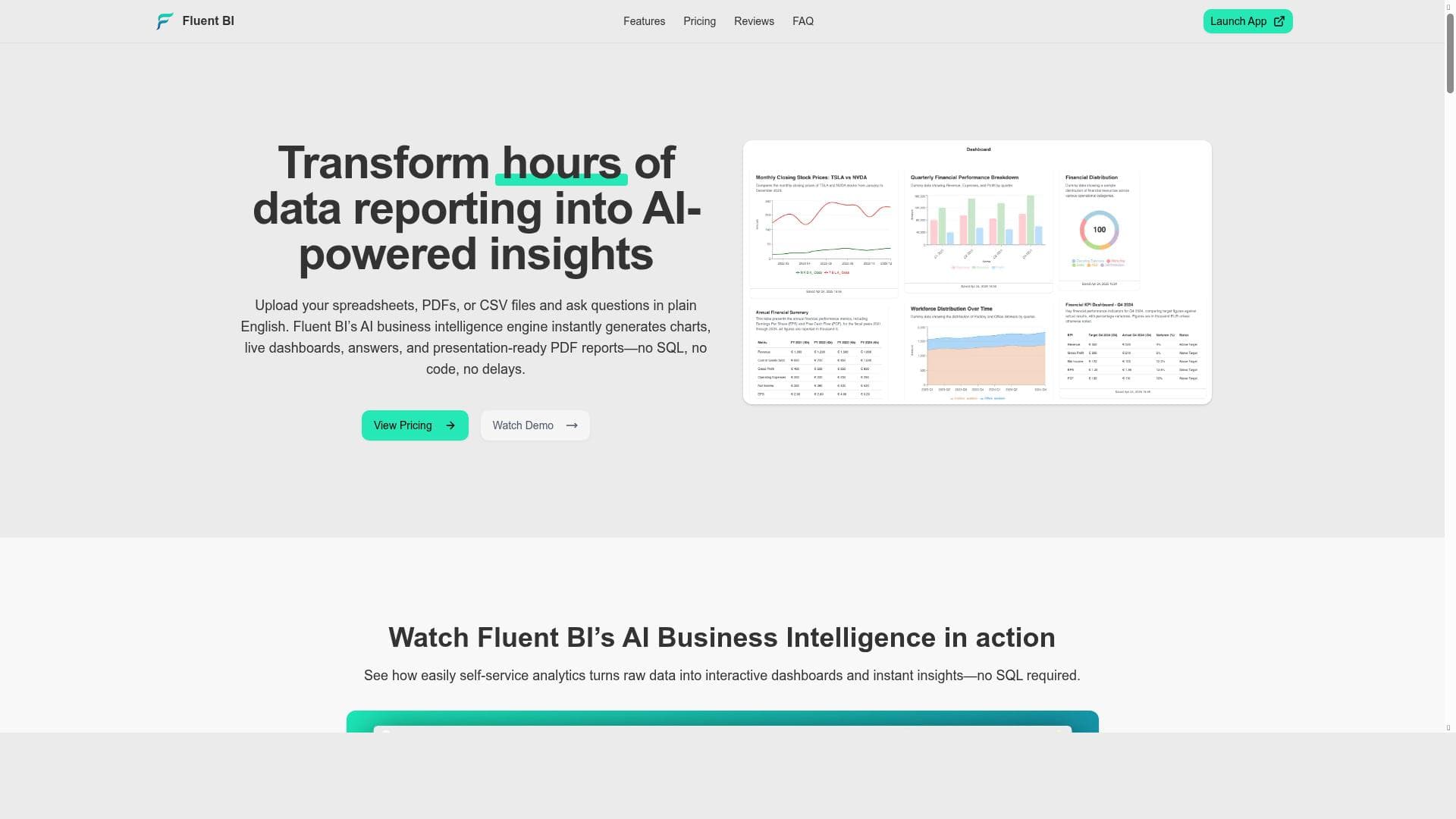
Fluent BI revolutionizes data analysis by letting users chat with their spreadsheets and documents to instantly generate AI-powered insights, charts, and dashboards—no coding required. Ideal for business professionals and teams seeking fast, accessible, and cost-free BI solutions, it turns hours of reporting into seconds of answers.
Fluent BI is an innovative AI-powered business intelligence tool designed to transform the way users interact with their data. Its core purpose is to simplify and accelerate the process of data analysis, reporting, and visualization by enabling users to chat directly with their spreadsheets, documents, and datasets. Instead of spending hours manually creating reports or dashboards, users can upload their data files—such as Excel spreadsheets, PDFs, CSVs, and more—and instantly receive insightful answers, charts, and dashboards generated by the AI. This approach eliminates the need for coding skills or complex software, making data analysis accessible to a broader audience. At the heart of Fluent BI are several powerful features that streamline data exploration and visualization. The Natural Language Data Query allows users to ask questions about their data in plain English, making it easy to extract meaningful insights without writing SQL or formulas. Automated Chart Generation quickly transforms raw data into visually appealing and relevant charts, saving time and effort typically required to design visualizations manually. Users can upload various file types, including spreadsheets, CSVs, and documents, ensuring flexibility in data sources. The Dashboard Creation feature enables users to compile multiple charts and insights into cohesive, interactive dashboards that provide a comprehensive view of their data. Additionally, Fluent BI supports seamless PDF export, allowing users to share polished reports and dashboards effortlessly with colleagues or stakeholders. Fluent BI is best suited for business professionals, analysts, managers, and anyone who regularly works with data but may lack technical expertise in data science or programming. It is particularly valuable for small to medium-sized businesses, startups, and teams that need quick, reliable insights without investing in complex BI infrastructure or hiring specialized staff. Use cases include sales performance analysis, financial reporting, market research, operational monitoring, and any scenario where rapid data-driven decision-making is critical. By turning hours of manual reporting into instant answers, Fluent BI empowers users to focus on strategy and action rather than data preparation. One of the most attractive aspects of Fluent BI is its pricing model: it is offered for free, lowering the barrier to entry and enabling users to explore its capabilities without financial commitment. This makes it an excellent choice for individuals and organizations seeking cost-effective BI solutions. While the free plan provides substantial functionality, users should check the website for any updates on premium features or enterprise options. Compared to traditional BI tools that often require complex setup, coding knowledge, or expensive licenses, Fluent BI stands out with its user-friendly, conversational interface and rapid response times. Unlike many competitors, it supports multiple file formats and integrates AI-driven natural language processing to make data querying intuitive. However, it may not yet offer the extensive customization or advanced analytics features found in some enterprise-grade platforms. Users with highly specialized or large-scale data needs might find Fluent BI less comprehensive but still valuable for quick insights and prototyping. Potential limitations include dependency on the quality and structure of uploaded data, as poorly formatted files may affect the accuracy of generated insights. Additionally, while the tool excels at instant visualizations and answers, it may not replace full-fledged BI suites for complex data modeling or integration with extensive databases. Users should consider their specific requirements and data complexity when adopting Fluent BI. Overall, Fluent BI is a powerful, accessible tool that democratizes data analysis by combining AI with an intuitive chat interface, making it an excellent choice for those seeking fast, no-code business intelligence solutions.

Description
Fluent BI revolutionizes data analysis by letting users chat with their spreadsheets and documents to instantly generate AI-powered insights, charts, and dashboards—no coding required. Ideal for business professionals and teams seeking fast, accessible, and cost-free BI solutions, it turns hours of reporting into seconds of answers.
Fluent BI is an innovative AI-powered business intelligence tool designed to transform the way users interact with their data. Its core purpose is to simplify and accelerate the process of data analysis, reporting, and visualization by enabling users to chat directly with their spreadsheets, documents, and datasets. Instead of spending hours manually creating reports or dashboards, users can upload their data files—such as Excel spreadsheets, PDFs, CSVs, and more—and instantly receive insightful answers, charts, and dashboards generated by the AI. This approach eliminates the need for coding skills or complex software, making data analysis accessible to a broader audience. At the heart of Fluent BI are several powerful features that streamline data exploration and visualization. The Natural Language Data Query allows users to ask questions about their data in plain English, making it easy to extract meaningful insights without writing SQL or formulas. Automated Chart Generation quickly transforms raw data into visually appealing and relevant charts, saving time and effort typically required to design visualizations manually. Users can upload various file types, including spreadsheets, CSVs, and documents, ensuring flexibility in data sources. The Dashboard Creation feature enables users to compile multiple charts and insights into cohesive, interactive dashboards that provide a comprehensive view of their data. Additionally, Fluent BI supports seamless PDF export, allowing users to share polished reports and dashboards effortlessly with colleagues or stakeholders. Fluent BI is best suited for business professionals, analysts, managers, and anyone who regularly works with data but may lack technical expertise in data science or programming. It is particularly valuable for small to medium-sized businesses, startups, and teams that need quick, reliable insights without investing in complex BI infrastructure or hiring specialized staff. Use cases include sales performance analysis, financial reporting, market research, operational monitoring, and any scenario where rapid data-driven decision-making is critical. By turning hours of manual reporting into instant answers, Fluent BI empowers users to focus on strategy and action rather than data preparation. One of the most attractive aspects of Fluent BI is its pricing model: it is offered for free, lowering the barrier to entry and enabling users to explore its capabilities without financial commitment. This makes it an excellent choice for individuals and organizations seeking cost-effective BI solutions. While the free plan provides substantial functionality, users should check the website for any updates on premium features or enterprise options. Compared to traditional BI tools that often require complex setup, coding knowledge, or expensive licenses, Fluent BI stands out with its user-friendly, conversational interface and rapid response times. Unlike many competitors, it supports multiple file formats and integrates AI-driven natural language processing to make data querying intuitive. However, it may not yet offer the extensive customization or advanced analytics features found in some enterprise-grade platforms. Users with highly specialized or large-scale data needs might find Fluent BI less comprehensive but still valuable for quick insights and prototyping. Potential limitations include dependency on the quality and structure of uploaded data, as poorly formatted files may affect the accuracy of generated insights. Additionally, while the tool excels at instant visualizations and answers, it may not replace full-fledged BI suites for complex data modeling or integration with extensive databases. Users should consider their specific requirements and data complexity when adopting Fluent BI. Overall, Fluent BI is a powerful, accessible tool that democratizes data analysis by combining AI with an intuitive chat interface, making it an excellent choice for those seeking fast, no-code business intelligence solutions.
Tool Features
- Natural Language Data Query
- Automated Chart Generation
- Spreadsheet/CSV/Document Upload
- Dashboard Creation
- Seamless PDF Export
Frequently Asked Questions
What is Fluent BI?
Fluent BI is an AI-powered business intelligence tool that enables users to interact with their data through natural language queries. By uploading spreadsheets, PDFs, CSVs, and other documents, users can instantly generate insights, charts, and dashboards without any coding or technical expertise.
How much does Fluent BI cost?
Fluent BI is currently offered for free, allowing users to access its core features without any subscription fees or charges.
Who is Fluent BI best for?
Fluent BI is ideal for business professionals, analysts, managers, and teams who need quick, AI-driven insights from their data but may lack coding skills or access to complex BI tools. It suits small to medium-sized businesses, startups, and anyone seeking fast, no-code data analysis.
What are the main features of Fluent BI?
Key features include Natural Language Data Query for conversational data exploration, Automated Chart Generation to create visualizations instantly, support for uploading spreadsheets, CSVs, and documents, Dashboard Creation for compiling insights, and Seamless PDF Export for sharing reports.
Does Fluent BI offer a free trial?
Fluent BI is available for free, so users can start using the tool immediately without needing a trial period.
What integrations does Fluent BI support?
Fluent BI supports uploading various data file formats such as Excel spreadsheets, PDFs, and CSV files. It does not currently specify direct integrations with external platforms but focuses on file-based data uploads.
How does Fluent BI work?
Users upload their data files to Fluent BI and then interact with the tool via natural language queries. The AI processes the data and instantly generates relevant charts, dashboards, and answers, enabling fast and intuitive data analysis without coding.
Socials
Use ToolSponsored Tools













































Reviews
No reviews yet. Be the first to share your experience.