Description
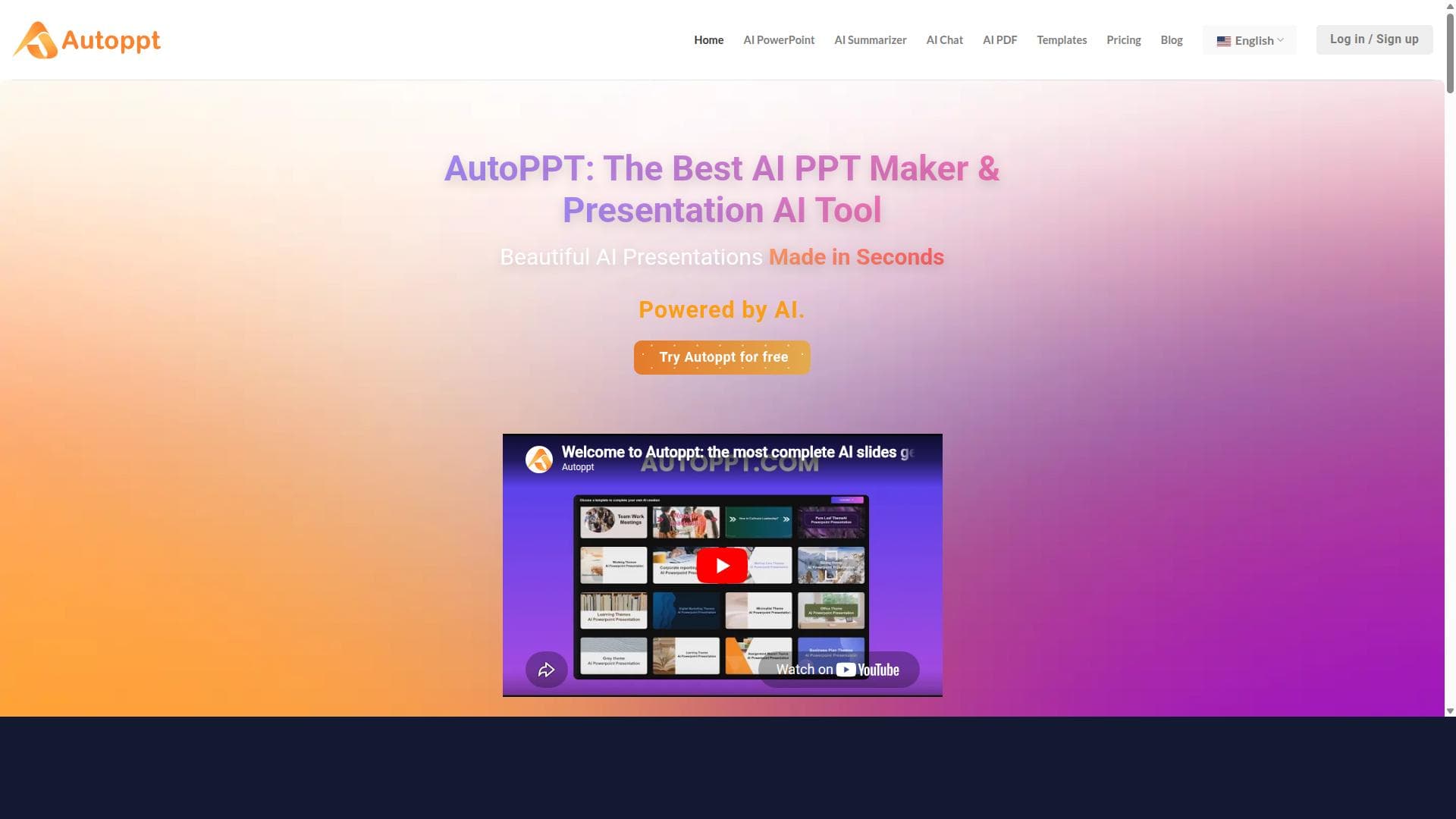
Autoppt is a cutting-edge AI-powered presentation generator that creates professional, editable PowerPoint slides in seconds from a topic or document. Ideal for teachers, students, and business professionals, it saves time and boosts productivity by automating slide design with layouts, text, and visuals across multiple languages.
Autoppt is an advanced AI-powered presentation generator designed to streamline the creation of professional PowerPoint slides quickly and efficiently. Its core purpose is to eliminate the time-consuming and often challenging process of designing presentations by automating slide creation based on user input. Users can either enter a topic or upload a document, and Autoppt instantly generates a complete set of editable slides. These slides include thoughtfully arranged layouts, relevant text, and appropriate visuals, all crafted to meet professional standards. This makes Autoppt an invaluable tool for anyone needing to produce polished presentations without the hassle of manual design work. One of the standout features of Autoppt is its automated PowerPoint presentation creation capability. Leveraging AI, it analyzes the input content to generate coherent slide decks that maintain logical flow and visual appeal. The tool supports multiple languages, making it accessible to a global audience and enabling users to create presentations in their preferred language seamlessly. Additionally, Autoppt’s AI-powered content generation ensures that the text on each slide is relevant, concise, and tailored to the topic, reducing the need for extensive editing. The platform also enhances productivity by significantly cutting down the time required to build presentations, allowing users to focus more on delivering their message rather than designing slides. Autoppt is ideally suited for a broad range of users including teachers, students, and business professionals. Educators can quickly create lesson presentations or training materials, while students can generate project slides or study aids with minimal effort. Business professionals benefit from Autoppt by producing client pitches, reports, and internal presentations rapidly, which is especially useful in fast-paced environments where time is critical. Specific use cases include preparing sales decks, academic presentations, corporate training modules, and conference talks. The tool’s ability to handle document uploads means users can repurpose existing content efficiently, making it a versatile solution for various presentation needs. Regarding pricing, Autoppt operates on a freemium model. This allows users to access basic features for free, which is ideal for casual users or those wanting to test the platform’s capabilities. For more advanced features, enhanced customization options, and possibly higher usage limits, premium plans are available. These paid tiers cater to professionals and organizations requiring more robust functionality and greater output capacity. The freemium approach ensures accessibility while providing a pathway for users to scale their usage as needed. Compared to alternative presentation tools, Autoppt’s AI-driven automation sets it apart by focusing on speed and ease of use without sacrificing quality. Unlike traditional presentation software that requires manual slide design, Autoppt reduces the workload by generating complete slide decks instantly. While some competitors offer template libraries or basic AI assistance, Autoppt integrates content generation and multi-language support more comprehensively. This makes it particularly advantageous for users who need quick turnaround times and presentations in diverse languages. However, unlike fully customizable design platforms, Autoppt’s automated approach may offer less granular control over slide aesthetics for users seeking highly tailored designs. Notable limitations include potential constraints in design customization beyond the AI-generated templates and layouts. Users with very specific branding or stylistic requirements might find the automatic designs less flexible. Additionally, while the AI content generation is powerful, it may occasionally require manual refinement to ensure accuracy and alignment with user intent. Integration options with other software or platforms are not explicitly detailed, which could be a consideration for users looking for seamless workflow connectivity. Despite these considerations, Autoppt remains a highly effective tool for rapidly producing professional presentations with minimal effort.

Description
Autoppt is a cutting-edge AI-powered presentation generator that creates professional, editable PowerPoint slides in seconds from a topic or document. Ideal for teachers, students, and business professionals, it saves time and boosts productivity by automating slide design with layouts, text, and visuals across multiple languages.
Autoppt is an advanced AI-powered presentation generator designed to streamline the creation of professional PowerPoint slides quickly and efficiently. Its core purpose is to eliminate the time-consuming and often challenging process of designing presentations by automating slide creation based on user input. Users can either enter a topic or upload a document, and Autoppt instantly generates a complete set of editable slides. These slides include thoughtfully arranged layouts, relevant text, and appropriate visuals, all crafted to meet professional standards. This makes Autoppt an invaluable tool for anyone needing to produce polished presentations without the hassle of manual design work. One of the standout features of Autoppt is its automated PowerPoint presentation creation capability. Leveraging AI, it analyzes the input content to generate coherent slide decks that maintain logical flow and visual appeal. The tool supports multiple languages, making it accessible to a global audience and enabling users to create presentations in their preferred language seamlessly. Additionally, Autoppt’s AI-powered content generation ensures that the text on each slide is relevant, concise, and tailored to the topic, reducing the need for extensive editing. The platform also enhances productivity by significantly cutting down the time required to build presentations, allowing users to focus more on delivering their message rather than designing slides. Autoppt is ideally suited for a broad range of users including teachers, students, and business professionals. Educators can quickly create lesson presentations or training materials, while students can generate project slides or study aids with minimal effort. Business professionals benefit from Autoppt by producing client pitches, reports, and internal presentations rapidly, which is especially useful in fast-paced environments where time is critical. Specific use cases include preparing sales decks, academic presentations, corporate training modules, and conference talks. The tool’s ability to handle document uploads means users can repurpose existing content efficiently, making it a versatile solution for various presentation needs. Regarding pricing, Autoppt operates on a freemium model. This allows users to access basic features for free, which is ideal for casual users or those wanting to test the platform’s capabilities. For more advanced features, enhanced customization options, and possibly higher usage limits, premium plans are available. These paid tiers cater to professionals and organizations requiring more robust functionality and greater output capacity. The freemium approach ensures accessibility while providing a pathway for users to scale their usage as needed. Compared to alternative presentation tools, Autoppt’s AI-driven automation sets it apart by focusing on speed and ease of use without sacrificing quality. Unlike traditional presentation software that requires manual slide design, Autoppt reduces the workload by generating complete slide decks instantly. While some competitors offer template libraries or basic AI assistance, Autoppt integrates content generation and multi-language support more comprehensively. This makes it particularly advantageous for users who need quick turnaround times and presentations in diverse languages. However, unlike fully customizable design platforms, Autoppt’s automated approach may offer less granular control over slide aesthetics for users seeking highly tailored designs. Notable limitations include potential constraints in design customization beyond the AI-generated templates and layouts. Users with very specific branding or stylistic requirements might find the automatic designs less flexible. Additionally, while the AI content generation is powerful, it may occasionally require manual refinement to ensure accuracy and alignment with user intent. Integration options with other software or platforms are not explicitly detailed, which could be a consideration for users looking for seamless workflow connectivity. Despite these considerations, Autoppt remains a highly effective tool for rapidly producing professional presentations with minimal effort.
Tool Features
- Automated PowerPoint presentation creation
- Supports multiple languages
- AI-powered content generation
- Enhances productivity in presentation design
Frequently Asked Questions
What is Autoppt?
Autoppt is an AI-powered tool that automatically generates professional PowerPoint presentations based on a user’s topic input or uploaded document, creating complete, editable slides with layouts, text, and visuals.
How much does Autoppt cost?
Autoppt offers a freemium pricing model, allowing users to access basic features for free, with premium plans available for advanced features and higher usage limits.
Who is Autoppt best for?
Autoppt is best suited for teachers, students, and business professionals who need to create polished presentations quickly and efficiently without spending extensive time on design.
What are the main features of Autoppt?
Key features include automated PowerPoint presentation creation, multi-language support, AI-powered content generation, and enhanced productivity in presentation design.
Does Autoppt offer a free trial?
Yes, Autoppt’s freemium model allows users to try the basic features for free, effectively serving as a free trial before upgrading to premium plans.
What integrations does Autoppt support?
Specific integrations are not detailed, but Autoppt supports uploading documents for content input and outputs editable PowerPoint files compatible with standard presentation software.
How does Autoppt work?
Users enter a topic or upload a document, and Autoppt’s AI analyzes the content to automatically generate a complete set of professional, editable PowerPoint slides with appropriate layouts, text, and visuals.
Socials
Use ToolSponsored Tools













































Reviews
No reviews yet. Be the first to share your experience.
















