Description
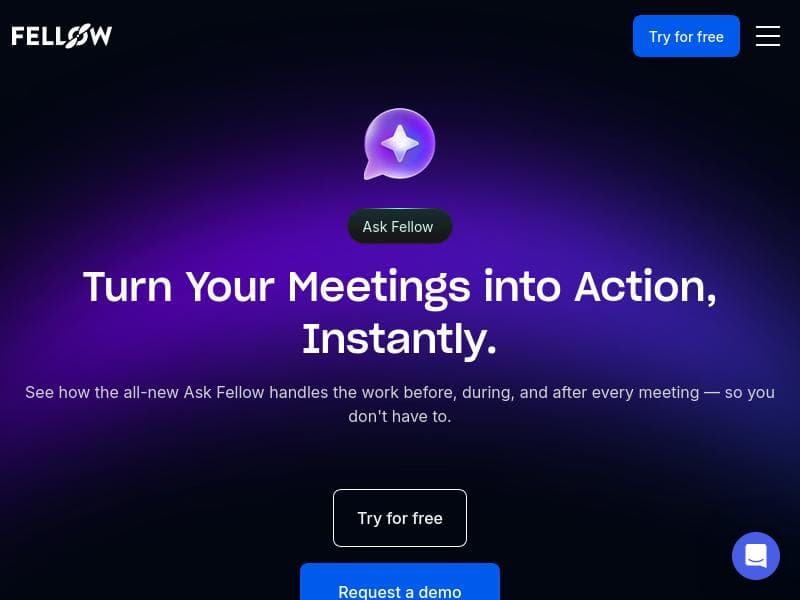
Ask Fellow is an all-in-one AI meeting assistant that automates tasks before, during, and after meetings, helping professionals spend less time on administrative work and more on meaningful collaboration. Its unique Memory feature and seamless integrations with tools like Notion and Google Docs make it ideal for teams looking to turn conversations into actionable momentum.
Ask Fellow is a comprehensive AI-powered meeting assistant designed to streamline every phase of your meetings — before, during, and after. Its core purpose is to reduce the administrative burden associated with meetings, allowing professionals to focus on the substantive work that drives results. By automating routine tasks such as scheduling, note-taking, follow-ups, and documentation, Ask Fellow transforms conversations into actionable momentum, enhancing productivity and collaboration across teams. One of the standout features of Ask Fellow is its ability to handle work before meetings. Users can effortlessly manage their calendar through natural language commands, simplifying the scheduling process and ensuring meetings are optimally planned. During meetings, Ask Fellow actively manages tasks by capturing key discussion points, decisions, and action items in real time. This dynamic task management helps participants stay aligned and accountable without the distraction of manual note-taking. After meetings, Ask Fellow excels at follow-up by enabling users to draft personalized emails with a single click, ensuring timely communication and clarity. Additionally, it can generate video clips from meeting recordings, allowing teams to revisit critical moments without sifting through lengthy footage. The tool also supports seamless creation and export of meeting documents to popular platforms such as Notion, Confluence, and Google Docs, facilitating easy sharing and collaboration. A unique aspect of Ask Fellow is its Memory feature, which learns and remembers user preferences to prevent repetitive tasks and enhance efficiency over time. Ask Fellow is ideal for professionals who regularly engage in meetings and seek to optimize their workflow. This includes project managers, team leaders, executives, and administrative staff who need to keep meetings productive and actionable. Use cases span from preparing agendas and scheduling to capturing meeting outcomes and ensuring follow-through on commitments. Its natural language calendar management and integration capabilities make it particularly valuable for teams using multiple collaboration tools. The pricing model for Ask Fellow is freemium, offering a free tier with essential features that allow users to experience the core functionalities. Paid plans likely provide access to advanced features such as enhanced integrations, increased usage limits, and premium support, although specific pricing details should be confirmed on the official website. This flexible pricing approach makes Ask Fellow accessible to individuals and organizations of varying sizes. Compared to alternative meeting assistants, Ask Fellow distinguishes itself with its end-to-end meeting lifecycle coverage and robust integration options. While many tools focus solely on note-taking or scheduling, Ask Fellow’s comprehensive approach includes task management, follow-up automation, and multimedia content generation. Its Memory feature adds a layer of personalization that is less common among competitors, helping users save time by reducing repetitive inputs. However, potential users should consider that as a relatively new tool, Ask Fellow’s ecosystem and third-party integrations may evolve, and some advanced features might require paid subscriptions. Additionally, users heavily reliant on specific niche platforms not yet supported may need to verify compatibility. Overall, Ask Fellow offers a powerful, user-friendly solution for transforming meetings from time-consuming obligations into productive, actionable sessions that drive business momentum.

Description
Ask Fellow is an all-in-one AI meeting assistant that automates tasks before, during, and after meetings, helping professionals spend less time on administrative work and more on meaningful collaboration. Its unique Memory feature and seamless integrations with tools like Notion and Google Docs make it ideal for teams looking to turn conversations into actionable momentum.
Ask Fellow is a comprehensive AI-powered meeting assistant designed to streamline every phase of your meetings — before, during, and after. Its core purpose is to reduce the administrative burden associated with meetings, allowing professionals to focus on the substantive work that drives results. By automating routine tasks such as scheduling, note-taking, follow-ups, and documentation, Ask Fellow transforms conversations into actionable momentum, enhancing productivity and collaboration across teams. One of the standout features of Ask Fellow is its ability to handle work before meetings. Users can effortlessly manage their calendar through natural language commands, simplifying the scheduling process and ensuring meetings are optimally planned. During meetings, Ask Fellow actively manages tasks by capturing key discussion points, decisions, and action items in real time. This dynamic task management helps participants stay aligned and accountable without the distraction of manual note-taking. After meetings, Ask Fellow excels at follow-up by enabling users to draft personalized emails with a single click, ensuring timely communication and clarity. Additionally, it can generate video clips from meeting recordings, allowing teams to revisit critical moments without sifting through lengthy footage. The tool also supports seamless creation and export of meeting documents to popular platforms such as Notion, Confluence, and Google Docs, facilitating easy sharing and collaboration. A unique aspect of Ask Fellow is its Memory feature, which learns and remembers user preferences to prevent repetitive tasks and enhance efficiency over time. Ask Fellow is ideal for professionals who regularly engage in meetings and seek to optimize their workflow. This includes project managers, team leaders, executives, and administrative staff who need to keep meetings productive and actionable. Use cases span from preparing agendas and scheduling to capturing meeting outcomes and ensuring follow-through on commitments. Its natural language calendar management and integration capabilities make it particularly valuable for teams using multiple collaboration tools. The pricing model for Ask Fellow is freemium, offering a free tier with essential features that allow users to experience the core functionalities. Paid plans likely provide access to advanced features such as enhanced integrations, increased usage limits, and premium support, although specific pricing details should be confirmed on the official website. This flexible pricing approach makes Ask Fellow accessible to individuals and organizations of varying sizes. Compared to alternative meeting assistants, Ask Fellow distinguishes itself with its end-to-end meeting lifecycle coverage and robust integration options. While many tools focus solely on note-taking or scheduling, Ask Fellow’s comprehensive approach includes task management, follow-up automation, and multimedia content generation. Its Memory feature adds a layer of personalization that is less common among competitors, helping users save time by reducing repetitive inputs. However, potential users should consider that as a relatively new tool, Ask Fellow’s ecosystem and third-party integrations may evolve, and some advanced features might require paid subscriptions. Additionally, users heavily reliant on specific niche platforms not yet supported may need to verify compatibility. Overall, Ask Fellow offers a powerful, user-friendly solution for transforming meetings from time-consuming obligations into productive, actionable sessions that drive business momentum.
Tool Features
- Handles work before meetings
- Manages tasks during meetings
- Follows up after meetings
- Turns meetings into actionable items instantly
Frequently Asked Questions
What is Ask Fellow?
Ask Fellow is an AI-powered meeting assistant that supports users before, during, and after meetings by automating scheduling, note-taking, task management, follow-ups, and documentation to enhance productivity and collaboration.
How much does Ask Fellow cost?
Ask Fellow offers a freemium pricing model, providing essential features for free with optional paid plans that unlock advanced functionalities and integrations. Exact pricing details are available on their official website.
Who is Ask Fellow best for?
Ask Fellow is best suited for professionals who frequently participate in meetings, such as project managers, team leaders, executives, and administrative staff, who want to streamline meeting workflows and improve follow-through on action items.
What are the main features of Ask Fellow?
Key features include natural language calendar management, real-time task handling during meetings, one-click follow-up email drafting, video clip generation from meetings, document creation and export to Notion, Confluence, or Google Docs, and a Memory feature that remembers user preferences.
Does Ask Fellow offer a free trial?
Ask Fellow provides a free tier as part of its freemium model, allowing users to access core features without a time-limited trial. Paid plans with additional capabilities are available for upgrade.
What integrations does Ask Fellow support?
Ask Fellow supports integrations with popular collaboration and documentation platforms including Notion, Confluence, and Google Docs, enabling seamless export and sharing of meeting notes and documents.
How does Ask Fellow work?
Ask Fellow uses AI to assist users throughout the meeting lifecycle by managing scheduling via natural language, capturing and organizing tasks during meetings, automating follow-up communications, generating video highlights, and exporting documents to integrated platforms, all while learning user preferences to optimize efficiency.
Sponsored Tools













































Reviews
No reviews yet. Be the first to share your experience.
















