AI meeting notes by Snaply
Description
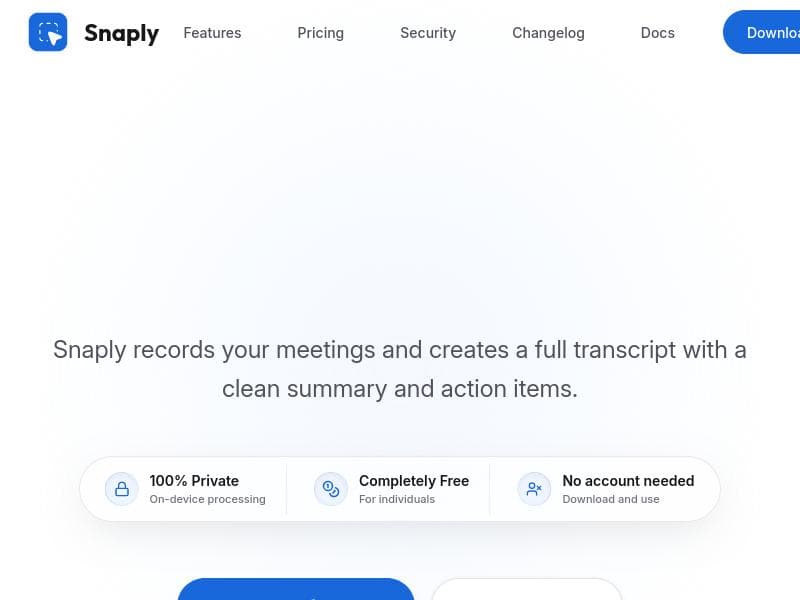
AI meeting notes by Snaply is a free, privacy-first Mac app that records meetings locally to create transcripts, summaries, and action items without sending data off your device. Perfect for professionals who want seamless, secure meeting documentation and follow-up tools without accounts or bots.
AI meeting notes by Snaply is a sophisticated yet user-friendly application designed specifically for Mac users who want to streamline their meeting workflows while maintaining complete privacy. The core purpose of Snaply is to automatically record meetings locally on your device, transcribe the audio into text, generate concise summaries, and extract actionable items without sending any data to external servers. This ensures that sensitive information discussed during meetings remains private and secure. Beyond transcription, Snaply offers interactive features such as chatting with your notes and drafting follow-up emails directly within the app, making it a comprehensive meeting assistant that enhances productivity and communication. The tool’s standout features include the ability to record meetings and create full, accurate transcripts that capture every spoken word. Snaply then uses AI to generate clean, easy-to-read summaries that highlight the key points discussed, along with clearly identified action items to keep teams accountable. All audio processing happens locally on your Mac, ensuring 100% privacy and eliminating concerns about data breaches or third-party access. Snaply operates silently in the background, so users can focus on their meetings without disruptive bot notifications or interface interruptions. It is compatible with popular video conferencing platforms such as Zoom, Google Meet, Microsoft Teams, and Webex, allowing seamless integration into existing workflows. Importantly, Snaply requires no account creation or sign-in, simplifying access and usage. The app is completely free for individual users, making it an accessible tool for freelancers, entrepreneurs, and professionals alike. This tool is ideal for professionals who regularly participate in virtual meetings and need an efficient way to capture and organize meeting content without compromising privacy. It suits remote workers, project managers, consultants, and anyone who values detailed meeting records but dislikes manual note-taking. Use cases include transcribing client calls, summarizing team discussions, tracking project tasks, and drafting follow-up communications quickly. Because it works locally and privately, it is especially valuable for users handling confidential or sensitive information who cannot risk cloud-based transcription services. Snaply is offered entirely free for individual users, with no hidden fees or premium tiers mentioned. This pricing model makes it highly attractive for personal productivity without financial commitment. While the tool does not currently advertise business or enterprise plans, its robust feature set and privacy-first approach provide significant value compared to many paid alternatives. Compared to other AI meeting note solutions, Snaply’s unique selling point is its strict on-device processing and zero data transmission policy, which is rare in the market. Many competitors rely on cloud-based AI, which can raise privacy concerns and require user accounts. Snaply’s silent background operation and no-account-needed approach also reduce friction and improve user experience. However, unlike some enterprise-focused tools, it may lack advanced team collaboration features or integrations beyond popular conferencing platforms. Potential limitations include its exclusive availability on Mac, which restricts users on Windows or mobile devices. Additionally, while the app supports major video conferencing software, it may not integrate with less common platforms or offer extensive customization options. Users requiring multi-user collaboration or centralized management might find Snaply’s individual-focused design less suitable. Finally, as a free tool, it may not provide dedicated customer support or frequent feature updates that paid competitors offer. Overall, AI meeting notes by Snaply is a powerful, privacy-conscious solution for Mac users seeking effortless, automated meeting documentation and follow-up capabilities without the complexity or risks of cloud-based services.

Description
AI meeting notes by Snaply is a free, privacy-first Mac app that records meetings locally to create transcripts, summaries, and action items without sending data off your device. Perfect for professionals who want seamless, secure meeting documentation and follow-up tools without accounts or bots.
AI meeting notes by Snaply is a sophisticated yet user-friendly application designed specifically for Mac users who want to streamline their meeting workflows while maintaining complete privacy. The core purpose of Snaply is to automatically record meetings locally on your device, transcribe the audio into text, generate concise summaries, and extract actionable items without sending any data to external servers. This ensures that sensitive information discussed during meetings remains private and secure. Beyond transcription, Snaply offers interactive features such as chatting with your notes and drafting follow-up emails directly within the app, making it a comprehensive meeting assistant that enhances productivity and communication. The tool’s standout features include the ability to record meetings and create full, accurate transcripts that capture every spoken word. Snaply then uses AI to generate clean, easy-to-read summaries that highlight the key points discussed, along with clearly identified action items to keep teams accountable. All audio processing happens locally on your Mac, ensuring 100% privacy and eliminating concerns about data breaches or third-party access. Snaply operates silently in the background, so users can focus on their meetings without disruptive bot notifications or interface interruptions. It is compatible with popular video conferencing platforms such as Zoom, Google Meet, Microsoft Teams, and Webex, allowing seamless integration into existing workflows. Importantly, Snaply requires no account creation or sign-in, simplifying access and usage. The app is completely free for individual users, making it an accessible tool for freelancers, entrepreneurs, and professionals alike. This tool is ideal for professionals who regularly participate in virtual meetings and need an efficient way to capture and organize meeting content without compromising privacy. It suits remote workers, project managers, consultants, and anyone who values detailed meeting records but dislikes manual note-taking. Use cases include transcribing client calls, summarizing team discussions, tracking project tasks, and drafting follow-up communications quickly. Because it works locally and privately, it is especially valuable for users handling confidential or sensitive information who cannot risk cloud-based transcription services. Snaply is offered entirely free for individual users, with no hidden fees or premium tiers mentioned. This pricing model makes it highly attractive for personal productivity without financial commitment. While the tool does not currently advertise business or enterprise plans, its robust feature set and privacy-first approach provide significant value compared to many paid alternatives. Compared to other AI meeting note solutions, Snaply’s unique selling point is its strict on-device processing and zero data transmission policy, which is rare in the market. Many competitors rely on cloud-based AI, which can raise privacy concerns and require user accounts. Snaply’s silent background operation and no-account-needed approach also reduce friction and improve user experience. However, unlike some enterprise-focused tools, it may lack advanced team collaboration features or integrations beyond popular conferencing platforms. Potential limitations include its exclusive availability on Mac, which restricts users on Windows or mobile devices. Additionally, while the app supports major video conferencing software, it may not integrate with less common platforms or offer extensive customization options. Users requiring multi-user collaboration or centralized management might find Snaply’s individual-focused design less suitable. Finally, as a free tool, it may not provide dedicated customer support or frequent feature updates that paid competitors offer. Overall, AI meeting notes by Snaply is a powerful, privacy-conscious solution for Mac users seeking effortless, automated meeting documentation and follow-up capabilities without the complexity or risks of cloud-based services.
Tool Features
- Records meetings and creates full transcripts
- Generates clean summaries and action items automatically
- Processes audio on-device ensuring 100% privacy
- Works silently in the background without bot notifications
- Compatible with Zoom, Google Meet, Teams, Webex, and more
- No account needed to use the app
- Completely free for individuals
Frequently Asked Questions
What is AI meeting notes by Snaply?
AI meeting notes by Snaply is a Mac application that automatically records meetings locally, transcribes audio, generates summaries and action items, and allows users to interact with their notes and draft follow-up emails—all while ensuring complete privacy by processing data on-device.
How much does AI meeting notes by Snaply cost?
AI meeting notes by Snaply is completely free for individual users with no hidden fees or subscription plans.
Who is AI meeting notes by Snaply best for?
It is best suited for Mac users such as remote workers, project managers, consultants, and professionals who frequently attend virtual meetings and require private, automated note-taking and meeting summarization.
What are the main features of AI meeting notes by Snaply?
Key features include local meeting recording, full transcription, automatic generation of clean summaries and action items, silent background operation without bot notifications, compatibility with Zoom, Google Meet, Teams, Webex, no account requirement, and 100% on-device audio processing for privacy.
Does AI meeting notes by Snaply offer a free trial?
Since the app is completely free for individual users, there is no need for a free trial.
What integrations does AI meeting notes by Snaply support?
Snaply supports integration with major video conferencing platforms including Zoom, Google Meet, Microsoft Teams, and Webex.
How does AI meeting notes by Snaply work?
Snaply records your meetings locally on your Mac, processes the audio entirely on-device to create transcripts, summaries, and action items, and lets you interact with your notes and draft follow-up emails—all without sending any data to external servers or requiring an account.
Socials
Use ToolSponsored Tools













































Reviews
No reviews yet. Be the first to share your experience.
















