AI Image to Line Converter
Description
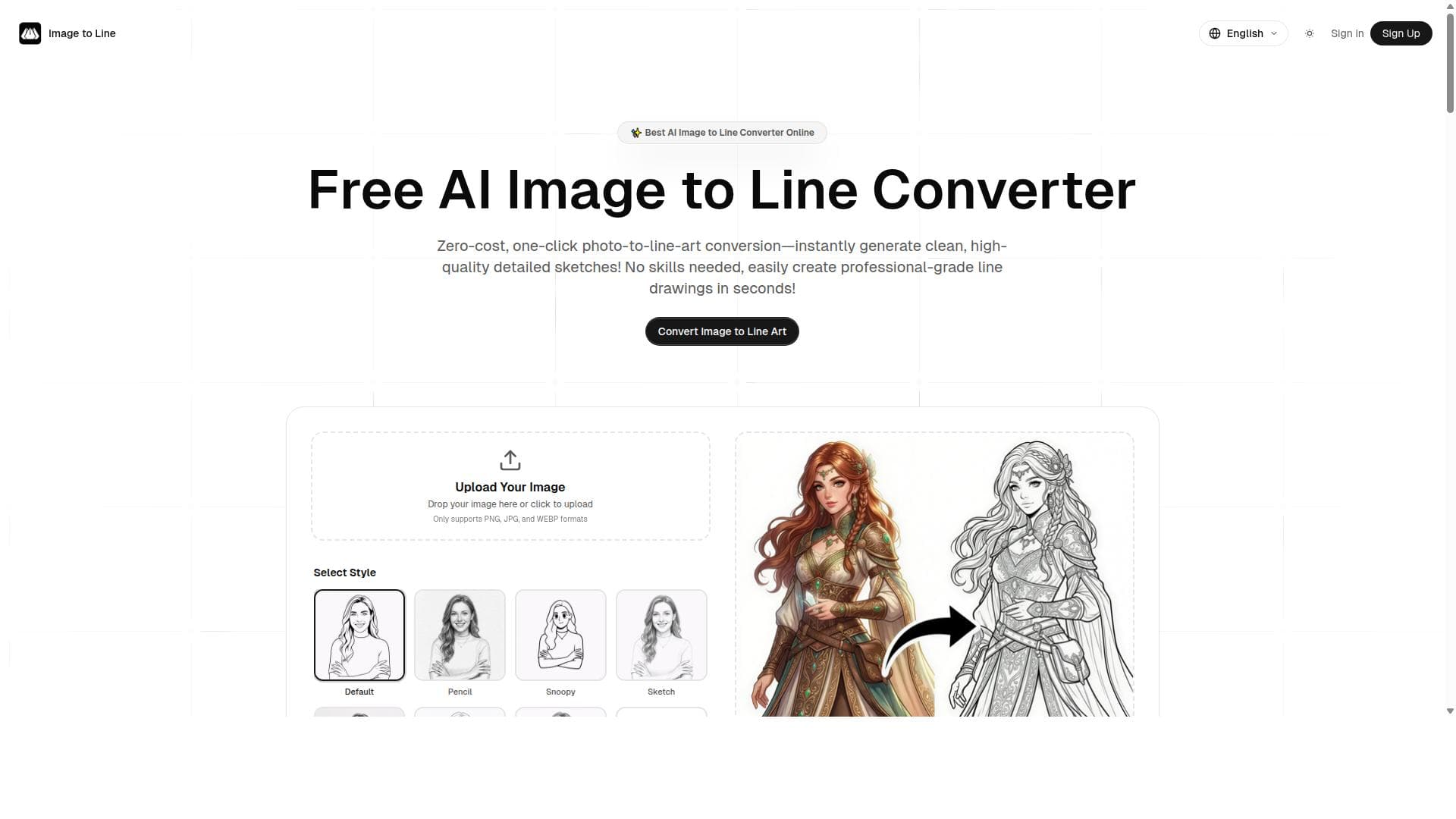
AI Image to Line Converter is a fast, free, and user-friendly online tool that instantly transforms photos into clean line art, sketches, and outlines using AI technology. Perfect for artists, designers, and hobbyists, it simplifies the process of creating detailed line drawings without any technical hassle.
AI Image to Line Converter is a specialized online tool designed to transform any photo into clean, precise line art, sketches, and outlines using advanced artificial intelligence algorithms. Its core purpose is to provide users with an effortless way to convert complex images into simplified line drawings that can be used for various creative and professional applications. Whether you are an artist looking to create sketches from photographs, a designer needing outlines for graphic projects, or simply someone who wants to experiment with photo-to-line transformations, this tool offers a seamless and efficient solution. By leveraging AI technology, it automates what would otherwise be a time-consuming manual process, delivering results instantly and with impressive accuracy. The tool’s key features revolve around its speed, ease of use, and quality of output. It can quickly process images, converting them into clean line art that retains the essential details and contours of the original photo. The AI algorithms intelligently detect edges and important visual elements to create sketches and outlines that are both aesthetically pleasing and useful for further editing or artistic work. Users do not need any technical expertise to operate the tool; the interface is straightforward, requiring just an image upload and a few clicks to generate the line art. Being an online tool, it eliminates the need for software installation or high-end hardware, making it accessible from any device with internet connectivity. Additionally, the service is free, which lowers the barrier to entry and encourages experimentation and frequent use. AI Image to Line Converter is ideal for a broad range of users. Artists and illustrators can use it to jumpstart their creative process by turning photos into sketches that serve as a base for digital or hand-drawn artwork. Graphic designers benefit from the tool by quickly generating outlines for logos, icons, or other design elements without manually tracing images. Educators and students in art and design fields can utilize it as a learning aid to understand line work and composition. Even hobbyists and social media content creators can find value in converting their photos into unique line art for personalized content or gifts. Its versatility makes it suitable for both professional and casual contexts. Regarding pricing, AI Image to Line Converter is currently offered as a free service, which is a significant advantage compared to many paid alternatives. Users can access the full functionality without subscription fees or usage limits, making it an attractive option for budget-conscious individuals and small businesses. The lack of cost does not compromise the quality or speed of the tool, which remains robust and reliable. When compared to alternative solutions, such as desktop graphic design software or other online converters, AI Image to Line Converter stands out for its simplicity and speed. While professional software like Adobe Illustrator offers advanced tracing capabilities, they require a learning curve and often come with high costs. Other free online converters may lack the precision or speed that this AI-powered tool provides. However, unlike some comprehensive design suites, this tool is focused solely on line conversion, which means it does not offer additional editing or enhancement features beyond the initial transformation. Notable limitations include the absence of advanced customization options for the line art output. Users looking for granular control over line thickness, style, or color may find the tool’s capabilities basic. Additionally, as an online service, it requires a stable internet connection and may have performance constraints with extremely large or complex images. There is also no mention of integration with other software or platforms, which could limit workflow automation for professional users. Despite these considerations, AI Image to Line Converter remains a powerful, accessible, and free resource for anyone needing quick and clean photo-to-line conversions.
Description
AI Image to Line Converter is a fast, free, and user-friendly online tool that instantly transforms photos into clean line art, sketches, and outlines using AI technology. Perfect for artists, designers, and hobbyists, it simplifies the process of creating detailed line drawings without any technical hassle.
AI Image to Line Converter is a specialized online tool designed to transform any photo into clean, precise line art, sketches, and outlines using advanced artificial intelligence algorithms. Its core purpose is to provide users with an effortless way to convert complex images into simplified line drawings that can be used for various creative and professional applications. Whether you are an artist looking to create sketches from photographs, a designer needing outlines for graphic projects, or simply someone who wants to experiment with photo-to-line transformations, this tool offers a seamless and efficient solution. By leveraging AI technology, it automates what would otherwise be a time-consuming manual process, delivering results instantly and with impressive accuracy. The tool’s key features revolve around its speed, ease of use, and quality of output. It can quickly process images, converting them into clean line art that retains the essential details and contours of the original photo. The AI algorithms intelligently detect edges and important visual elements to create sketches and outlines that are both aesthetically pleasing and useful for further editing or artistic work. Users do not need any technical expertise to operate the tool; the interface is straightforward, requiring just an image upload and a few clicks to generate the line art. Being an online tool, it eliminates the need for software installation or high-end hardware, making it accessible from any device with internet connectivity. Additionally, the service is free, which lowers the barrier to entry and encourages experimentation and frequent use. AI Image to Line Converter is ideal for a broad range of users. Artists and illustrators can use it to jumpstart their creative process by turning photos into sketches that serve as a base for digital or hand-drawn artwork. Graphic designers benefit from the tool by quickly generating outlines for logos, icons, or other design elements without manually tracing images. Educators and students in art and design fields can utilize it as a learning aid to understand line work and composition. Even hobbyists and social media content creators can find value in converting their photos into unique line art for personalized content or gifts. Its versatility makes it suitable for both professional and casual contexts. Regarding pricing, AI Image to Line Converter is currently offered as a free service, which is a significant advantage compared to many paid alternatives. Users can access the full functionality without subscription fees or usage limits, making it an attractive option for budget-conscious individuals and small businesses. The lack of cost does not compromise the quality or speed of the tool, which remains robust and reliable. When compared to alternative solutions, such as desktop graphic design software or other online converters, AI Image to Line Converter stands out for its simplicity and speed. While professional software like Adobe Illustrator offers advanced tracing capabilities, they require a learning curve and often come with high costs. Other free online converters may lack the precision or speed that this AI-powered tool provides. However, unlike some comprehensive design suites, this tool is focused solely on line conversion, which means it does not offer additional editing or enhancement features beyond the initial transformation. Notable limitations include the absence of advanced customization options for the line art output. Users looking for granular control over line thickness, style, or color may find the tool’s capabilities basic. Additionally, as an online service, it requires a stable internet connection and may have performance constraints with extremely large or complex images. There is also no mention of integration with other software or platforms, which could limit workflow automation for professional users. Despite these considerations, AI Image to Line Converter remains a powerful, accessible, and free resource for anyone needing quick and clean photo-to-line conversions.
Tool Features
- Transforms photos into clean line art
- Generates sketches and outlines instantly
- Fast processing
- Easy to use
- Online tool
Frequently Asked Questions
What is AI Image to Line Converter?
AI Image to Line Converter is an online tool that uses artificial intelligence to transform photos into clean line art, sketches, and outlines quickly and easily.
How much does AI Image to Line Converter cost?
The tool is completely free to use, with no subscription fees or hidden charges.
Who is AI Image to Line Converter best for?
It is ideal for artists, graphic designers, educators, students, and hobbyists who want to convert photos into line art for creative or professional purposes.
What are the main features of AI Image to Line Converter?
Key features include instant transformation of photos into clean line art, generation of sketches and outlines, fast processing speeds, ease of use, and accessibility as an online tool.
Does AI Image to Line Converter offer a free trial?
Since the tool is free to use, there is no need for a trial period; all features are accessible without cost.
What integrations does AI Image to Line Converter support?
Currently, the tool operates as a standalone online service and does not offer integrations with other software or platforms.
How does AI Image to Line Converter work?
The tool uses AI algorithms to analyze the uploaded photo, detect edges and important visual features, and then convert these into clean line art, sketches, or outlines instantly.
Sponsored Tools













































Reviews
No reviews yet. Be the first to share your experience.