Adobe Podcast Enhance Speech v2
Description
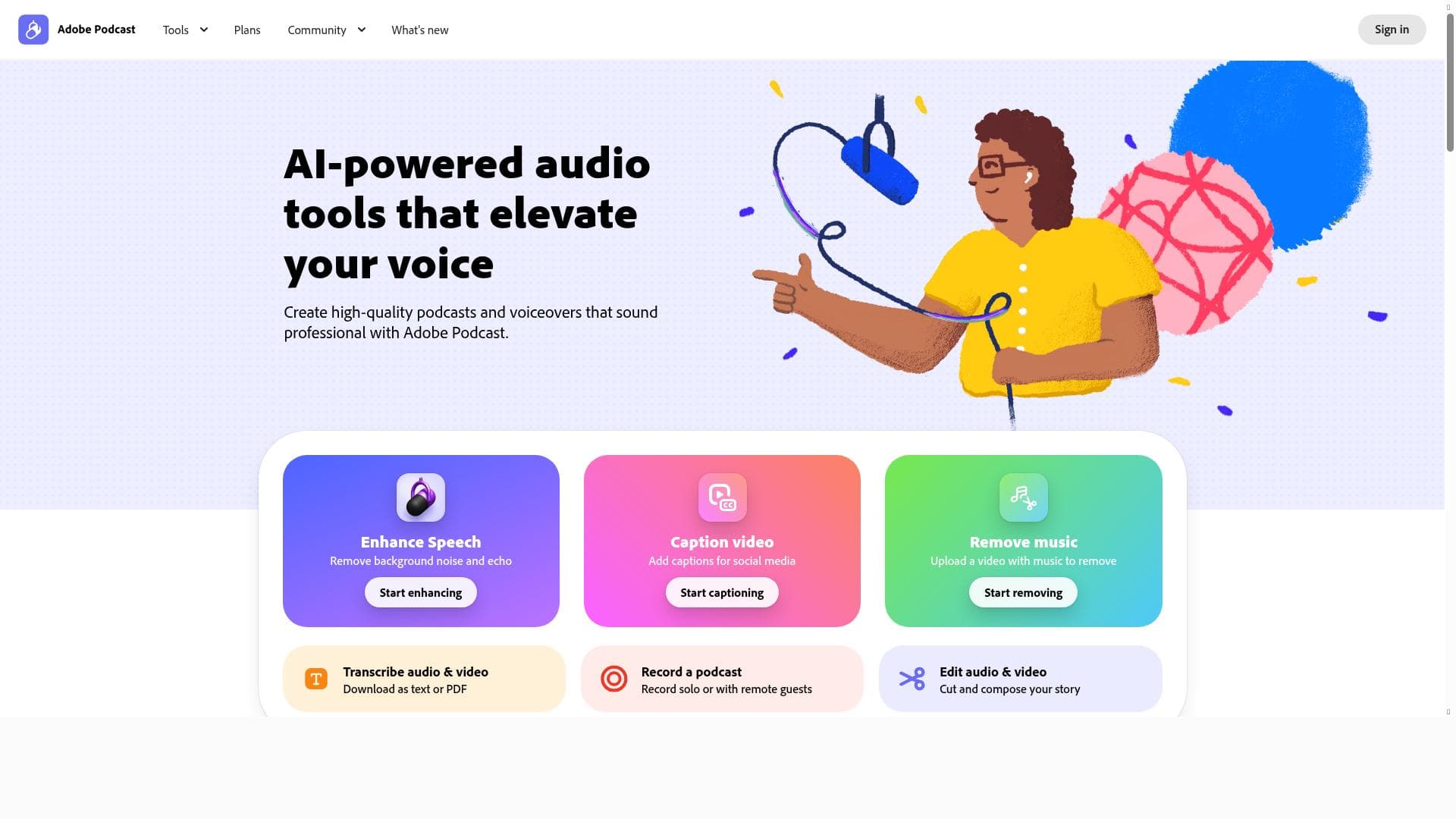
Adobe Podcast Enhance Speech v2 leverages advanced AI to transform raw voice recordings into crystal-clear, professional-quality audio by removing background noise and enhancing speech clarity. Perfect for podcasters, educators, and content creators, it streamlines the audio production process with features like automatic transcription and seamless Adobe Creative Cloud integration.
Adobe Podcast Enhance Speech v2 is a sophisticated AI-driven audio enhancement tool designed to significantly improve the quality of spoken audio recordings. Its primary purpose is to transform raw voice recordings into clear, professional-sounding audio by intelligently removing background noise, reducing reverberations, and enhancing vocal clarity. This makes it an essential tool for podcasters, voice-over artists, broadcasters, and content creators who want to elevate the audio quality of their projects without requiring extensive manual editing or expensive studio equipment. By leveraging advanced machine learning algorithms, Enhance Speech v2 automates the audio cleanup process, allowing users to achieve studio-grade sound with minimal effort. One of the standout features of Adobe Podcast Enhance Speech v2 is its advanced audio editing capabilities. The tool uses AI to analyze the audio waveform and isolate the speaker's voice from unwanted ambient sounds such as hums, clicks, or environmental noises. This results in a much cleaner and more focused vocal track. Additionally, the AI-powered voice enhancement technology improves speech intelligibility by dynamically adjusting frequencies and volume levels, ensuring that every word is crisp and clear. Beyond noise reduction and voice enhancement, the tool also offers automatic transcription, which converts spoken words into text with high accuracy, streamlining the workflow for content creators who need captions, show notes, or searchable transcripts. Enhance Speech v2 is integrated seamlessly into the broader Adobe Creative Cloud ecosystem, allowing users to easily incorporate enhanced audio into their video projects, podcasts, or multimedia presentations. The streamlined podcast production workflow is another key advantage, as it simplifies the process from raw recording to final polished audio, reducing the time and technical expertise required. Users can upload recordings directly to the platform, apply enhancement settings, receive instant feedback, and export the improved audio in various formats compatible with popular podcast hosting services. This tool is ideal for a wide range of users, including independent podcasters who want to produce professional-quality episodes without investing in costly studio gear, educators creating online lectures, journalists conducting remote interviews, and marketers producing voice content for campaigns. Its ease of use and powerful AI capabilities make it accessible to beginners while offering enough depth for professionals seeking efficient audio post-production solutions. Adobe Podcast Enhance Speech v2 follows a freemium pricing model, allowing users to access basic features for free with limitations on usage or export quality. Paid plans unlock additional capabilities such as higher processing limits, priority access to new features, and integration options. This flexible pricing approach makes it accessible to hobbyists and scalable for professional use. When compared to alternative audio enhancement tools, Adobe Podcast Enhance Speech v2 stands out due to its integration with Adobe Creative Cloud, which provides a comprehensive creative suite for multimedia projects. While other tools may offer noise reduction or voice enhancement, Adobe’s solution combines these with automatic transcription and a streamlined workflow tailored specifically for podcast production. However, some users might find the freemium limitations restrictive for high-volume or commercial projects, and those outside the Adobe ecosystem may prefer standalone solutions. Notable considerations include the reliance on internet connectivity since Enhance Speech v2 operates as a cloud-based service, which may impact users with limited bandwidth. Additionally, while the AI is highly effective, extremely poor quality recordings with heavy distortion or overlapping voices might still require manual intervention. Overall, Adobe Podcast Enhance Speech v2 represents a powerful, user-friendly AI tool that democratizes professional audio enhancement, making it accessible to a broad audience seeking to improve their spoken audio content.

Description
Adobe Podcast Enhance Speech v2 leverages advanced AI to transform raw voice recordings into crystal-clear, professional-quality audio by removing background noise and enhancing speech clarity. Perfect for podcasters, educators, and content creators, it streamlines the audio production process with features like automatic transcription and seamless Adobe Creative Cloud integration.
Adobe Podcast Enhance Speech v2 is a sophisticated AI-driven audio enhancement tool designed to significantly improve the quality of spoken audio recordings. Its primary purpose is to transform raw voice recordings into clear, professional-sounding audio by intelligently removing background noise, reducing reverberations, and enhancing vocal clarity. This makes it an essential tool for podcasters, voice-over artists, broadcasters, and content creators who want to elevate the audio quality of their projects without requiring extensive manual editing or expensive studio equipment. By leveraging advanced machine learning algorithms, Enhance Speech v2 automates the audio cleanup process, allowing users to achieve studio-grade sound with minimal effort. One of the standout features of Adobe Podcast Enhance Speech v2 is its advanced audio editing capabilities. The tool uses AI to analyze the audio waveform and isolate the speaker's voice from unwanted ambient sounds such as hums, clicks, or environmental noises. This results in a much cleaner and more focused vocal track. Additionally, the AI-powered voice enhancement technology improves speech intelligibility by dynamically adjusting frequencies and volume levels, ensuring that every word is crisp and clear. Beyond noise reduction and voice enhancement, the tool also offers automatic transcription, which converts spoken words into text with high accuracy, streamlining the workflow for content creators who need captions, show notes, or searchable transcripts. Enhance Speech v2 is integrated seamlessly into the broader Adobe Creative Cloud ecosystem, allowing users to easily incorporate enhanced audio into their video projects, podcasts, or multimedia presentations. The streamlined podcast production workflow is another key advantage, as it simplifies the process from raw recording to final polished audio, reducing the time and technical expertise required. Users can upload recordings directly to the platform, apply enhancement settings, receive instant feedback, and export the improved audio in various formats compatible with popular podcast hosting services. This tool is ideal for a wide range of users, including independent podcasters who want to produce professional-quality episodes without investing in costly studio gear, educators creating online lectures, journalists conducting remote interviews, and marketers producing voice content for campaigns. Its ease of use and powerful AI capabilities make it accessible to beginners while offering enough depth for professionals seeking efficient audio post-production solutions. Adobe Podcast Enhance Speech v2 follows a freemium pricing model, allowing users to access basic features for free with limitations on usage or export quality. Paid plans unlock additional capabilities such as higher processing limits, priority access to new features, and integration options. This flexible pricing approach makes it accessible to hobbyists and scalable for professional use. When compared to alternative audio enhancement tools, Adobe Podcast Enhance Speech v2 stands out due to its integration with Adobe Creative Cloud, which provides a comprehensive creative suite for multimedia projects. While other tools may offer noise reduction or voice enhancement, Adobe’s solution combines these with automatic transcription and a streamlined workflow tailored specifically for podcast production. However, some users might find the freemium limitations restrictive for high-volume or commercial projects, and those outside the Adobe ecosystem may prefer standalone solutions. Notable considerations include the reliance on internet connectivity since Enhance Speech v2 operates as a cloud-based service, which may impact users with limited bandwidth. Additionally, while the AI is highly effective, extremely poor quality recordings with heavy distortion or overlapping voices might still require manual intervention. Overall, Adobe Podcast Enhance Speech v2 represents a powerful, user-friendly AI tool that democratizes professional audio enhancement, making it accessible to a broad audience seeking to improve their spoken audio content.
Tool Features
- Advanced audio editing tools
- AI-powered voice enhancement
- Automatic transcription
- Streamlined podcast production workflow
- Integration with Adobe Creative Cloud
Frequently Asked Questions
What is Adobe Podcast Enhance Speech v2?
Adobe Podcast Enhance Speech v2 is an AI-powered audio enhancement tool designed to improve the quality of voice recordings by eliminating background noise and enhancing speech clarity, making audio sound professional and polished.
How much does Adobe Podcast Enhance Speech v2 cost?
Adobe Podcast Enhance Speech v2 follows a freemium pricing model, offering basic features for free with usage limits, while paid plans provide expanded capabilities, higher processing limits, and additional integrations.
Who is Adobe Podcast Enhance Speech v2 best for?
It is ideal for podcasters, voice-over artists, educators, journalists, and content creators who want to improve their audio quality quickly and easily without needing advanced audio engineering skills.
What are the main features of Adobe Podcast Enhance Speech v2?
Key features include advanced audio editing tools, AI-powered voice enhancement, automatic transcription, a streamlined podcast production workflow, and integration with Adobe Creative Cloud.
Does Adobe Podcast Enhance Speech v2 offer a free trial?
Yes, the tool offers a freemium version that allows users to access basic features for free, enabling them to try out the service before opting for paid plans.
What integrations does Adobe Podcast Enhance Speech v2 support?
Enhance Speech v2 integrates seamlessly with Adobe Creative Cloud, allowing users to incorporate enhanced audio into other Adobe applications and multimedia projects.
How does Adobe Podcast Enhance Speech v2 work?
The tool uses AI algorithms to analyze audio recordings, isolate and enhance the speaker's voice, remove background noise, and improve clarity. It also provides automatic transcription and exports enhanced audio files for easy use.
Sponsored Tools













































Reviews
No reviews yet. Be the first to share your experience.