Description
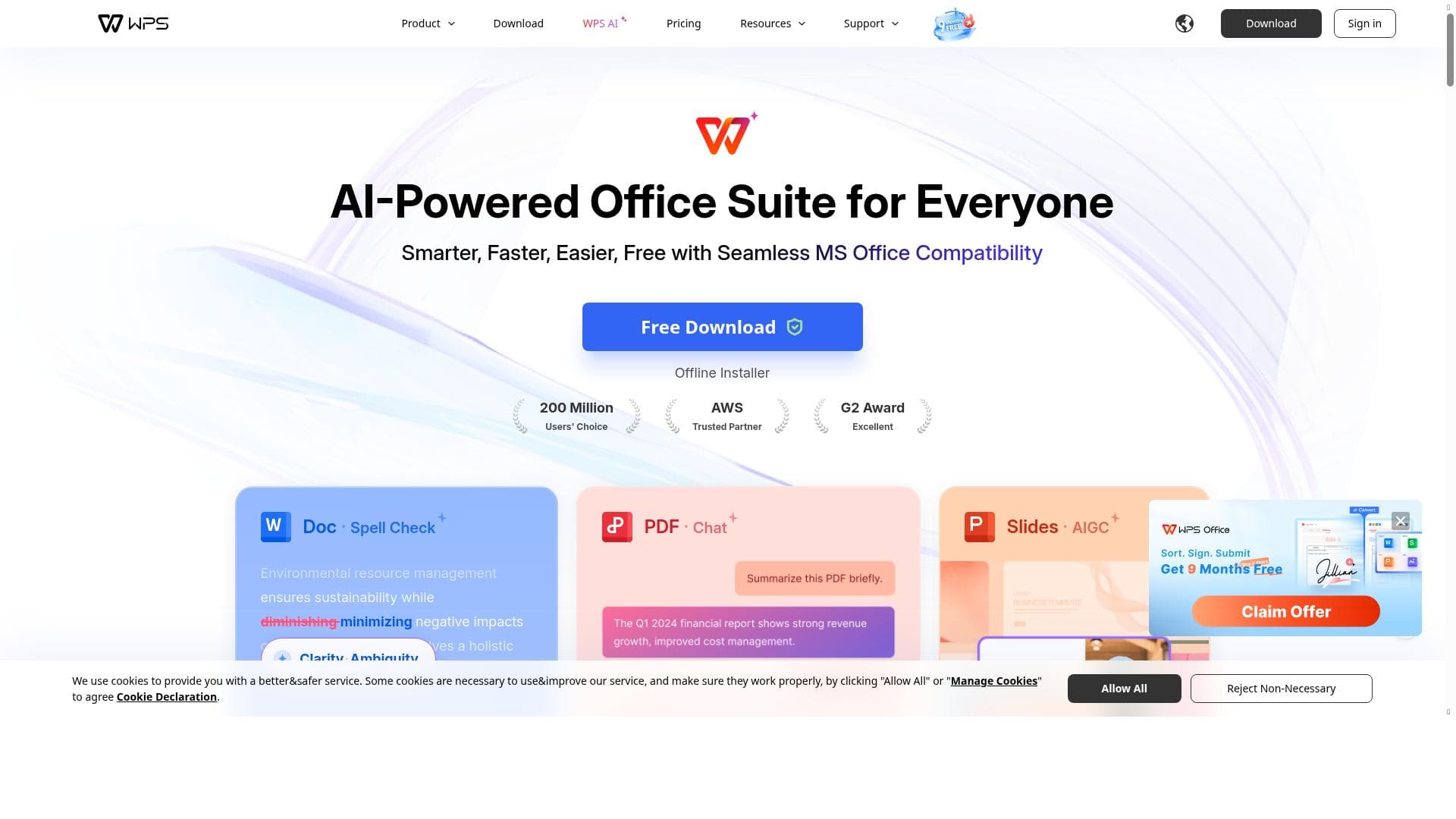
WPS Office is an AI-powered office suite that democratizes advanced productivity tools by offering intelligent writing, presentation, and data management assistance at an affordable price. Perfect for students, professionals, and small businesses, it reshapes workflows with AI copilots that enhance document creation, PDF interaction, and cloud collaboration.
WPS Office is a comprehensive AI-powered office suite designed to streamline everyday work tasks by integrating advanced artificial intelligence capabilities into a familiar productivity environment. Its core purpose is to make AI accessible and practical for all users, eliminating the need for expensive software while enhancing efficiency and creativity. By offering a versatile set of tools that cover document creation, data management, presentations, and PDF handling, WPS Office reshapes traditional office workflows with an intelligent copilot that assists in writing, designing presentations, spell checking, translation, and even interacting with PDFs through chat-like features. At the heart of WPS Office are its three main applications: Writer, Spreadsheet, and Presentation, which correspond to Word, Excel, and PowerPoint respectively. These tools provide robust functionality for creating and editing text documents, managing complex and lengthy data sets, and designing professional presentations. The suite is bolstered by WPS Cloud, an integrated online storage solution that enables seamless access and collaboration across devices. Users can also take advantage of PDF Tools to edit, convert, and manage PDF files efficiently, a feature that is often limited or costly in other office suites. Additional capabilities include a rich library of online templates that accelerate document creation, advanced text tools for enhanced editing precision, and the ability to record presentations directly within the app. WPS Office also supports capturing photos and scanning documents, making it a versatile tool for digitizing physical paperwork. The AI copilot enhances productivity by assisting with grammar and spell checks, generating content suggestions, translating text in real-time, and enabling interactive conversations with PDF documents to extract information or clarify content. WPS Office is ideal for a wide range of users, from students and educators to small business owners and professionals who require a powerful yet affordable office suite. Its AI-driven features make it particularly useful for those who want to improve writing quality, create engaging presentations quickly, or manage large datasets without the complexity of traditional software. The cloud integration supports remote work and collaboration, making it suitable for teams and individuals working across different locations. The pricing model for WPS Office is freemium, offering a free tier with essential features and optional premium subscriptions that unlock advanced tools, additional cloud storage, and an ad-free experience. This approach allows users to try the software risk-free and upgrade based on their needs and usage frequency. Compared to alternatives like Microsoft Office or Google Workspace, WPS Office stands out by combining AI-powered assistance with a lower cost barrier, making it accessible to budget-conscious users without sacrificing functionality. However, some limitations include occasional compatibility issues with complex Microsoft Office documents and fewer third-party integrations compared to more established platforms. While the AI features are powerful, they may not yet match the depth of specialized AI writing or data analysis tools. Additionally, the user interface, while intuitive, may require a brief adjustment period for users accustomed to other office suites. Overall, WPS Office offers a compelling blend of AI-enhanced productivity tools, cloud integration, and affordability, making it a strong contender for anyone seeking to modernize their office workflow with smart technology.

Description
WPS Office is an AI-powered office suite that democratizes advanced productivity tools by offering intelligent writing, presentation, and data management assistance at an affordable price. Perfect for students, professionals, and small businesses, it reshapes workflows with AI copilots that enhance document creation, PDF interaction, and cloud collaboration.
WPS Office is a comprehensive AI-powered office suite designed to streamline everyday work tasks by integrating advanced artificial intelligence capabilities into a familiar productivity environment. Its core purpose is to make AI accessible and practical for all users, eliminating the need for expensive software while enhancing efficiency and creativity. By offering a versatile set of tools that cover document creation, data management, presentations, and PDF handling, WPS Office reshapes traditional office workflows with an intelligent copilot that assists in writing, designing presentations, spell checking, translation, and even interacting with PDFs through chat-like features. At the heart of WPS Office are its three main applications: Writer, Spreadsheet, and Presentation, which correspond to Word, Excel, and PowerPoint respectively. These tools provide robust functionality for creating and editing text documents, managing complex and lengthy data sets, and designing professional presentations. The suite is bolstered by WPS Cloud, an integrated online storage solution that enables seamless access and collaboration across devices. Users can also take advantage of PDF Tools to edit, convert, and manage PDF files efficiently, a feature that is often limited or costly in other office suites. Additional capabilities include a rich library of online templates that accelerate document creation, advanced text tools for enhanced editing precision, and the ability to record presentations directly within the app. WPS Office also supports capturing photos and scanning documents, making it a versatile tool for digitizing physical paperwork. The AI copilot enhances productivity by assisting with grammar and spell checks, generating content suggestions, translating text in real-time, and enabling interactive conversations with PDF documents to extract information or clarify content. WPS Office is ideal for a wide range of users, from students and educators to small business owners and professionals who require a powerful yet affordable office suite. Its AI-driven features make it particularly useful for those who want to improve writing quality, create engaging presentations quickly, or manage large datasets without the complexity of traditional software. The cloud integration supports remote work and collaboration, making it suitable for teams and individuals working across different locations. The pricing model for WPS Office is freemium, offering a free tier with essential features and optional premium subscriptions that unlock advanced tools, additional cloud storage, and an ad-free experience. This approach allows users to try the software risk-free and upgrade based on their needs and usage frequency. Compared to alternatives like Microsoft Office or Google Workspace, WPS Office stands out by combining AI-powered assistance with a lower cost barrier, making it accessible to budget-conscious users without sacrificing functionality. However, some limitations include occasional compatibility issues with complex Microsoft Office documents and fewer third-party integrations compared to more established platforms. While the AI features are powerful, they may not yet match the depth of specialized AI writing or data analysis tools. Additionally, the user interface, while intuitive, may require a brief adjustment period for users accustomed to other office suites. Overall, WPS Office offers a compelling blend of AI-enhanced productivity tools, cloud integration, and affordability, making it a strong contender for anyone seeking to modernize their office workflow with smart technology.
Tool Features
- Writer (Word), Spreadsheet (Excel), Presentation (PPT)
- WPS Cloud for online storage
- PDF Tools for editing and managing PDFs
- Processing complicated and lengthy data
- Online Templates for quick document creation
- Text tools for enhanced editing
- Record your presentation
- Take photos and scan documents
Frequently Asked Questions
What is WPS Office?
WPS Office is an AI-powered office suite that includes word processing, spreadsheet, and presentation tools, enhanced with AI features like writing assistance, spell check, translation, and PDF interaction to improve productivity and streamline everyday work.
How much does WPS Office cost?
WPS Office offers a freemium pricing model with a free tier that includes essential features. Premium subscriptions are available to unlock advanced tools, additional cloud storage, and an ad-free experience.
Who is WPS Office best for?
WPS Office is ideal for students, educators, small business owners, and professionals who need a powerful yet affordable office suite with AI-enhanced writing, presentation, and data management capabilities.
What are the main features of WPS Office?
Key features include Writer (word processing), Spreadsheet, Presentation tools, WPS Cloud for online storage, PDF editing and management tools, AI-powered writing assistance, online templates, text editing tools, presentation recording, and document scanning.
Does WPS Office offer a free trial?
Yes, WPS Office provides a free tier with core features available at no cost, allowing users to try the software before opting for premium subscriptions.
What integrations does WPS Office support?
WPS Office integrates with its own WPS Cloud service for online storage and collaboration. While it supports common file formats compatible with Microsoft Office, it has limited third-party integrations compared to some other office suites.
How does WPS Office work?
WPS Office functions as a suite of productivity applications enhanced by AI. Users can create and edit documents, spreadsheets, and presentations, store files in the cloud, edit PDFs, and utilize AI copilots for writing, translation, and data processing, all within an intuitive interface accessible on multiple devices.
Sponsored Tools













































Reviews
No reviews yet. Be the first to share your experience.
















