WMaster Cleanup
Description
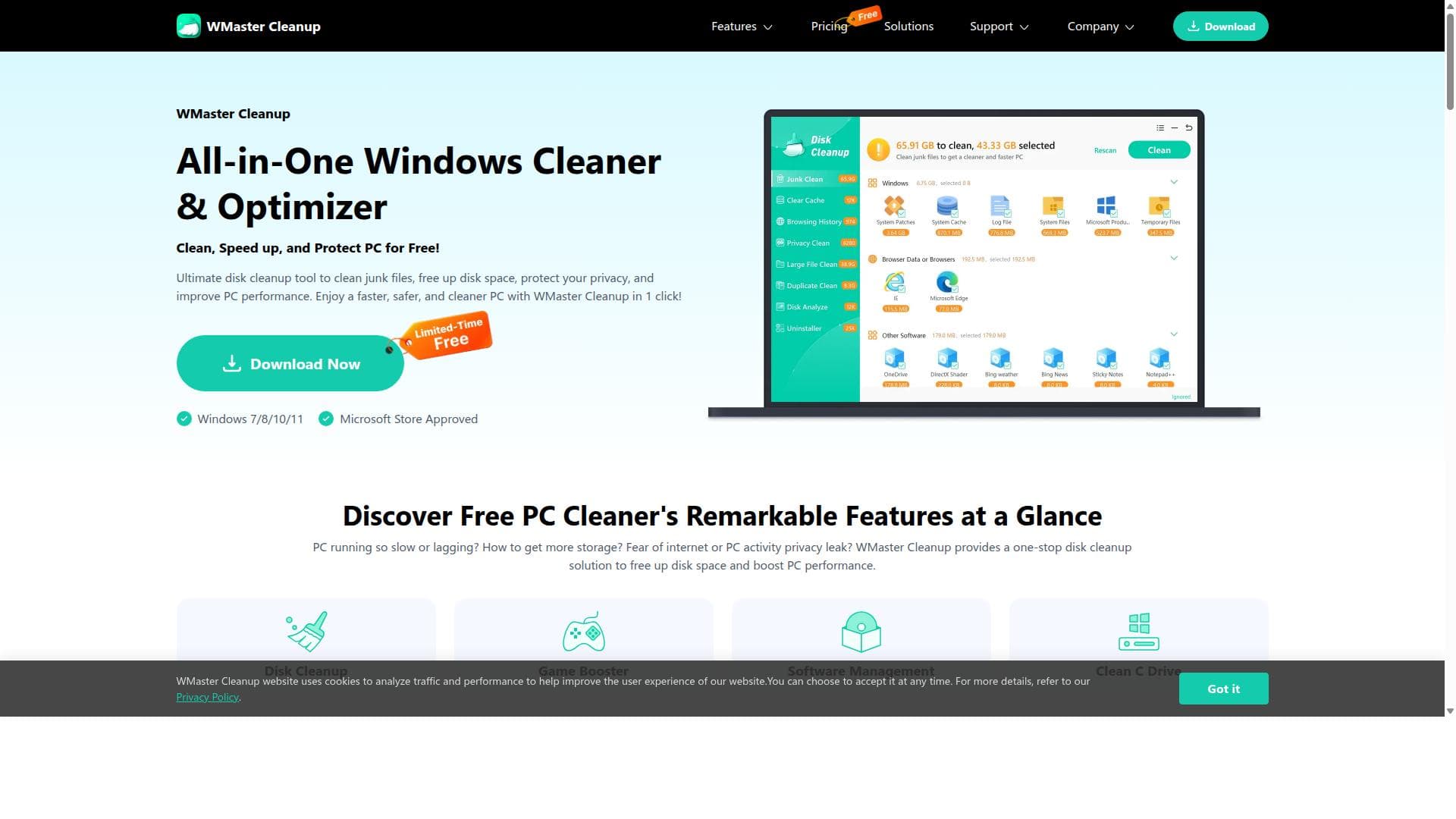
WMaster Cleanup is a free, all-in-one Windows optimization tool that instantly boosts PC speed, frees up storage, and protects user privacy with just a few clicks. Ideal for everyday users and gamers alike, it combines junk file removal, disk defragmentation, and privacy cleaning into a single, easy-to-use package.
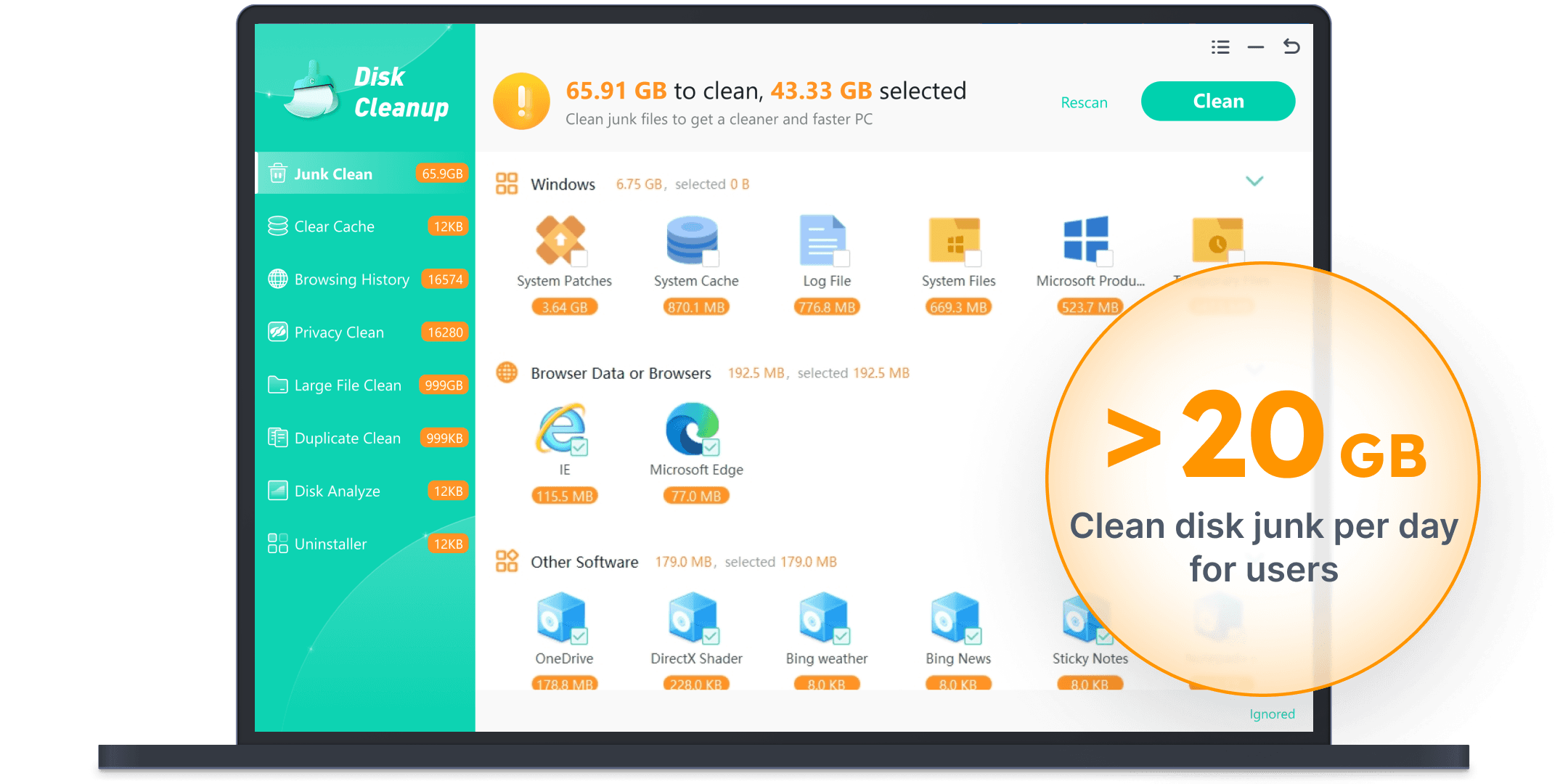
WMaster Cleanup is a comprehensive, free all-in-one Windows cleaner and optimizer designed to enhance PC performance by removing unnecessary junk files, optimizing system resources, and safeguarding user privacy. Its core purpose is to provide users with a fast, safe, and reliable way to boost their computer's speed and free up valuable storage space without the need for complex technical knowledge. By streamlining system maintenance tasks into a single tool, WMaster Cleanup makes it easy for users to keep their Windows PCs running smoothly and efficiently. The tool offers a rich set of features that cover every aspect of PC cleaning and optimization. Its Disk Cleanup function allows users to eliminate junk files with just one click, instantly freeing up storage space. The Duplicate File Remover scans the system for redundant files and safely deletes duplicates, further optimizing disk usage. For managing installed software, the Uninstall Application feature helps remove unused or unwanted programs, which can improve system responsiveness. WMaster Cleanup also includes Clear Cache capabilities that clean both system and browser caches in batch, helping to speed up browsing and system operations. To help users understand their storage consumption, the Disk Space Analyzer identifies large files that are hogging memory, enabling informed decisions about file management. Privacy is a key focus, with features like Clear Browser History and Clear Privacy that erase digital footprints and wipe hidden traces in one click, protecting users from potential privacy breaches. Additionally, the Disk Defrag tool reorganizes fragmented files to improve hard drive performance, which can lead to faster data access and overall system responsiveness. For gamers, the Game Booster feature optimizes system resources to maximize FPS and gaming performance. The Clean C Drive function targets the primary system drive to free up storage effortlessly, which is often the most critical area for maintaining system speed. WMaster Cleanup is best suited for everyday Windows users who want an easy, all-encompassing solution to maintain their PC’s health without needing advanced technical skills. It is ideal for individuals who experience slowdowns due to cluttered storage, fragmented disks, or privacy concerns. Small business users and casual gamers can also benefit from its optimization and game boosting features. The tool’s straightforward interface and one-click operations make it accessible for users of all experience levels. One of the most attractive aspects of WMaster Cleanup is that it is offered completely free of charge, making it an excellent choice for budget-conscious users who want robust PC maintenance without subscription fees or hidden costs. Unlike many paid alternatives, WMaster Cleanup provides a broad range of features in a single package, eliminating the need for multiple tools. Compared to other PC cleaning utilities, WMaster Cleanup stands out for its combination of privacy protection and performance optimization features. While some competitors focus solely on junk file removal or disk defragmentation, WMaster Cleanup integrates these with privacy cleaning and game boosting, offering a more holistic approach. However, it may lack some advanced customization options or deep system diagnostics found in premium software, which could be a consideration for power users seeking granular control. In terms of limitations, WMaster Cleanup is currently designed exclusively for Windows operating systems, so users on macOS or Linux will need alternative solutions. Additionally, while the tool is free, it does not mention dedicated customer support or frequent updates, which might impact long-term reliability and feature enhancements. Users should also ensure they back up important data before performing extensive cleanup or defragmentation, as with any system optimization tool. Overall, WMaster Cleanup is a powerful, user-friendly, and cost-effective solution for anyone looking to maintain and optimize their Windows PC with minimal effort. Its comprehensive feature set and privacy-focused approach make it a standout choice for everyday users aiming to improve system speed, reclaim storage space, and protect their digital footprint.

Description
WMaster Cleanup is a free, all-in-one Windows optimization tool that instantly boosts PC speed, frees up storage, and protects user privacy with just a few clicks. Ideal for everyday users and gamers alike, it combines junk file removal, disk defragmentation, and privacy cleaning into a single, easy-to-use package.
WMaster Cleanup is a comprehensive, free all-in-one Windows cleaner and optimizer designed to enhance PC performance by removing unnecessary junk files, optimizing system resources, and safeguarding user privacy. Its core purpose is to provide users with a fast, safe, and reliable way to boost their computer's speed and free up valuable storage space without the need for complex technical knowledge. By streamlining system maintenance tasks into a single tool, WMaster Cleanup makes it easy for users to keep their Windows PCs running smoothly and efficiently. The tool offers a rich set of features that cover every aspect of PC cleaning and optimization. Its Disk Cleanup function allows users to eliminate junk files with just one click, instantly freeing up storage space. The Duplicate File Remover scans the system for redundant files and safely deletes duplicates, further optimizing disk usage. For managing installed software, the Uninstall Application feature helps remove unused or unwanted programs, which can improve system responsiveness. WMaster Cleanup also includes Clear Cache capabilities that clean both system and browser caches in batch, helping to speed up browsing and system operations. To help users understand their storage consumption, the Disk Space Analyzer identifies large files that are hogging memory, enabling informed decisions about file management. Privacy is a key focus, with features like Clear Browser History and Clear Privacy that erase digital footprints and wipe hidden traces in one click, protecting users from potential privacy breaches. Additionally, the Disk Defrag tool reorganizes fragmented files to improve hard drive performance, which can lead to faster data access and overall system responsiveness. For gamers, the Game Booster feature optimizes system resources to maximize FPS and gaming performance. The Clean C Drive function targets the primary system drive to free up storage effortlessly, which is often the most critical area for maintaining system speed. WMaster Cleanup is best suited for everyday Windows users who want an easy, all-encompassing solution to maintain their PC’s health without needing advanced technical skills. It is ideal for individuals who experience slowdowns due to cluttered storage, fragmented disks, or privacy concerns. Small business users and casual gamers can also benefit from its optimization and game boosting features. The tool’s straightforward interface and one-click operations make it accessible for users of all experience levels. One of the most attractive aspects of WMaster Cleanup is that it is offered completely free of charge, making it an excellent choice for budget-conscious users who want robust PC maintenance without subscription fees or hidden costs. Unlike many paid alternatives, WMaster Cleanup provides a broad range of features in a single package, eliminating the need for multiple tools. Compared to other PC cleaning utilities, WMaster Cleanup stands out for its combination of privacy protection and performance optimization features. While some competitors focus solely on junk file removal or disk defragmentation, WMaster Cleanup integrates these with privacy cleaning and game boosting, offering a more holistic approach. However, it may lack some advanced customization options or deep system diagnostics found in premium software, which could be a consideration for power users seeking granular control. In terms of limitations, WMaster Cleanup is currently designed exclusively for Windows operating systems, so users on macOS or Linux will need alternative solutions. Additionally, while the tool is free, it does not mention dedicated customer support or frequent updates, which might impact long-term reliability and feature enhancements. Users should also ensure they back up important data before performing extensive cleanup or defragmentation, as with any system optimization tool. Overall, WMaster Cleanup is a powerful, user-friendly, and cost-effective solution for anyone looking to maintain and optimize their Windows PC with minimal effort. Its comprehensive feature set and privacy-focused approach make it a standout choice for everyday users aiming to improve system speed, reclaim storage space, and protect their digital footprint.
Tool Features
- Disk Cleanup: Clean the junk files in one click.
- Duplicate File Remover: Find and delete duplicate files to free up storage space.
- Uninstall Application: Remove unused software to make your computer run fast.
- Clear Cache: Clear system caches & browser caches in batch.
- Disk Space Analyzer: Check exactly which large files are hogging your memory.
- Clear Browser History: Erase digital footprints to keep your browser safe & clean.
- Disk Defrag: Reorganize fragmented files to improve hard drive performance.
- Clear Privacy: Wipe hidden traces in one click to protect your privacy.
- Game Booster: One click to boost FPS for max game performance.
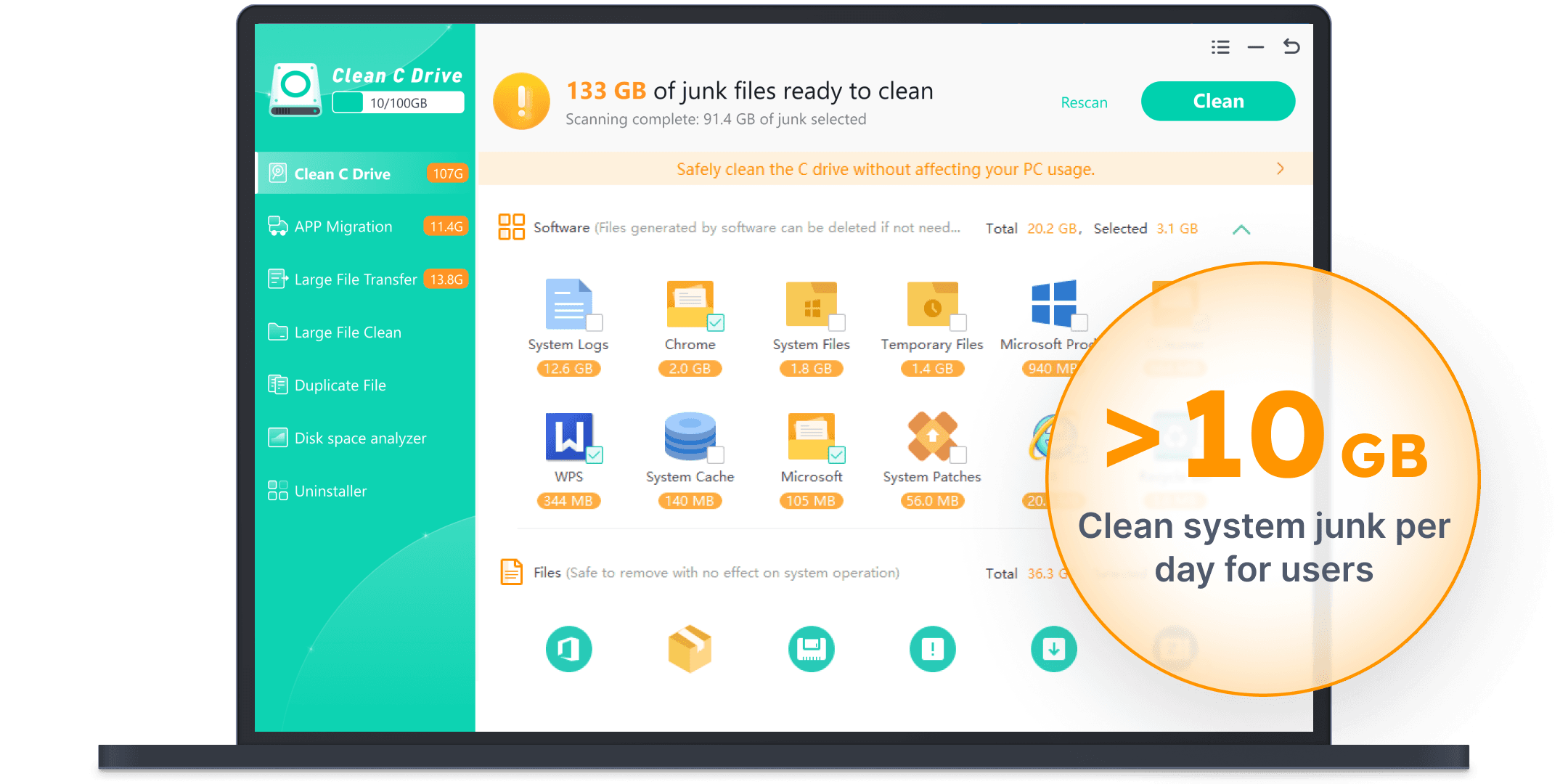
- Clean C Drive: Clean up C drive to free up storage effortlessly.
Frequently Asked Questions
What is WMaster Cleanup?
WMaster Cleanup is a free Windows cleaner and optimizer designed to remove junk files, optimize PC performance, and protect user privacy through a suite of tools including disk cleanup, duplicate file removal, cache clearing, and more.
How much does WMaster Cleanup cost?
WMaster Cleanup is completely free to use, offering all its features without any subscription fees or hidden charges.
Who is WMaster Cleanup best for?
It is best suited for everyday Windows users, small business owners, and casual gamers who want an easy-to-use tool to improve their PC’s speed, free up storage, and protect their privacy.
What are the main features of WMaster Cleanup?
Key features include Disk Cleanup, Duplicate File Remover, Uninstall Application, Clear Cache, Disk Space Analyzer, Clear Browser History, Disk Defrag, Clear Privacy, Game Booster, and Clean C Drive.
Does WMaster Cleanup offer a free trial?
Since WMaster Cleanup is fully free, there is no need for a trial period; all features are accessible without payment.
What integrations does WMaster Cleanup support?
WMaster Cleanup primarily functions as a standalone Windows optimization tool and does not currently advertise integrations with other software or platforms.
How does WMaster Cleanup work?
WMaster Cleanup scans your Windows PC to identify junk files, duplicate files, cache, and fragmented data, then allows you to clean or optimize these areas with one-click operations, improving system speed and freeing up storage while protecting your privacy.
Socials
Use ToolSponsored Tools













































Reviews
No reviews yet. Be the first to share your experience.